Mobile UI Improvements – Sorting & Filtering
We’ve rolled out mobile UI enhancements to improve how customers
sort and filter
products across your e-commerce store. These updates ensure a cleaner layout, better usability, and a smoother shopping experience on mobile devices—helping shoppers find the right products faster.
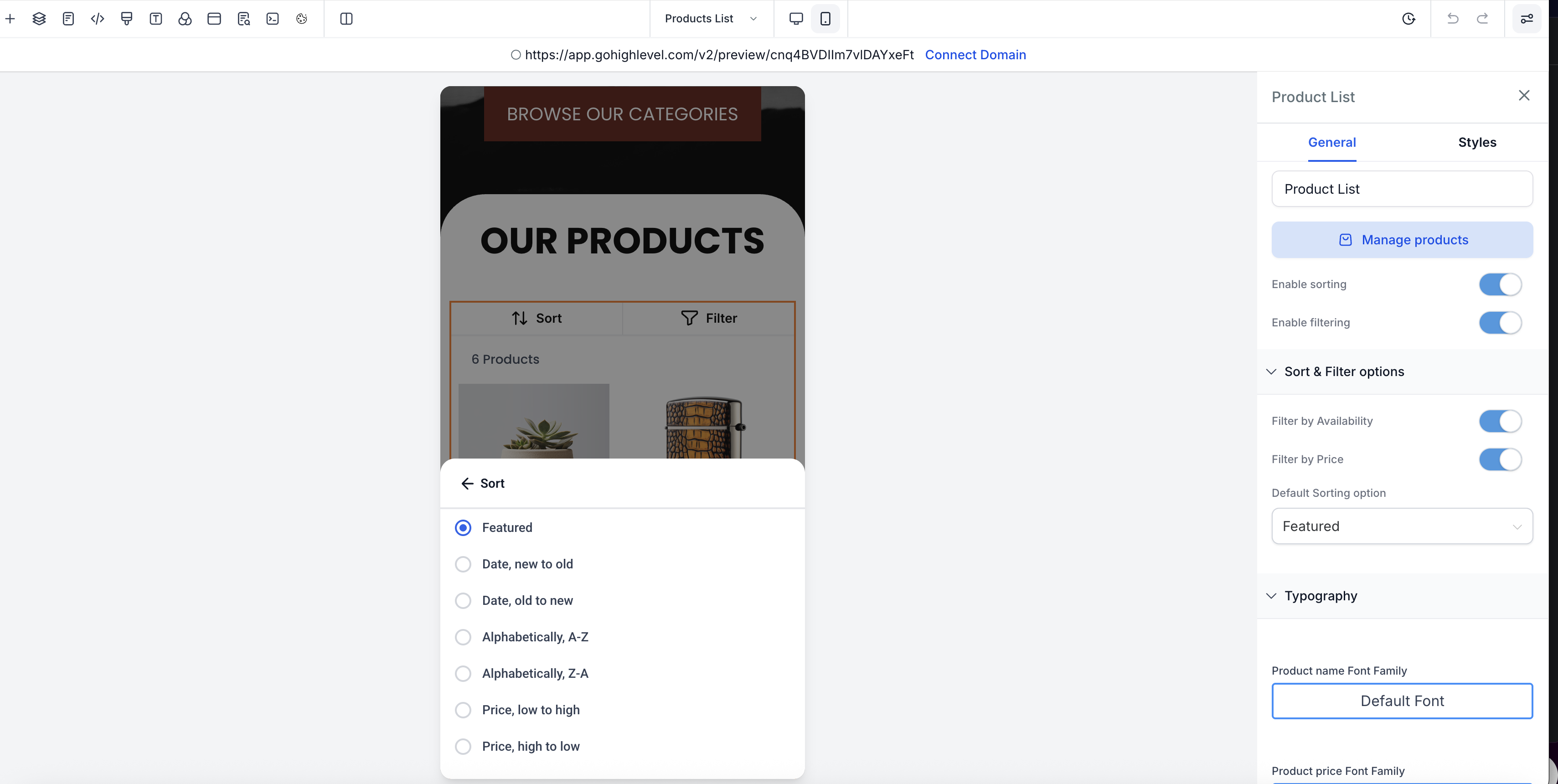
Improved Sorting Experience (Mobile)
- A
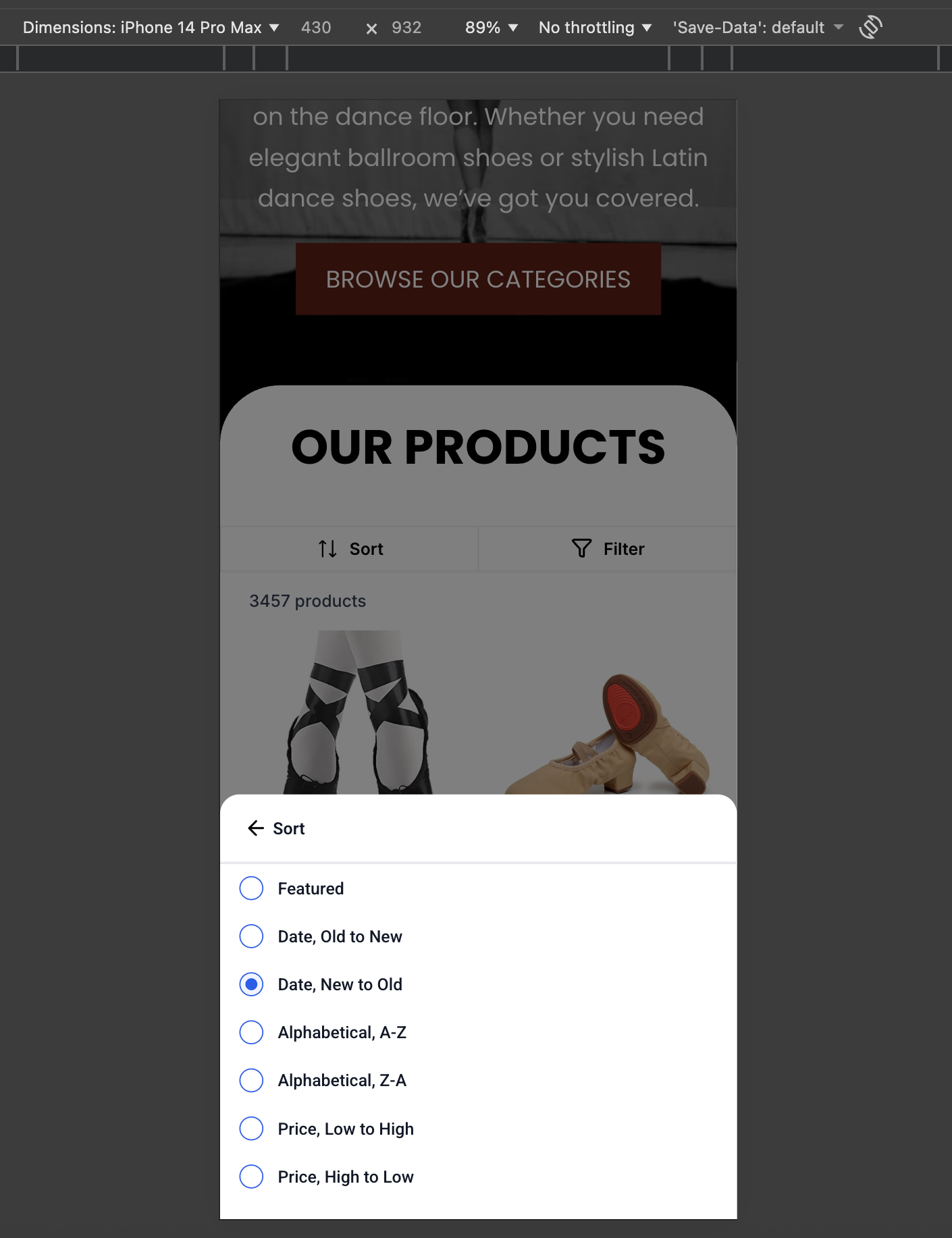
dedicated “Sort” button
now appears in the top bar of the Product List Page (PLP) on mobile.
- Tapping the button opens a bottom sheet modal with sorting options such as:
- Users can easily dismiss the sort modal by tapping outside or swiping down.
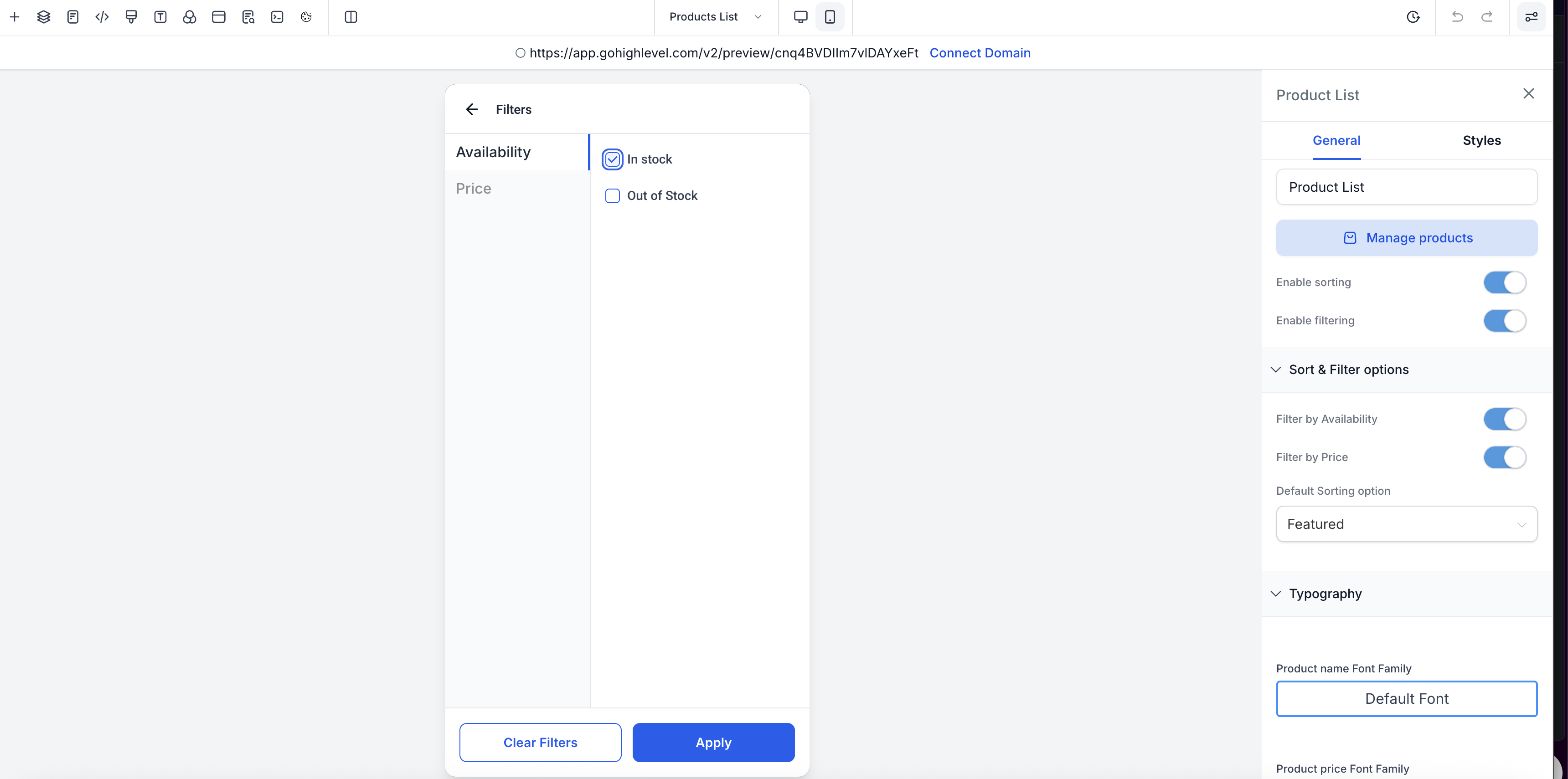
Enhanced Filtering Experience (Mobile)
- A
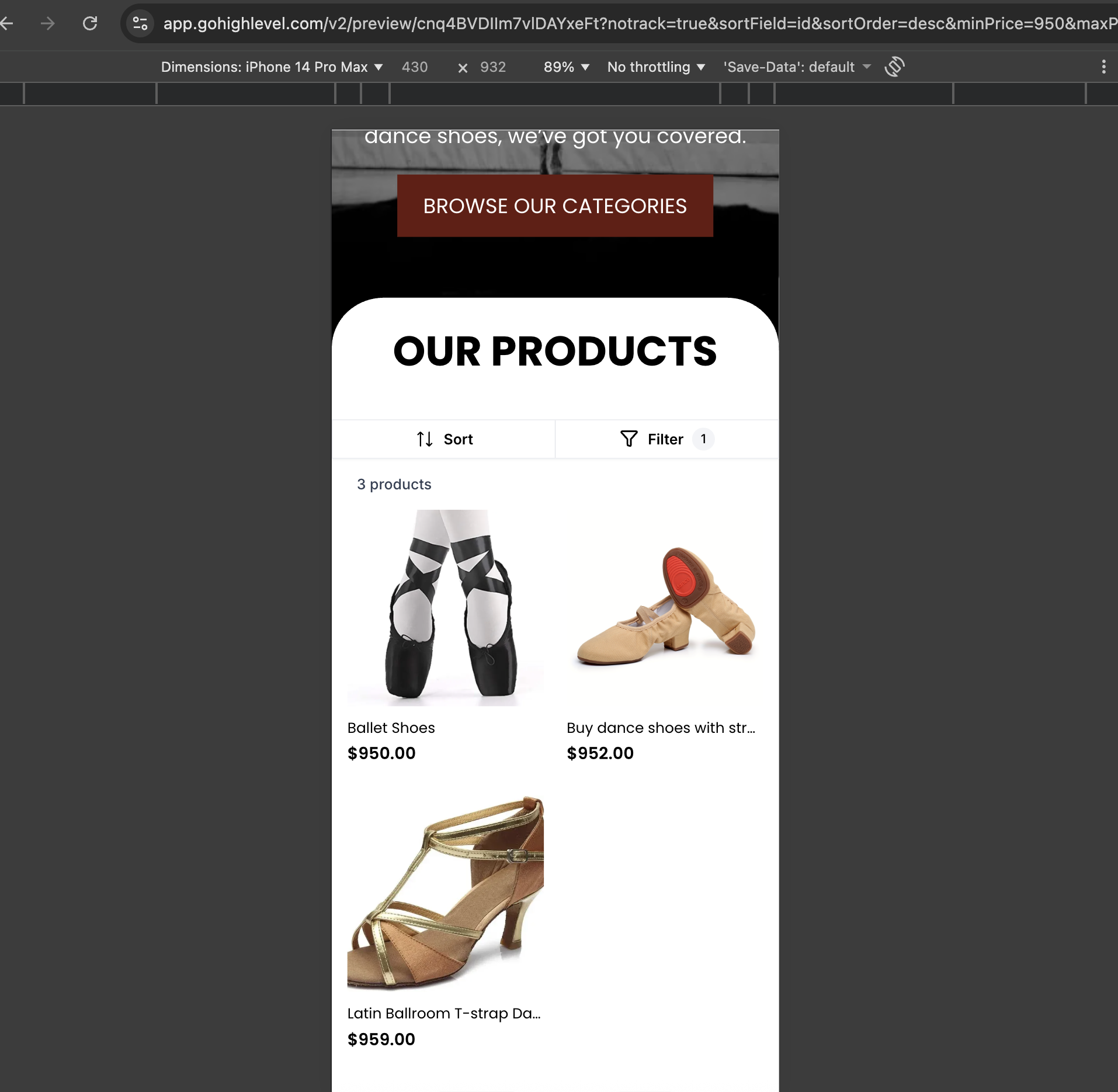
“Filters” button
is now available in the PLP top bar.
- Filters open in a full-screen modal, optimised for mobile interaction.
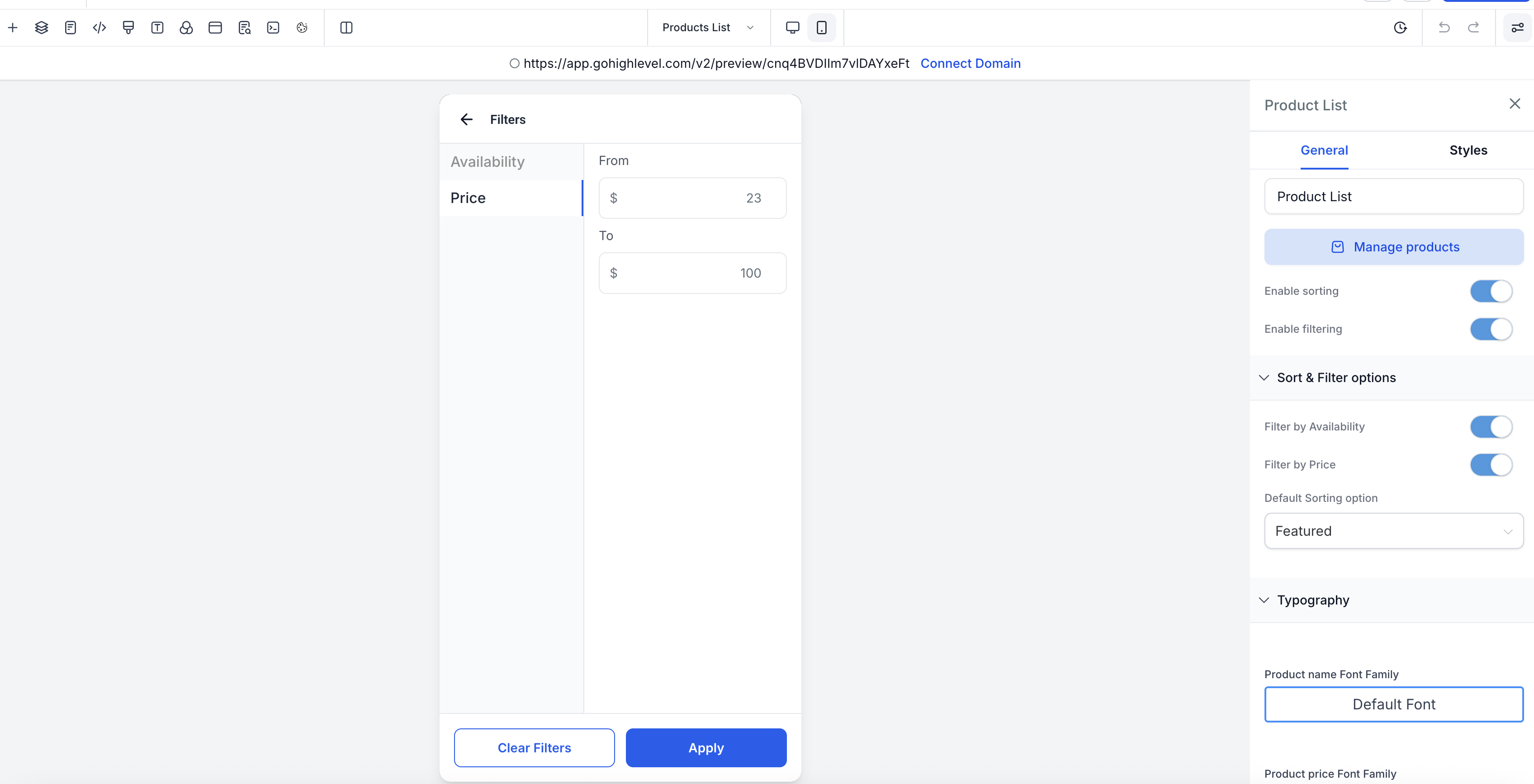
- Available filter options include:
-
Availability:
In Stock / Out of Stock (both selected by default)
-
Price Range:
“From” and “To” numeric inputs
- A
sticky footer
keeps “Apply” and “Clear Filters” buttons always accessible.
- Active filters are indicated via a badge count on the Filters button.
- Product results update accurately based on applied filters.
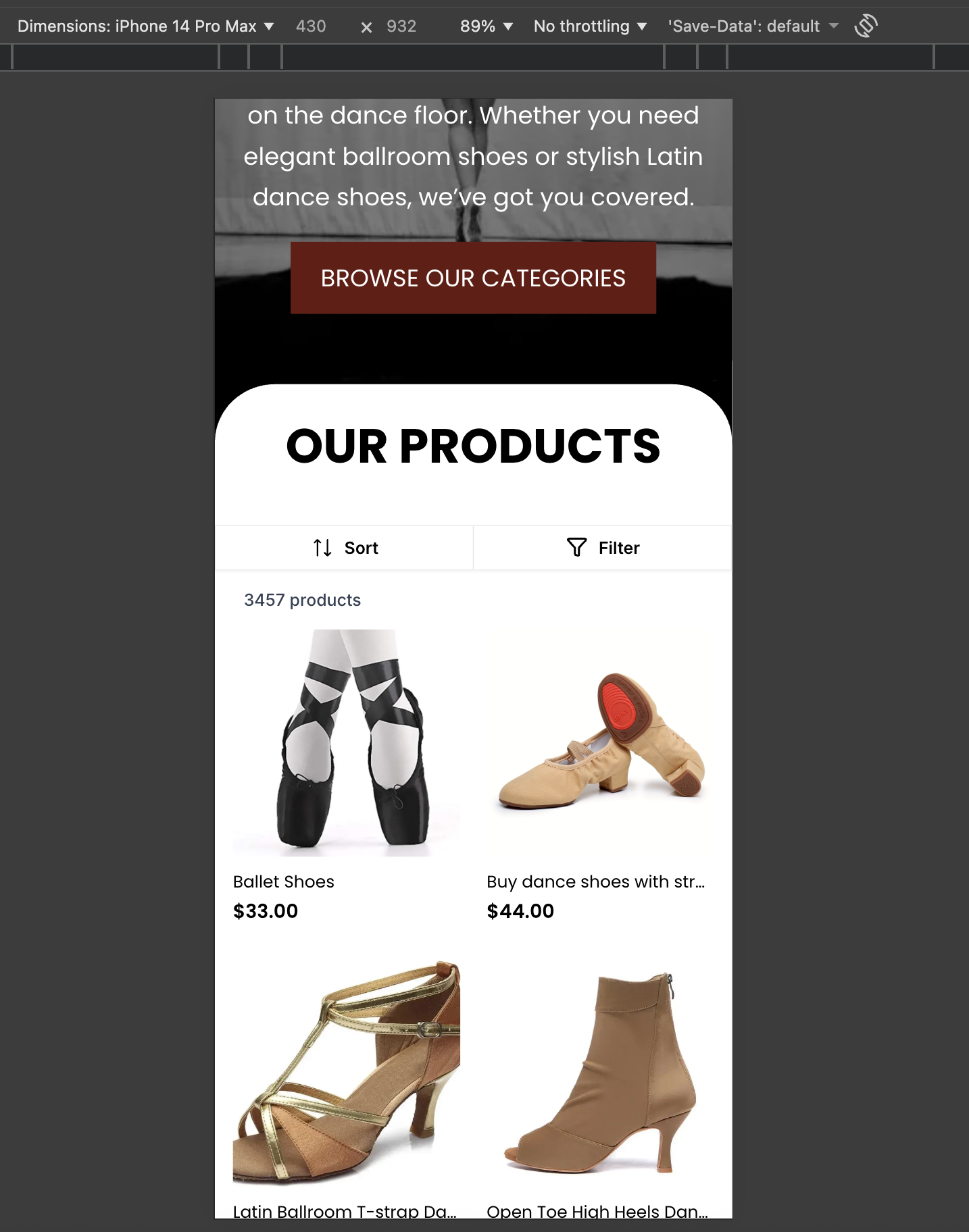
Product Visibility Improvements
- The total product count is now visible on the Product List Page.
- The count dynamically updates as filters are applied or cleared, providing customers with better context while browsing.
🛠 Builder & Customisation Support
- Store owners can preview sorting and filtering interactions directly in the
mobile builder preview
.
- Customisation options include:
- Background colour for the Sort/Filter bar
- Text colour for Sort and Filter buttons
- Styling for Apply and Clear buttons in the filter modal
- Creates a cleaner, more intuitive mobile shopping experience
- Reduces friction when browsing large product catalogs
- Improves clarity, accessibility, and conversion potential on mobile devices
- These improvements apply across mobile views of the Product List Page.
- Sorting and filtering interactions are fully optimised for touch and small screens.