
• Shopping Cart Shopping Cart
    0Shopping Cart
Clixio
  • Features
  • Pricing
  • FAQ
  • Blog
  • Log in
  • Free Trial
  • Menu Menu

Mobile Payments: Estimate Direct Payments

January 25, 2025/in What's New? Payments

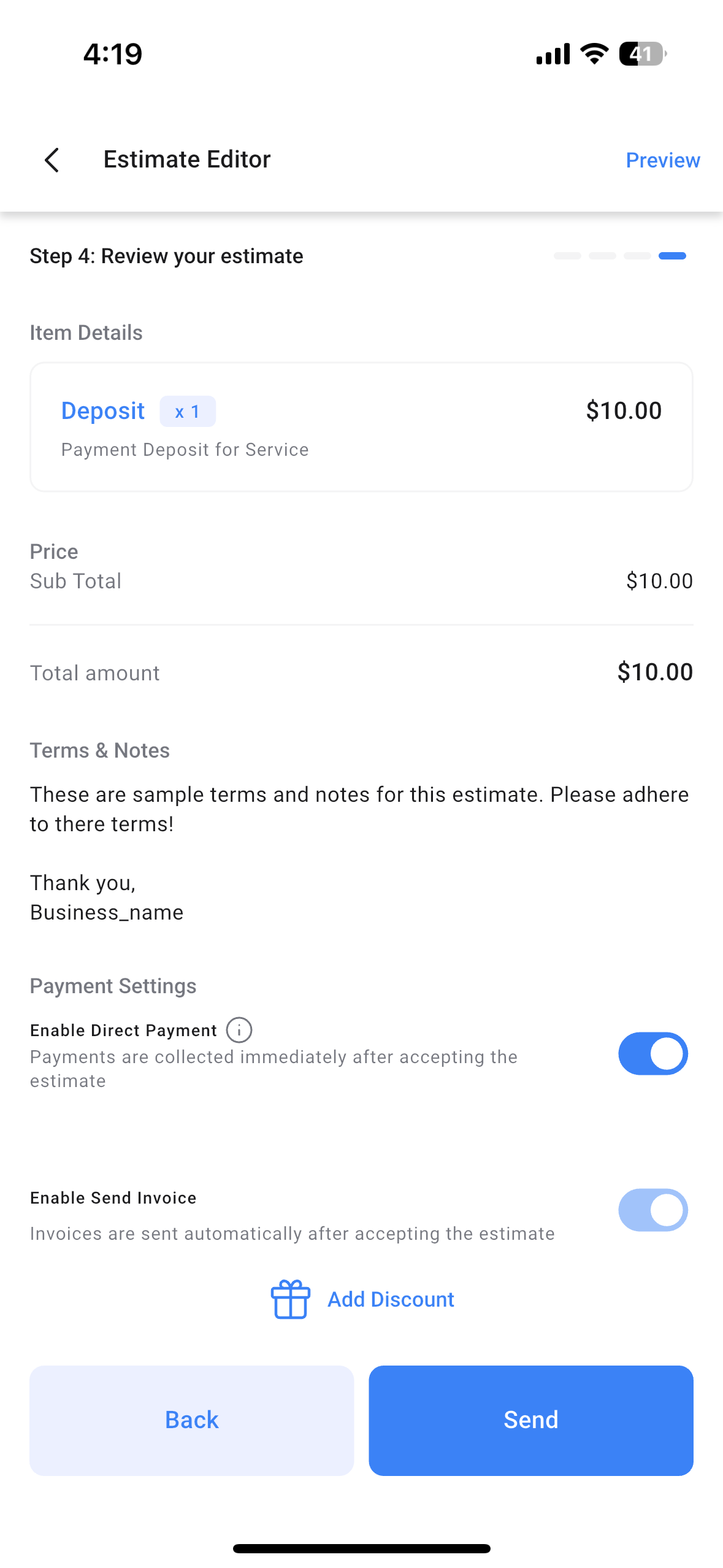
We are delighted to announce our latest update to Mobile Payments – direct payments within estimates! Subaccount admins/users can now enable a direct payment option inside an estimate before sending it to their customer. Once the customer accepts the estimate, they will automatically be redirected to the invoice page, where they can complete the payment online. This update is available on Clixio, LeadConnector, and Whitelabelled apps (update needs to be requested)

👷‍♂️

How to use this feature

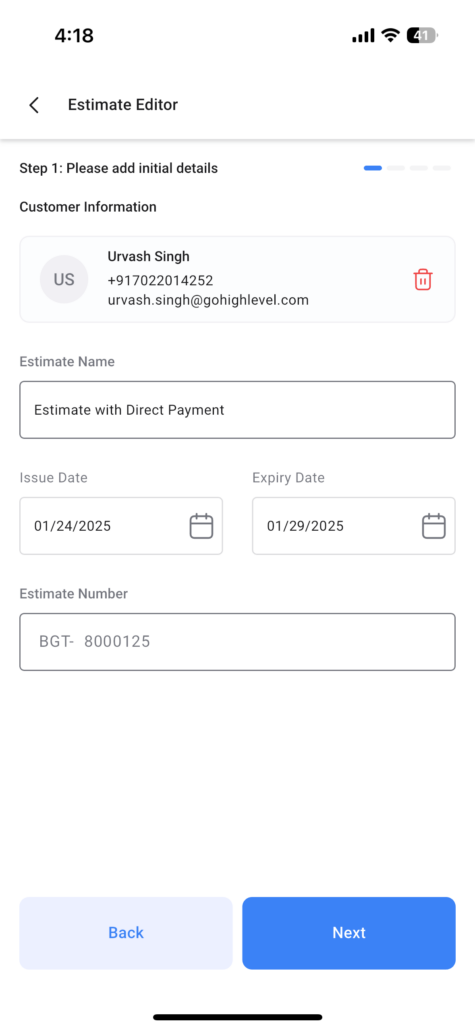
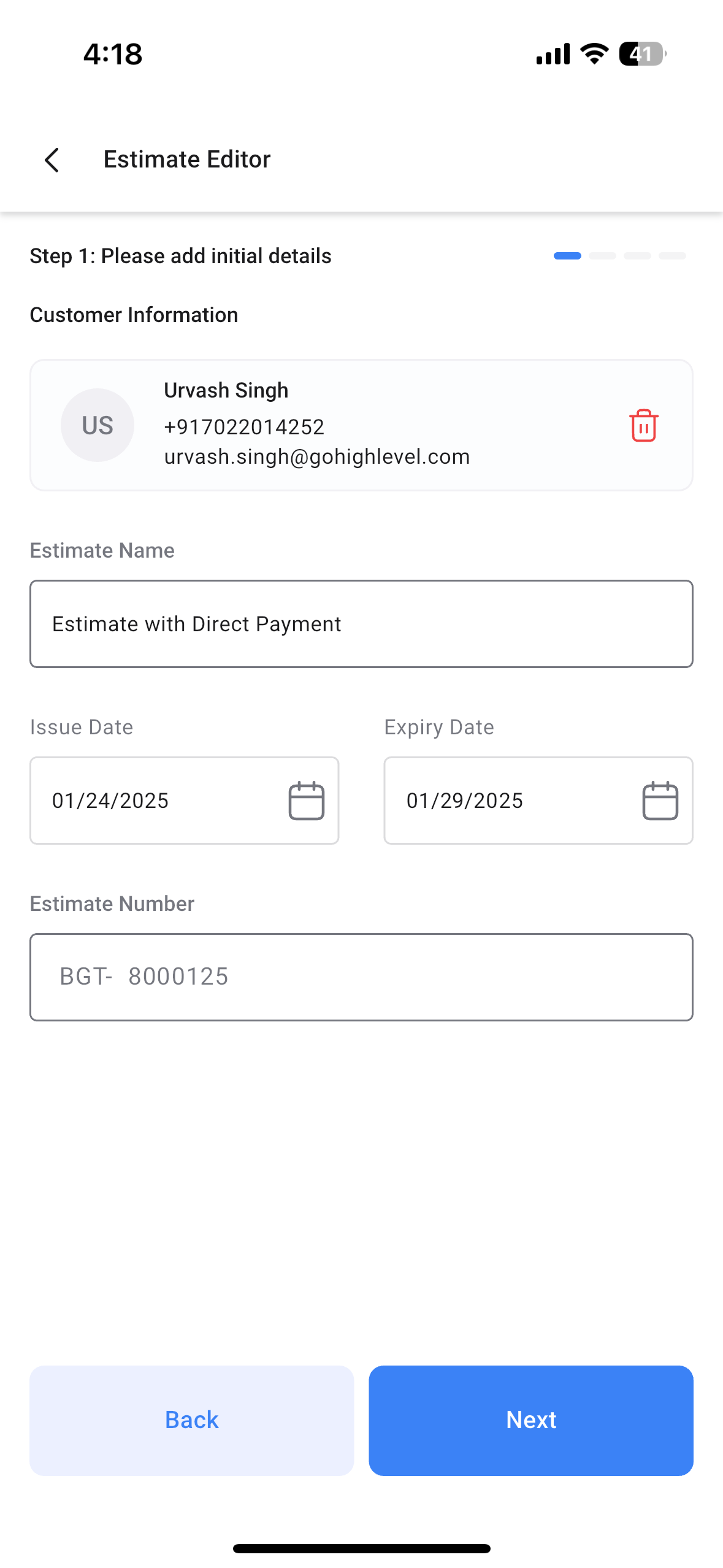
Open the mobile app with your preferred subaccount. Navigate to the Estimates section using the lefthand navigation drawer. Create a new estimate or edit an existing draft estimate.Fill out all the details just as you would – Estimate name, number, issue date, expiry date, contact, and the list of itemsUpon reaching the review page, scroll to the very bottom of the screen.Under the title “Payment Settings”, toggle “Enable Direct Payments” on.Send the estimate to your customer via email, sms, or both.Once your customer opens the estimate on their browser window and accepts it, they will automatically be redirected to the Invoice, where they can perform the payment online. In case the payment fails to go through, you can navigate to the Invoices section, and head over to that invoice tile. You can then resend that invoice or record payment offline using tap to pay, cash, card, or manually entry by left-swiping/long pressing on the invoice card and selecting Record Payment.
IMG_0775
IMG_0776
https://clixio.io/wp-content/uploads/2025/01/71f19b611358bd55db71ccfbaf53644b.png 2556 1179 Clixio.io https://clixio.io/wp-content/uploads/2023/08/clixio-logo-dark.png Clixio.io2025-01-25 16:43:002025-01-25 16:43:00Mobile Payments: Estimate Direct Payments

RSS Latest Feature Updates

  • 🔕 No External Update Emails for “Showed” & “No Show” Status Changes March 6, 2026
  • AI Powered Field Tooltips | Clixio Changelog March 3, 2026
  • Assign User Action: Now Assign to IVR Responder March 3, 2026
  • Assign User Action: Now Assign to IVR Responder with Custom Variables March 3, 2026
  • Connect Call (IVR) Action: Now Supports Call Whisper March 3, 2026
  • Fixed: If/Else branching for UTM Campaign (Last Attribution) March 3, 2026
  • Company Variables Now Available in Workflows March 3, 2026
  • Trigger Descriptions in Workflow Builder March 3, 2026
  • Add & Track Product Cost Price and Margin March 3, 2026
  • 🗓️ Smarter Booking Periods with Listing-Level Time Selection Control for Rentals March 3, 2026
Clixio - Marketing and sales automation

Marketing & sales automation built for Australian service businesses. One platform, one flat rate, genuinely easy to use.

Product
Features Pricing How it works Latest updates
Company
Blog FAQ Get support Account transfers
Legal
Privacy Policy Terms & Conditions
© Clixio. All rights reserved. Made with ♡ in Australia.
Scroll to top Scroll to top Scroll to top