Mobile Payments: Active Transactions inside POS
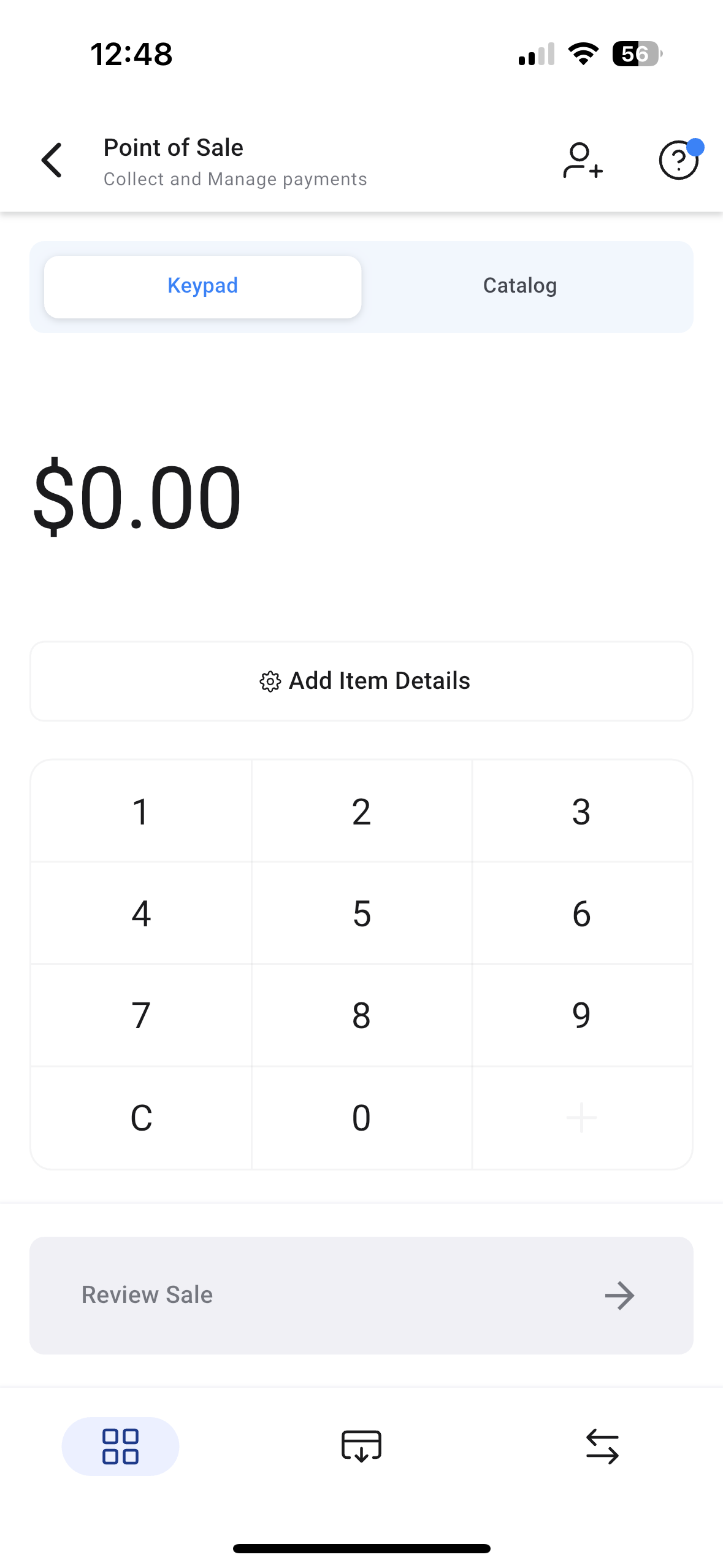
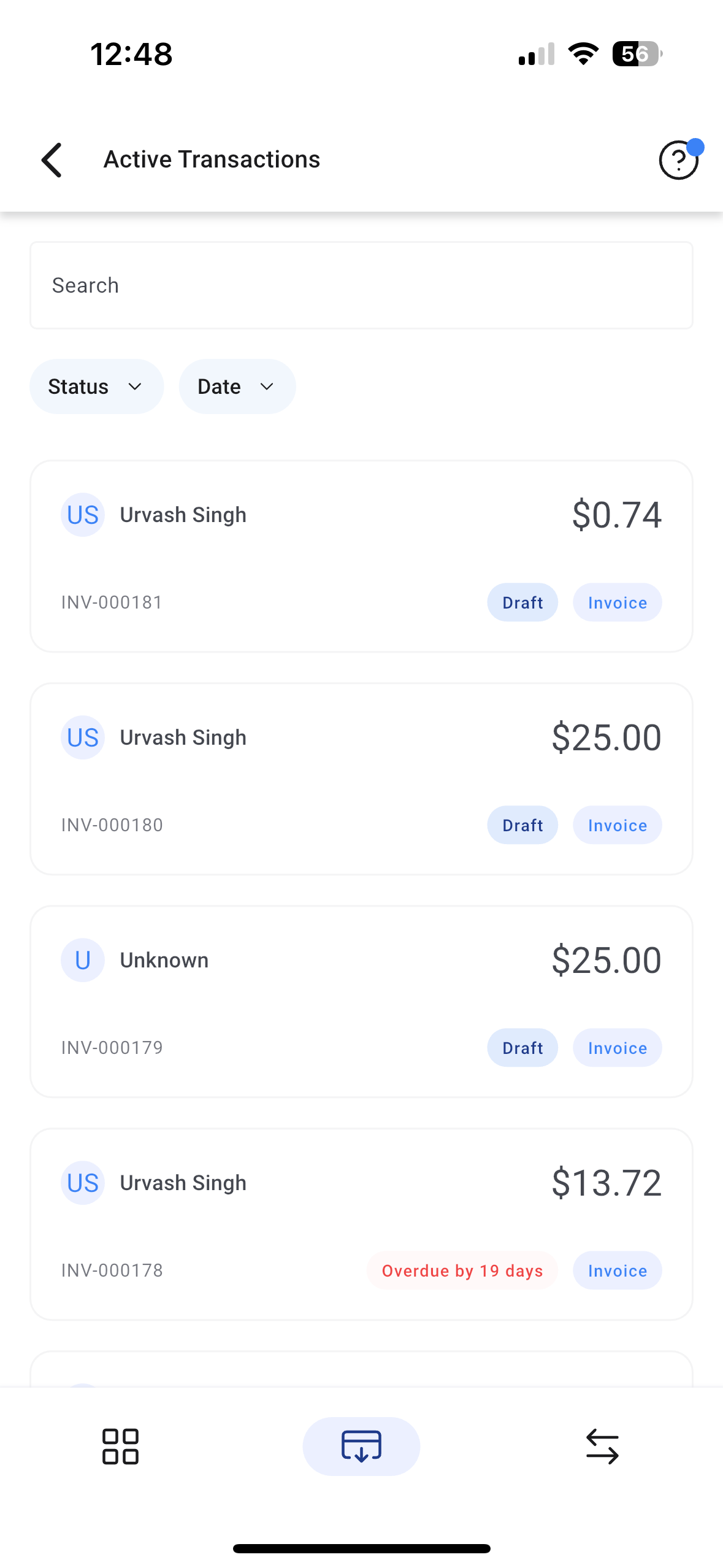
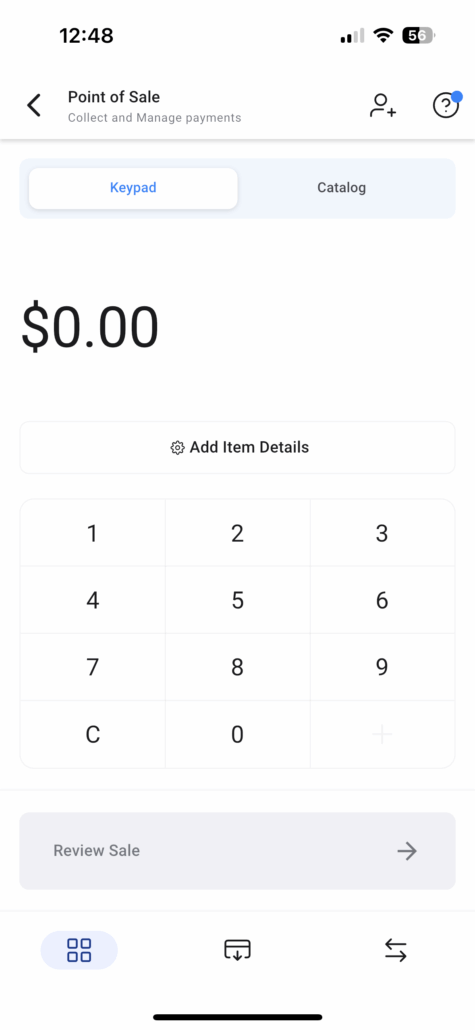
We are excited to announce our latest update to mobile payments – **Active Transactions** inside the POS! Users can now access the POS, tap on the **Active Transactions** menu from the bottom bar, and accept payments for all due and overdue estimates, invoices, and appointment payments. This update is live on version v3.100.2 on Clixio, LeadConnector, and Whitelabelled apps (please request the update).
👷♂️
**How to Use This Feature**
- Log in to the mobile app with your preferred subaccount.
- Navigate to the **POS** section from the bottom bar of the mobile app.
- Open the **Active Transactions** menu from the POS bottom bar.
- You will find all your due and overdue invoices, including estimates, documents & contracts, and appointment-based invoices.
- Tap on the invoice tile to edit or view the invoice.
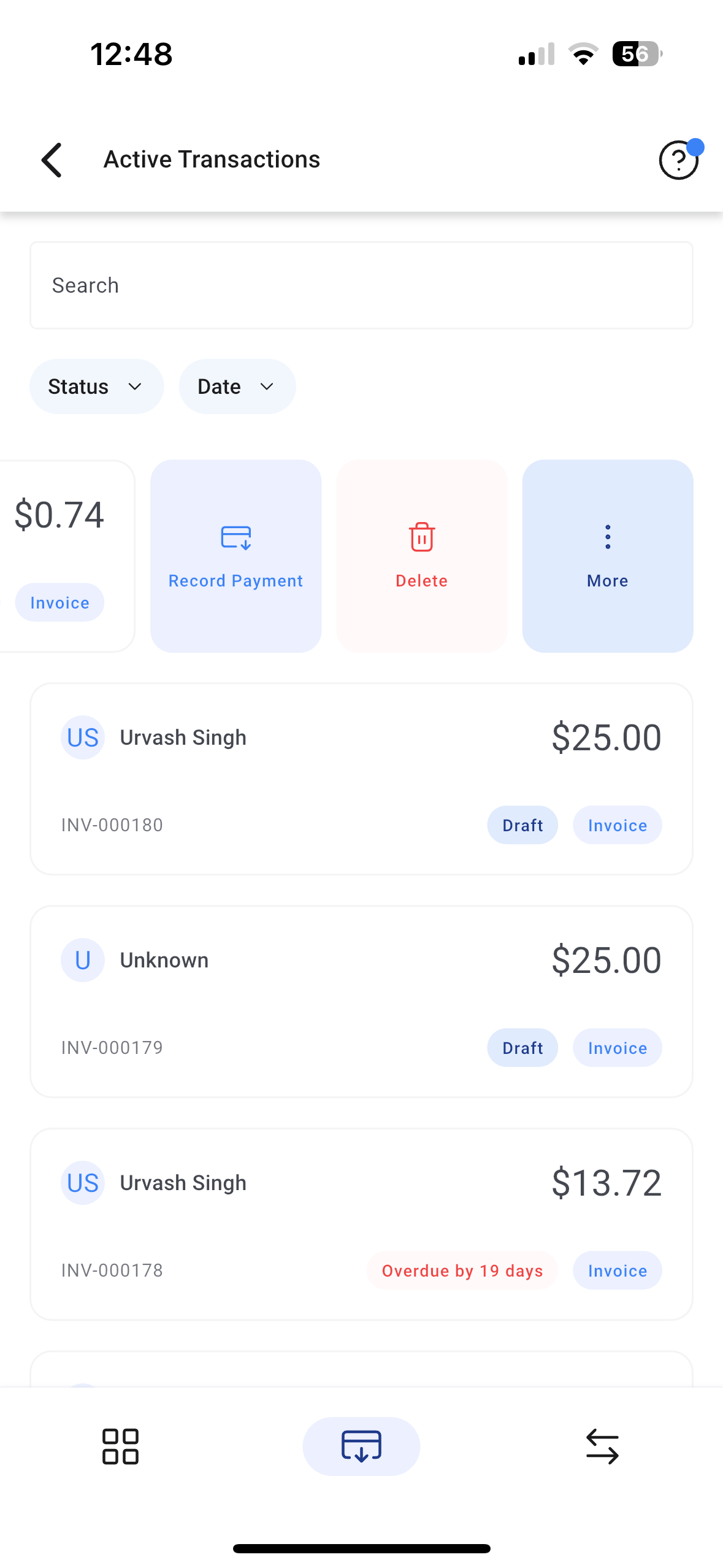
- Swipe left on an invoice card or long-press to reveal additional options.
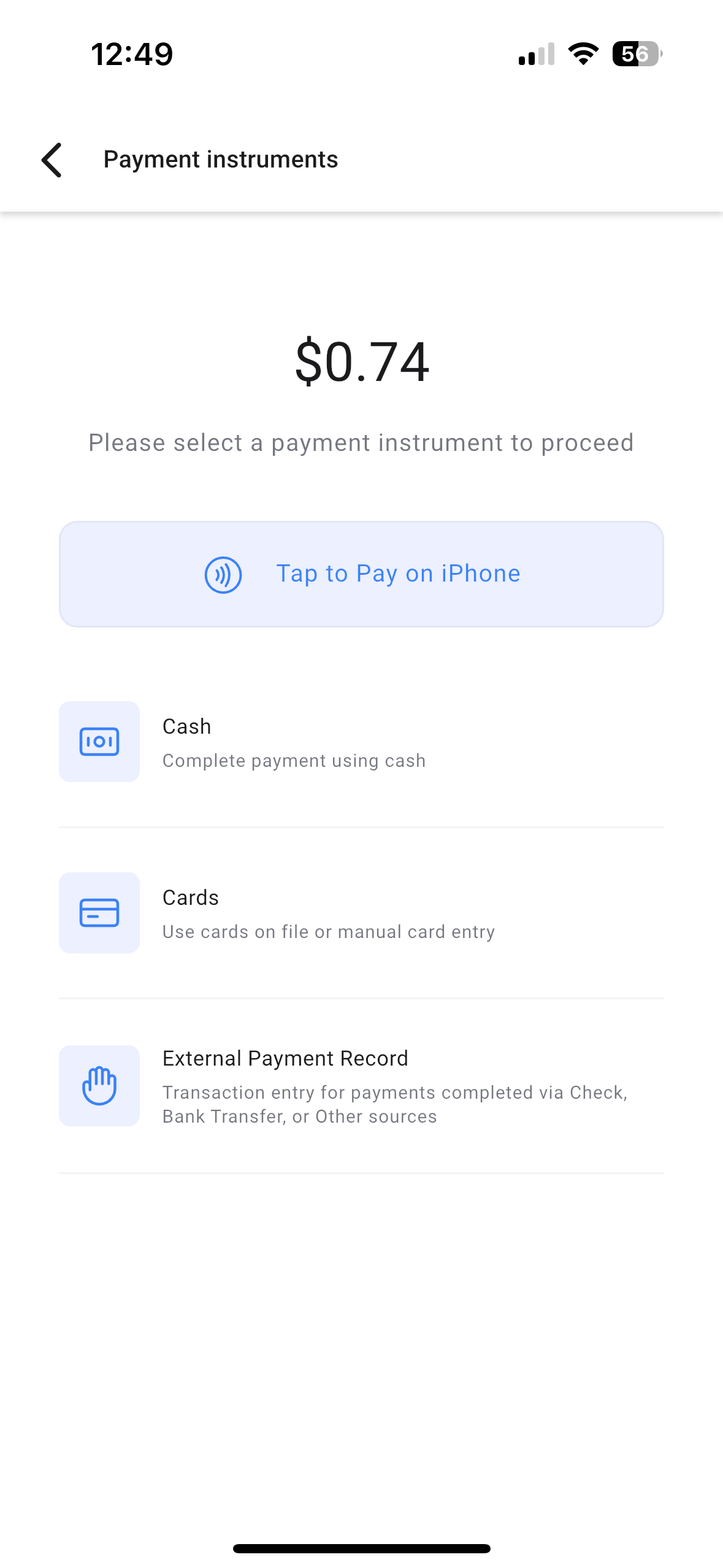
- Tap on **Record Payment** to collect payment against that invoice using your preferred payment method!