
Manus triggers and actions in Workflows
We’ve added native Manus triggers and actions to Workflows, enabling you to create, manage, and automate Manus tasks directly inside Clixio—without relying on third-party automation tools.
This integration allows you to trigger workflows based on Manus task activity and perform operations such as creating, updating, continuing, fetching, or deleting tasks—all from within Clixio.
Manus is a task-based AI system where each task:
• Starts with an initial prompt
• Processes structured AI logic
• Returns a response or output
• Can be continued with additional prompts
With this integration, Clixio can both:
Send instructions to Manus
React to Manus task lifecycle events
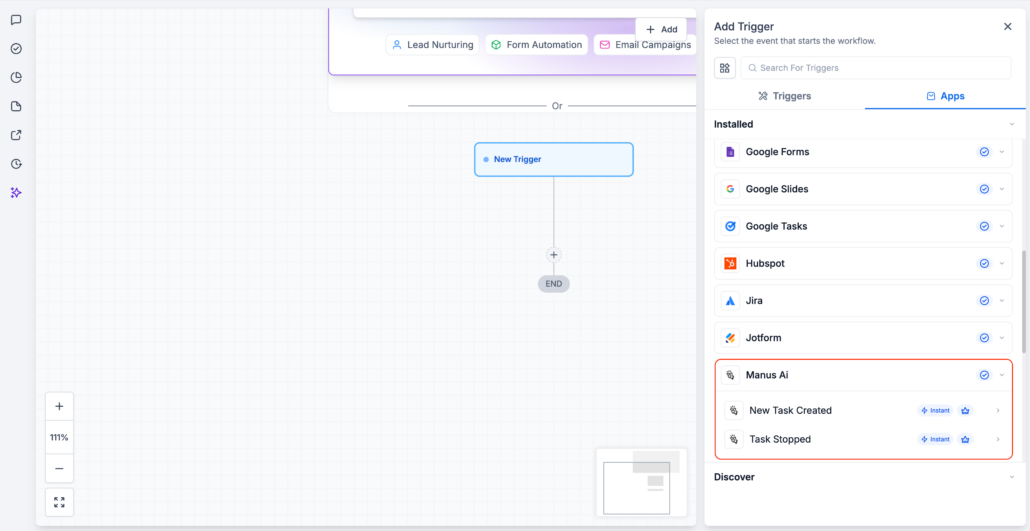
Triggers (Manus → Clixio)
These triggers initiate workflows when activity occurs in Manus:
-
New Task Created – Fires when a new task is created in Manus
-
Task Stopped – Fires when a Manus task is stopped or completed
Triggers only activate when a task is created via a workflow action.
Tasks created directly within the Manus app will not trigger workflows.
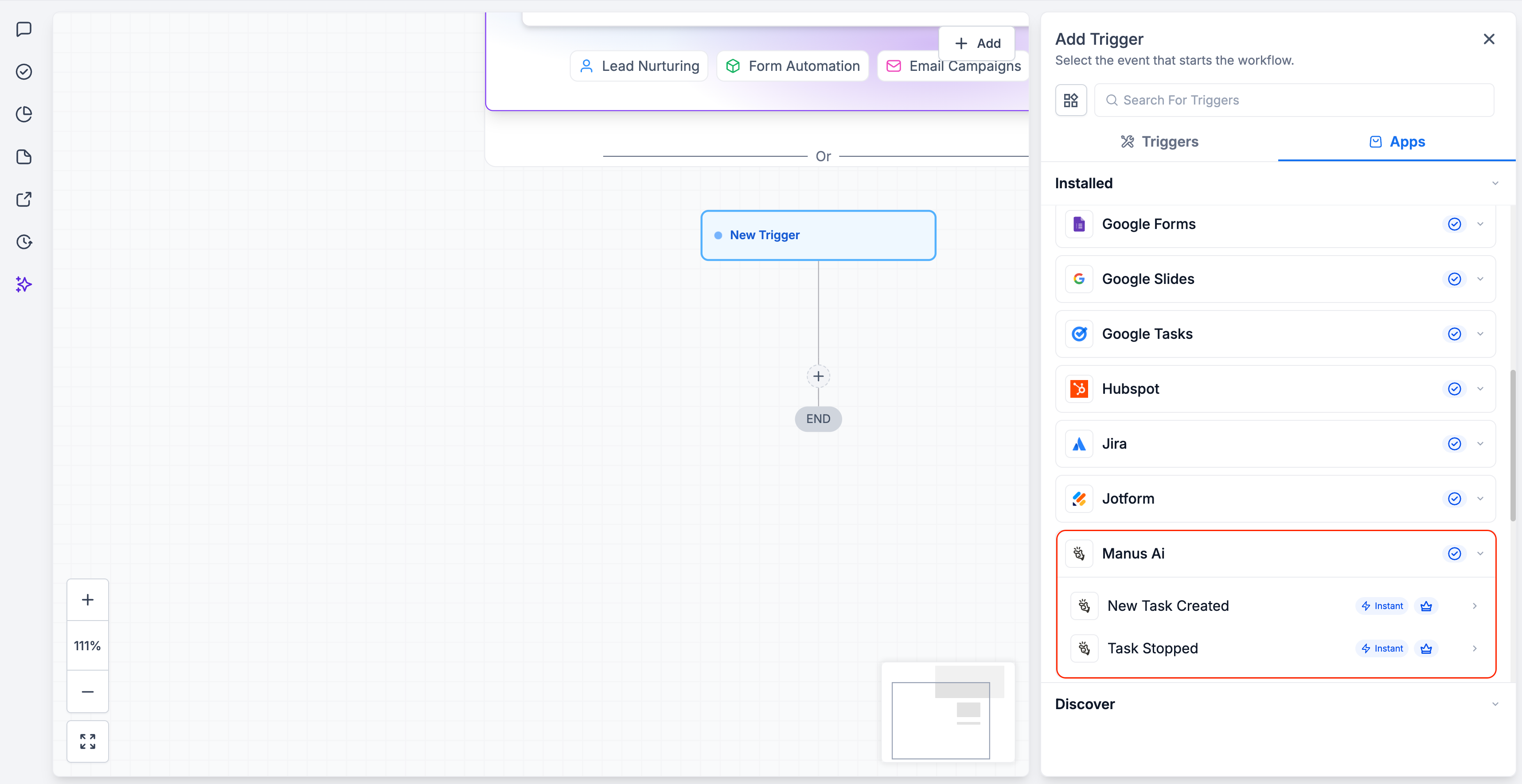
Actions (Clixio → Manus)
Manage Manus tasks directly within workflows:
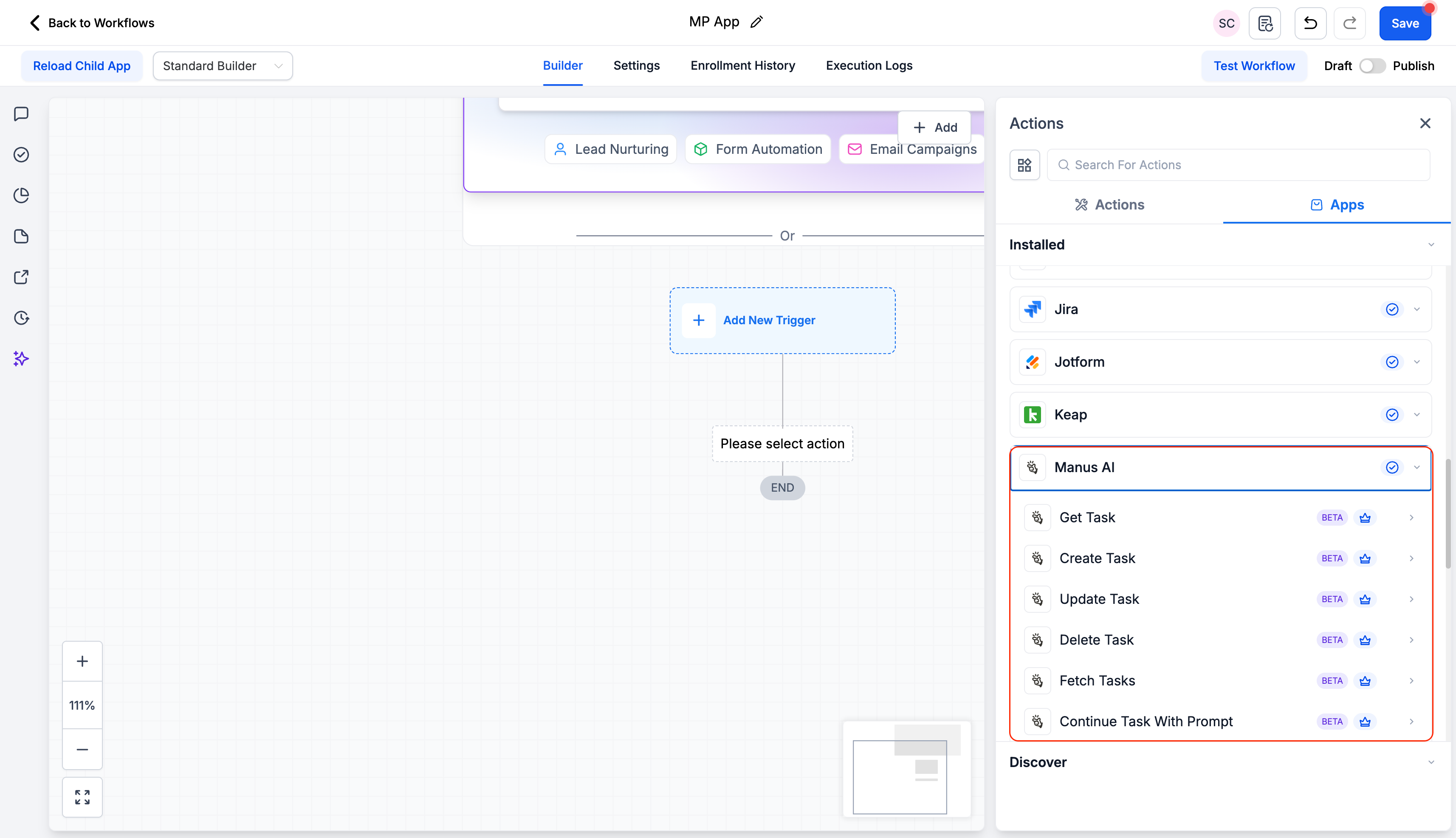
- Go to Automation → Workflows
- Add a Manus trigger or action
- Click Connect Now
- Authenticate using your Manus API key
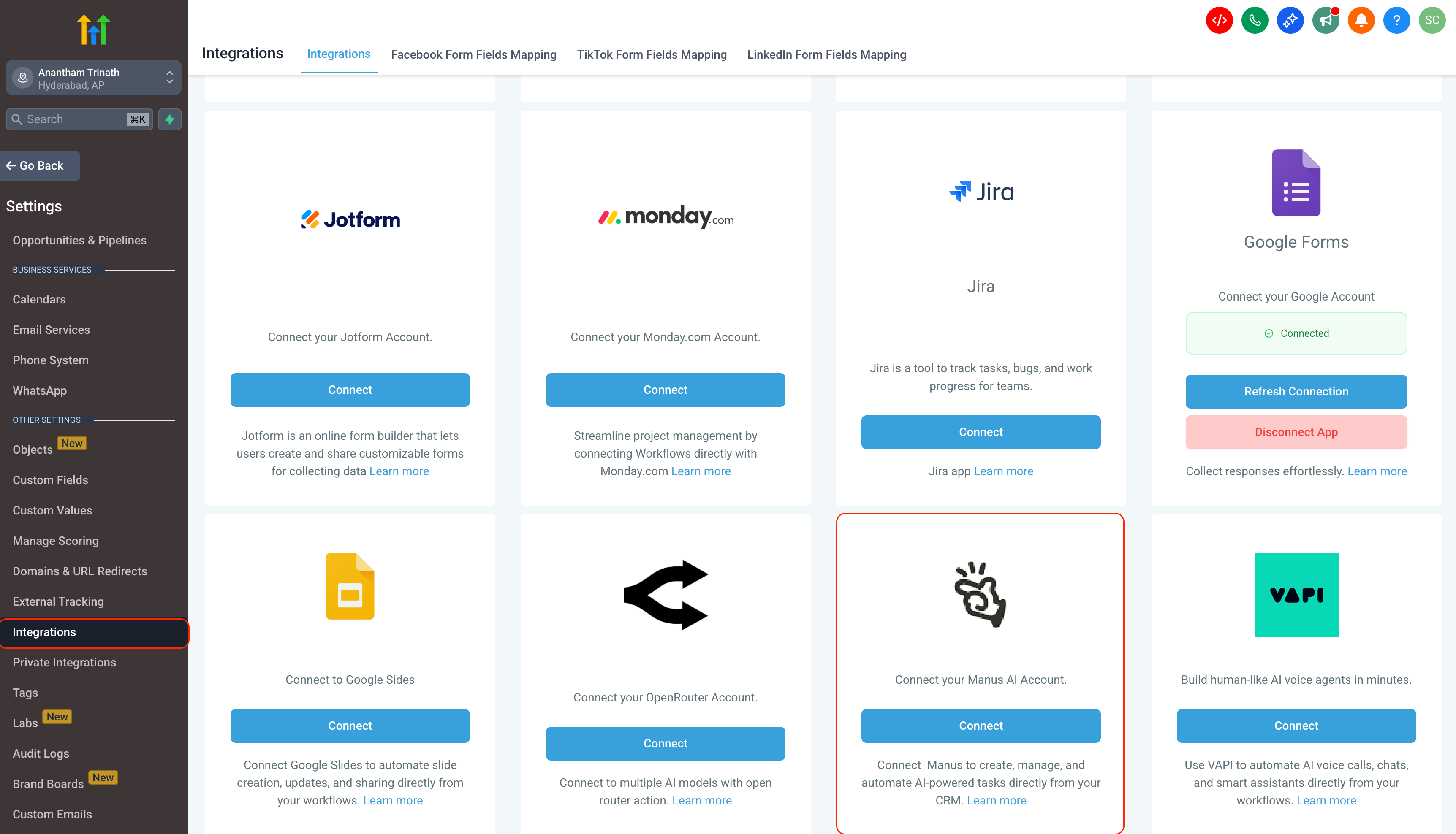
- Go to Settings → Integrations
- Select Manus
- Click Connect
- Enter your API key
- Navigate to Manus API Settings
- Click Create New
- Copy the generated key
- Paste it into Clixio when prompted
Store the Task ID returned from “Create Task” in a custom field.
You’ll need it to:
- Get Task
- Continue Task
- Update Task
- Delete Task
This enables structured, multi-step AI workflows.
- Triggers poll every 5 minutes
- Only tasks created via workflows trigger events
- Full AI outputs and lifecycle history are available in Manus
- Manus actions and triggers are premium workflow steps
- AI usage is billed by Manus separately
- Task limits depend on your Manus subscription
Frequently Asked Questions
Where can I view the full output of a Manus task?
Full task details, prompt history, and lifecycle status are available in the Manus dashboard. Clixio confirms task initiation and returns the Task ID.
How do I retrieve task output inside Clixio?
Use the Get Task action and reference the stored Task ID.
Common reasons for issues include:
- Integration disconnected
- Invalid Task ID
- Task already stopped
- Missing required prompt input
- API authorisation failure
Check Automation → Workflows → Execution Logs for further details.
Are Manus actions premium?
Yes, they follow Clixio Premium Workflow billing rules.
Does Clixio include AI credits for Manus?
No, AI usage is billed directly by Manus, along with standard automation rates in Clixio.
