Manual Product Sorting on Product List Page in Ecommerce Stores
We are excited to introduce Manual Product Sorting, a new capability that gives store owners granular control over the order in which products appear on their store’s Product List Page. This enhancement improves visual merchandising by allowing high-priority products to be featured more prominently.
-
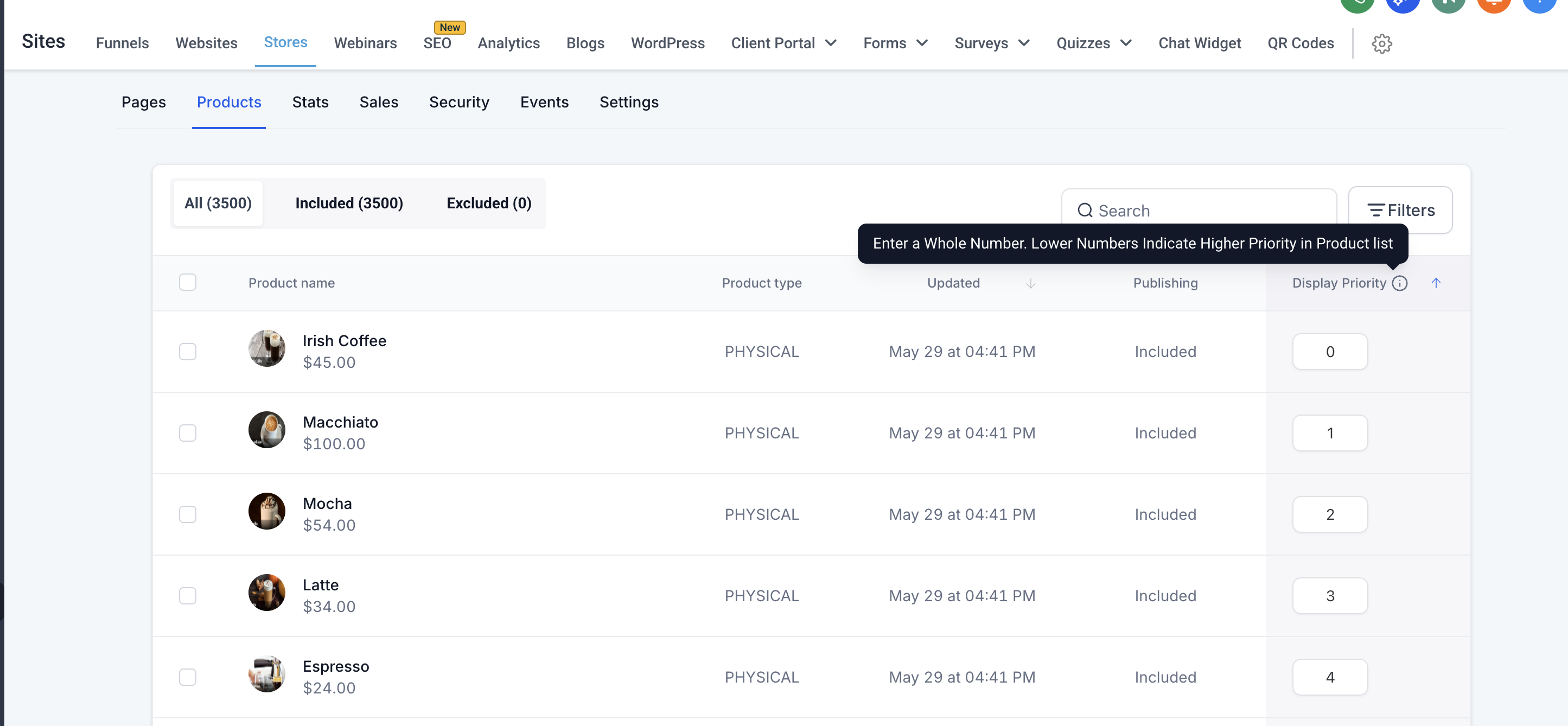
Display Priority Column
- A new column labelled “
Display Priority
” has been added to the Product List page.
- Store owners can assign whole number values to each product to define its display priority.
- Lower numbers indicate higher priority (i.e., the product appears earlier in the list).
-
Alphabetical Tie-Breaker
- Products with the same priority value are sorted alphabetically (A-Z) as a secondary sort criterion.
-
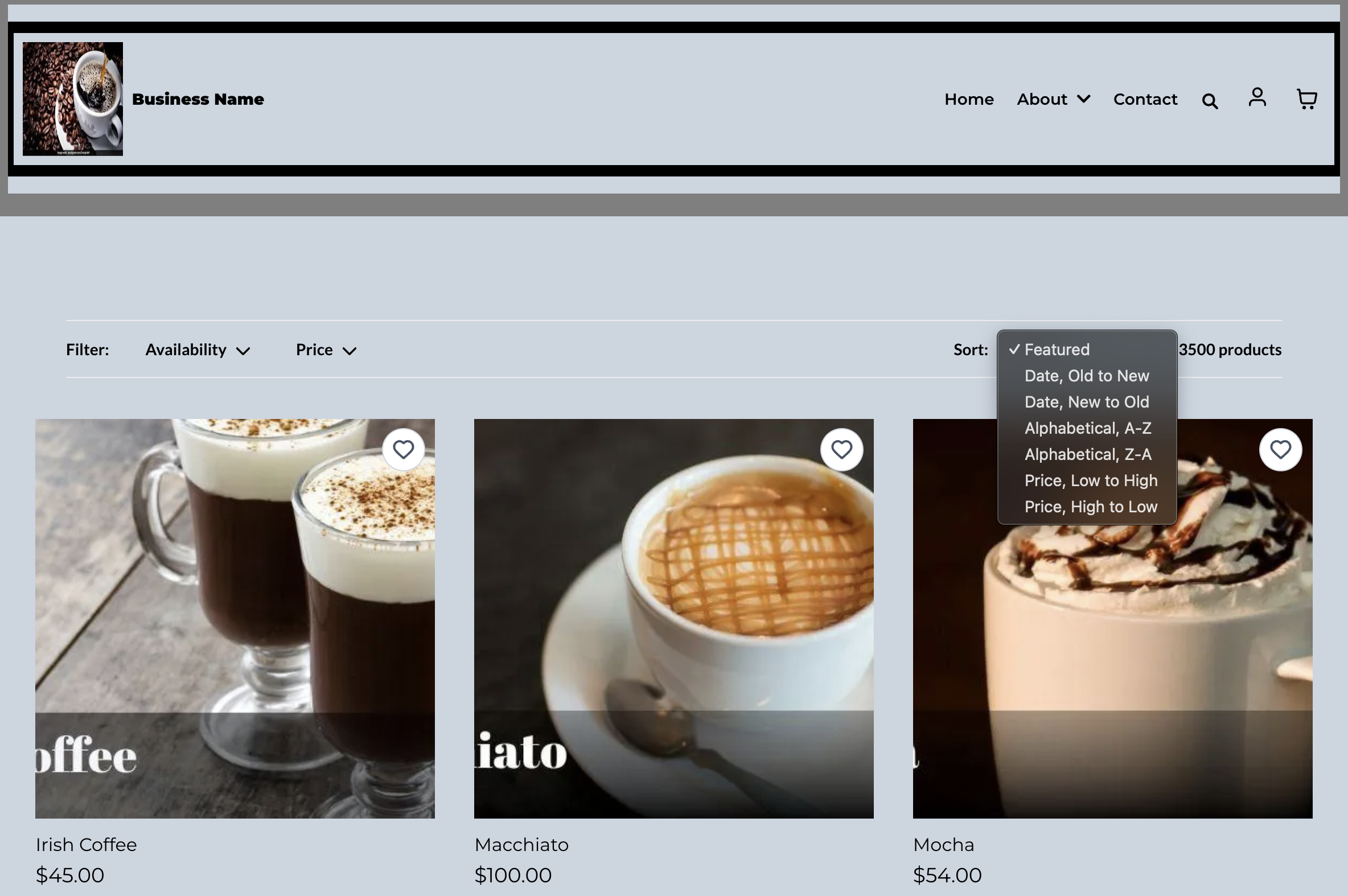
Featured Sorting Option
- A new “
Featured
” sorting option is now available in the builder.
- This option reflects the order based on assigned display priorities.
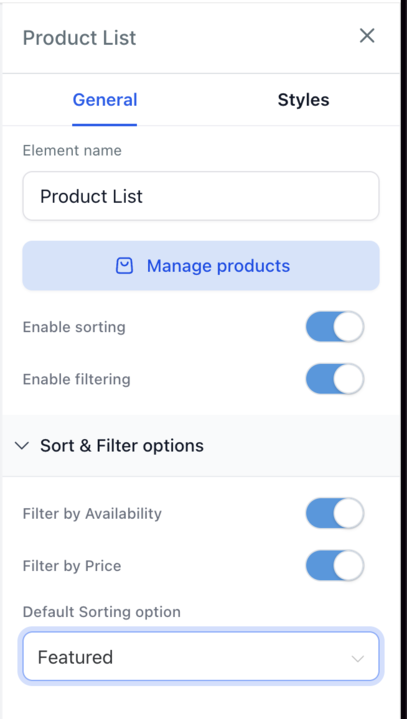
- For new store creations, “
Featured
” is set as the default sorting method.
- Store owners can modify this default from the builder if necessary.
-
Validation & Input Handling
- Only whole numbers are accepted in the Display Priority field.
- Invalid entries (such as letters or decimal values) trigger error messages prompting correction.
-
User Interface & Experience
- Priority values can be manually saved via a “
Save
” button which appears if any changes are made.
- Product order updates reflect immediately on the Product List Page.
- Navigate to
Sites > Stores > Select Store > Products
.
- Use the new
Display Priority
column to assign priority values (whole numbers only) to each product.
- To apply sorting:
- Open the Product List page in the builder.
- Select the
Product List
element.
- In the
Advanced Settings
, choose Featured from the sort dropdown.
- Click Save to publish the updated sorting order.
Important Notes & Edge Cases:
Featured Sorting option to reflect priority order in Product list: