Manage Payments when merging Contacts
Clixio
Roadmap
Feedback
Changelog
New
Payments
What’s New?
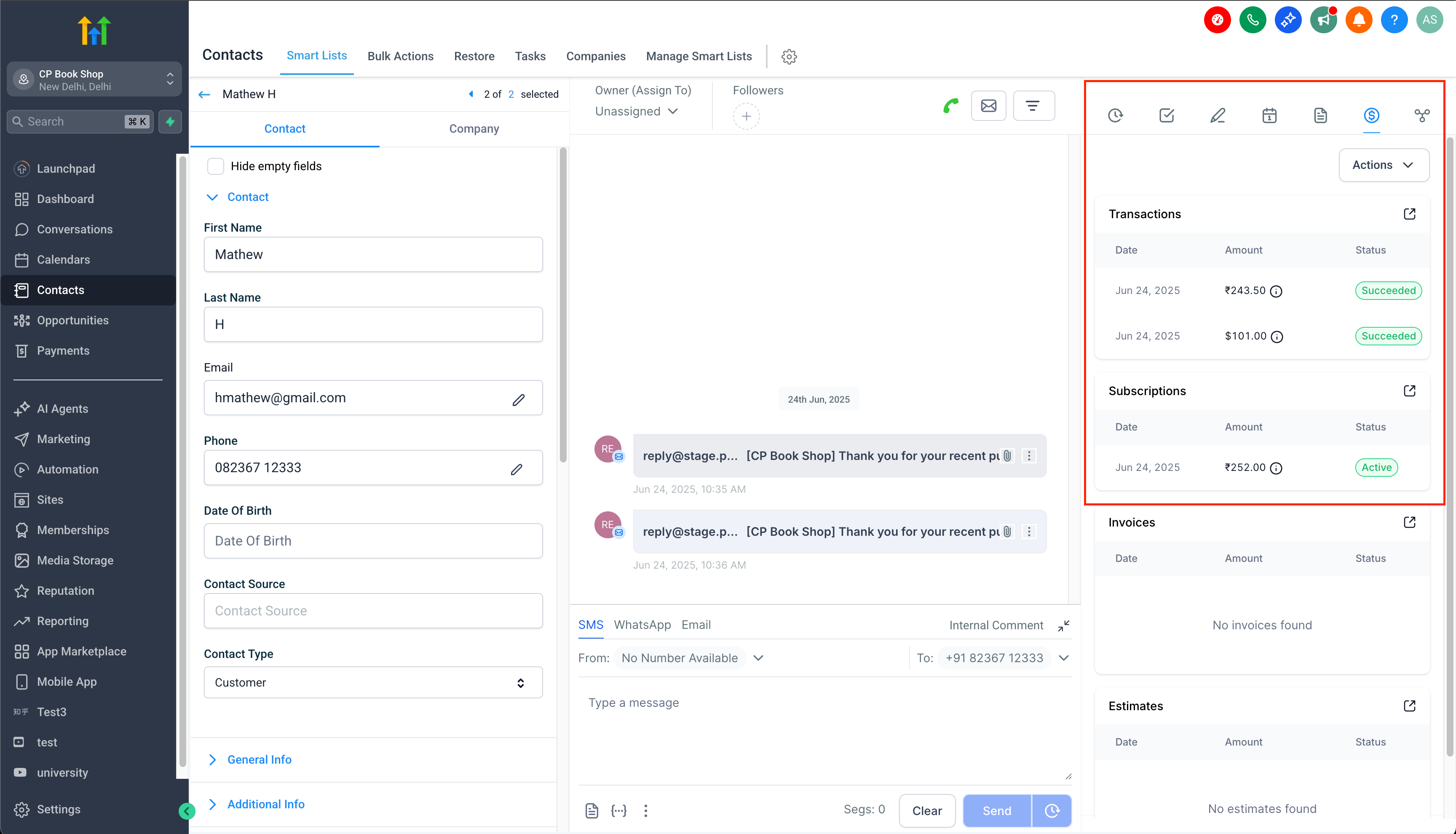
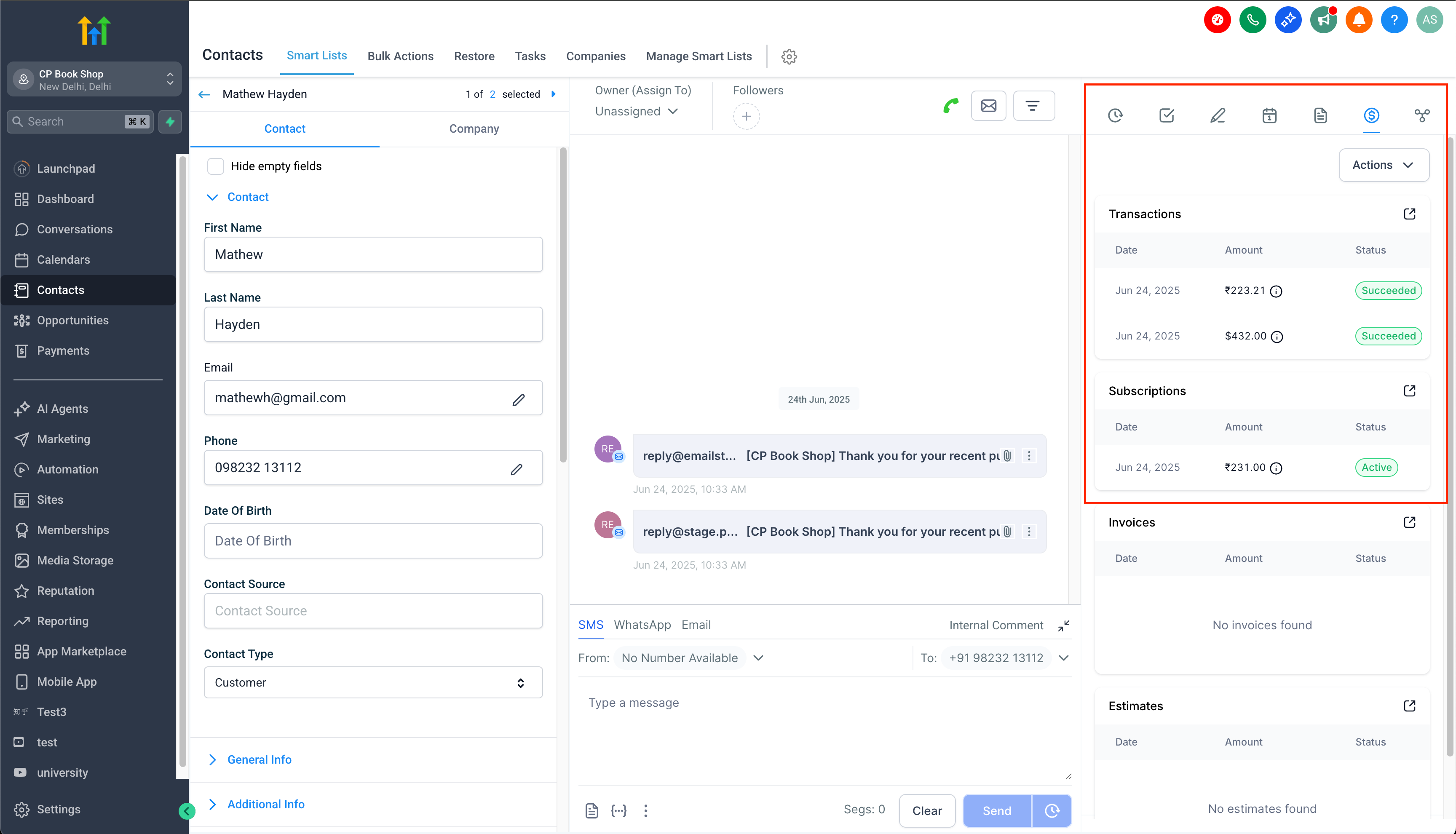
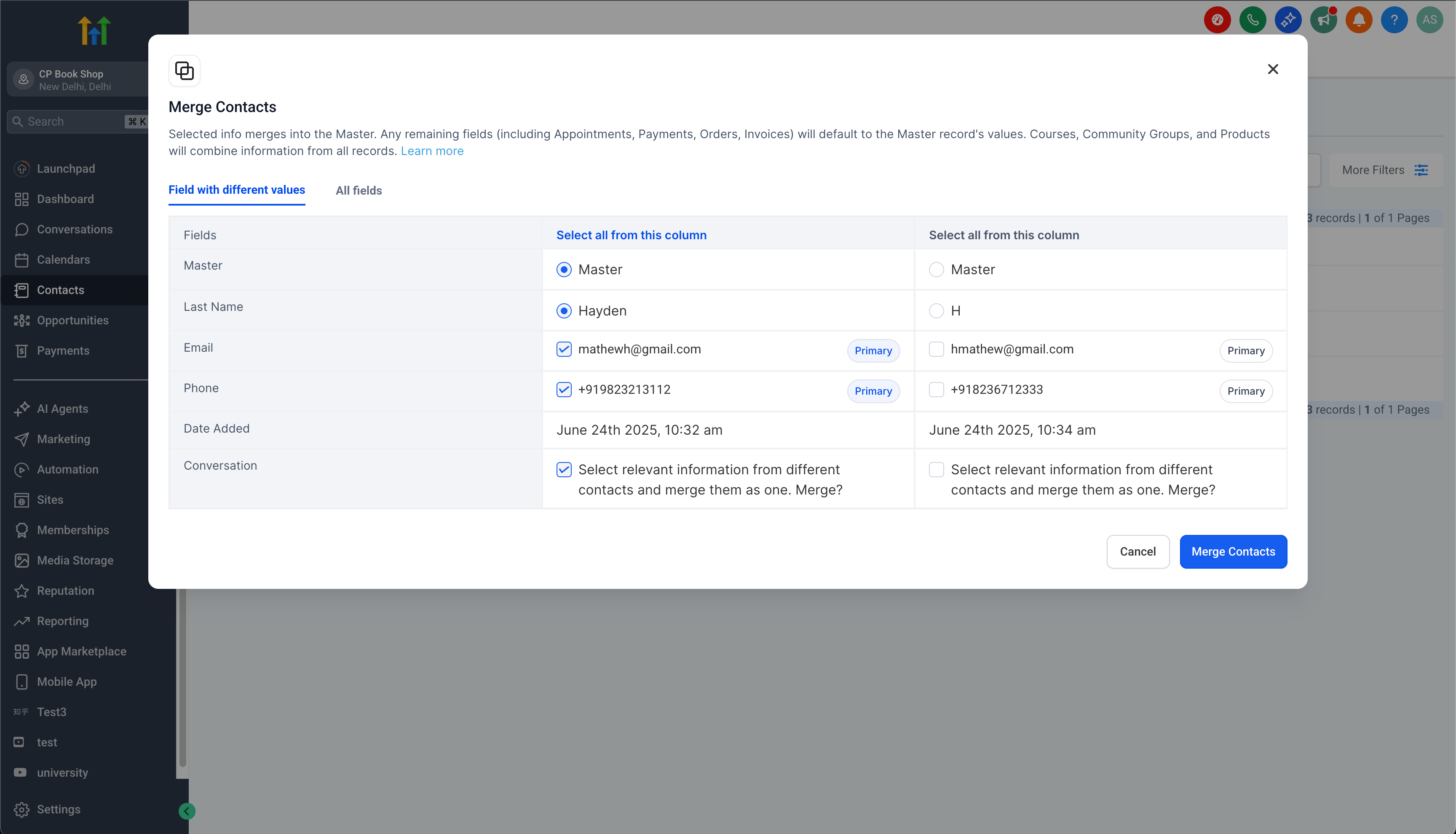
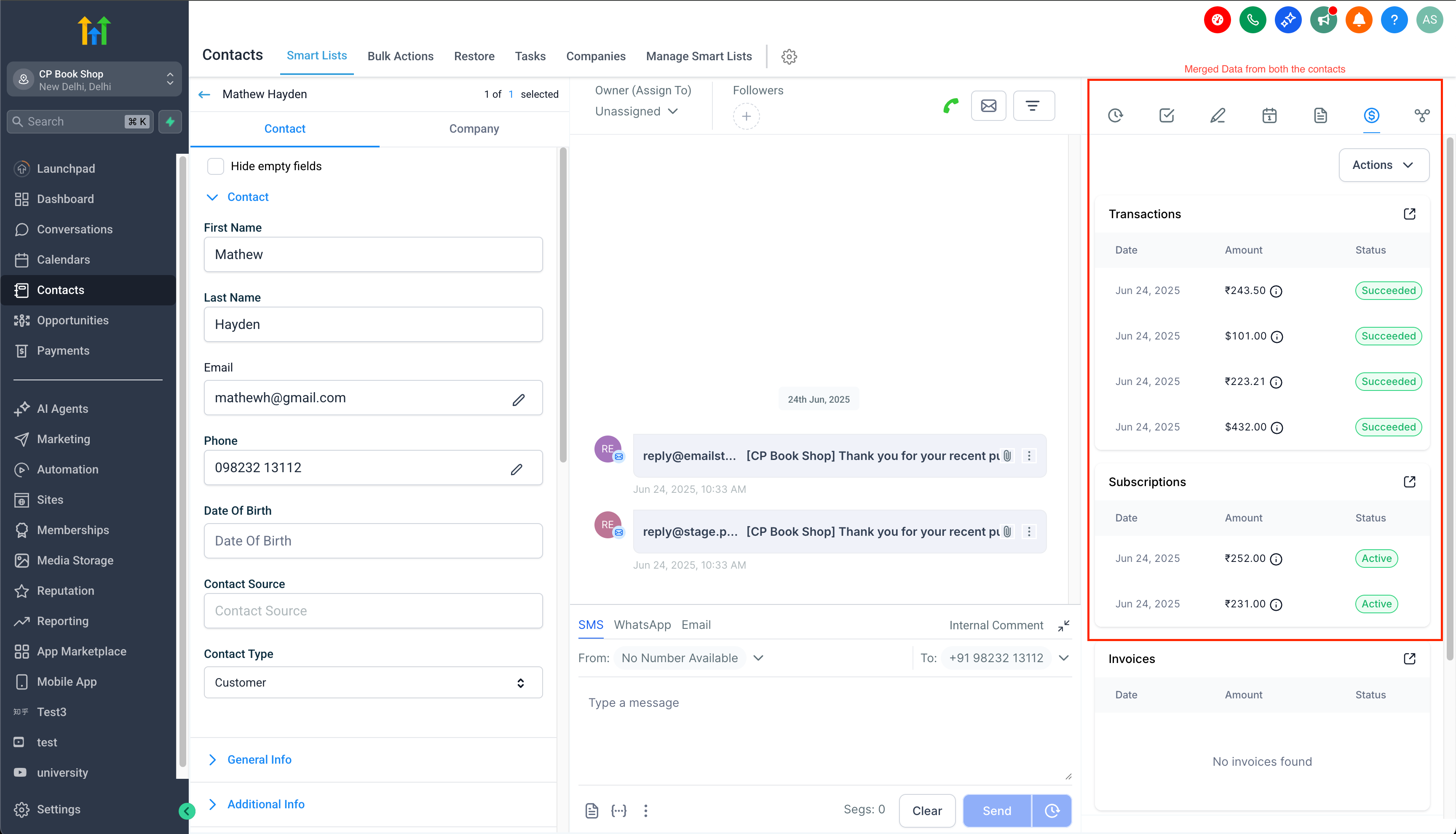
- Businesses can now view the merged contact’s transactions and subscriptions on the Master Contact’s Details page.
- While existing transactions, subscriptions, orders, and receipts will still show the previous contact’s name, clicking on the contact will open the Details page of the Master contact.
- This prevents any transaction, subscription, or order from becoming orphaned due to contact merging.
- Any invoices related to subscription payment failures will be sent to the Master Contact’s email and/or phone.
- All backend records will maintain both the original transaction’s contact details as well as the new Master contact’s details.
What’s Next?
- The planned LTV field will ensure that the Master’s LTV is linked to all contacts merged into the final surviving contact.
Visuals: