
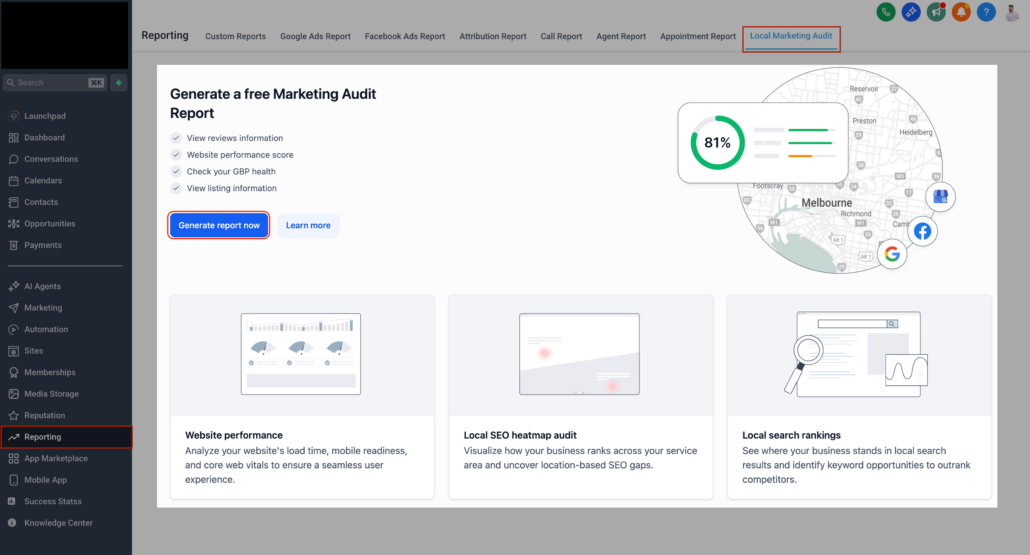
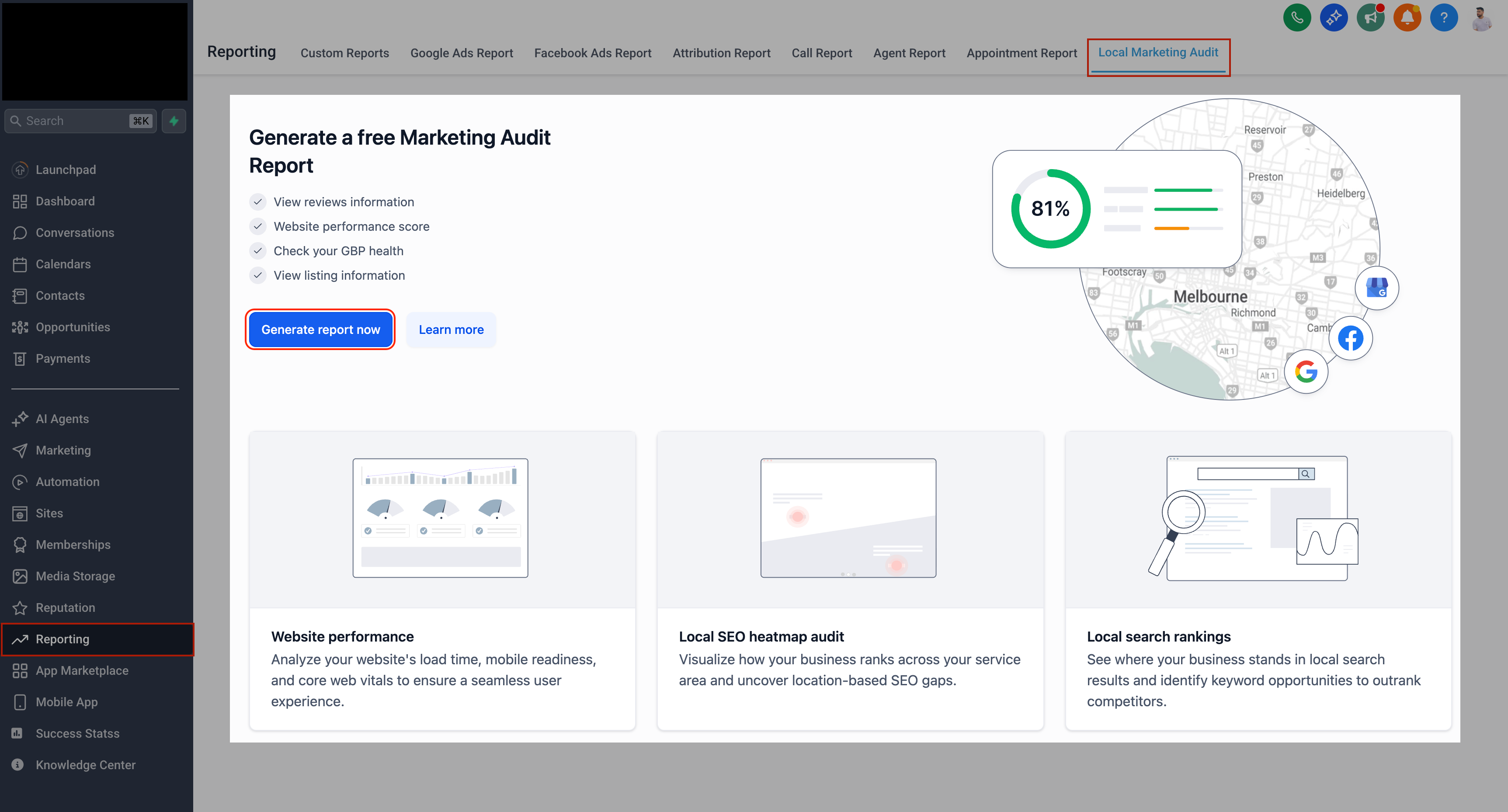
Local Marketing Audit — Major Upgrade
Marketing Audits are no longer merely reports; they have become configurable, repeatable, and trackable over time, providing you with a clearer narrative and enhanced decision-making capabilities.
- We’ve implemented a significant upgrade to Account’s Local Marketing Audits within Reporting.
- This update provides our customers with greater control prior to generating reports, deeper long-term visibility, and easier customisation—without the need to re-run everything from scratch.
- This enhancement transforms Marketing Audits into a dynamic, trackable system rather than a one-off snapshot.
🔍 What’s New
1. Review & Select Business Details + GBP Before First Audit
The system now requires accurate NAP (Name, Address, Phone number), website, and Google Business Profile. Before generating your first audit, you have full control to confirm these essential inputs.
- We automatically pull the Business Name, Address, Phone, and Website from your Account.
- You can review and amend all details before the audit runs.
- If a Google Business Profile (GBP) is already connected, you can select it.
- If not, simply toggle to search Google Maps directly and choose the correct GBP from the list.
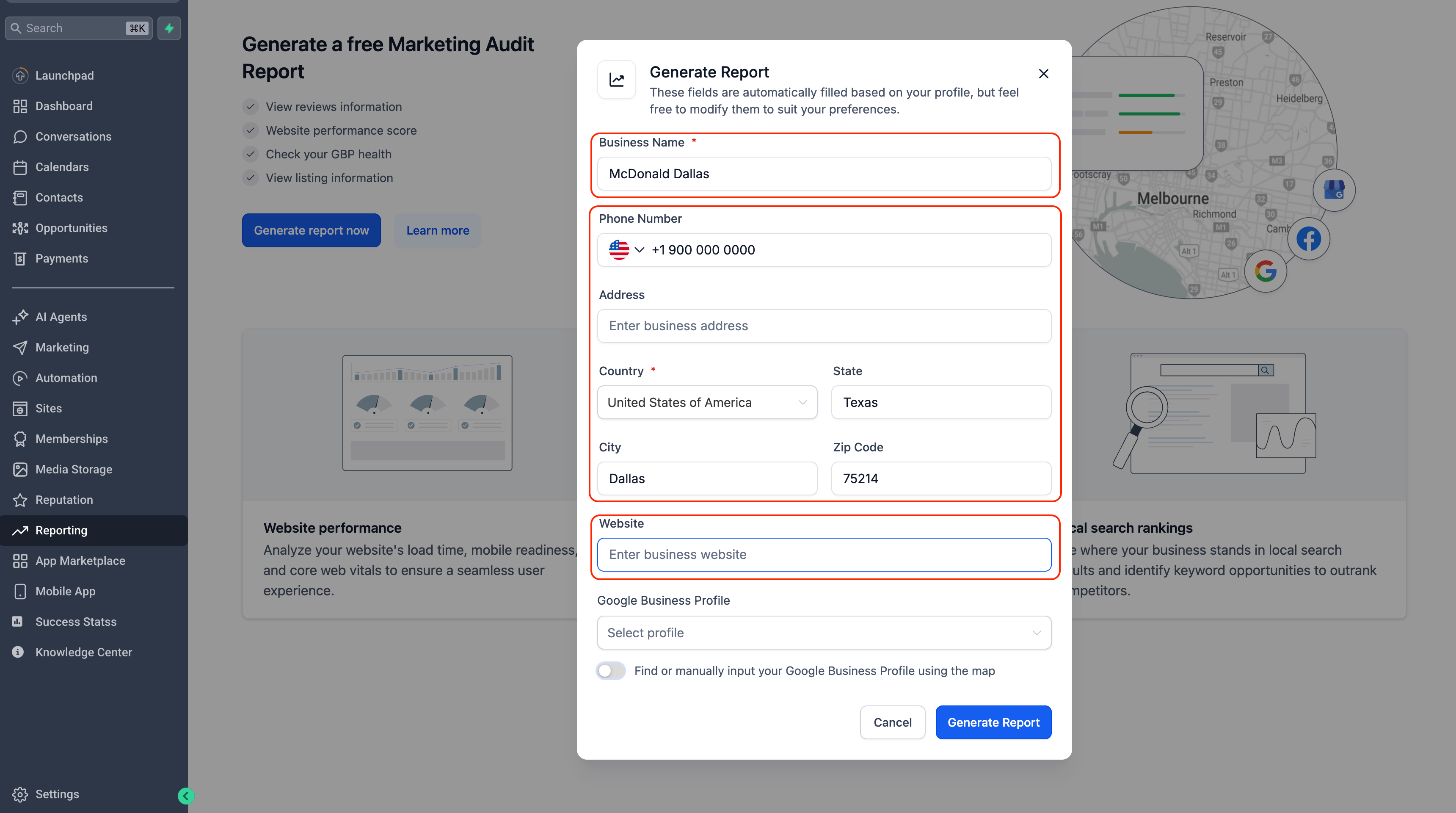
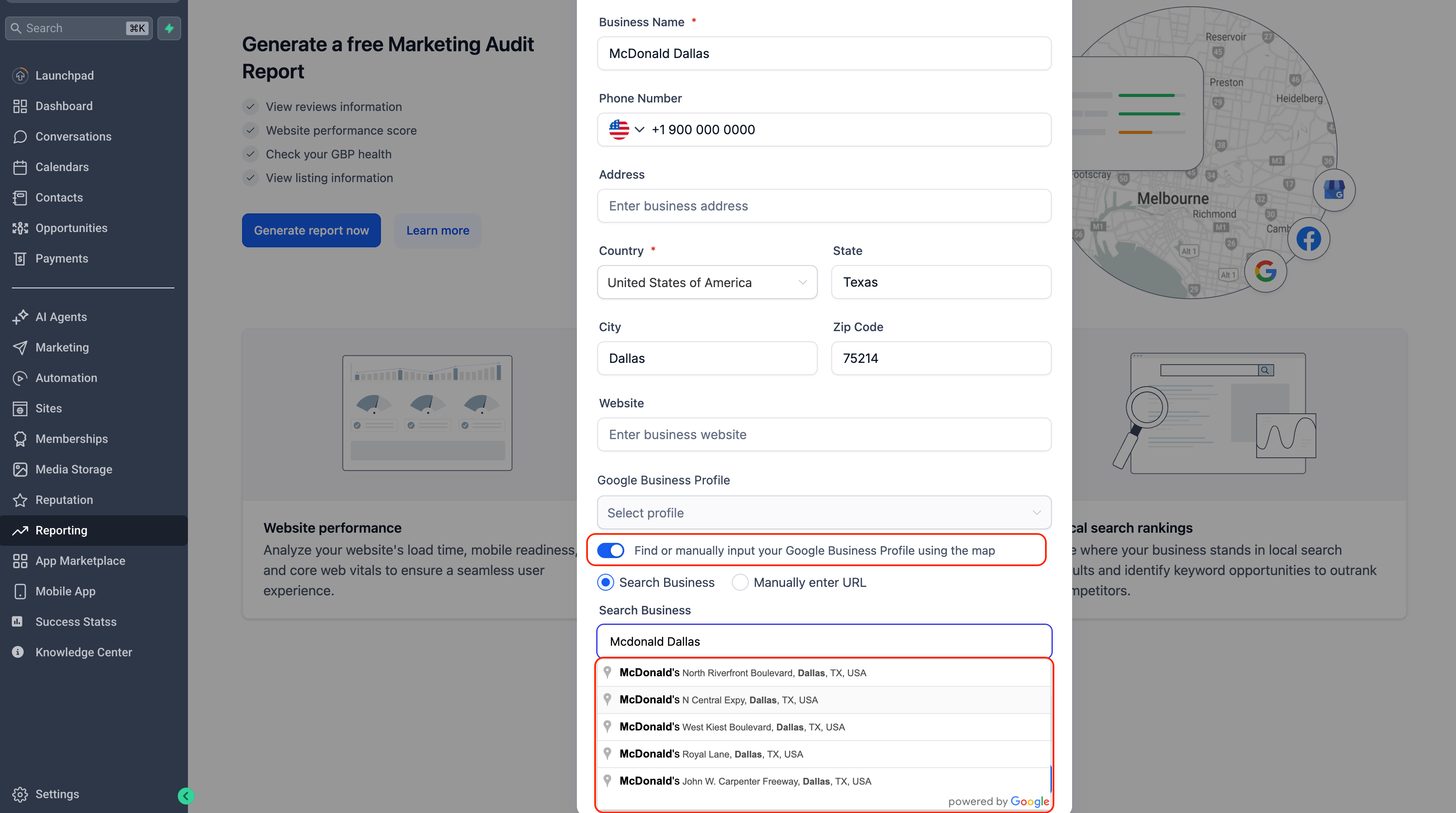
This ensures that audits commence with accurate NAP details and the appropriate Google profile from day one.
2. Refresh Your Audit Anytime — Instantly
Have you made changes to your website, GBP, listings, or tracking setup? You can now refresh the audit instantly.
- No waiting period.
- No restrictions.
- No need to recreate the report.
Always have the most up-to-date view of your online presence.
3. Full Report History with Interactive Timeline (Up to 12 Months)
Marketing Audits are no longer static. We now store all previous audit reports for up to 12 months.
You can use the Report Timeline to:
- Click a date to open an older report.
- Hover to preview a summary card with key metrics.
- Quickly compare scores and sections over time.
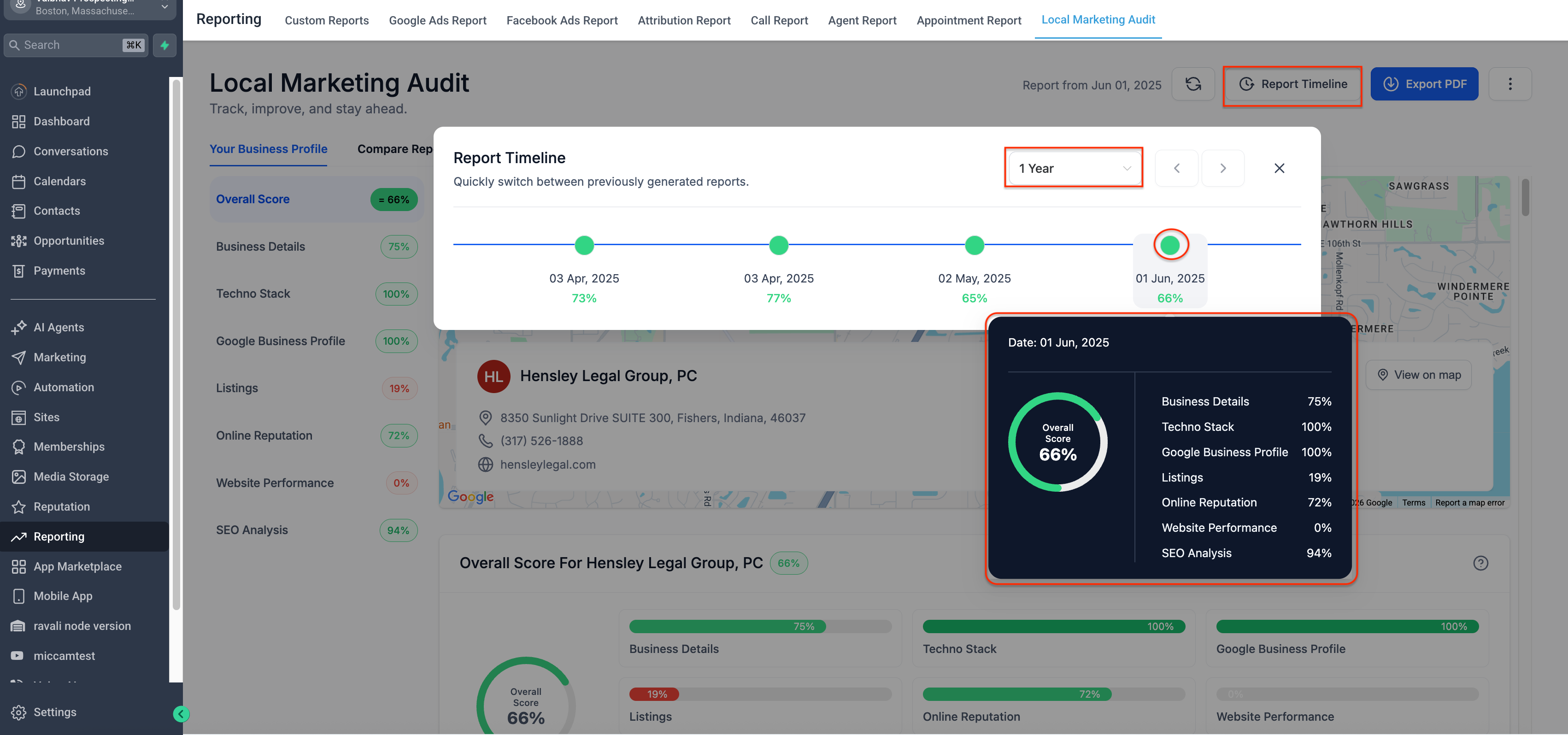
This feature is perfect for tracking progress, demonstrating improvements, and analysing trends.
4. Export PDFs in Multiple Languages
Sharing audits has now become more flexible.
- Export your audit as a PDF in various languages.
- Select the language directly from the export dropdown.
- Ideal for international teams or clients who do not speak English.
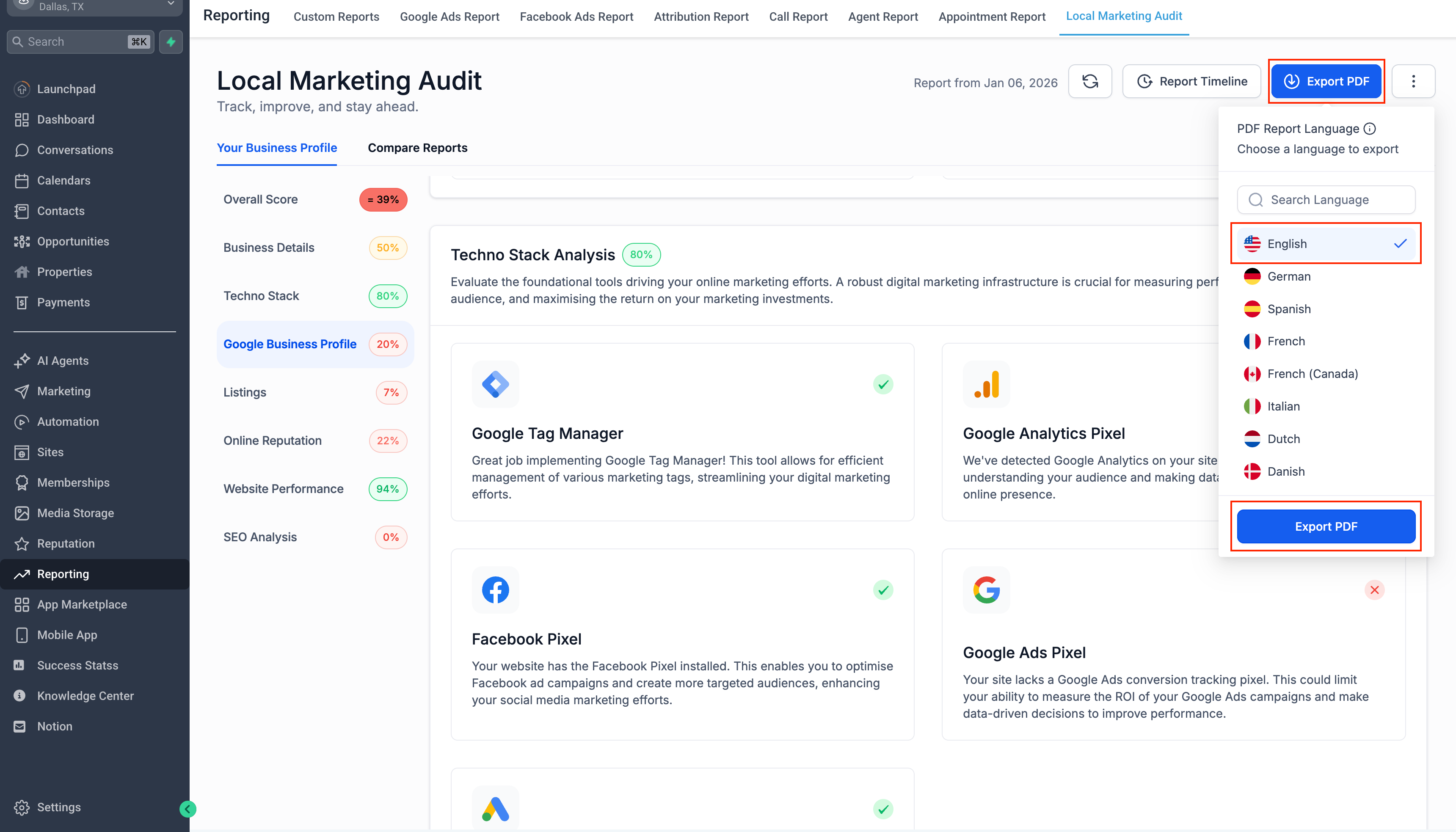
(Your account language remains unchanged.)
5. Centralised Audit Settings — Change Once, Apply Forward
From the three-dot menu → Settings, you can now control how future audits behave.
Business Details
- Update NAP, website, or GBP used for audit generation.
Report Generation
- Choose how often reports run: Monthly, Quarterly, or Manual only.
- Enable or disable email delivery for reports.
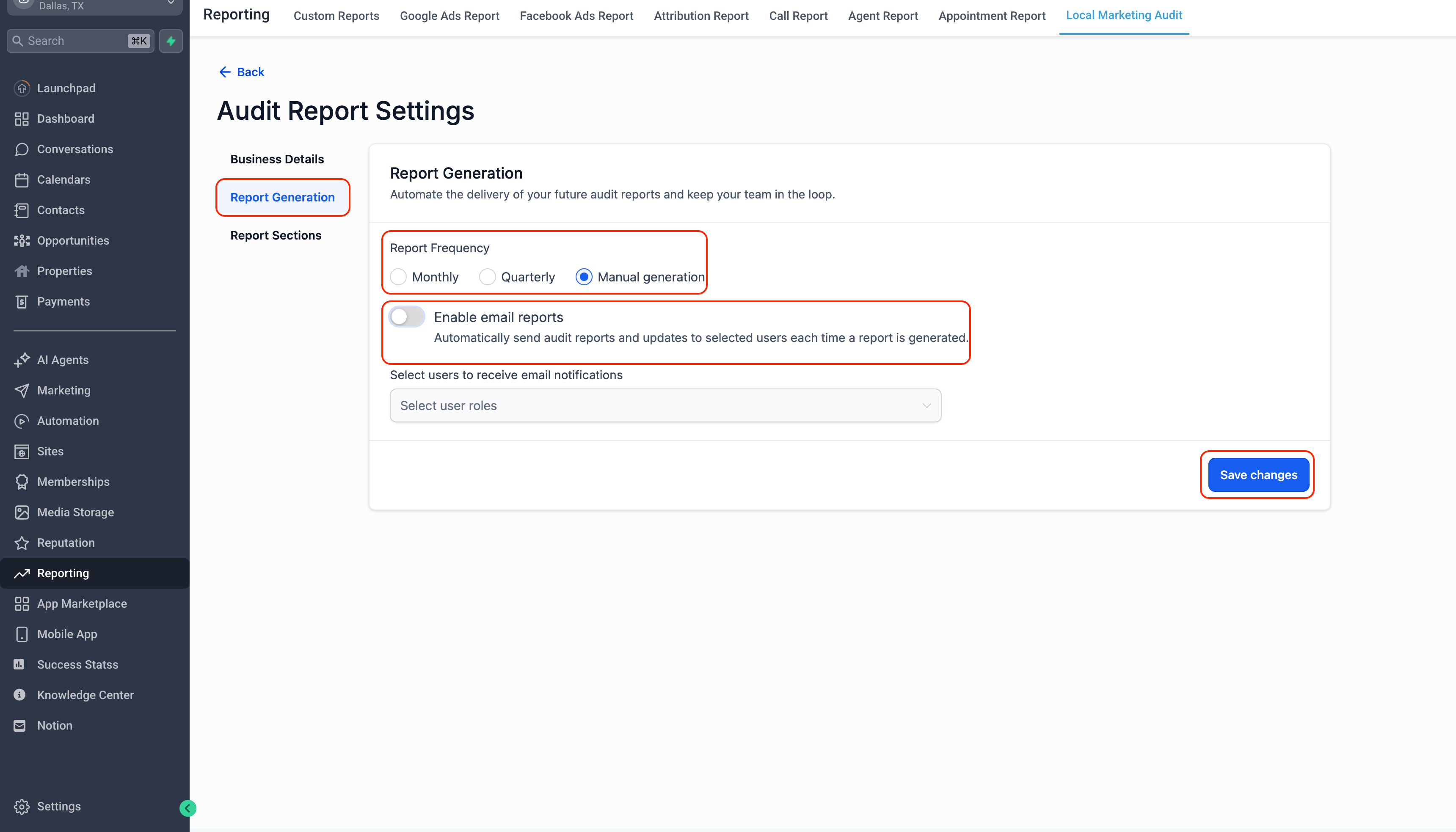
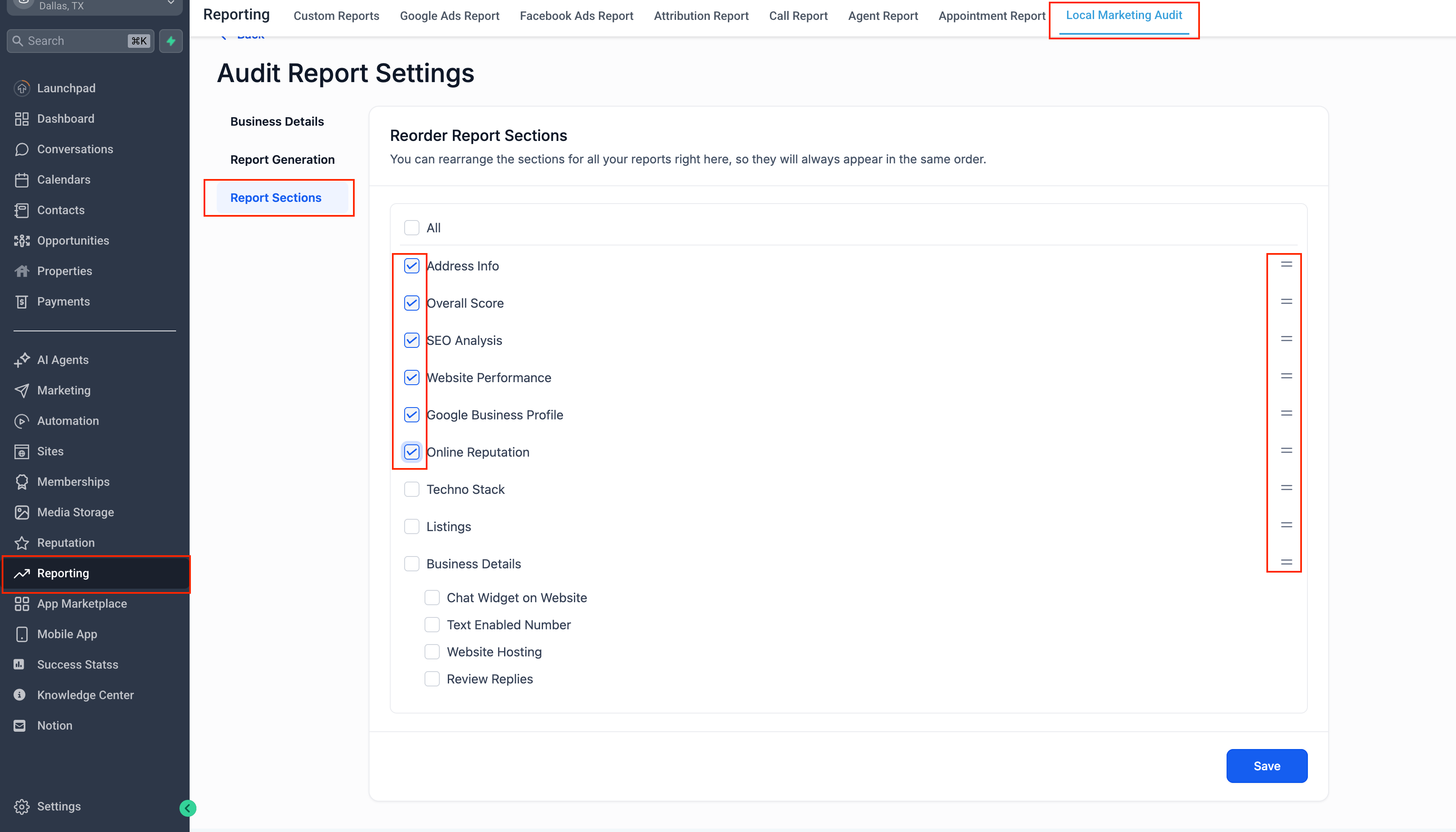
Report Sections
- Decide which audit sections are included.
- Reorder sections to match your priorities.
- Changes apply to future reports without affecting historical data.
- Start audits with correct data.
- Refresh insights anytime without friction.
- Track progress visually over time.
- Share polished, multilingual reports.
- Control what gets audited and how often—without rebuilding reports.
Available Now
- These improvements are live for Local Marketing Audits in Accounts under Reporting.
- Please note that these changes only apply to Audit Reports in Accounts under Reporting and do not include reports via the Prospecting Tool.
Marketing Audits are no longer merely reports; they have become configurable, repeatable, and trackable over time, providing you with a clearer narrative and enhanced decision-making capabilities.
