[LABS RELEASE] Custom Font Support in Funnels And Websites Builder
Funnels and Websites Builder now supports custom fonts, removing the need for CSS hacks or external hosting. Designers and marketers can ensure brand consistency directly within funnels, websites, and emails. This release allows agencies to upload and manage their own font files natively within the builder, enhancing platform usability and brand fidelity.
- Upload fonts directly from your device or Media Storage.
- Supports
.ttf
,
.otf
,
.woff
, and
.woff2
formats.
- Fonts can be saved in your Media Storage.
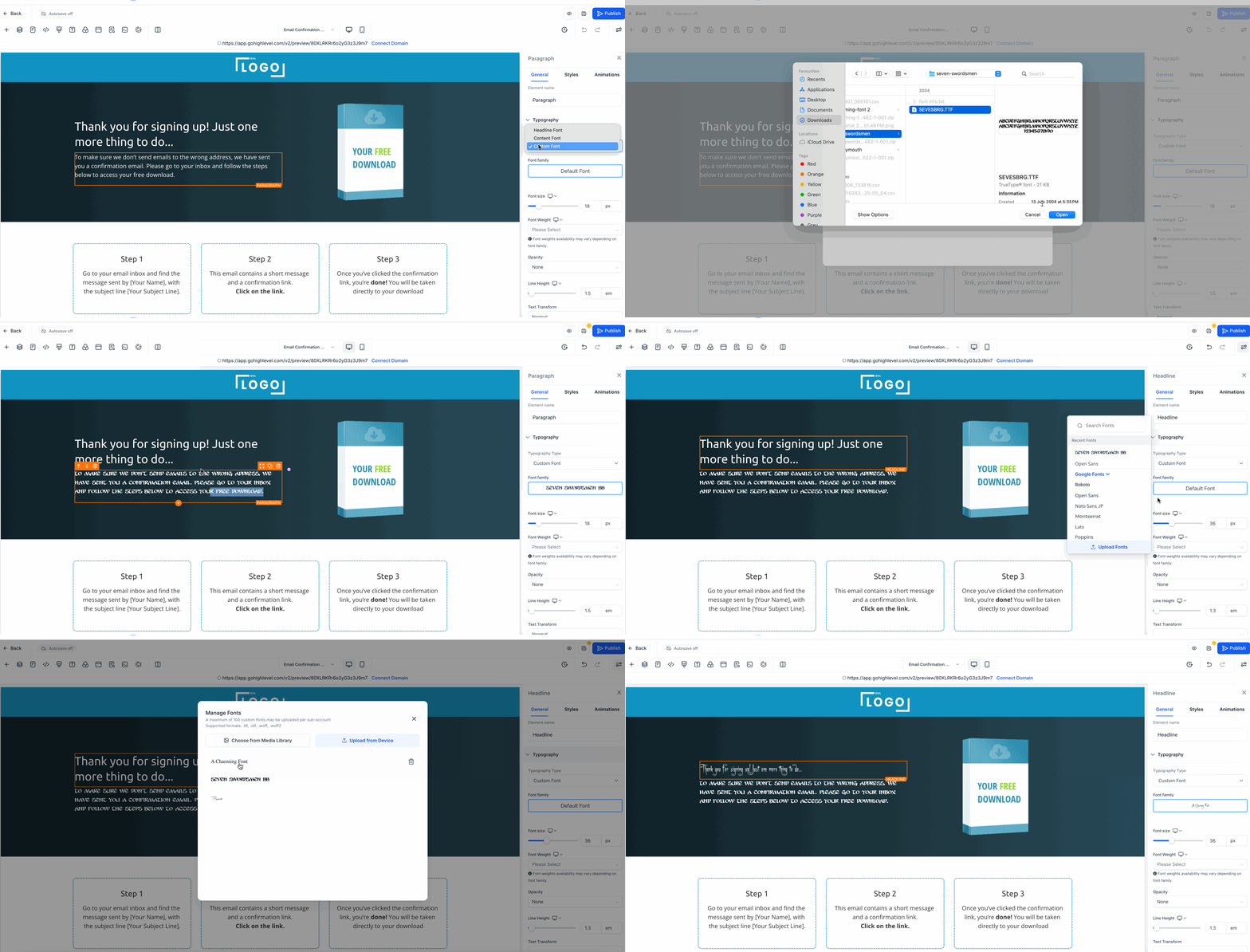
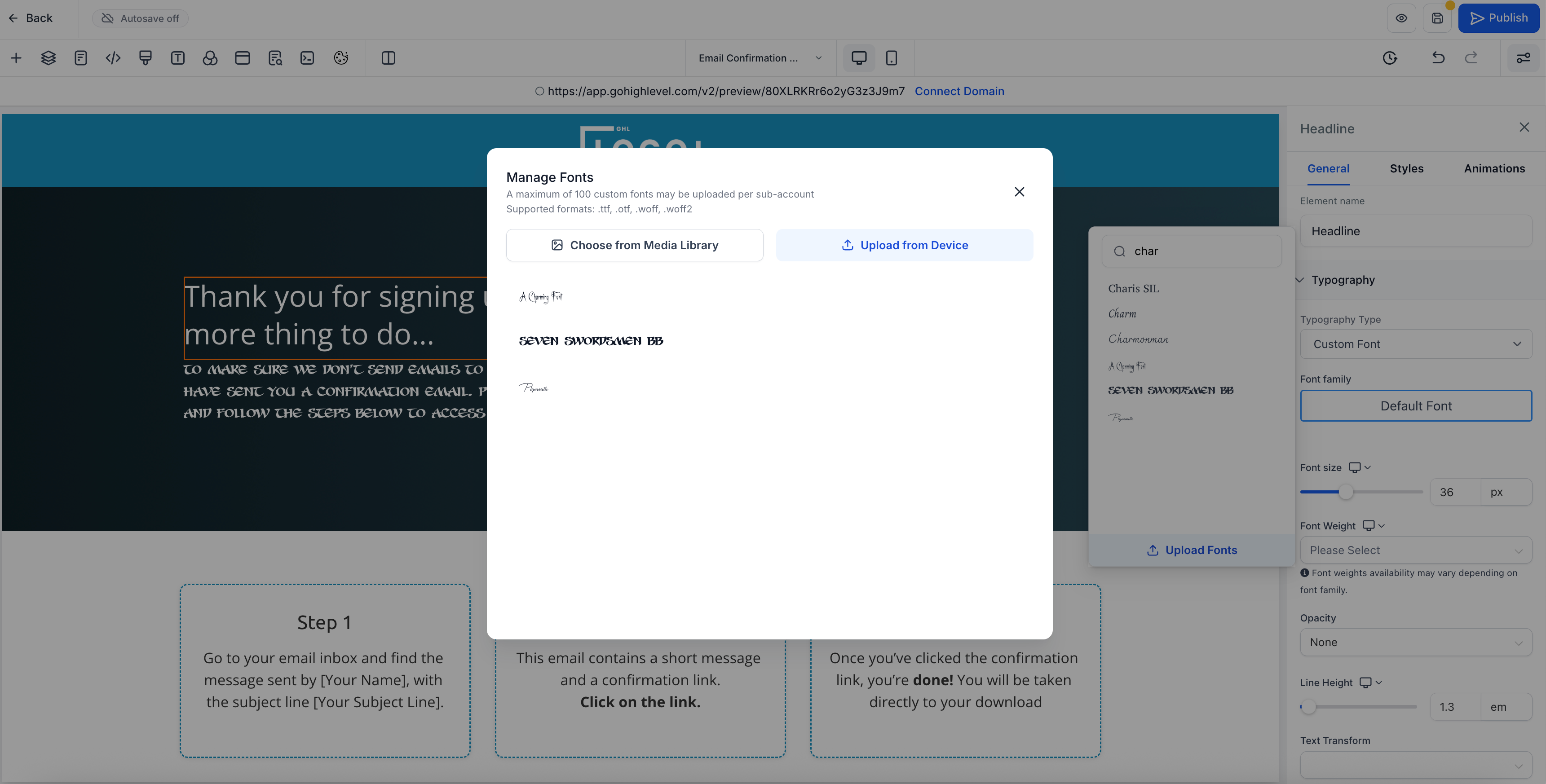
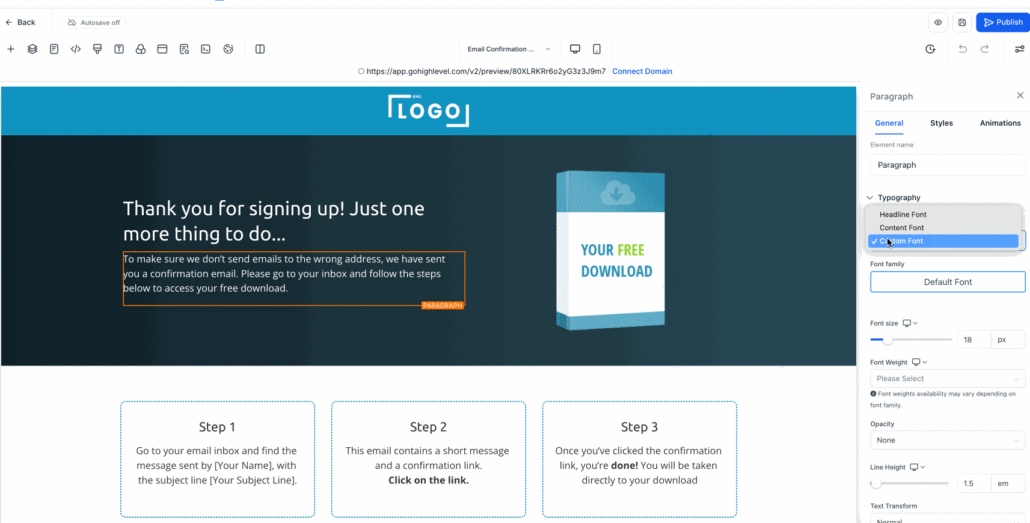
- A new Custom Fonts modal appears when you click on “Upload Font” in the font selector within the builder.
- Each file (such as bold or italic styles) is treated as a separate font option for easier access.
- Compatible across funnels and websites.
- Simply click “Add Font” in the font selector dropdown to upload your fonts (no CSS needed).
Steps to Apply Custom Fonts
- Click on the text element you wish to change (e.g., paragraph or heading).
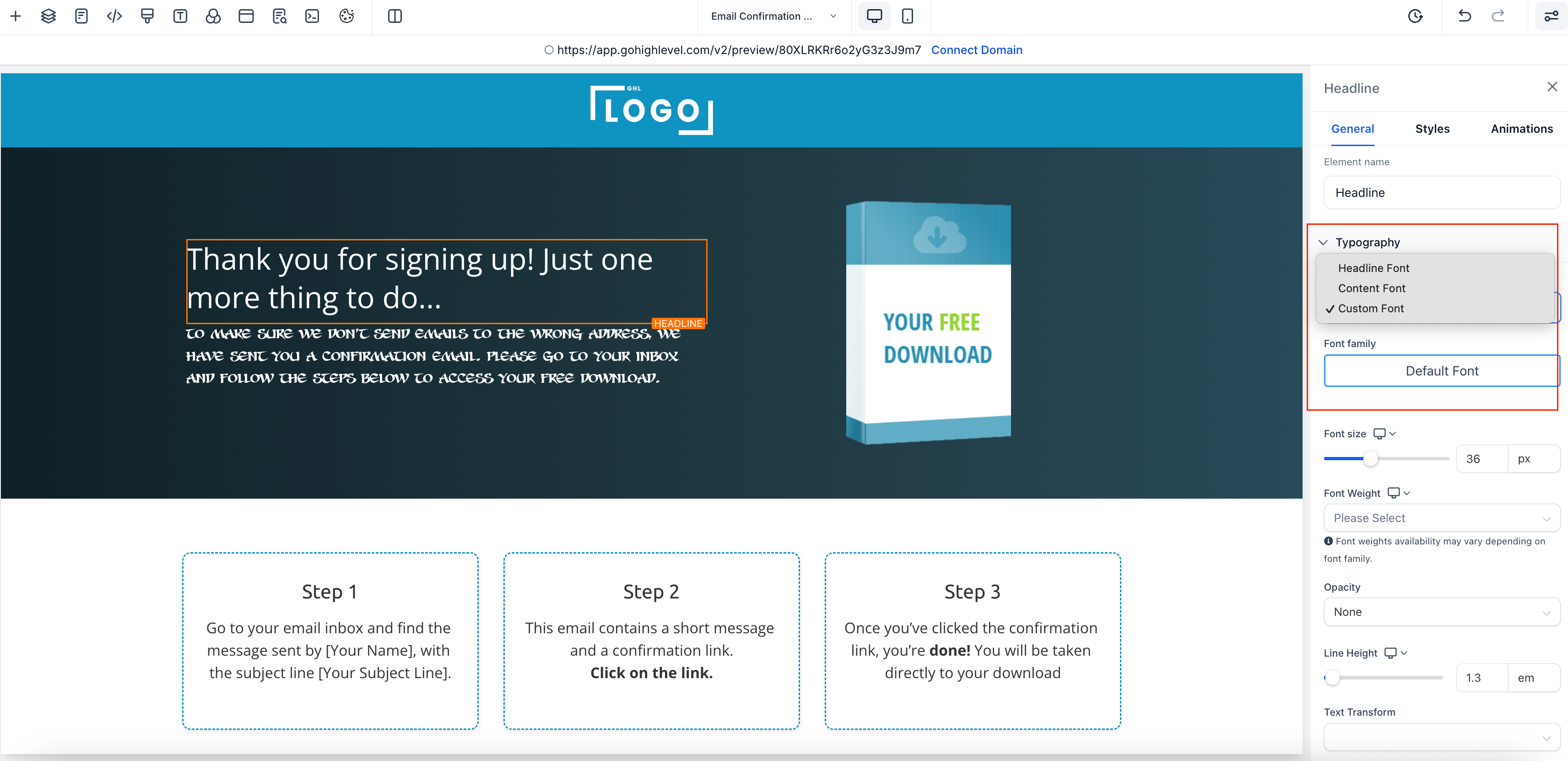
- In the right panel, navigate to the “Typography” section.
- Open the font dropdown and select “Custom Font.”
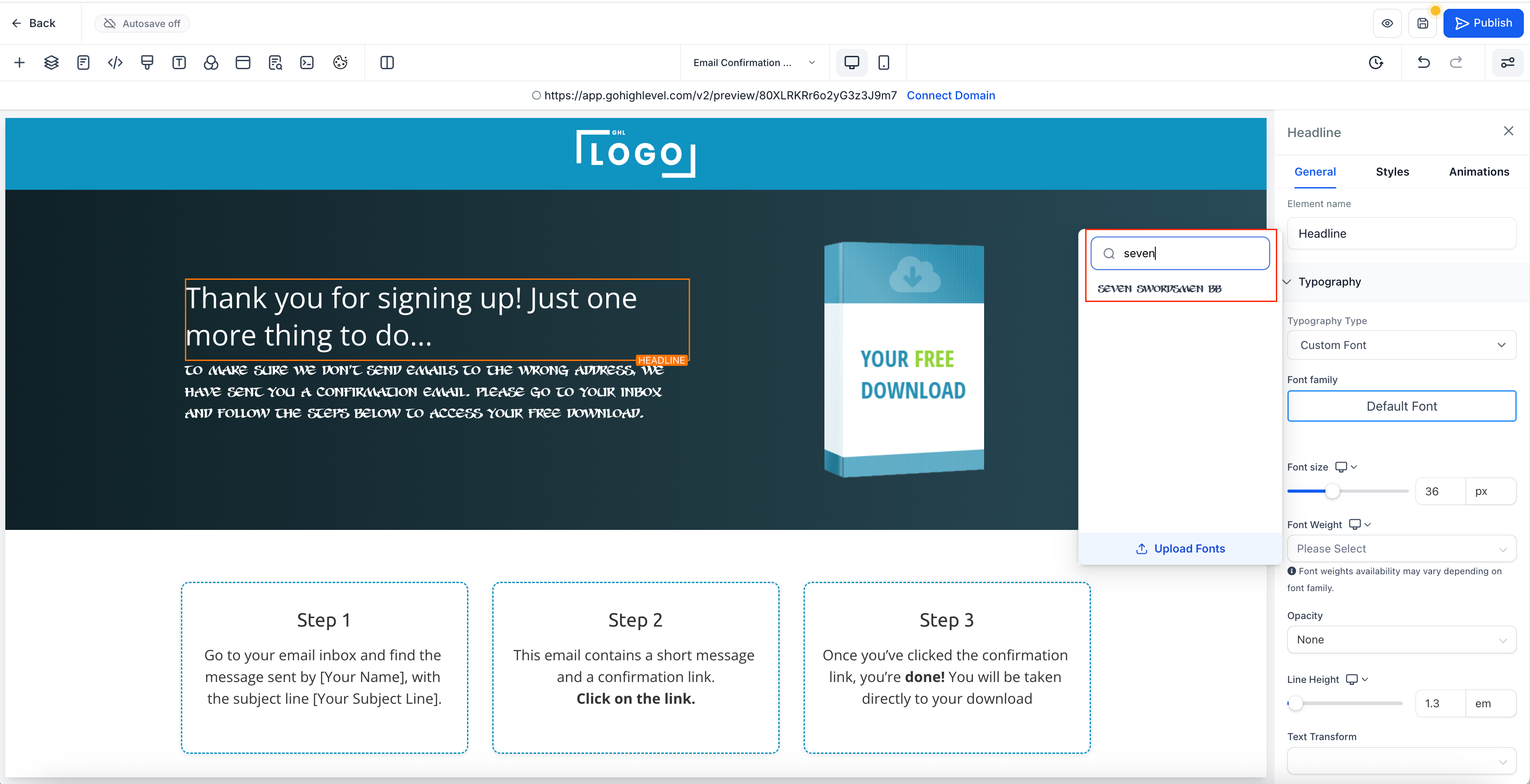
- Upload your font; it should then be available for selection in the dropdown.
- Once applied, adjust the font size, weight, or other settings as needed.
- Maintain complete control of brand typography.
- Eliminate messy workarounds and CSS hacks.
- Build professional, on-brand pages more quickly.
- Enhance your creative freedom in every funnel, email, and section.