
Invoices: Editable “Payment Schedule” Notifications
What’s New?
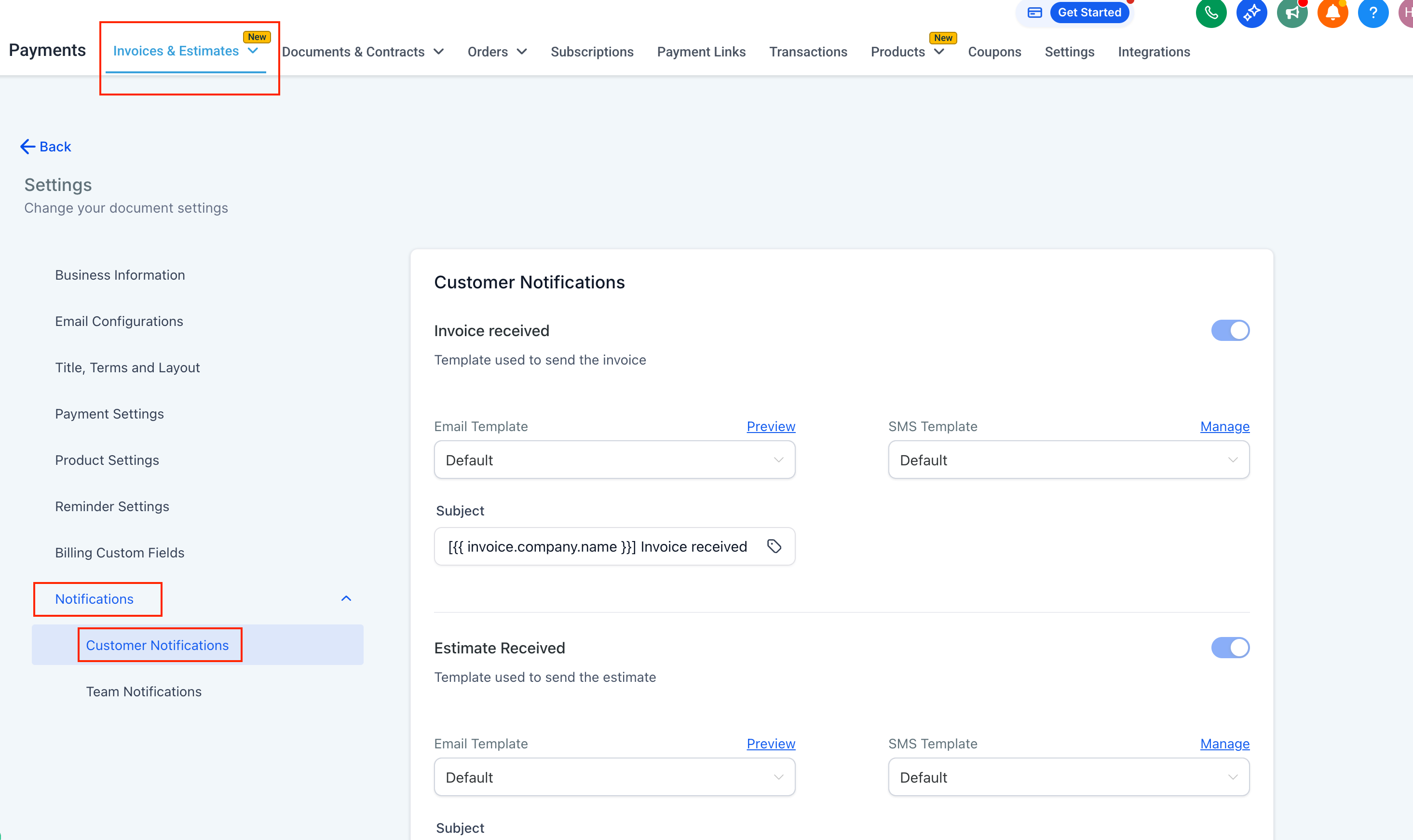
- You can now fully customize, enable, or disable the “Payment Schedule Received” notification in Payments → Invoices & Estimates → Settings → Notifications → Customer Notifications.
- Previously, these payment schedule emails were sent automatically whenever a customer’s invoice included instalment payments, but businesses could not modify the content or control the delivery.
- Now, you have complete flexibility over the messaging, formatting, and the option to send them at all.
How to Customise Notifications
- Navigate to Payments → Invoices & Estimates → Settings → Notifications → Customer Notifications.
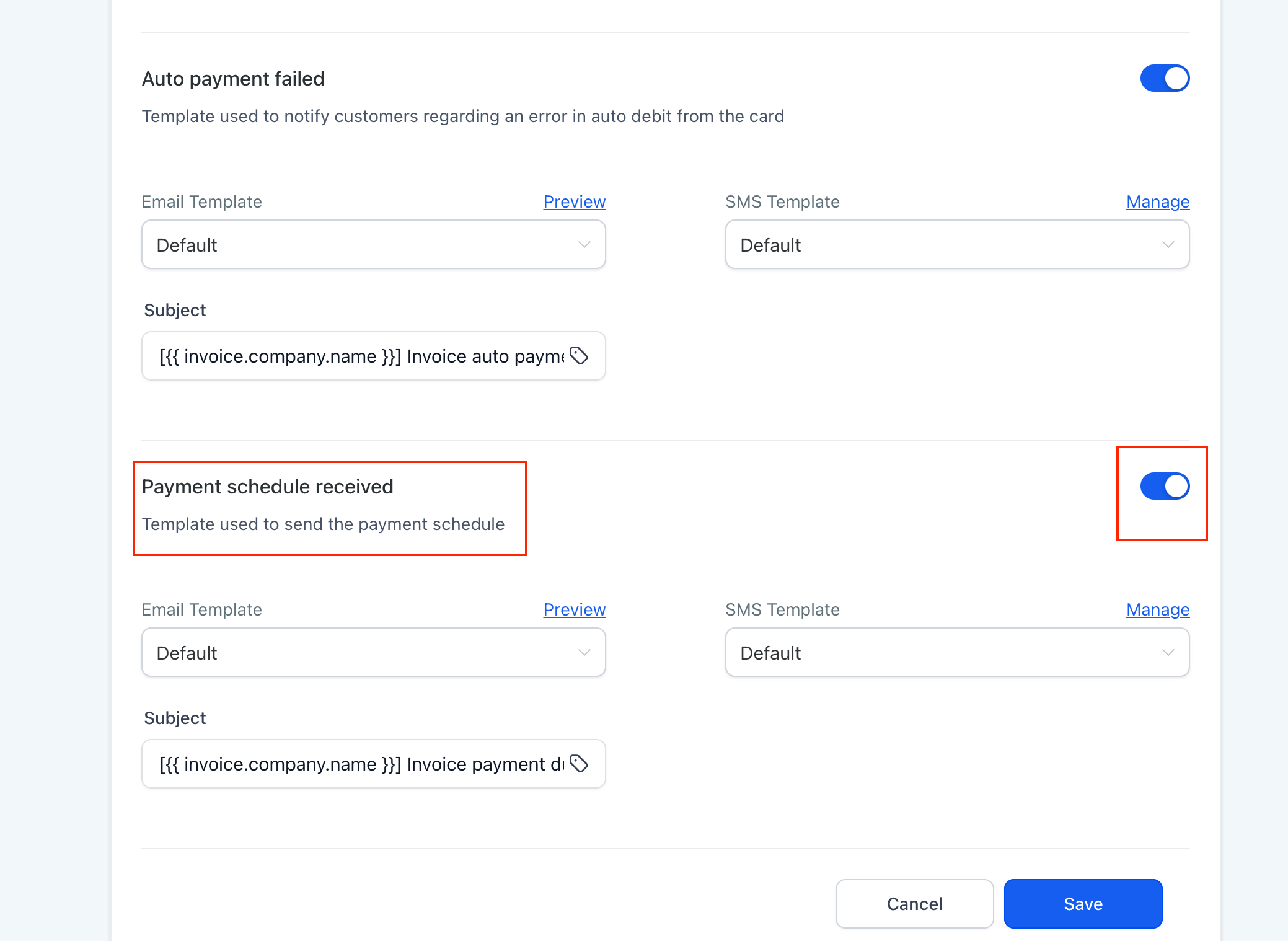
- Locate the Payment Schedule Received notification. Toggle it on or off as needed.
- Click ‘Manage’ next to the Email or SMS template to edit or customise the message.
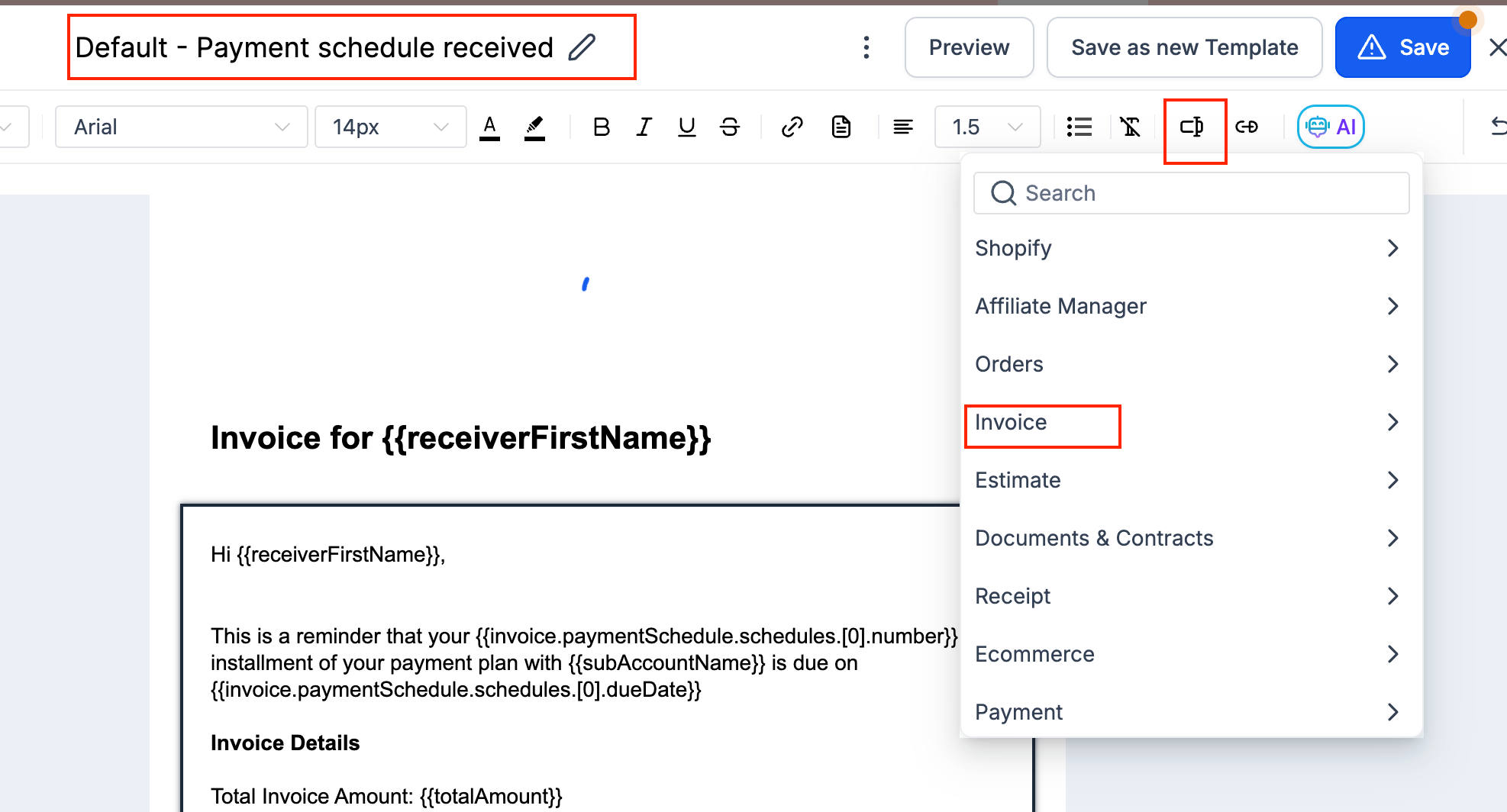
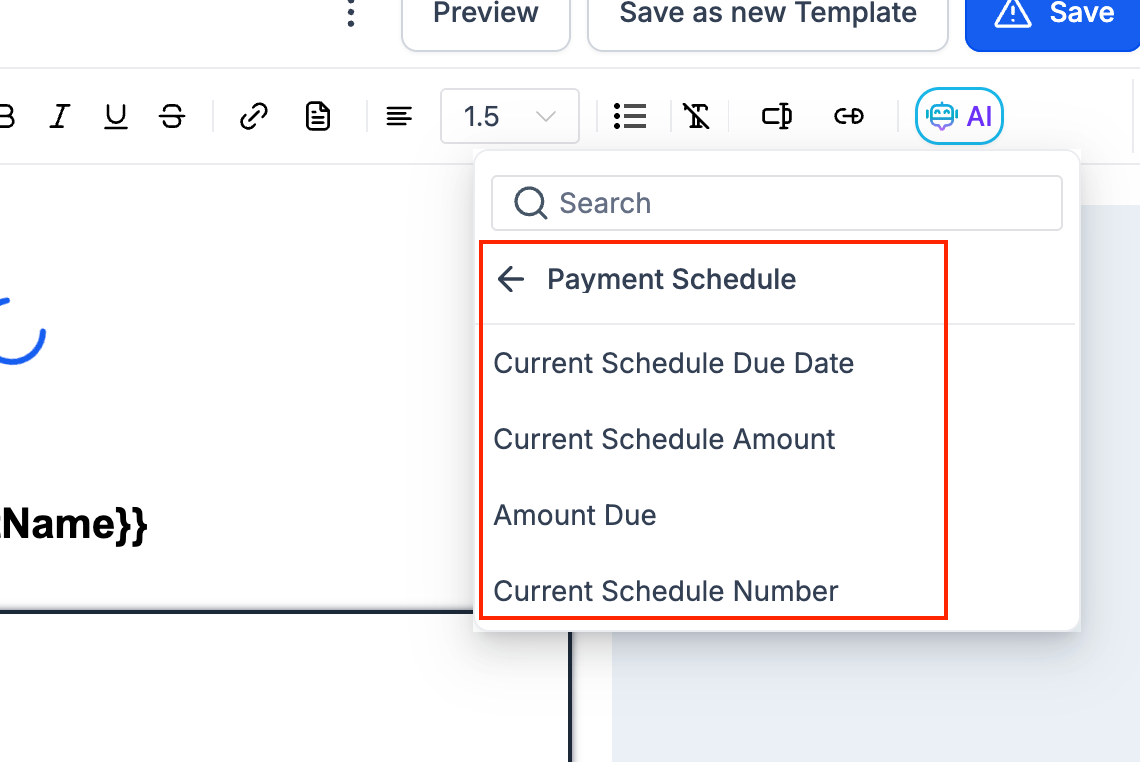
- Use custom fields related to payment schedules. Note: These fields will display empty values if the invoice does not have a payment schedule.
- Until now, the “Payment Schedule Received” notification was auto-generated and non-editable, which created friction for teams wanting to add personalised branding, tone, or additional instructions.
- With this update, you can:
- Personalise your messages using dynamic fields.
- Maintain your brand voice and professional formatting.
- Avoid unnecessary emails by toggling notifications off when not needed.