
Introducing Rentals (Private Beta) — For Flexible Multi-Day Bookings
Introducing Rentals — now live via Private Beta! This powerful new addition to Clixio’s scheduling suite is specifically designed for businesses that manage bookable assets such as equipment, spaces, vehicles, or event setups. Rentals provide you with complete control over availability display, pricing durations, and the ability to book multiple resources together.
Whether your rentals are offered by the hour, day, or week, the Rentals module is crafted to give you flexibility, scalability, and a seamless booking experience.
- ✅ Support for Hourly, Daily, Weekly and Monthly Rentals
- Configure bookings to be charged by the hour, day, week, or even month — ideal for businesses with varying rental needs. Set rules for fixed booking durations, lead times, buffer gaps, start times, and apply customised pricing for each time unit.
- ✅ Inventory Tracking & Availability Control
- Manage the availability of each listing, whether for a single item or bulk inventory. The system automatically checks availability, prevents double bookings, and adjusts inventory in real-time as bookings are made.
- ✅ Flexible Pricing Models
- Support for fixed and flexible duration pricing, seasonal pricing, tiered discounts based on duration and quantity, security deposit options, and more.
- ✅ Multi-Item Bookings
- Customers can book multiple listings in a single checkout — perfect for events, combos, or bundled rental experiences.
- ✅ Built-in Payments and Invoicing
- Collect payments directly through the booking process and generate invoices automatically for each booking. Set up security deposits according to your business requirements.
- ✅ Customer Booking Page
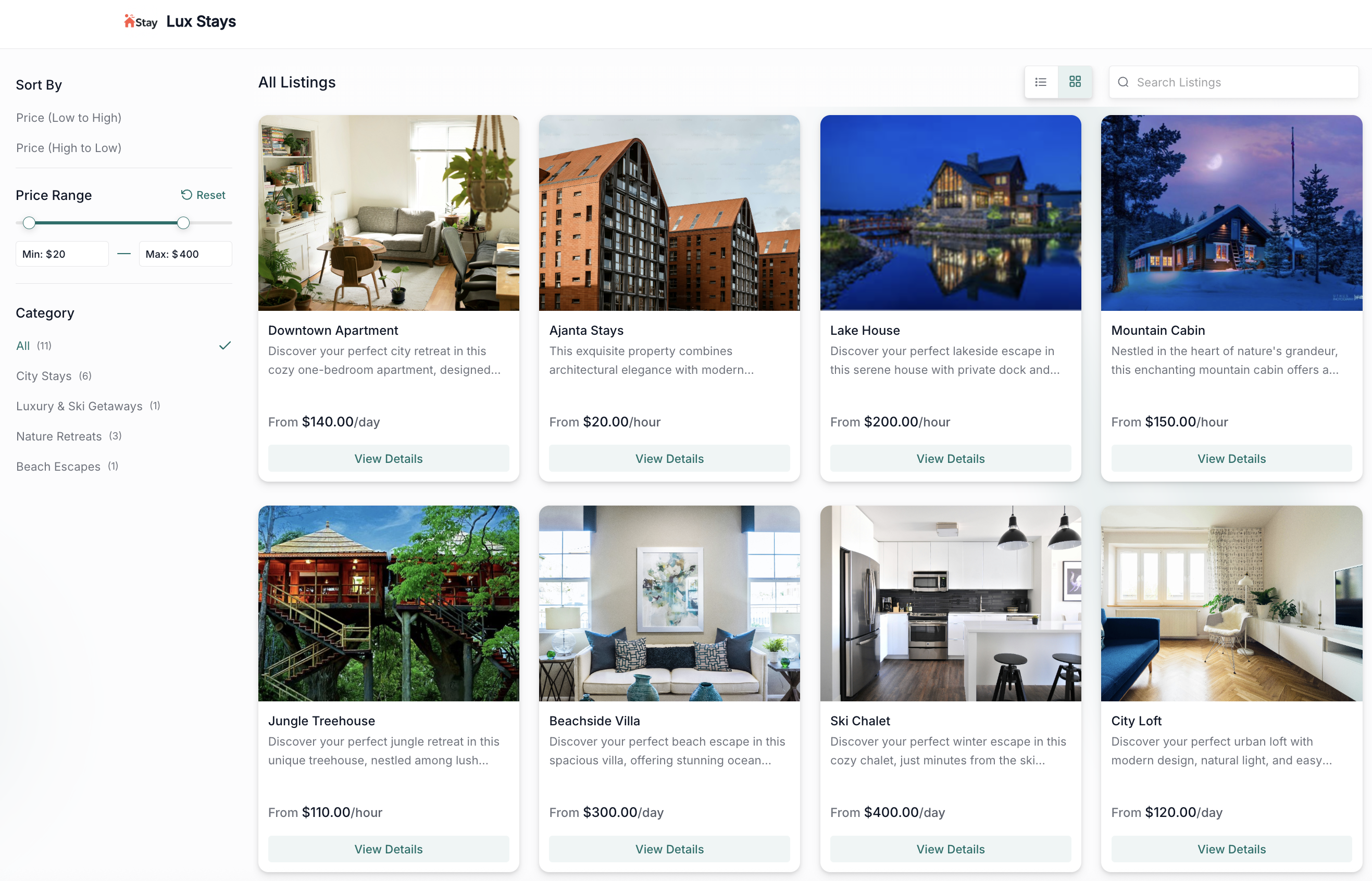
- Provide customers with a streamlined booking experience using a dedicated public-facing booking page that showcases your listings, categories, pricing, and availability in real-time.
- ✅ Revamped Calendar View
- The built-in calendar view displays all bookings across listings and time in a unified format, allowing users to manage all bookings from one place.
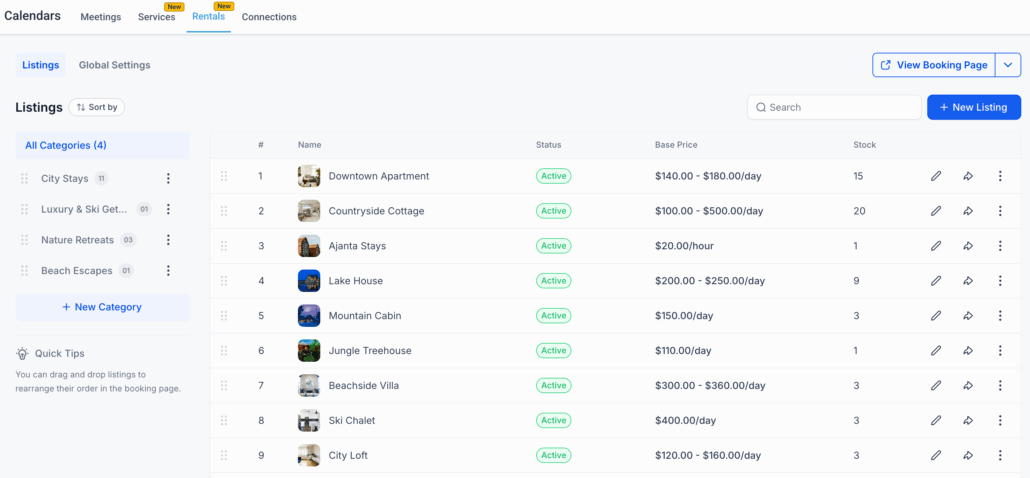
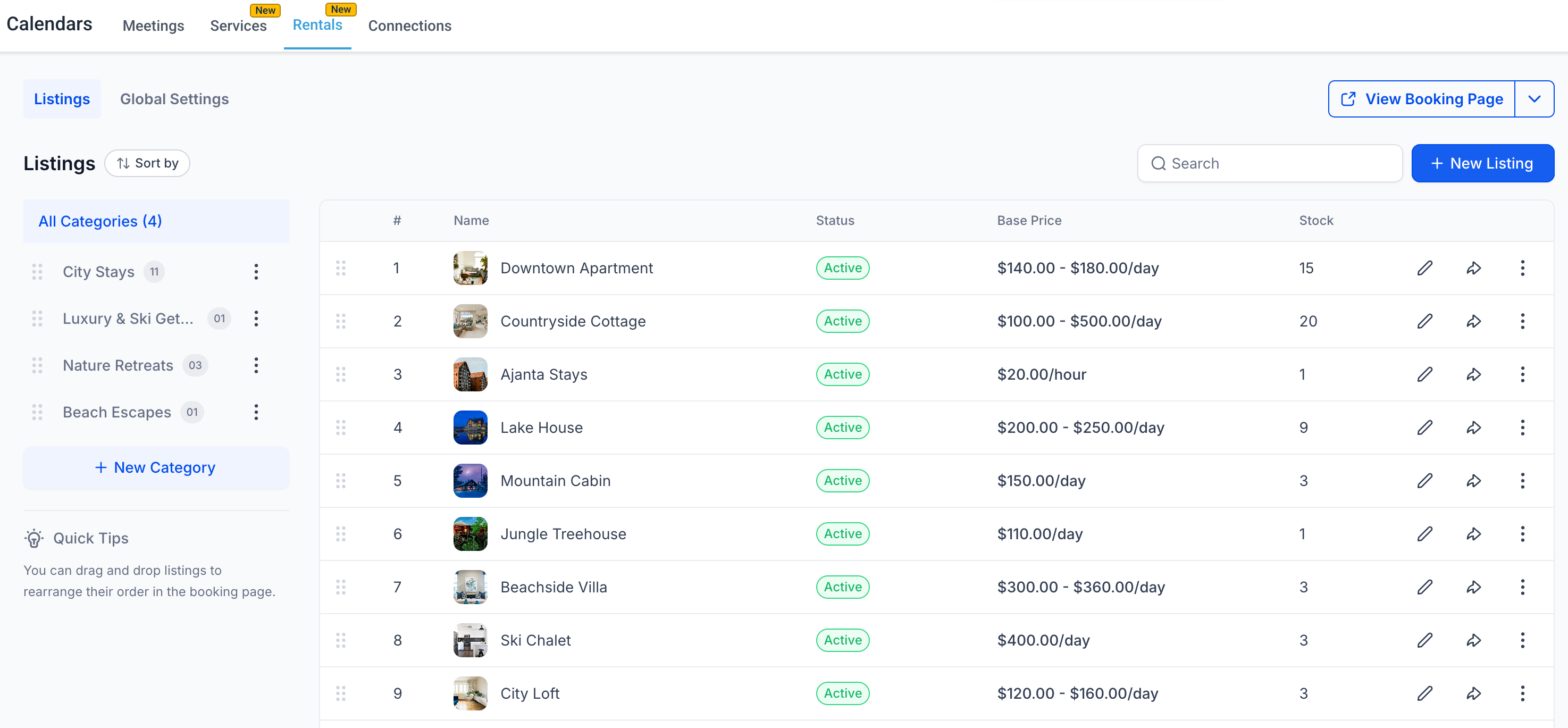
- Navigate to Calendars > Calendar Settings > Rentals to access the Rentals module.
- Create a new Listing with a name and description. Set the pricing per booking unit (e.g., £50/hour) and configure other booking settings as needed.
- Configure business operating hours, payments, and other overriding settings in Global Settings.
- View the Booking Page to experience the look and feel of your customer-facing website.
- Manage bookings in the Appointments List View or Calendar View.
If you’re interested in joining the Private Beta for Rentals, please fill out this form. We would love to have you on board!
