
Introducing App Updates with Versioning in the Clixio Marketplace
We are excited to introduce App Updates powered by explicit App Versioning in the Clixio Marketplace.
This release is a significant platform improvement that enables developers to deliver updates safely, allowing existing users to upgrade apps without the need to uninstall and reinstall them. It replaces the outdated Marketplace behaviour and creates a modern, controlled, and transparent update lifecycle.
✅ Important Context: How Updates Worked Before
Previously, the Clixio Marketplace did not support in-place app updates. Developers had to make changes directly on live apps. While new installations received the latest version, existing installs could not be upgraded. Users had to uninstall and reinstall the app to access updates, which often led to:
- Loss of existing configurations
- Disruption to active workflows
- Reluctance to adopt new releases
- Increased operational risk for agencies and sub-accounts
With this release:
- Apps now support in-place updates
- Existing installs can be upgraded safely
- App configurations are preserved during updates
- Users can review what changed before updating
- Developers can release updates without affecting live users
- This aligns the Marketplace with modern app ecosystems.
- Explicit App Versioning
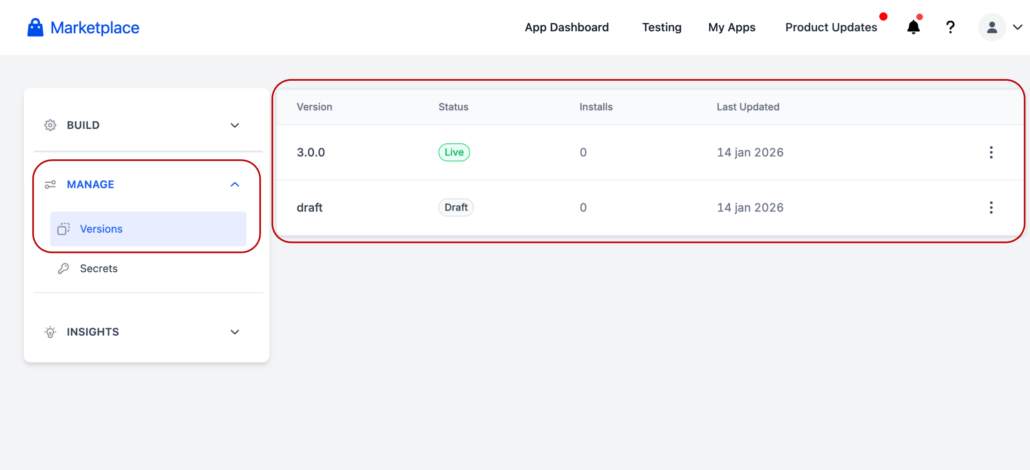
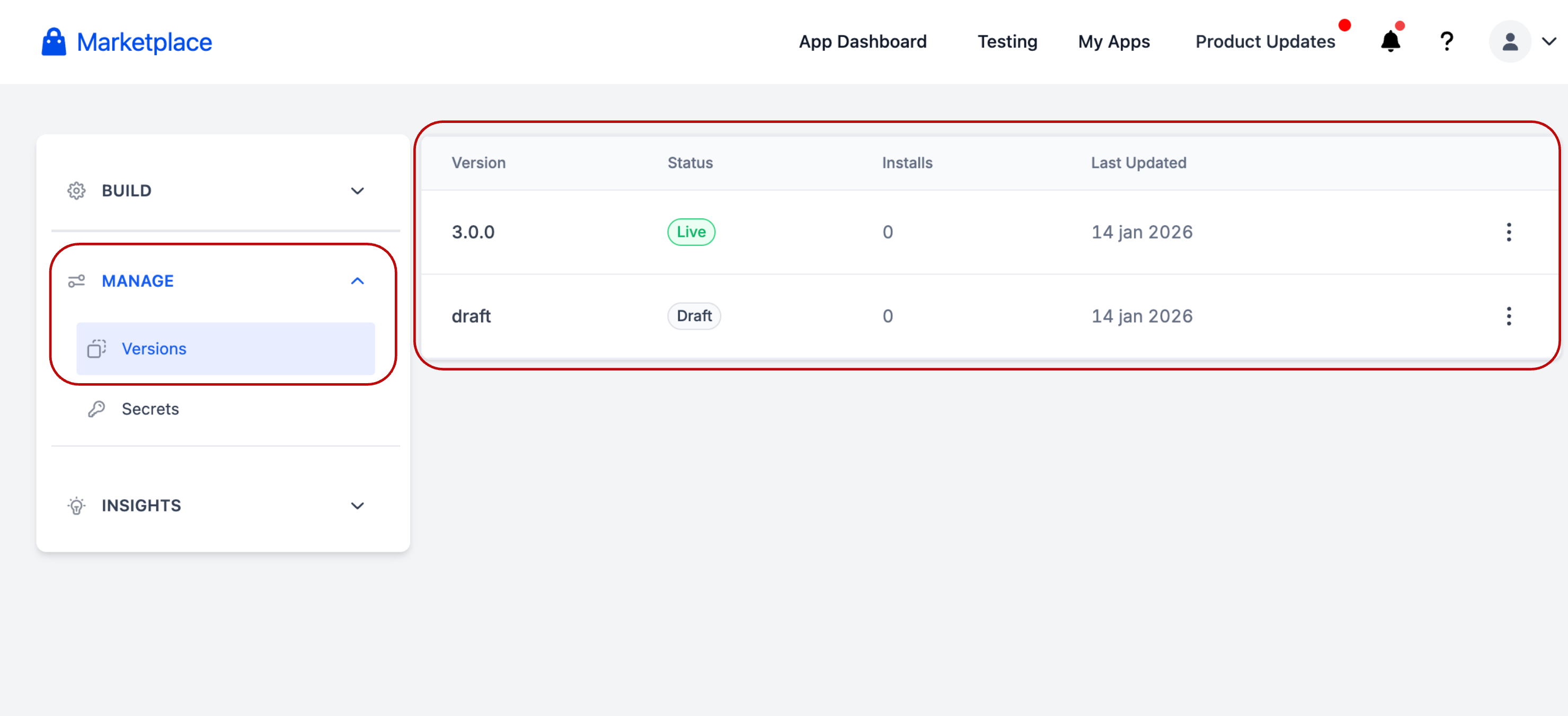
Apps now consist of multiple explicit versions. Each version maintains its own:
- Lifecycle status
- Review record
- Release notes
- Change history
Live versions are never edited directly.
- Version Lifecycle States
Each app version progresses through defined states:
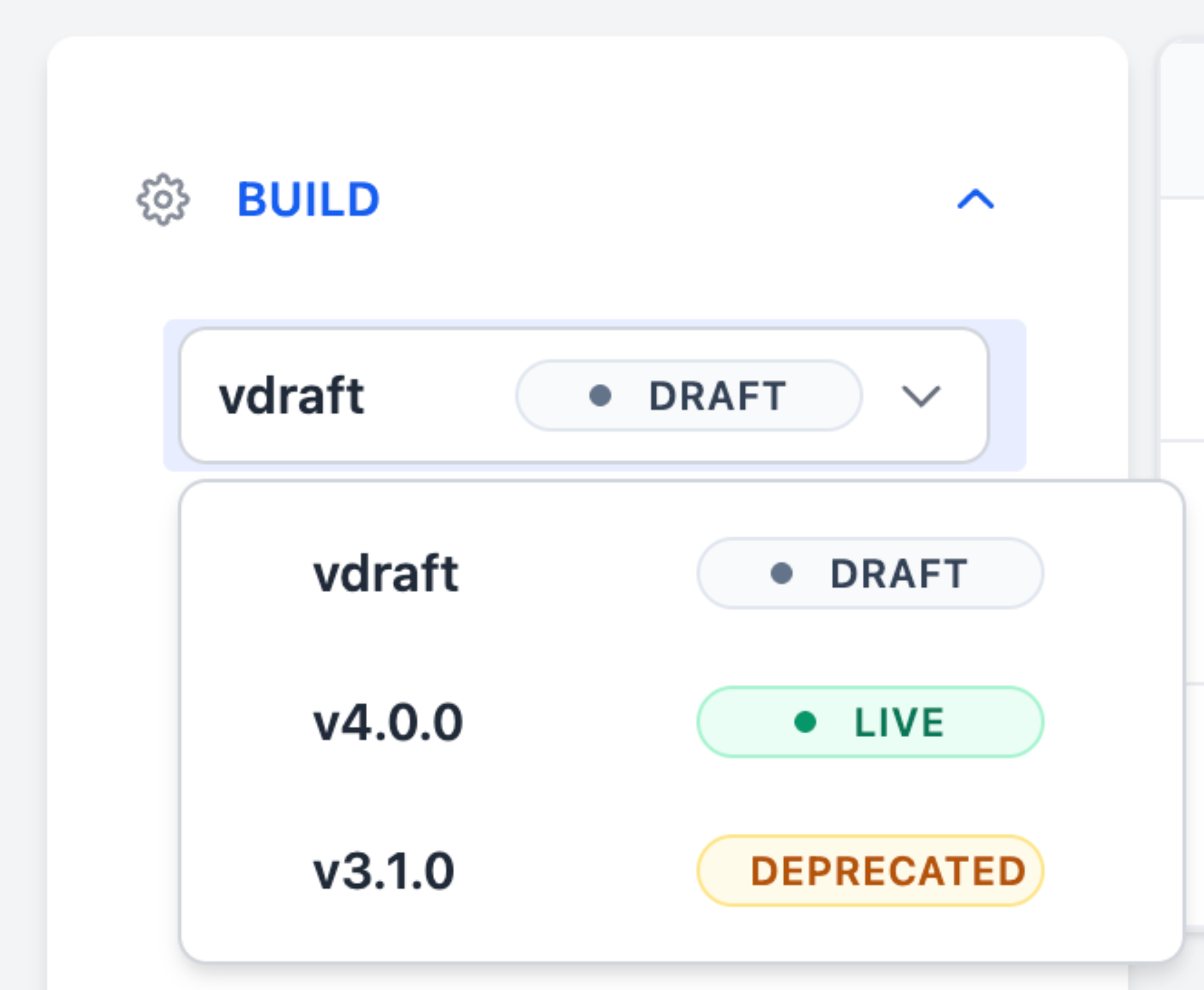
- Draft – Editable working copy
- In Review – Submitted for Marketplace review (public apps)
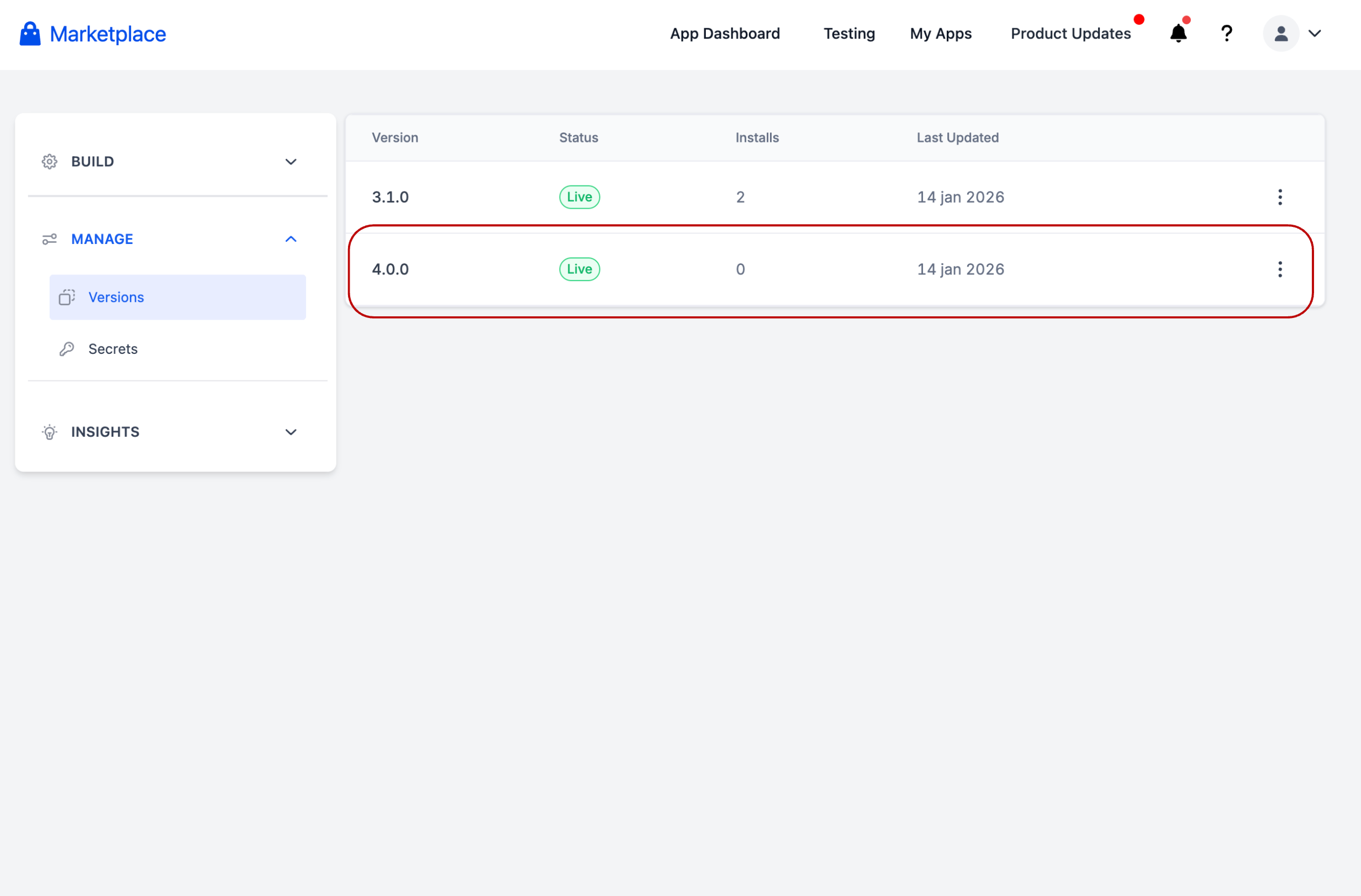
- Live – Approved and installable
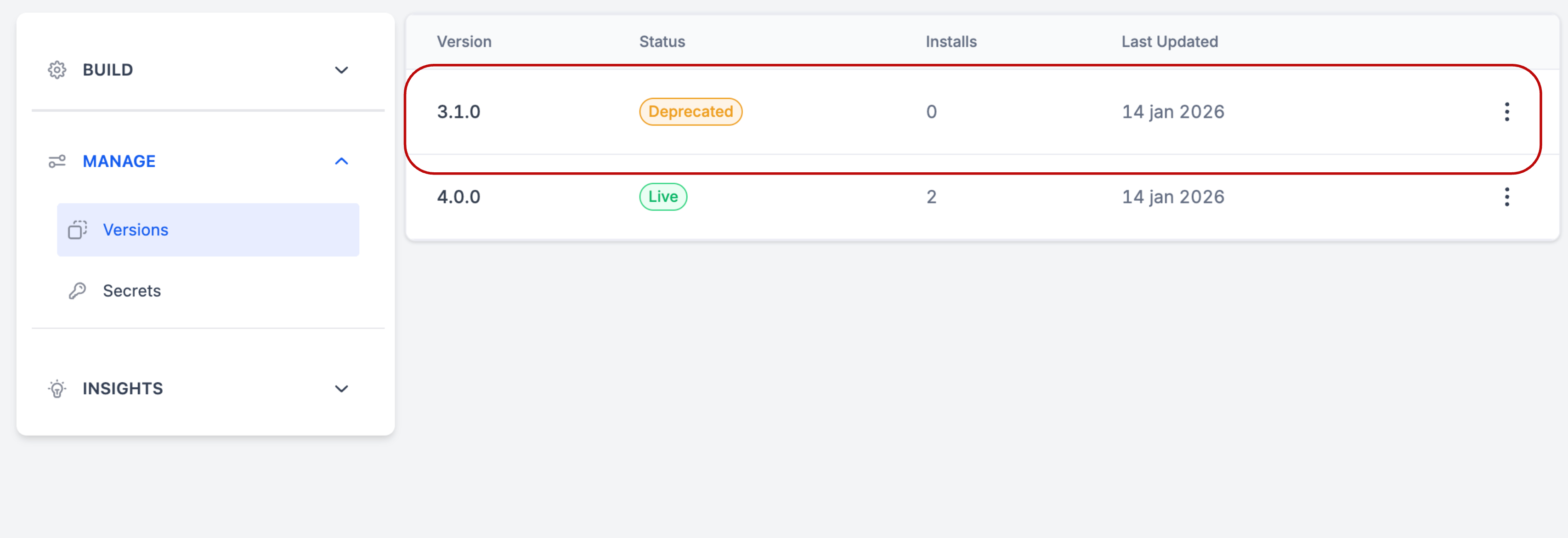
- Deprecated – Scheduled for removal
- Disapproved – Rejected version; editable like Draft
This ensures predictable, auditable releases.
- Version Limits & Safety Rules
To prevent the release of unstable or excessive versions:
- Only one Draft or Disapproved version is allowed at a time
- A maximum of 3 total versions per app
- (Live + In Review + Deprecated) must be 2 or less
- (Draft + Disapproved + In Review) must equal 1
These limits protect platform stability and clarify the review process.
- Creating a New Version
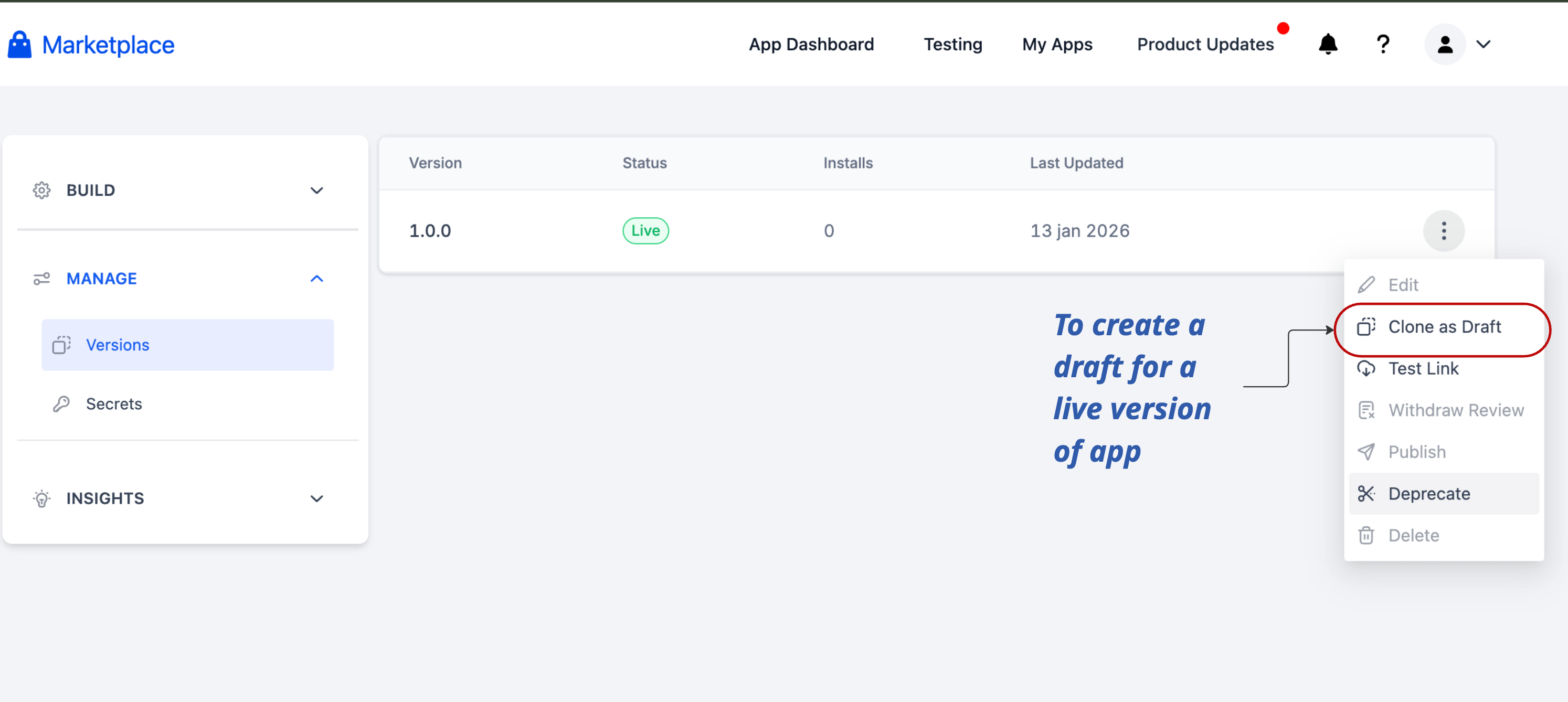
- Developers clone the latest Live version to create a Draft
- All development occurs without impacting production users
- A new Draft cannot be created until the current Draft or Disapproved version is resolved.
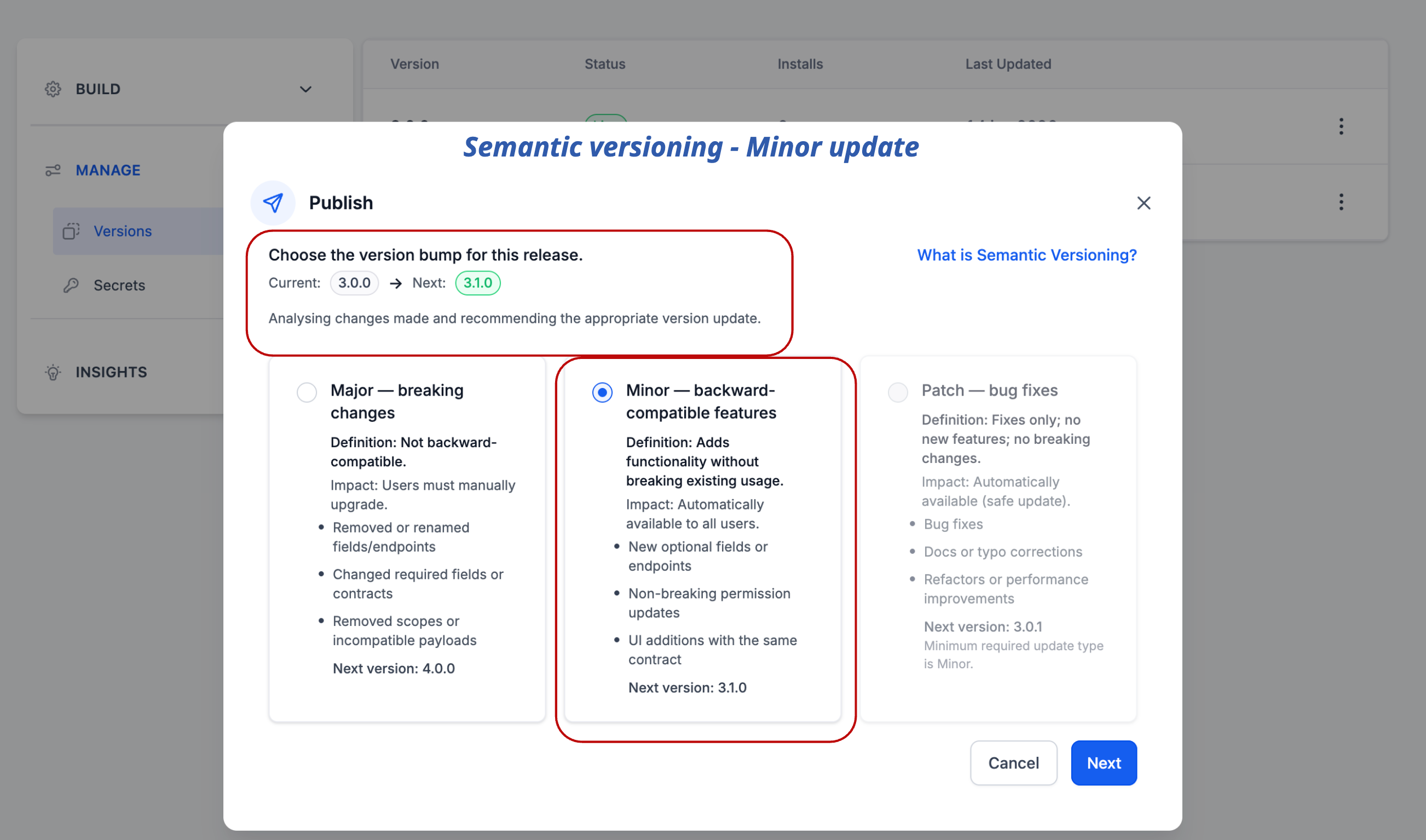
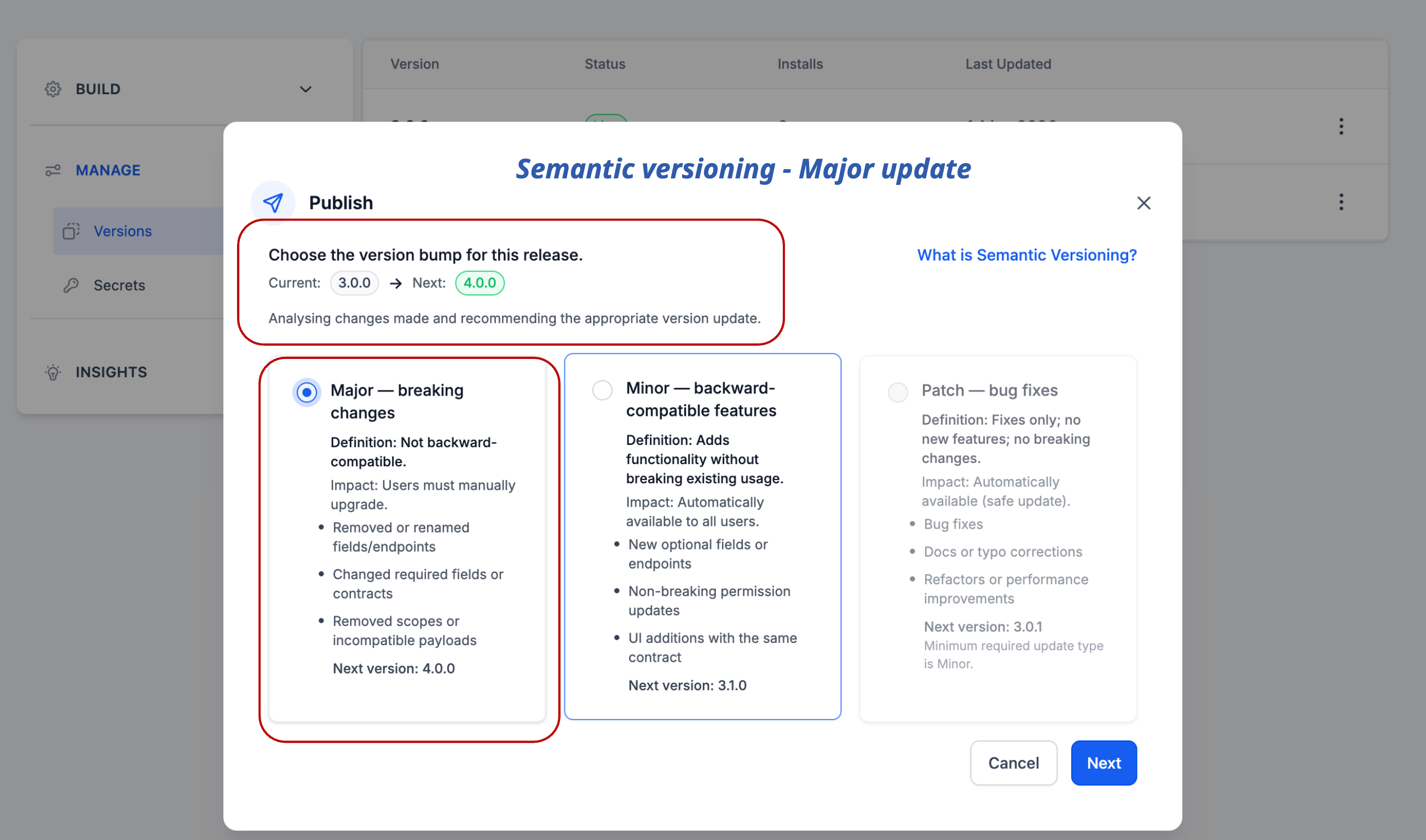
- Publishing an Update: Semantic Versioning
Developers must select a version type:
- Major (x.0.0) – Breaking or incompatible changes
- Minor (x.y.0) – Backward-compatible enhancements
- Patch (x.y.z) – Bug fixes only
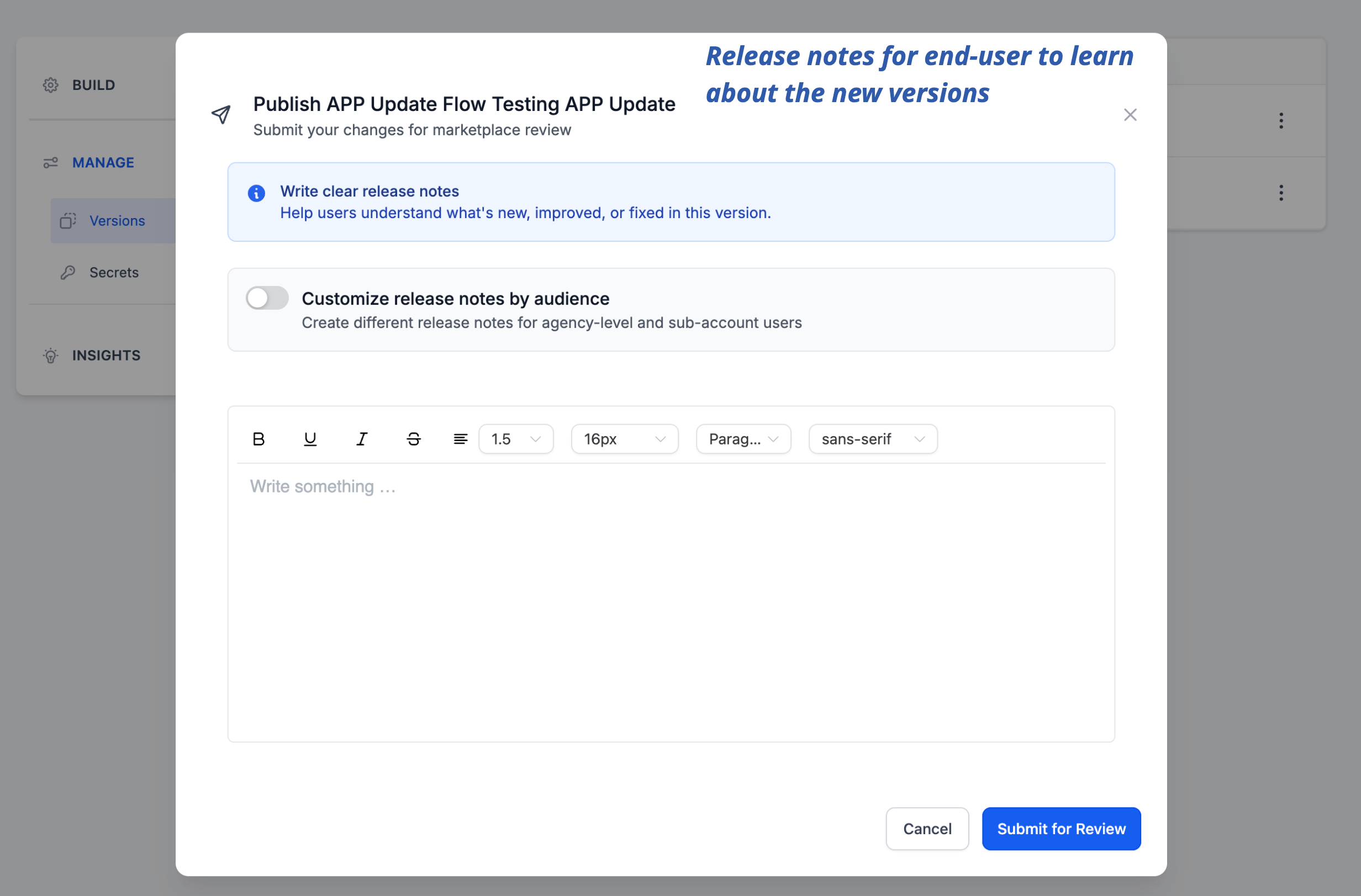
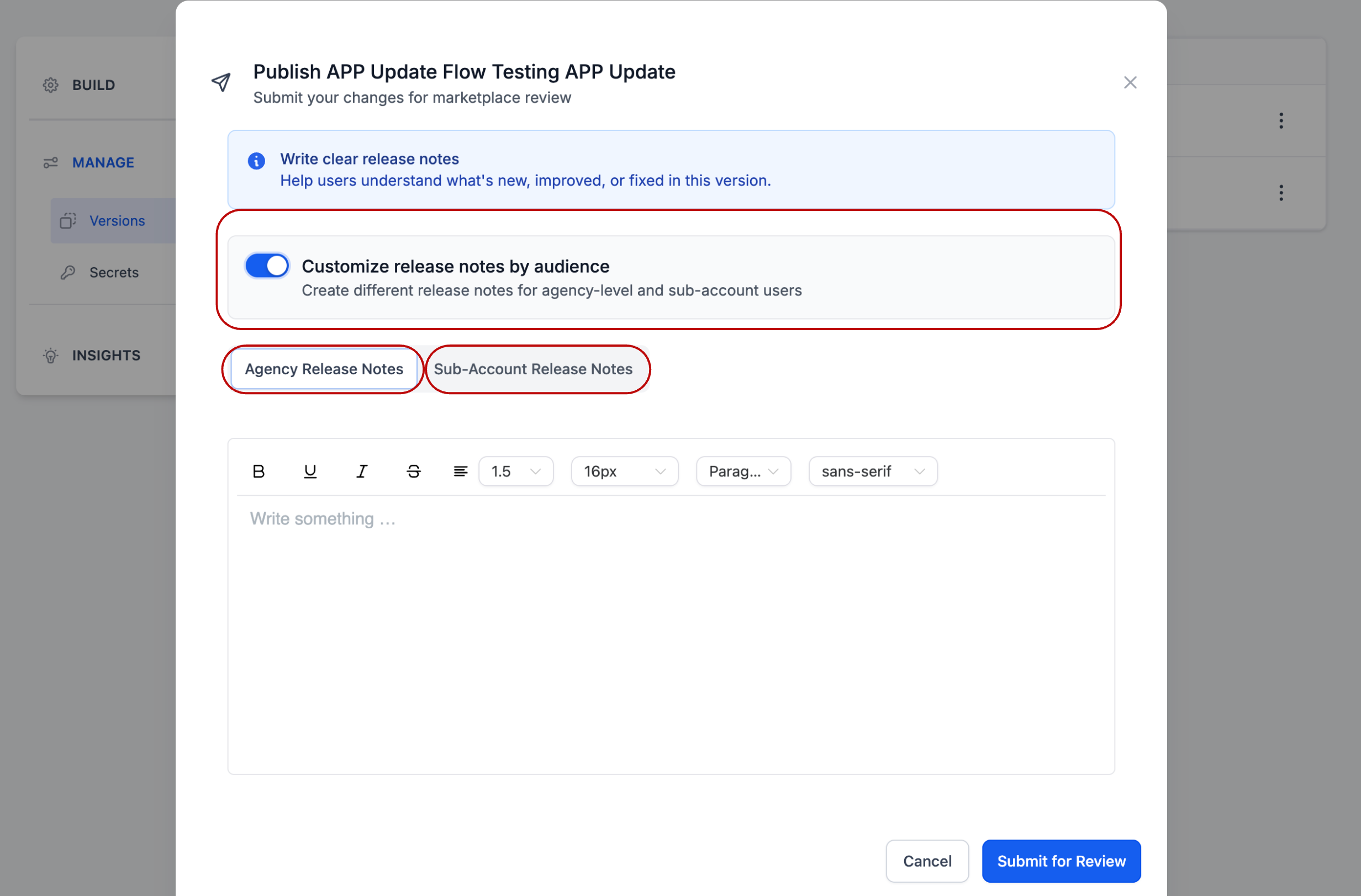
- Release Notes: Release notes are shown directly to users during the update process.
User Experience When an Update Is Available
When a new version goes Live:
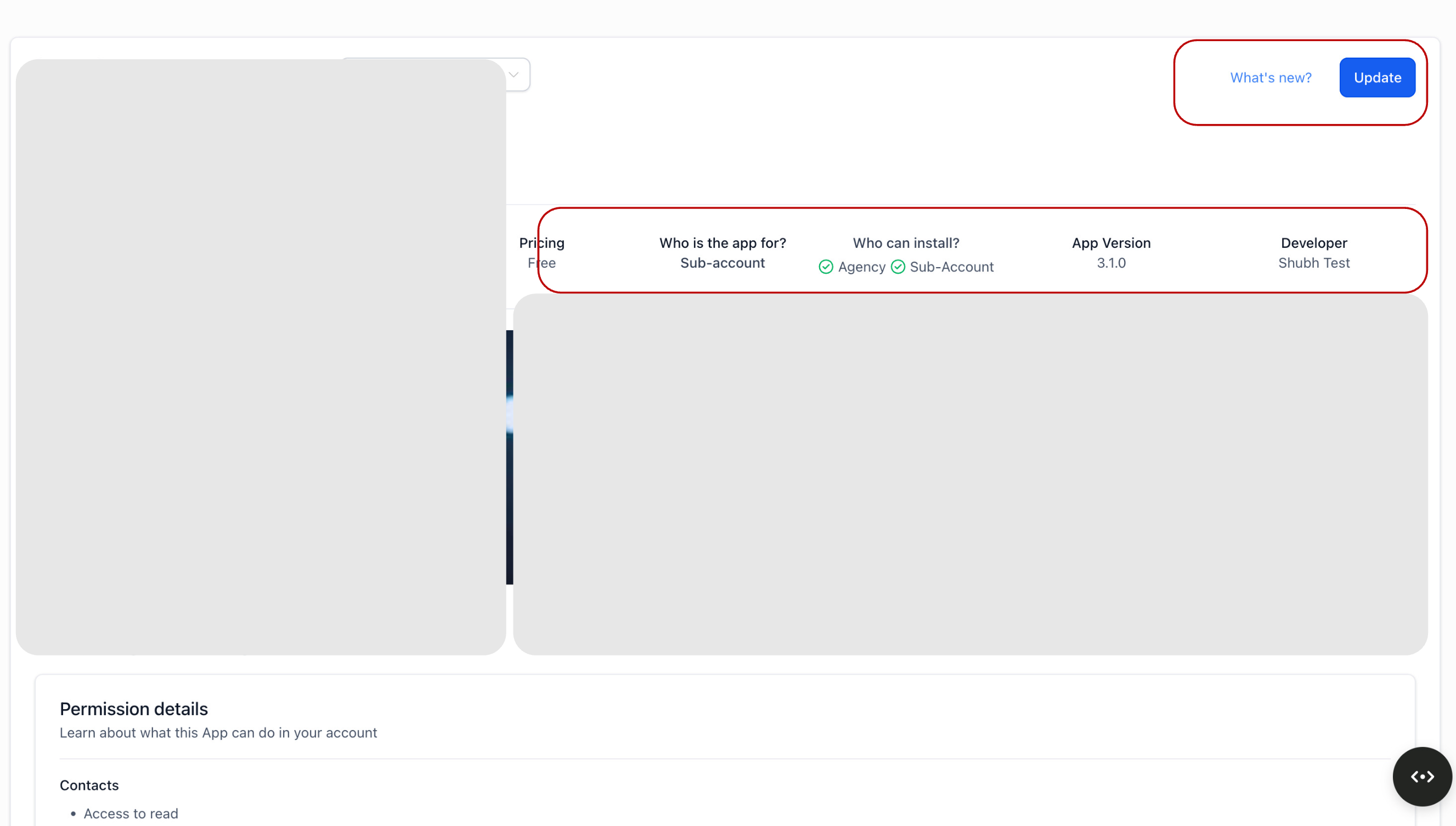
- Installed apps display an Update button
- Version-specific release notes are shown
- Major updates require explicit user confirmation
- Minor and Patch updates follow a standard, safe flow
This prevents unexpected changes and builds trust.
🧩 Module Update Behaviour (Current State)
- Modules are currently associated with the app, not a specific version
- Changes to module functionality may become visible immediately after saving
- Use Major versions when introducing new module capabilities
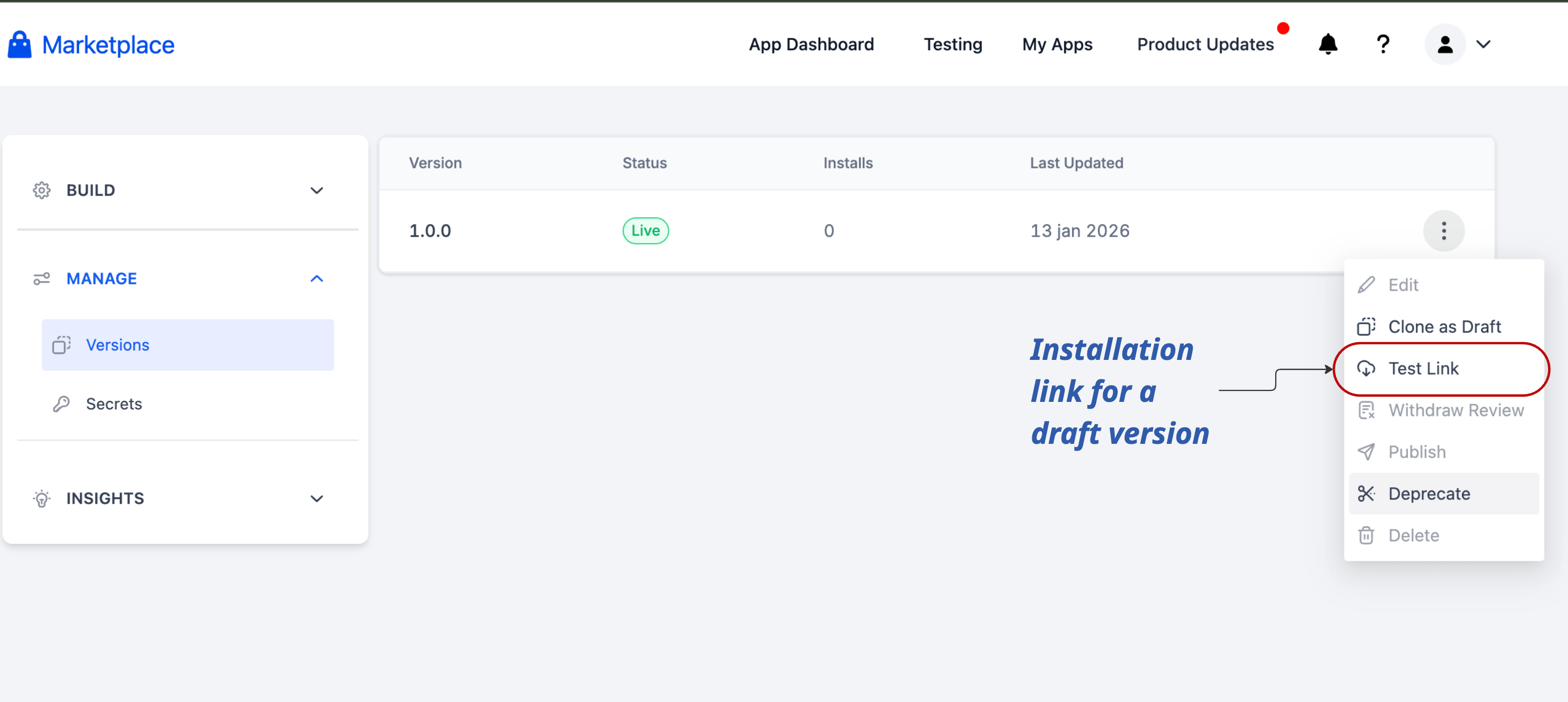
- Use private apps for testing
- Apply changes to live apps only when the modifications are production-ready
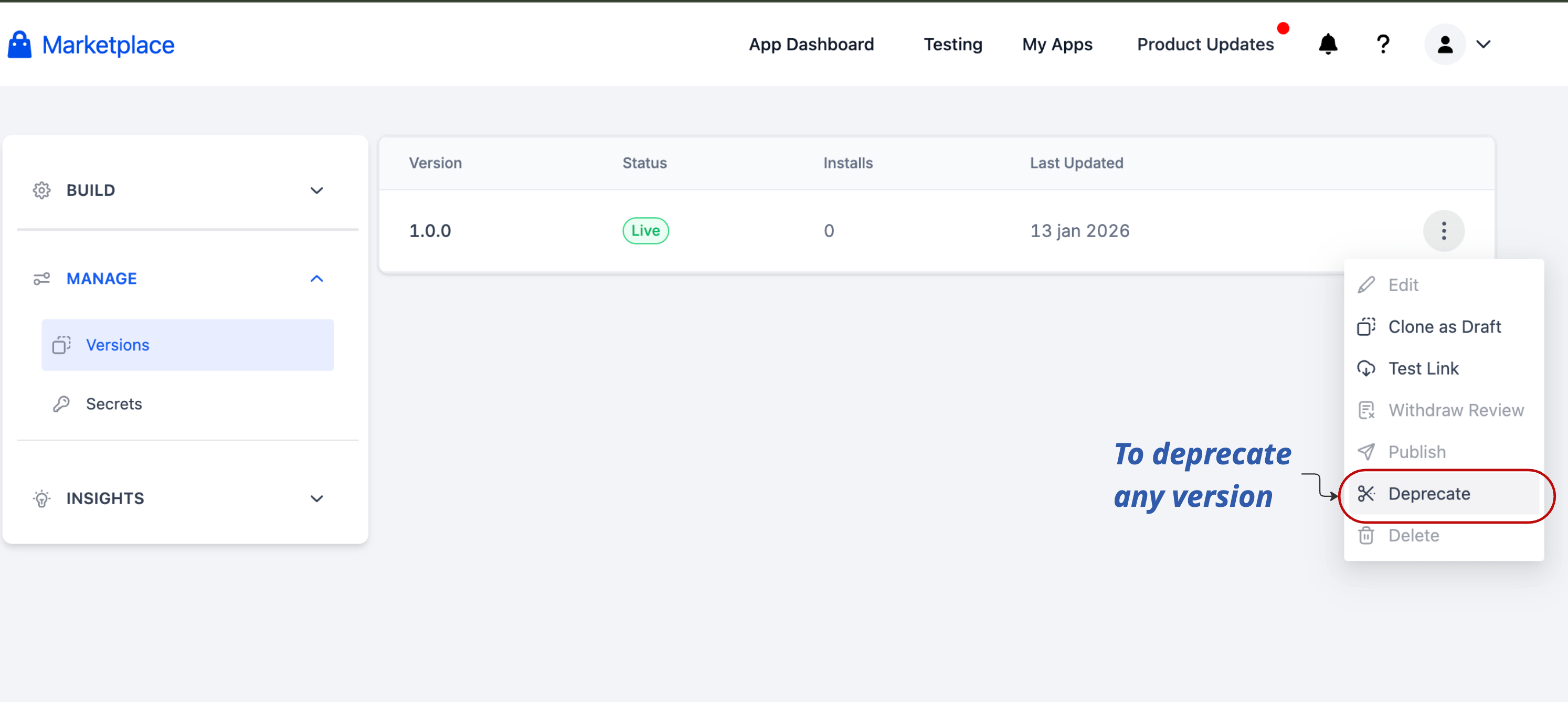
🗑️ Deprecating Old Versions
Live versions can be scheduled for removal with a minimum of three days’ notice. On the deprecation date:
- The version is removed
- All installations using that version are automatically uninstalled
- This prevents outdated or unsafe versions from lingering.
We are actively working on:
- Version-aware module updates
- Version-aware pricing updates
- Safer release controls and clearer update propagation
This release lays the groundwork for these improvements.
For questions or concerns:
