Interactive WhatsApp Templates | Clixio Changelog
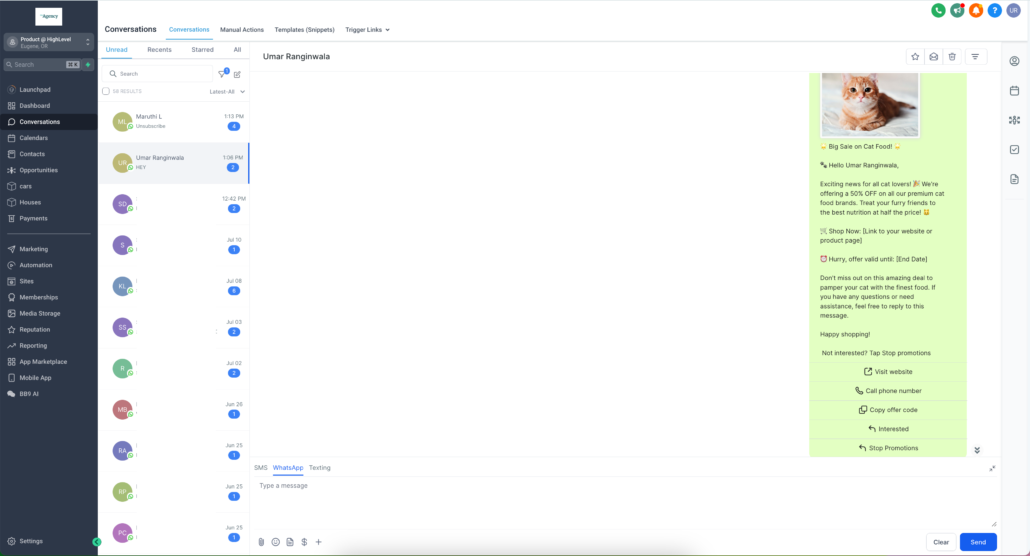
We are thrilled to announce the launch of a highly requested feature: Interactive CTA (Call-To-Action) buttons. This powerful feature enables you to create more interactive, engaging, and visually appealing messages, providing a seamless experience for your users.
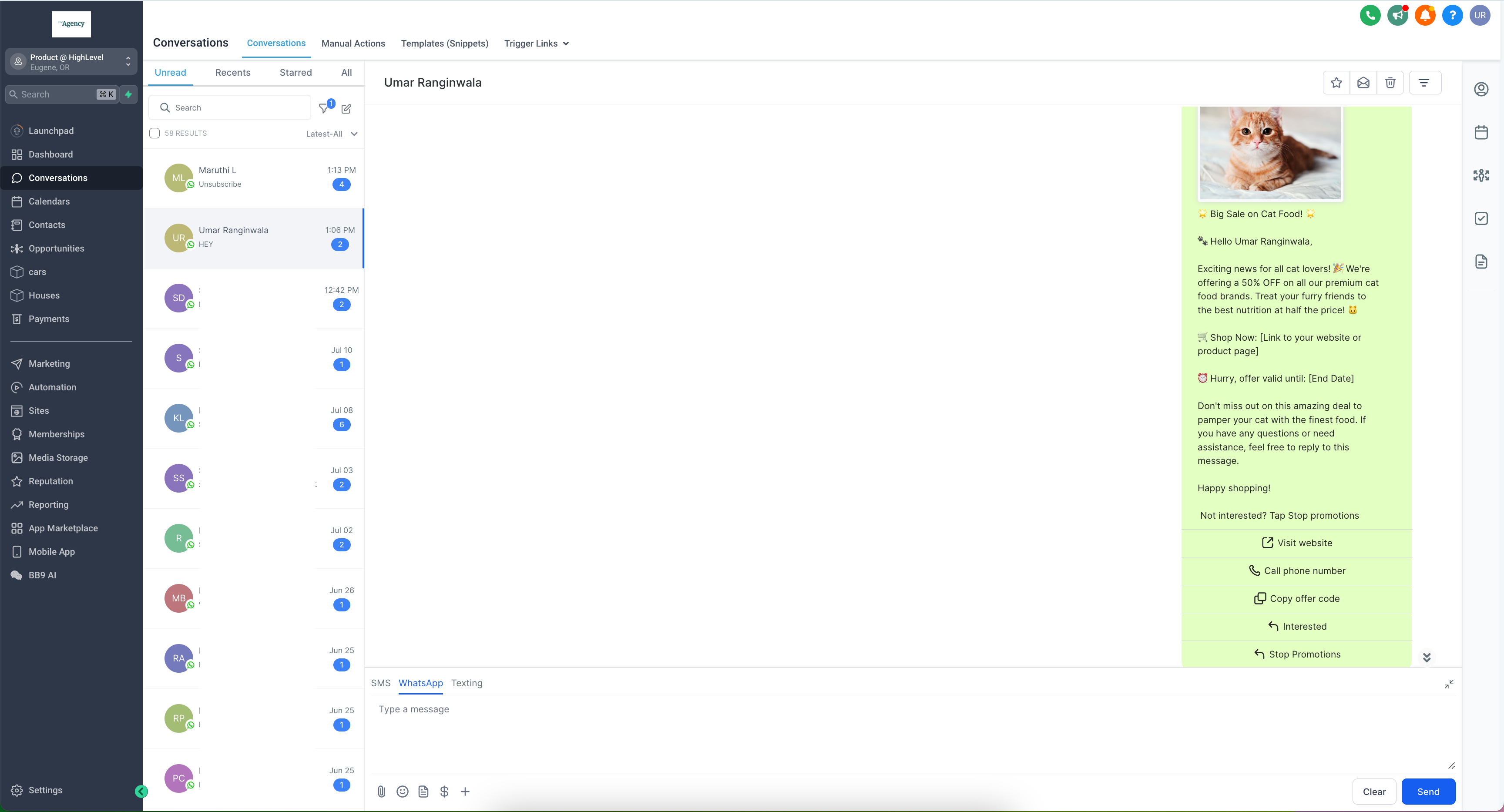
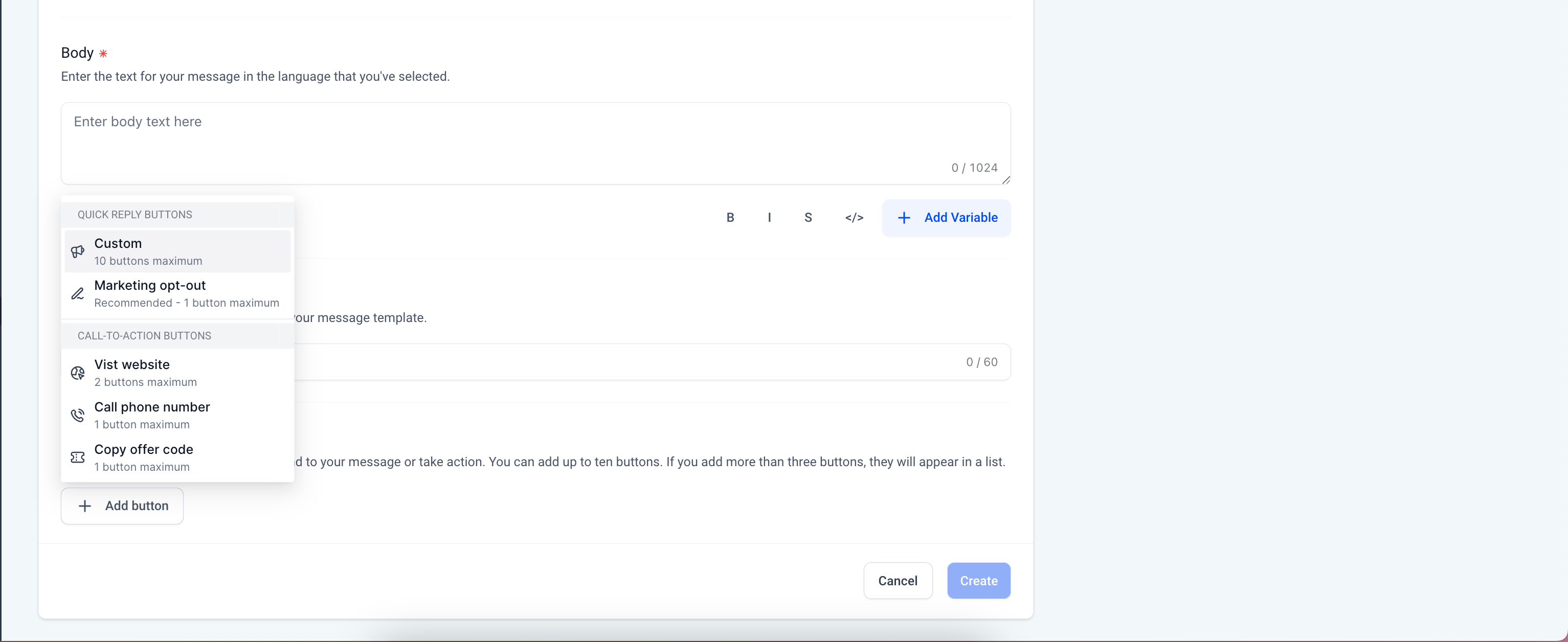
- Allow users to respond quickly with predefined options, enhancing the conversation flow and user engagement. This allows customers to reply without typing.
- Direct users to your website with a single click, increasing traffic and improving conversion rates.
Personalised Website Links:
- Utilise dynamic “Visit Website” buttons to customise links for each customer, offering a personalised experience and boosting engagement.
- Adding a variable creates a personalised link for the customer to view their info. Only one variable can be added to the end of a URL.
- Provide an option for users to call a specified phone number directly from the message, facilitating immediate communication and support.

- Enable users to easily copy promotional codes or offer details, making it convenient for them to redeem offers.
- Give users the option to opt out of marketing messages effortlessly, ensuring compliance with WhatsApp regulations and improving user trust.
- Bold: Emphasise important information by making text bold.
- Italics: Highlight key points using italicised text.
- Strikethrough: Show edits or changes by striking through text.
- Monospace: Format code snippets or other text in a fixed-width font.
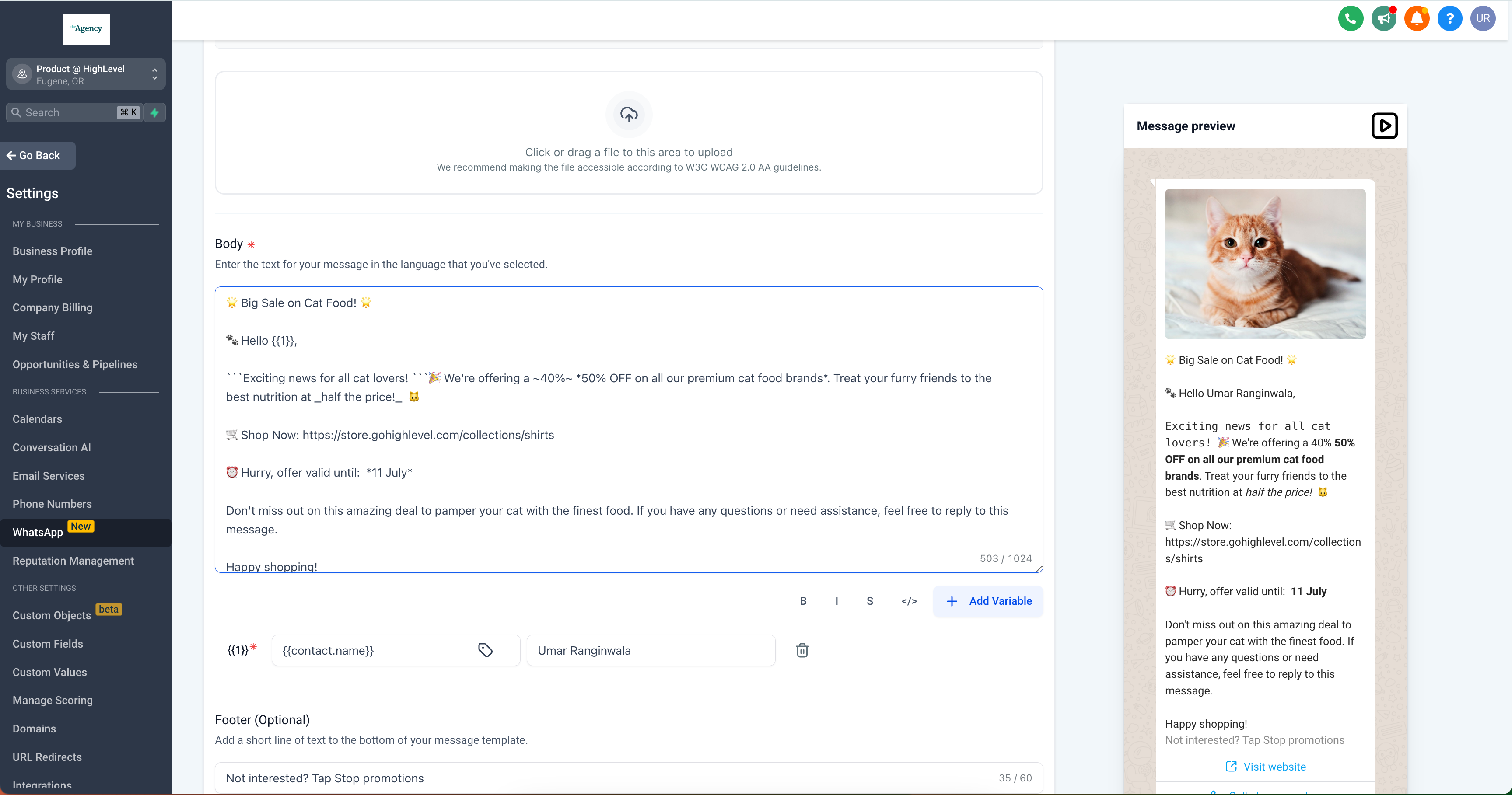
👷 How to Configure CTA Buttons and Text Formatting:
- Go to
Settings
>
WhatsApp
>
Templates
-
Create Template
>
Add Button
- Select the type of CTA button you wish to add: Quick Reply, Visit Website, Personalised Website Link, Call Phone Number, Copy Offer Code, or Marketing Opt-Out.