
Instagram Reels-Share to Feed Toggle
What’s New✨
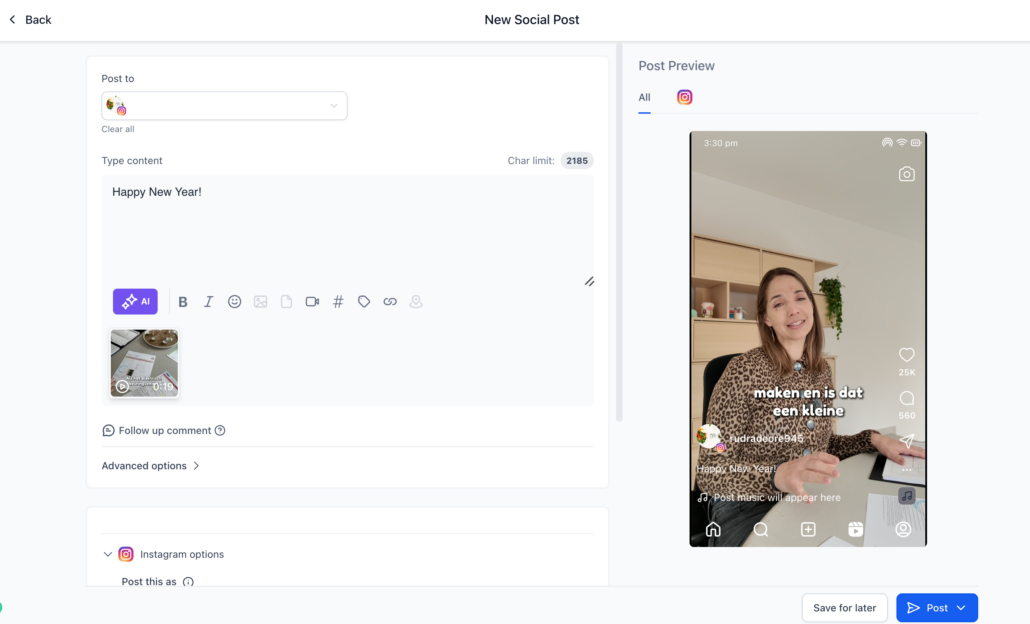
You can now exercise granular control over where your Instagram Reels appear with a new “Share to Feed” toggle inside Social Planner. This feature allows you to choose whether to display the reel on both the Instagram Feed and Reels tabs, or solely on the Reels tab of your Instagram profile.
<p><strong>Toggle Behaviour:</strong></p>
<ul>
  <li>**ON →** Reel is published to both the Instagram Feed and Reels tab</li>
  <li>**OFF →** Reel appears only on the Reels tab</li>
</ul>

<p>Default setting: **ON** (same as current behaviour)</p>

<p><strong>Why It Matters💡</strong></p>
<p>This enhancement benefits users by helping them:</p>
<ul>
  <li>Reduce clutter in their Instagram Feed with every reel</li>
  <li>Maintain a consistent aesthetic for their feed while still posting reels</li>
  <li>Implement reel-only content strategies without the need for manual edits</li>
  <li>Minimise accidental cross-posting and subsequent support requests</li>
</ul>

<p><strong>How It Works🛠️</strong></p>
<ul>
  <li>Create a post in Post Composer</li>
  <li>Select Instagram Reel</li>
</ul>
<div class="line">
  <img alt="image" loading="lazy" src="https://canny-assets.io/images/e12498a1309f2fbdfb1750f525c68cec.png" class="tappable"/>
</div>
<ul>
  <li>Toggle “Show on Feed” ON or OFF</li>
</ul>
<div class="line">
  <img alt="Screenshot 2025-12-11 at 3" loading="lazy" src="https://canny-assets.io/images/8100fa5f9e84e4ac49509a5e12586f70.png" class="tappable"/>
</div>
<ul>
  <li>Publish or schedule the reel as usual</li>
  <li>Social Planner will post it exactly according to your selected visibility preference.</li>
</ul>