
Helping you setup Healthy Incoming Call Timeout
25th August 2025
Guidance for Call Timeout Settings
We are here to assist you in configuring a Healthy Incoming Call Timeout.
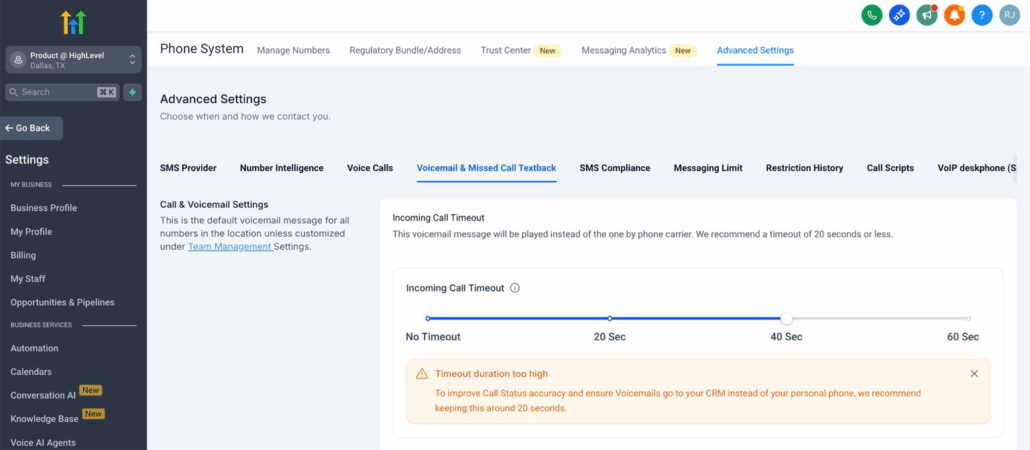
- If the timeout is set too high (above 20 seconds), calls may bypass your CRM voicemail and go directly to your carrier voicemail. This also leads to inaccurate call statuses, as calls going to personal phone carrier voicemail are marked as ‘Completed’ rather than ‘Voicemail’.
Sub-account Incoming Call Timeout Too High:
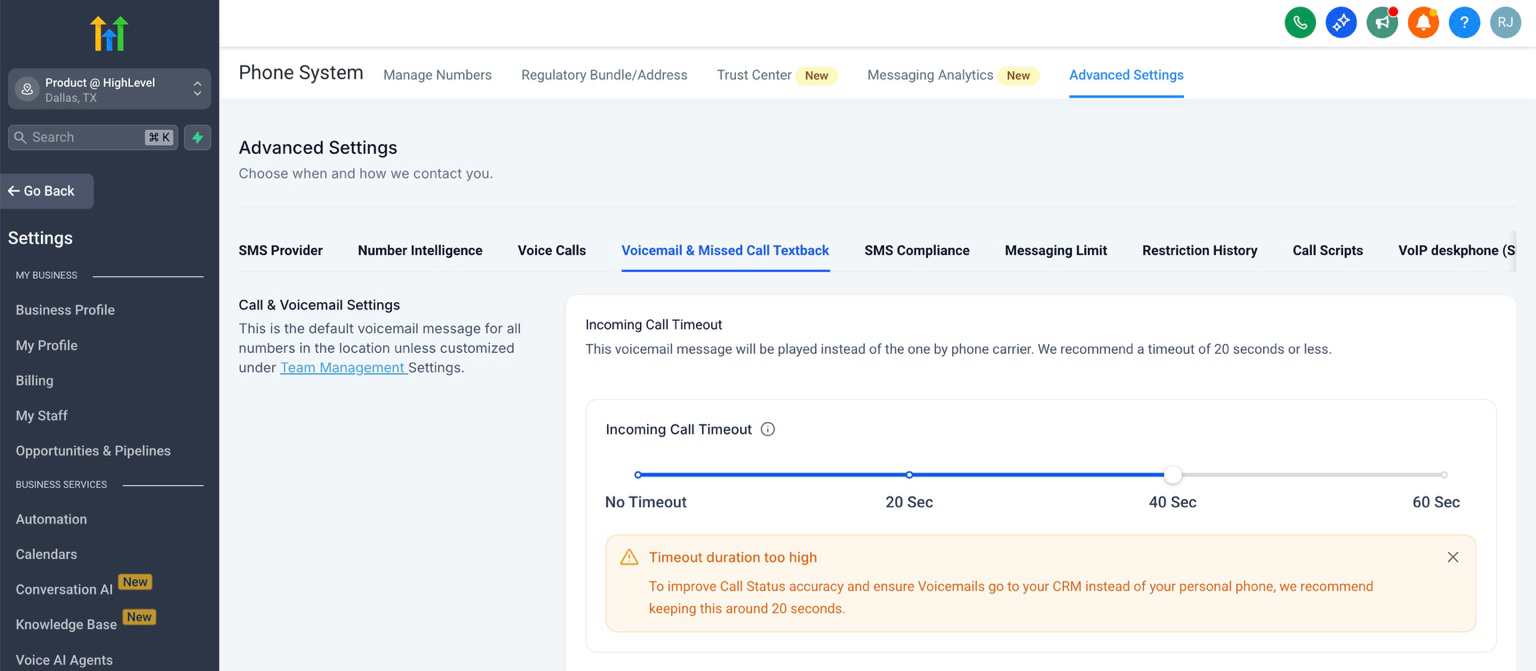
Phone Number Incoming Call Timeout Too High:
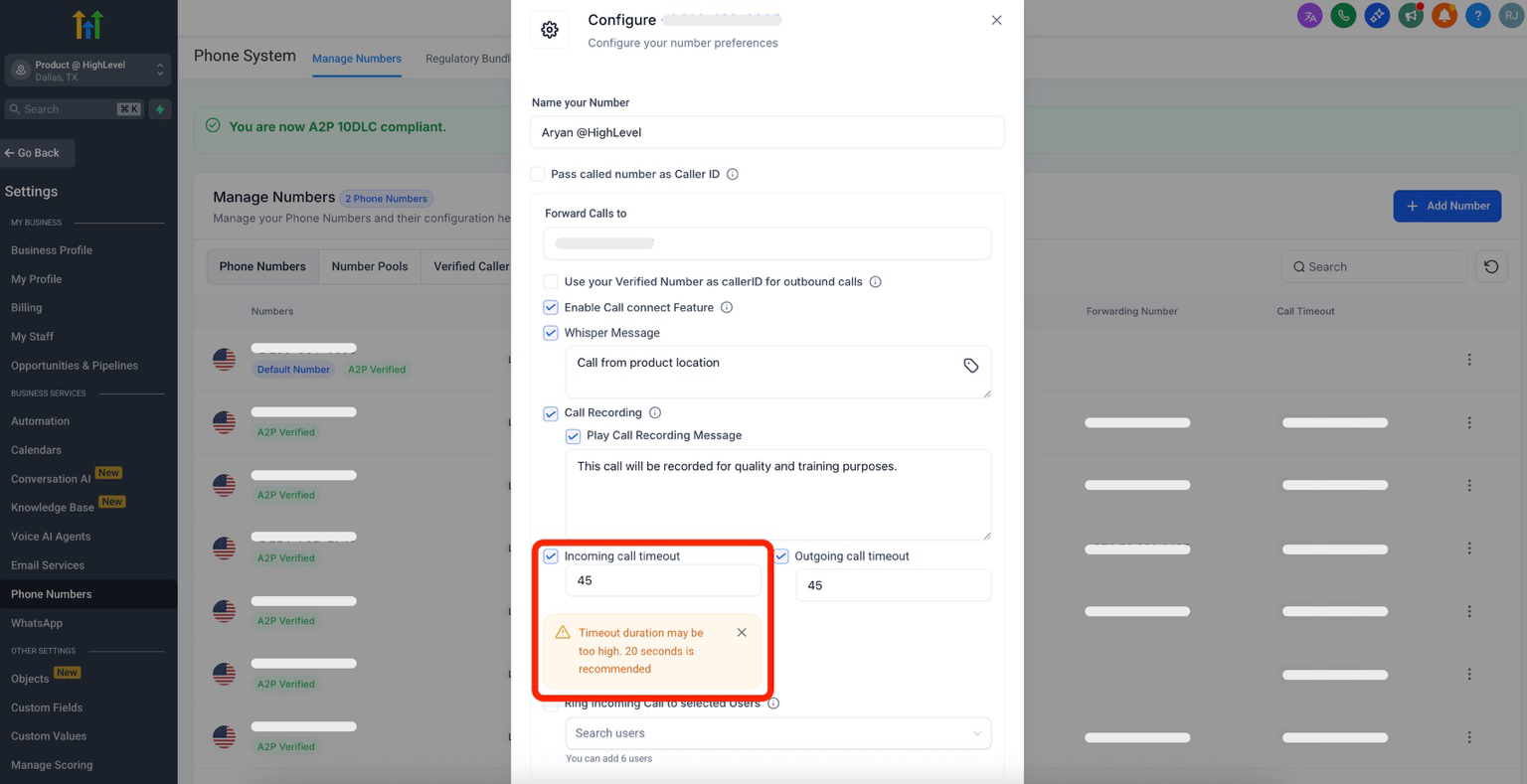
- If the timeout is set too low (below 15 seconds), calls may not connect at all or may ring briefly before ending.
Sub-account Incoming Call Timeout Too Low:
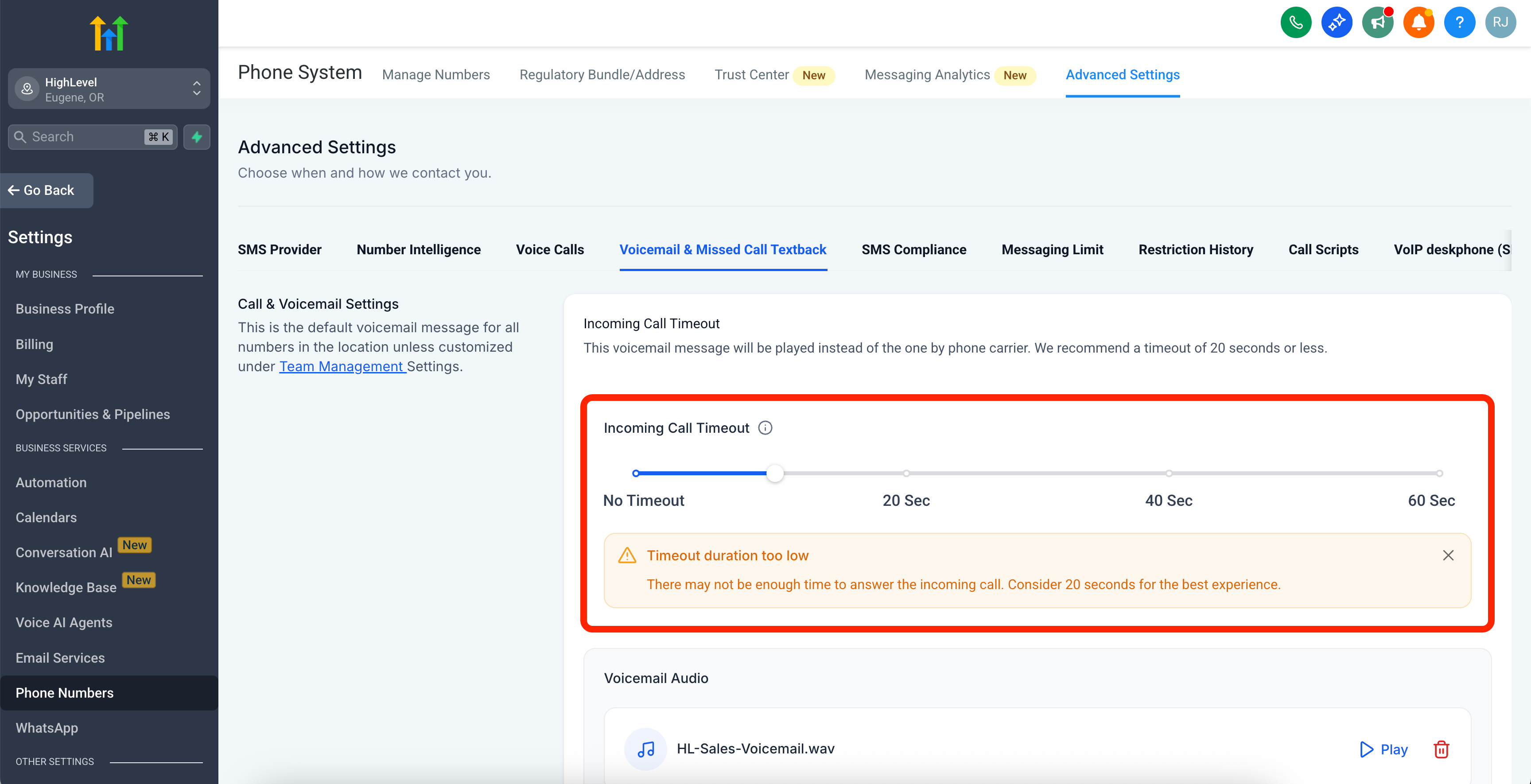
Phone Number Incoming Call Timeout Too Low:
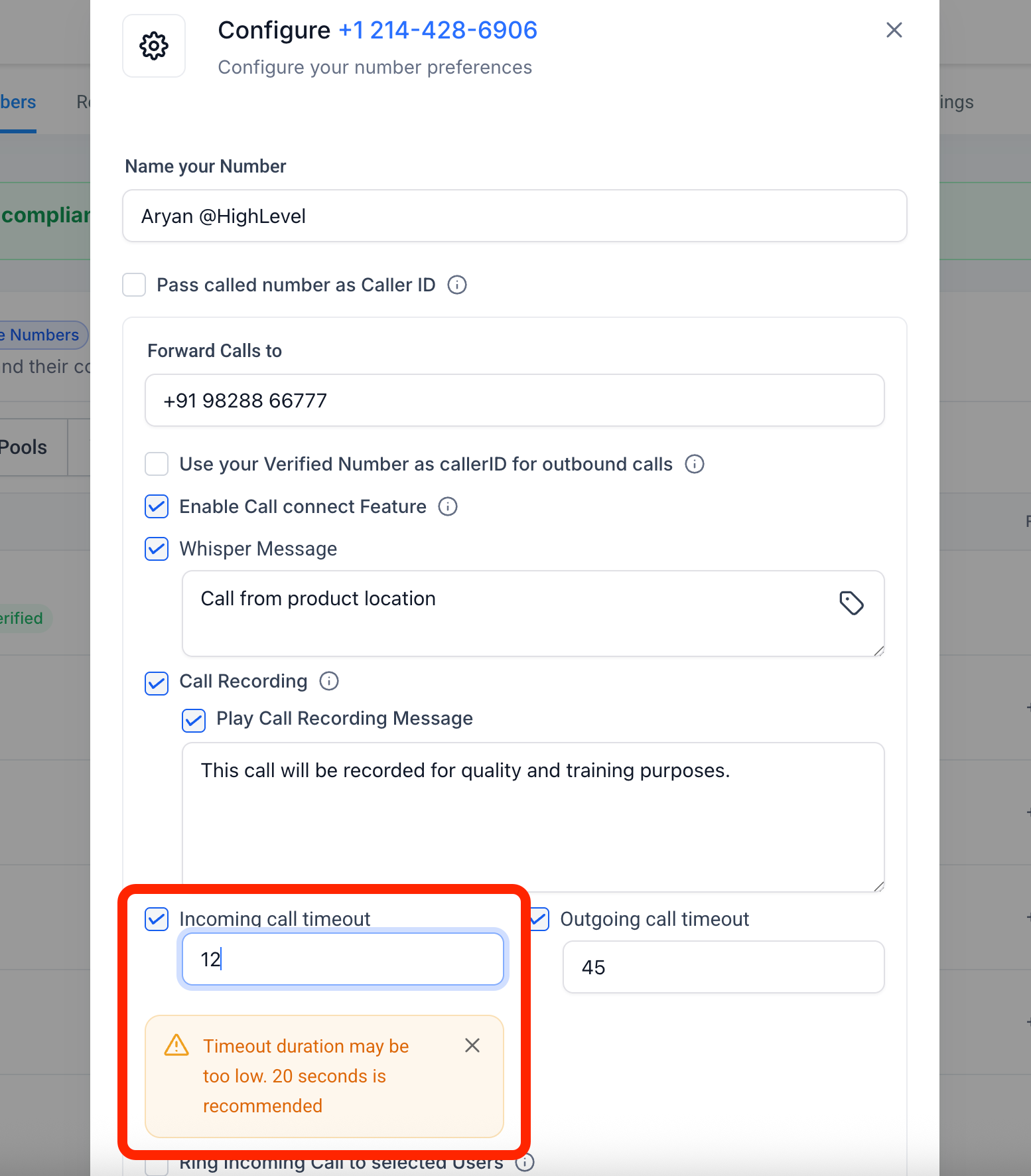
Now, if you set a timeout outside the recommended range, we will display a message to help you select an appropriate duration.
📌 Why This Matters
Carrier voicemail systems have fixed or limited timers (approximately 20–30 seconds for most major carriers). Keeping your timeout around 20 seconds ensures:
- Calls are more likely to be answered, or voicemails are more likely to be recorded in your CRM.
- Improved accuracy of call statuses for Incoming Calls. Previously, if the timeout was too high, calls would end up in carrier voicemail with the status ‘Completed’. Now, they are more likely to be recorded in your CRM Voicemail with the correct status: ‘Voicemail’.
You can always choose to close this tooltip or disregard this information if you are confident about your call flow.
