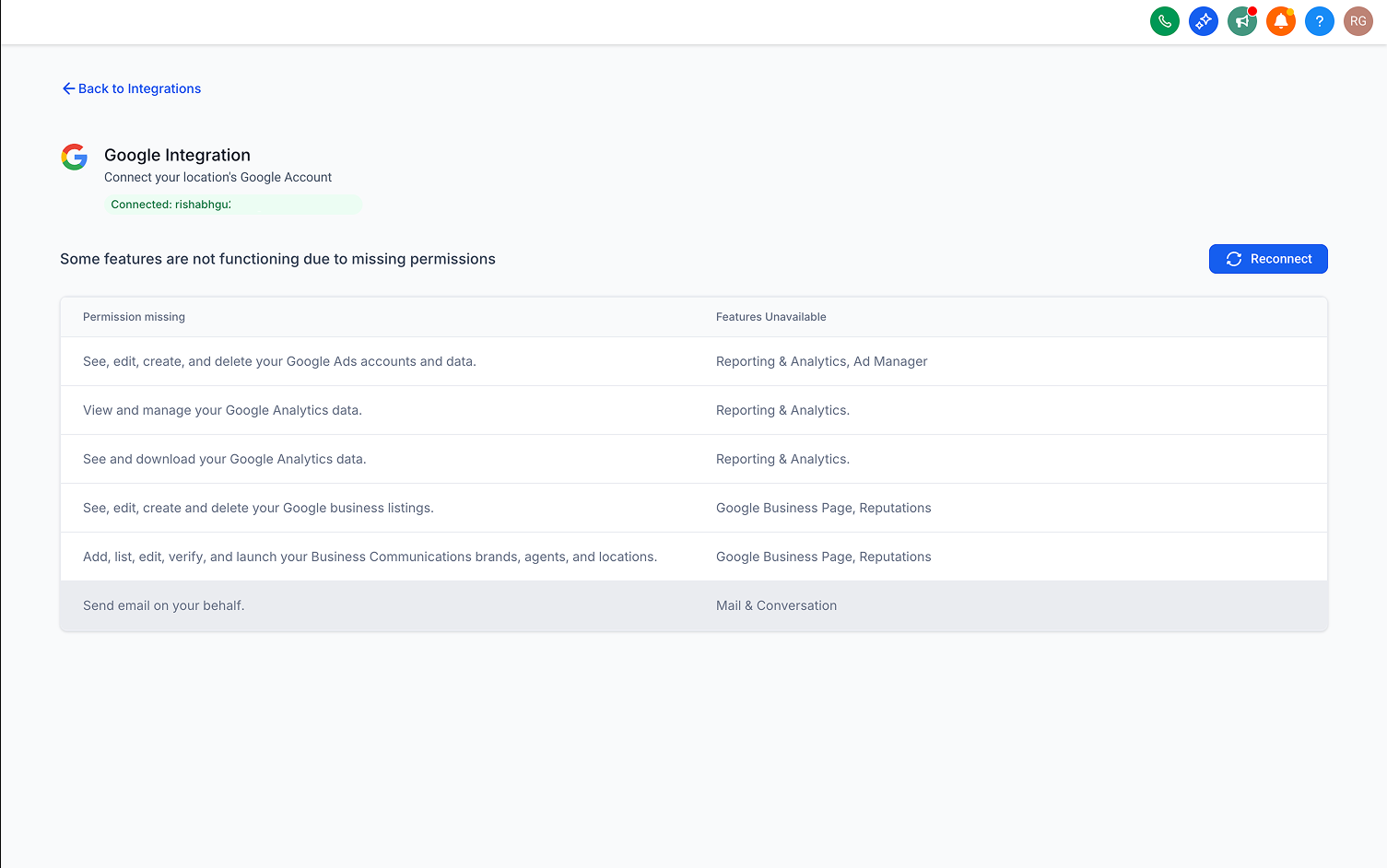
Google connection: Permissions missing warning
Google’s Latest OAuth Flow
Google’s updated OAuth flow allows users to select specific permissions (scopes) when connecting an app. While this flexibility is beneficial, it may result in essential permissions being left ungranted, consequently disrupting certain features, such as connecting to Google Business Profile.
This update introduces clear in-app warnings along with a one-click fix, enabling users to easily grant any missing permissions if necessary.
Steps to Grant Missing Permissions
- Navigate to Settings → Integrations → Google.
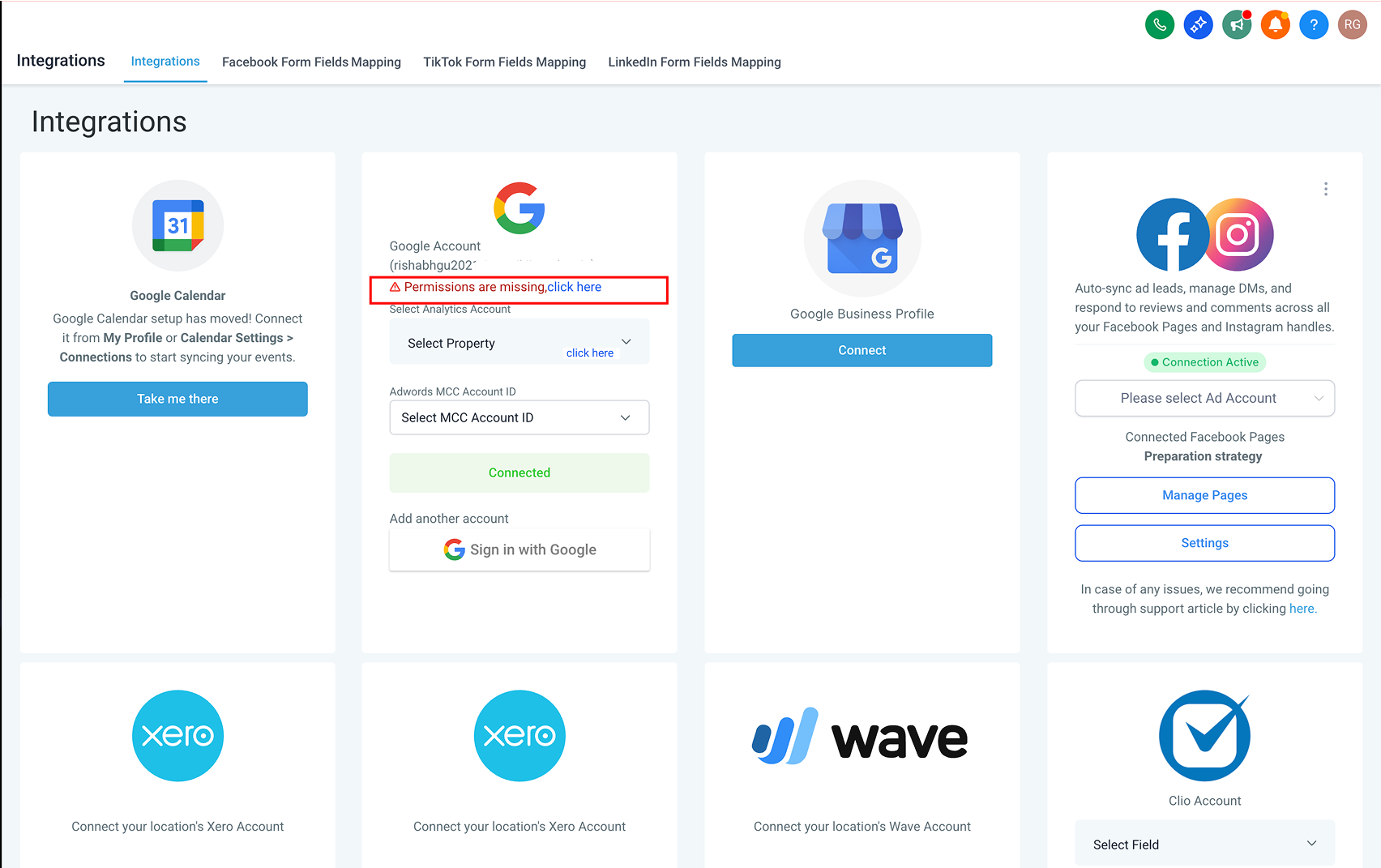
- If a warning appears on your primary Google account, click the message.
- Review the missing scopes and affected features, then click Reconnect.
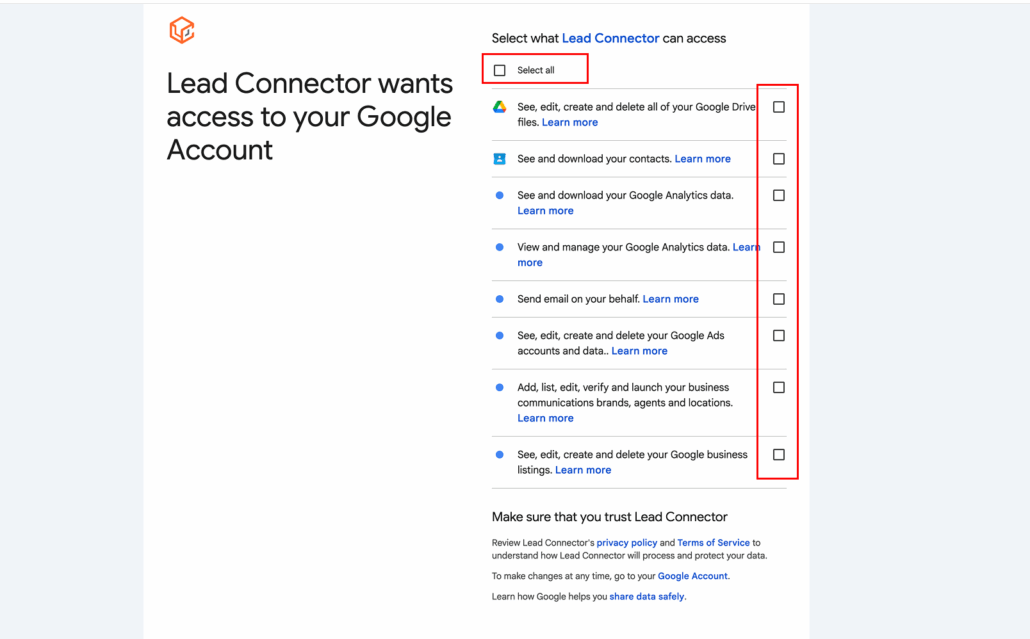
- In Google’s consent screen, allow the additional scopes and complete the process.
- Return to the integration page; the warning should now be resolved.
Benefits of This Update
- Reduces confusion over “it’s connected, but not working”.
- Provides a self-service solution for common queries (e.g., “Primary Google connected, but GBP is not connecting”).
- Leads to fewer support escalations.
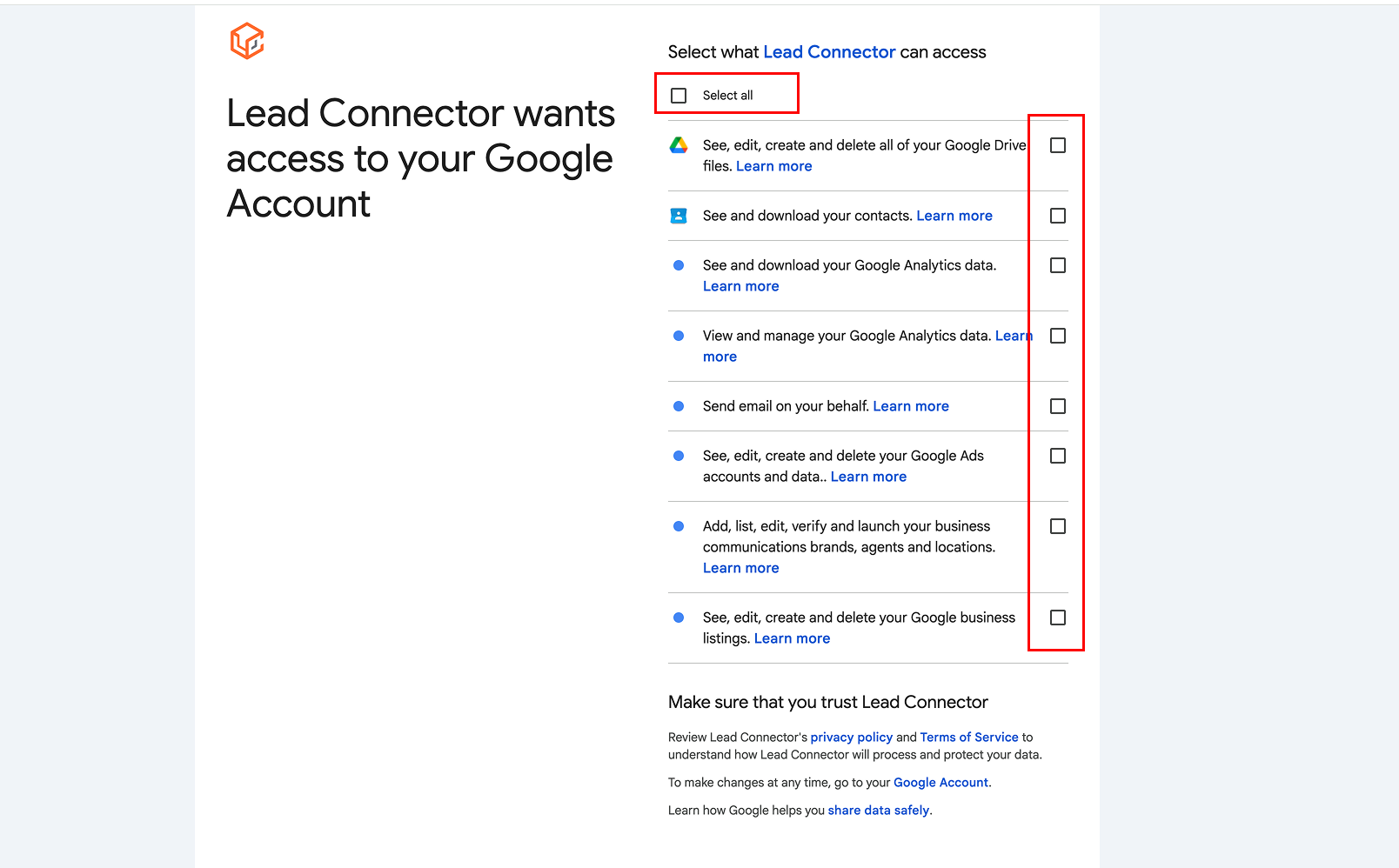
Permissions with Checkboxes in OAuth Flow
Warning on Google Card for Missing Scopes
Feature Mapping for Permissions