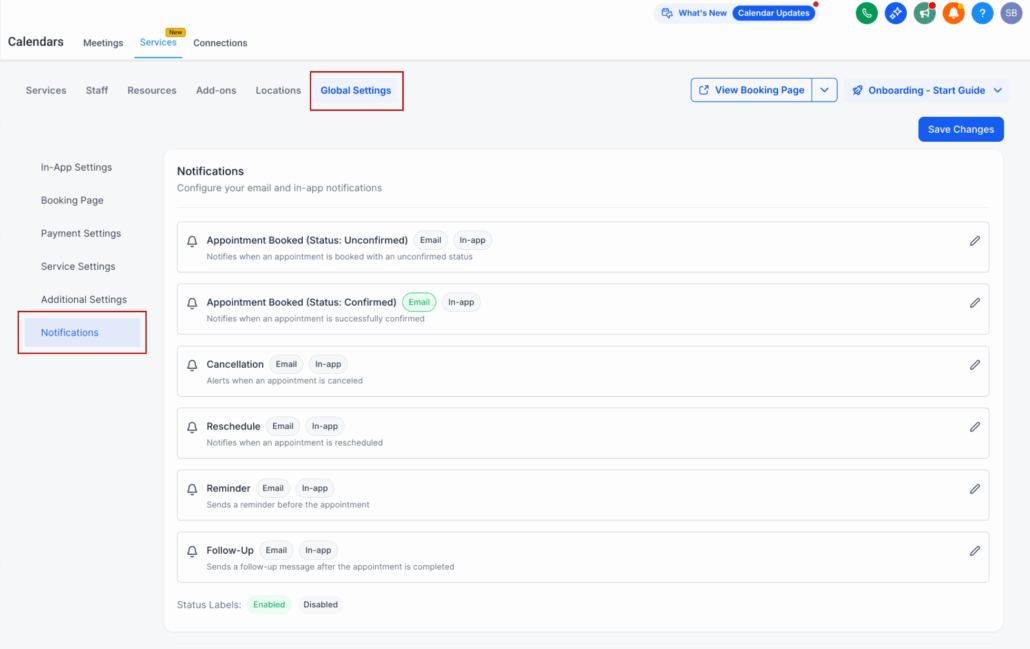
Fully Customizable Notifications in Services
We’re excited to announce that Services (currently in private beta) now supports completely customizable email and in-app notifications. This enhancement gives you greater control over how and when your customers and team members are informed throughout the booking journey.
—
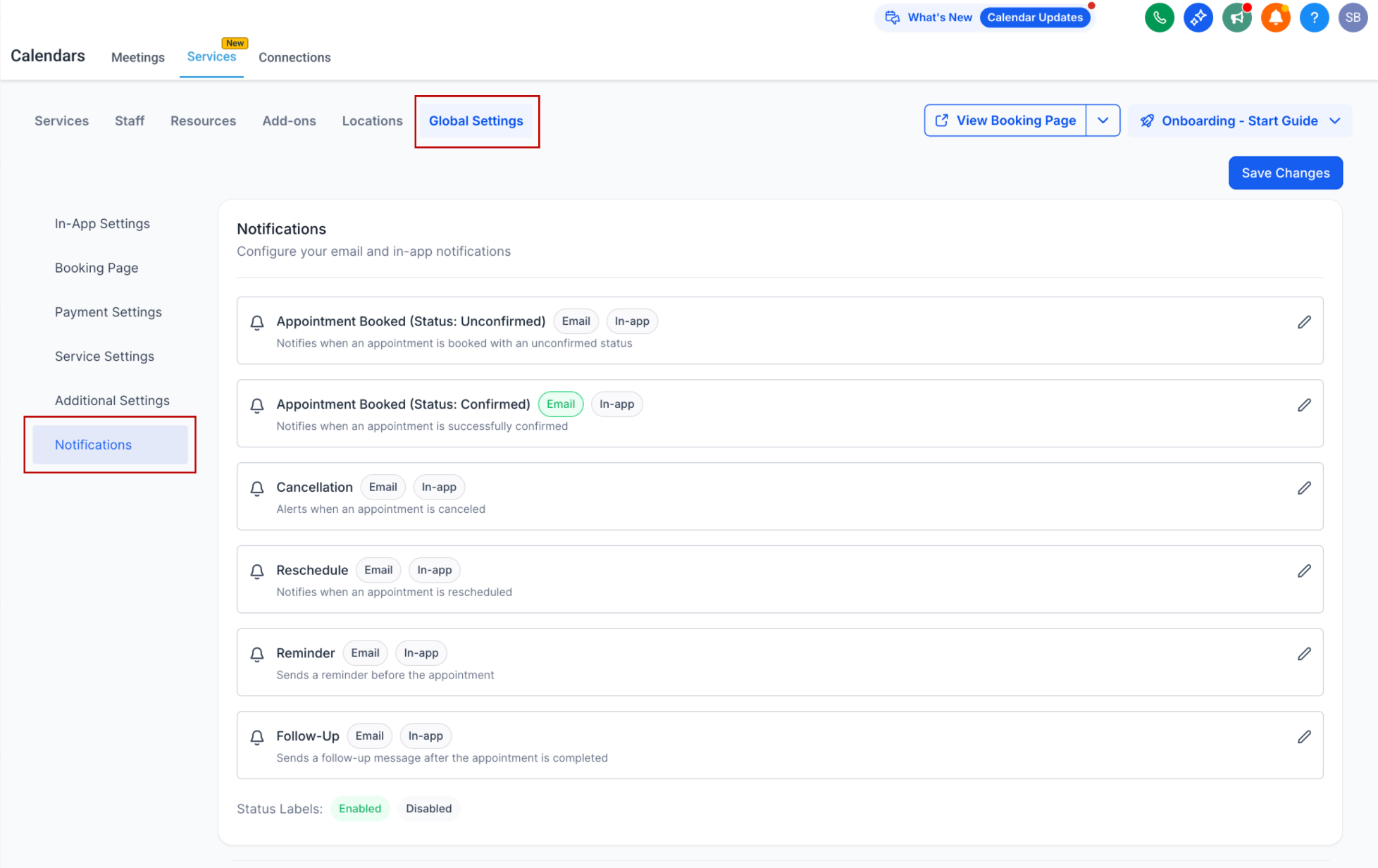
Six Notification Triggers Available:
Configure notifications for key moments in the service appointment lifecycle:
—
Recipient Targeting Options:
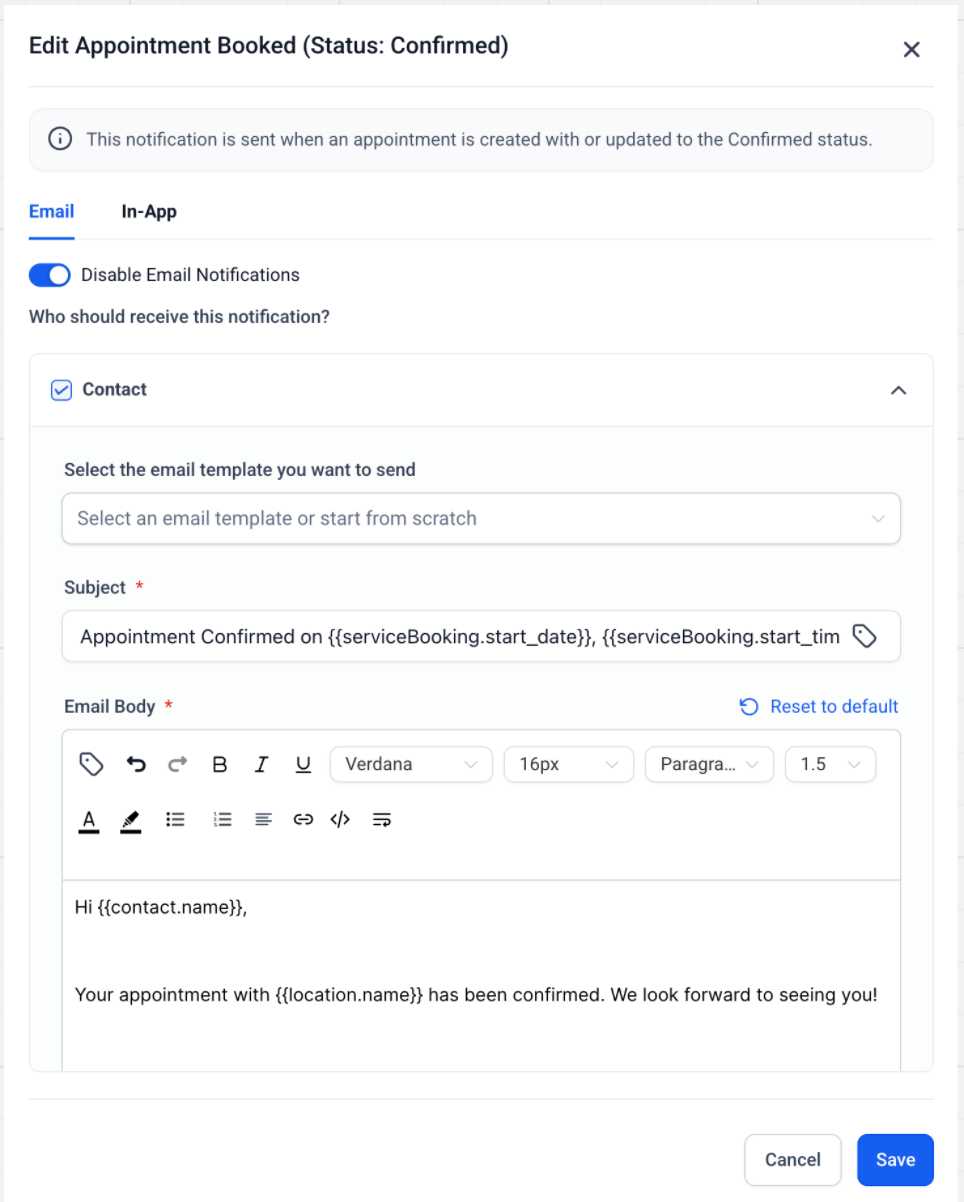
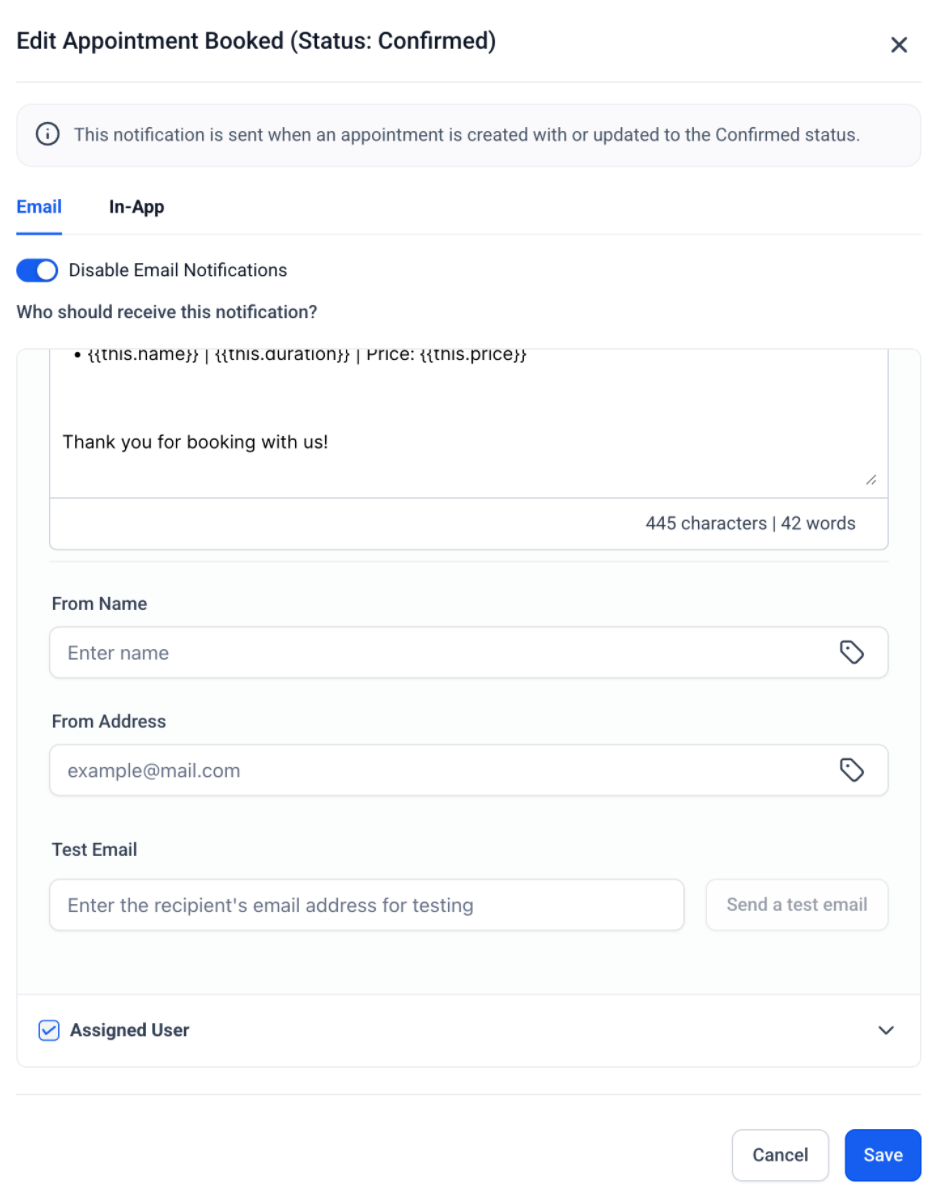
Choose who receives each notification:
—
Template Customization:
Personalise the content of each notification using our editor. You can modify subject lines, body text, and formatting to reflect your brand’s tone.
New Service-Specific Custom Values:
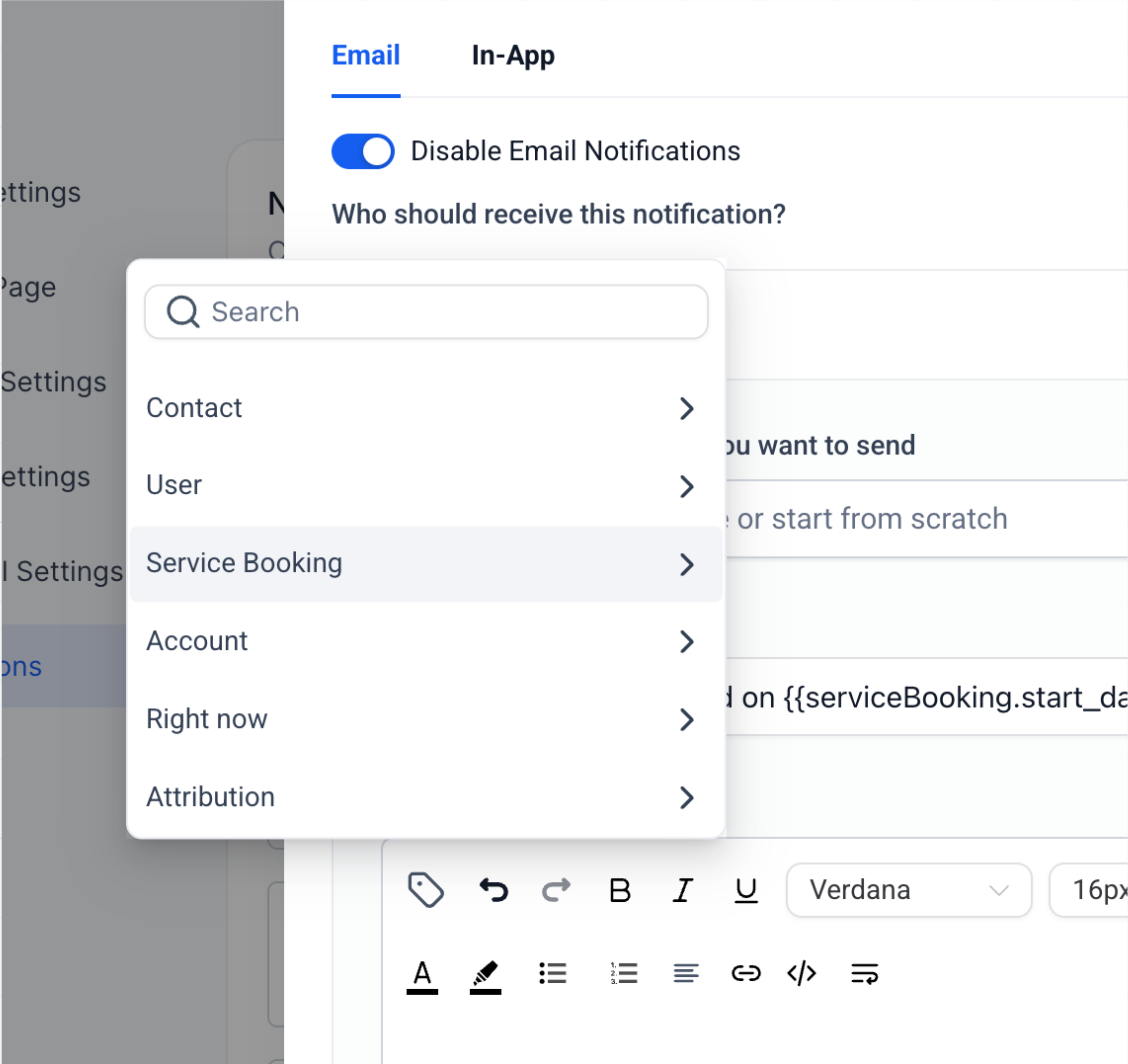
Add dynamic service information directly into your notifications using new custom values:
- Service Name
- Duration
- Price
- Add-ons
- Staff details and more
These values ensure each message is informative and tailored to the specific service booked.
—
📧 Smart Consolidation of Notifications
If a single service booking includes multiple services (e.g., 5 services):
—
⚙️ How to Configure Notifications:
You can manage all notification settings for services by navigating to:
Calendar Settings > Services > Global Settings > Notifications
From there, you can:
- Select each trigger type
- Customise templates
- Choose recipients
- Insert service-related custom values
—
This update ensures every appointment-related interaction is communicated clearly, consistently, and in line with how your business operates.