• Shopping Cart Shopping Cart
    0Shopping Cart
Clixio
  • Features
  • Pricing
  • FAQ
  • Blog
  • Log in
  • Free Trial
  • Menu Menu

Featured Products Element In Ecommerce Stores is live!

December 3, 2024/in What's New? E-Commerce

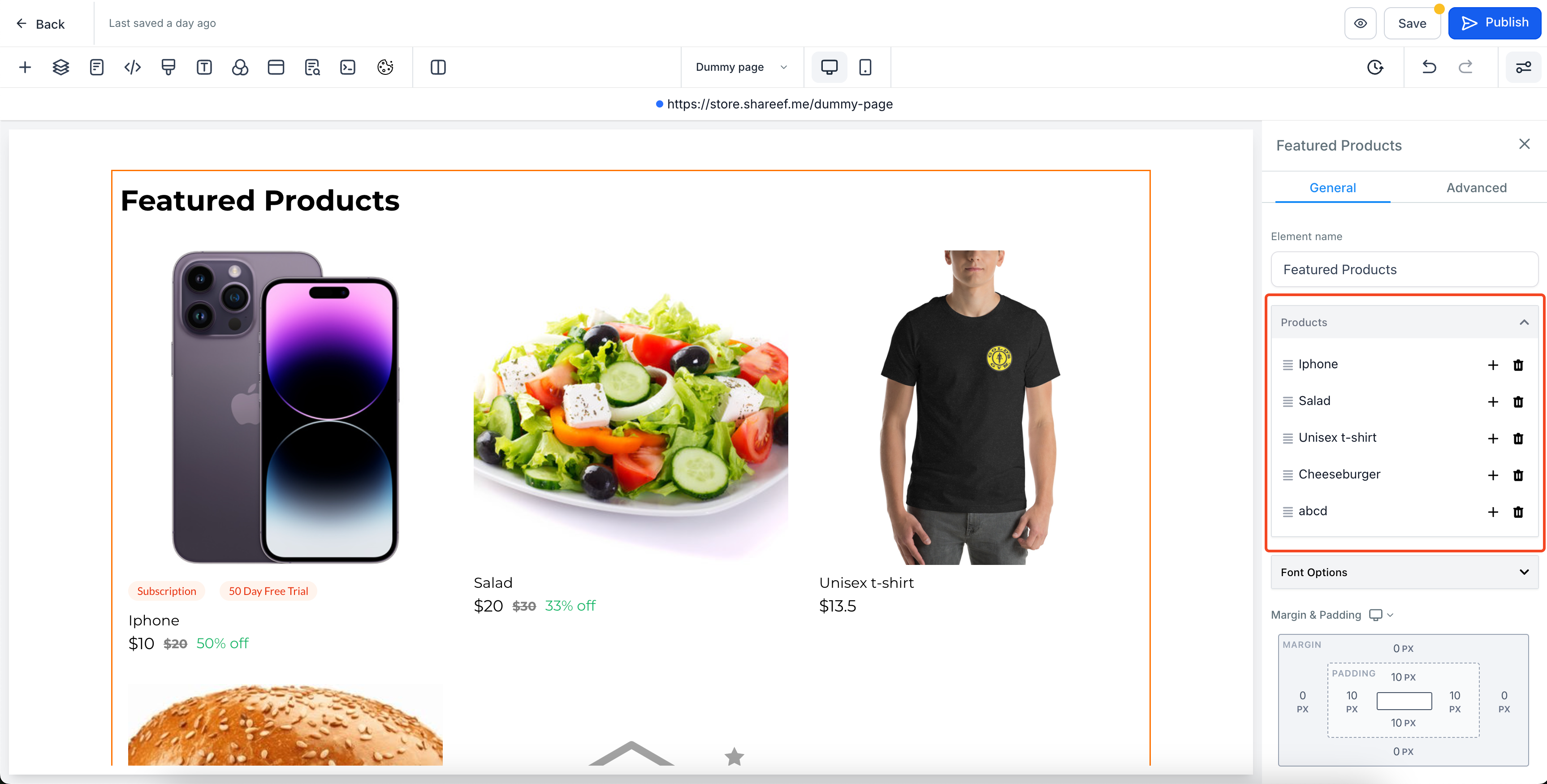
We’re excited to introduce the brand new Featured Products element in our Ecommerce store!

This feature enables store owners to showcase selected products anywhere on their store pages in the desired order.

  1. Flexible Placement:

    Add the Featured Products element anywhere on your store page.

  2. Customisation Flexibility:

    Control the layout, appearance, and the number of products per row (up to 5 on desktop and 2 on mobile).

  3. Easy Product Selection:

    Select specific products to display in the element via builder, replacing the default placeholders images.

  1. Add the Element:

  1. Customize the Appearance:

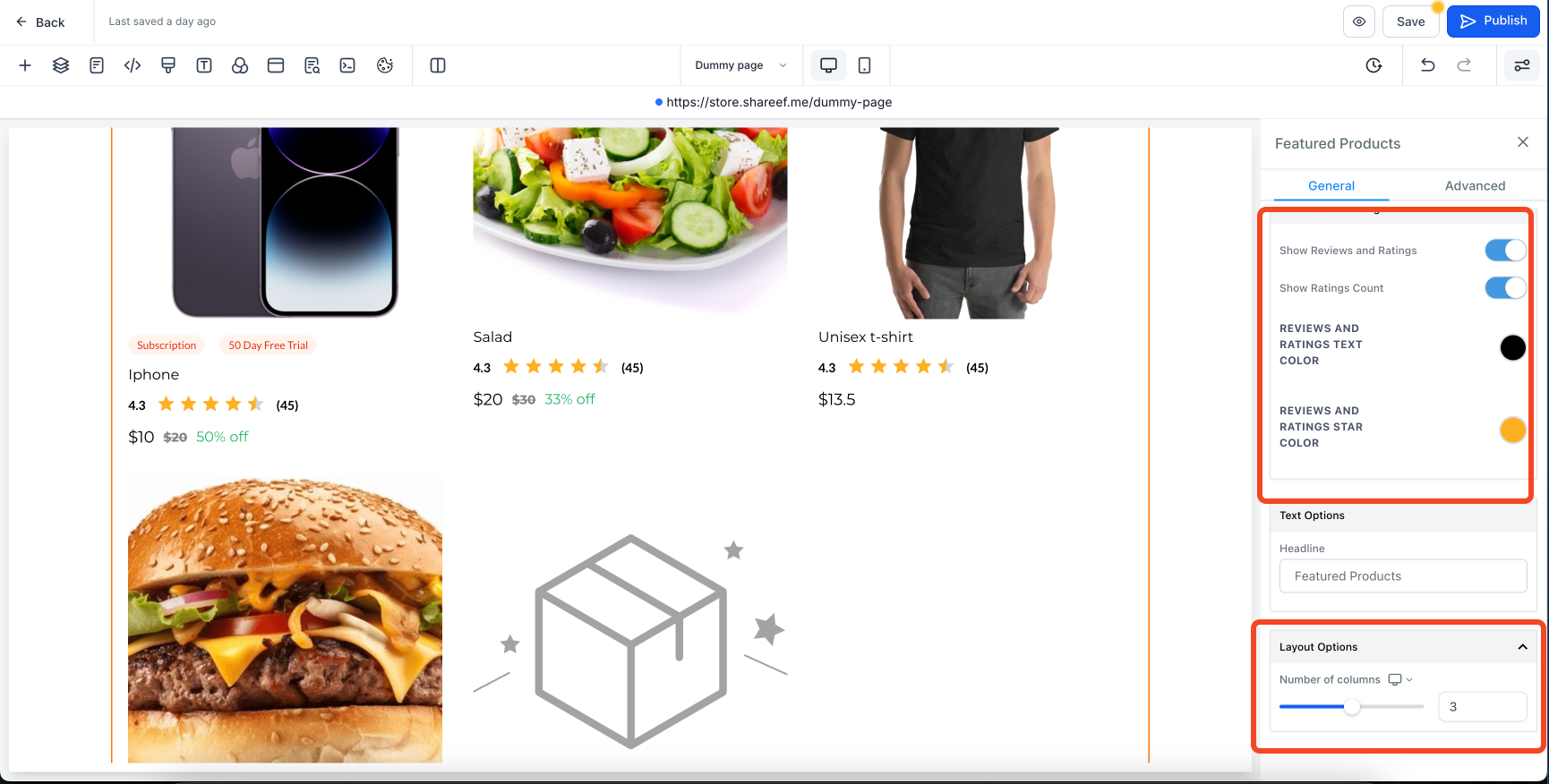
  • Configure heading, margins, padding, colors, borders, and fonts in the settings panel.
  • Configure the number of products per row in the

    Layout

    tab. By default, 3 products are displayed per row, but you can adjust this using the

    Number of Columns

    field—up to 5 on desktop and 2 on mobile.

  1. Select Products:

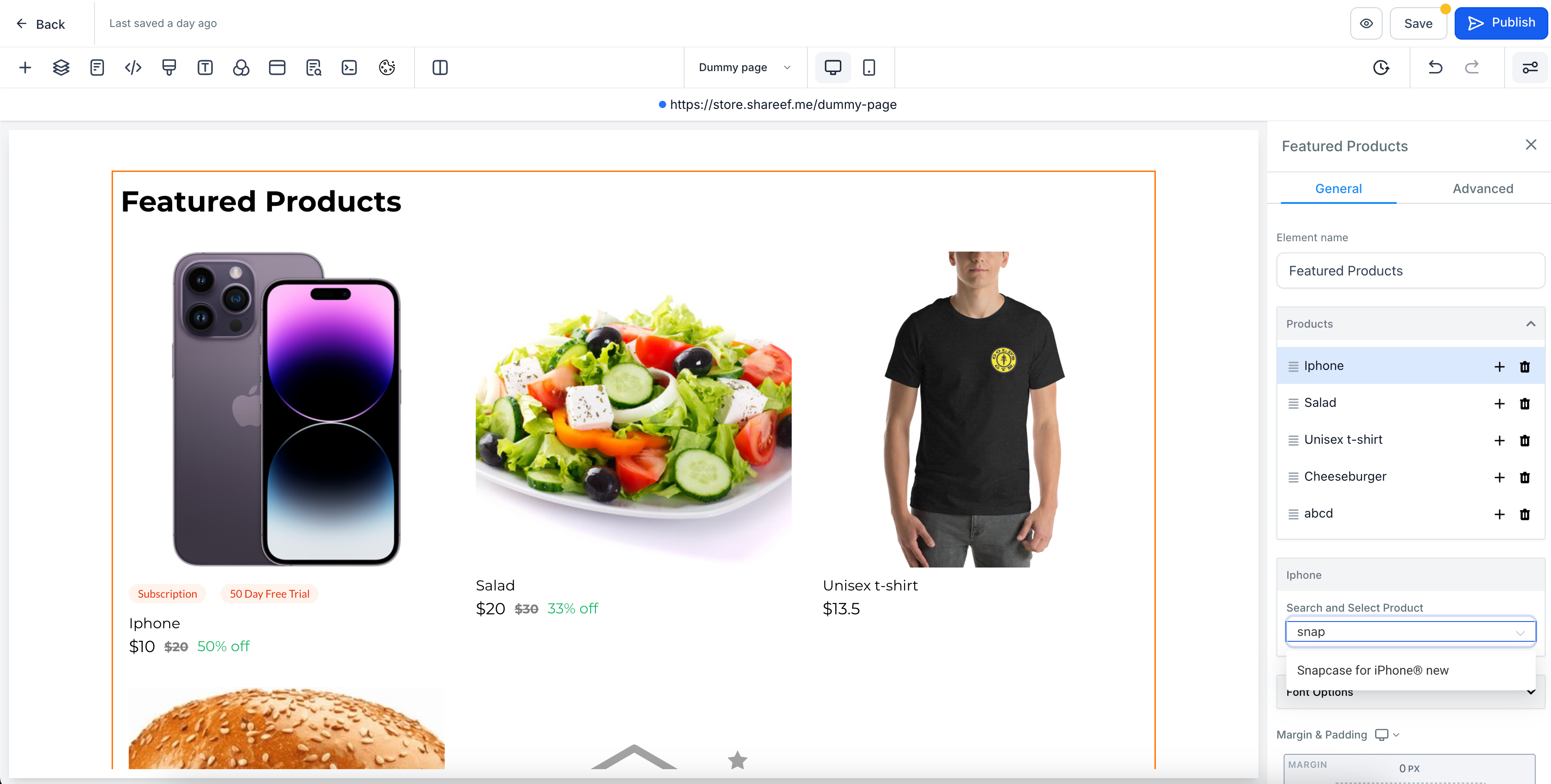
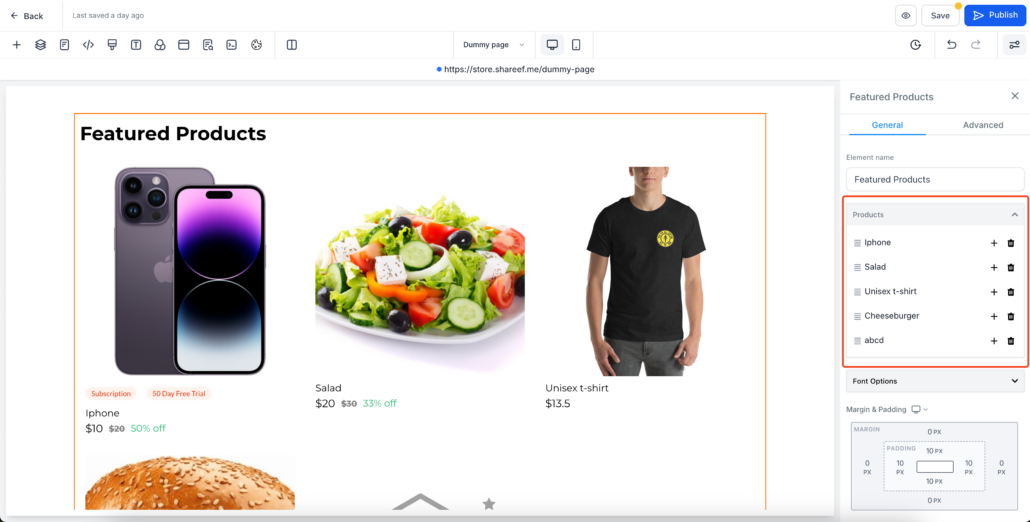
  • Click any placeholder product under the

    Products

    group.

  • Use the search bar to find and select your desired products in the builder.
  • Selected products will replace the placeholders in the builder.
  • Note: Only 10 products appear in the dropdown by default. Use the search to find additional products.

  1. Publish:

  • Click

    Save/Publish

    to apply your changes.

  1. Preview:

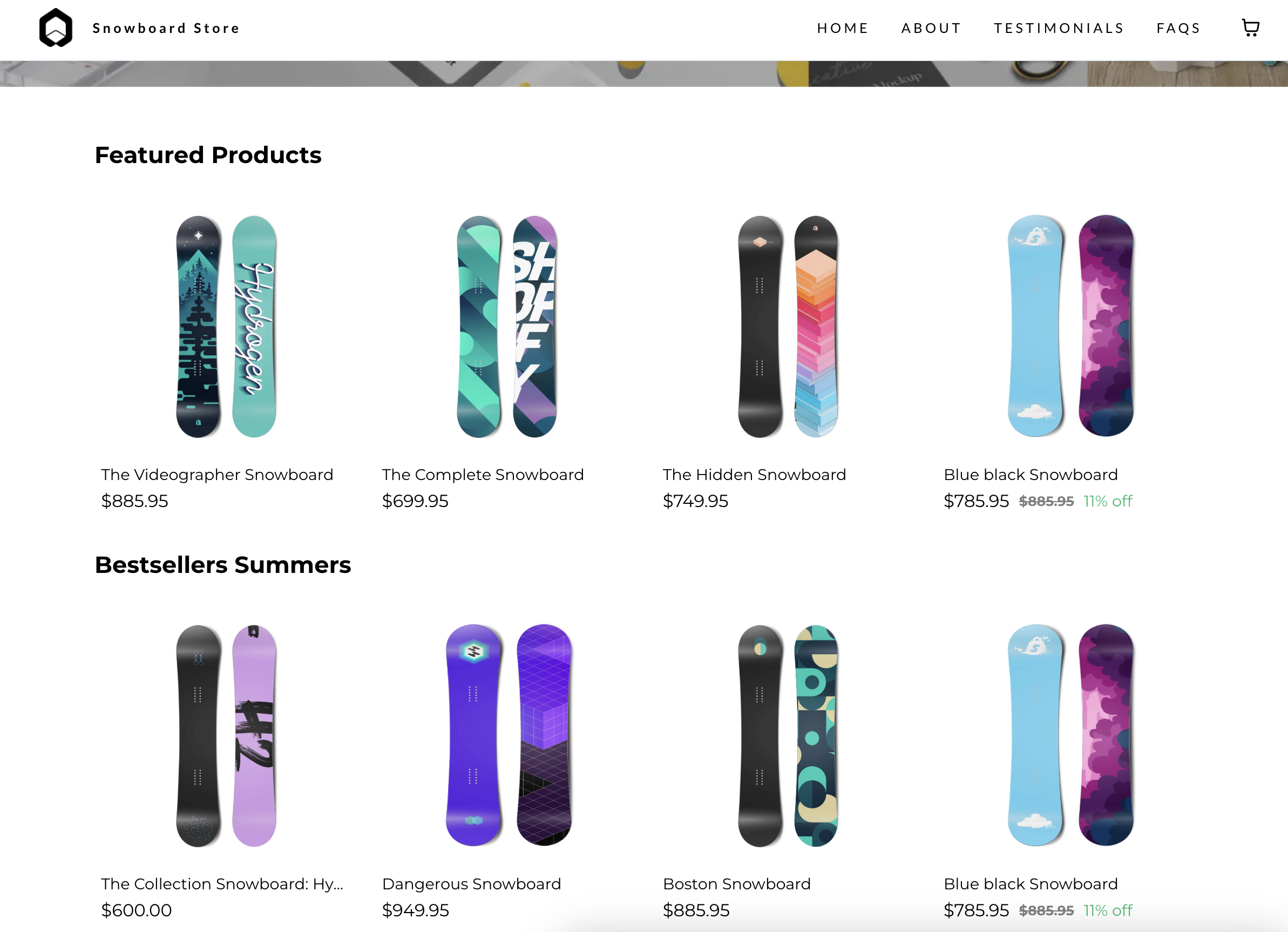
  • View your live page to see the Featured Products element. Clicking on a product will redirect users to its detail page.
  • Any changes to product details (e.g., price or images) will automatically reflect in the Featured Products element.
  • By default only 10 products will be shown in the dropdown while selecting products. Please search for other products.
  • Product selection has to be done to show the real products. Placeholder products will not be shown on live site.

Add Products:
image

Select and connect products:

image

Customise the element:

Book a demo
See Clixio working
for your business, live.

30 minute call with our team. Personalised to your industry, no hard sell.

Book your free demo
14 day free trial · Cancel anytime
image

How it looks?

image
https://clixio.io/wp-content/uploads/2024/12/cee45ba63b059bfac8cd045712dd5d80.png 1750 3452 Clixio.io https://clixio.io/wp-content/uploads/2023/08/clixio-logo-dark.png Clixio.io2024-12-03 23:19:002024-12-03 23:19:00Featured Products Element In Ecommerce Stores is live!

RSS Latest Feature Updates

  • 🔕 No External Update Emails for “Showed” & “No Show” Status Changes March 6, 2026
  • AI Powered Field Tooltips | Clixio Changelog March 3, 2026
  • Assign User Action: Now Assign to IVR Responder March 3, 2026
  • Assign User Action: Now Assign to IVR Responder with Custom Variables March 3, 2026
  • Connect Call (IVR) Action: Now Supports Call Whisper March 3, 2026
  • Fixed: If/Else branching for UTM Campaign (Last Attribution) March 3, 2026
  • Company Variables Now Available in Workflows March 3, 2026
  • Trigger Descriptions in Workflow Builder March 3, 2026
  • Add & Track Product Cost Price and Margin March 3, 2026
  • 🗓️ Smarter Booking Periods with Listing-Level Time Selection Control for Rentals March 3, 2026
Clixio - Marketing and sales automation

Marketing & sales automation built for Australian service businesses. One platform, one flat rate, genuinely easy to use.

Product
Features Pricing How it works Latest updates
Company
Blog FAQ Get support Account transfers
Legal
Privacy Policy Terms & Conditions
© Clixio. All rights reserved. Made with ♡ in Australia.
Scroll to top Scroll to top Scroll to top