Enhanced Visibility on Subscription and Transaction Details
What’s New?
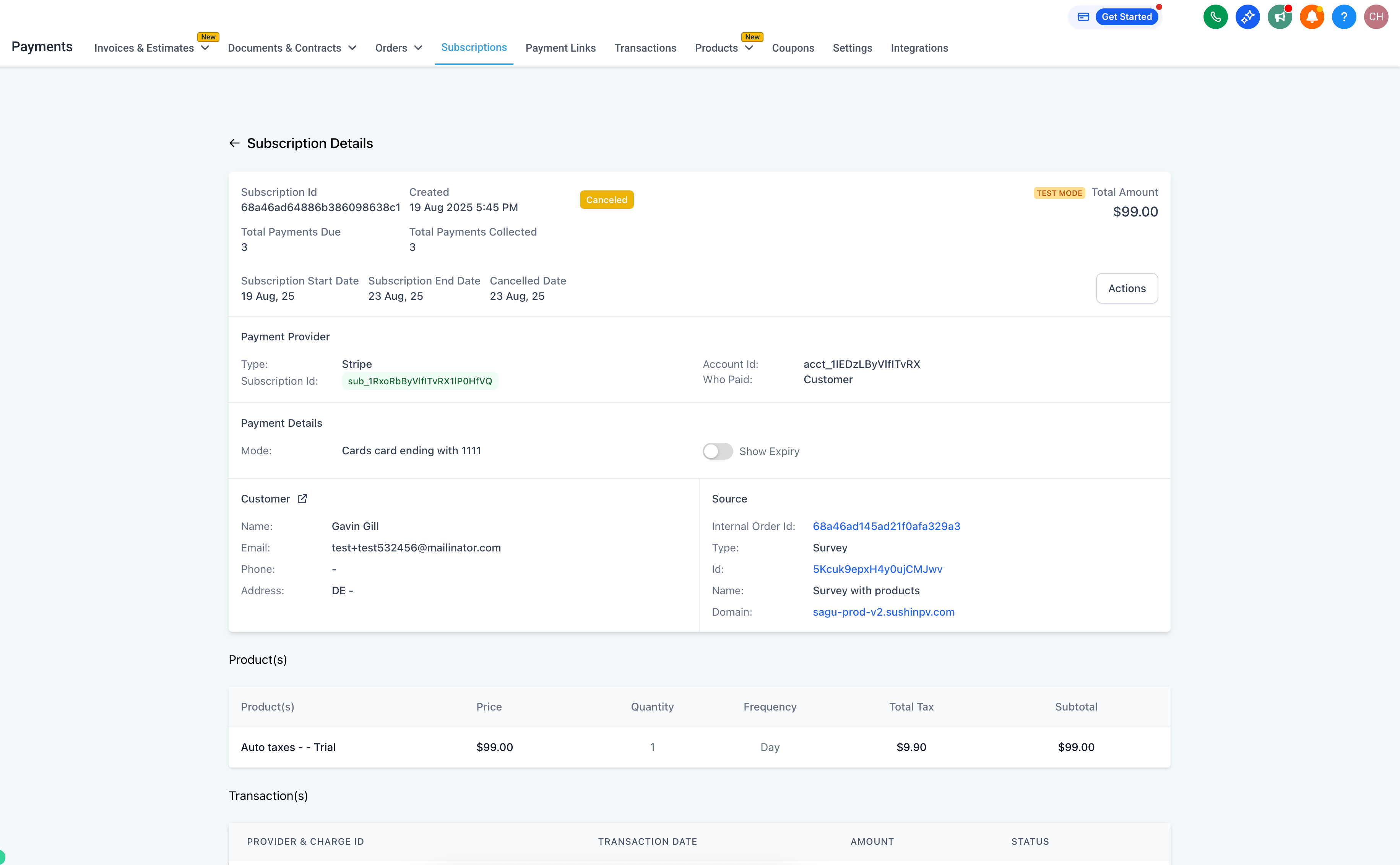
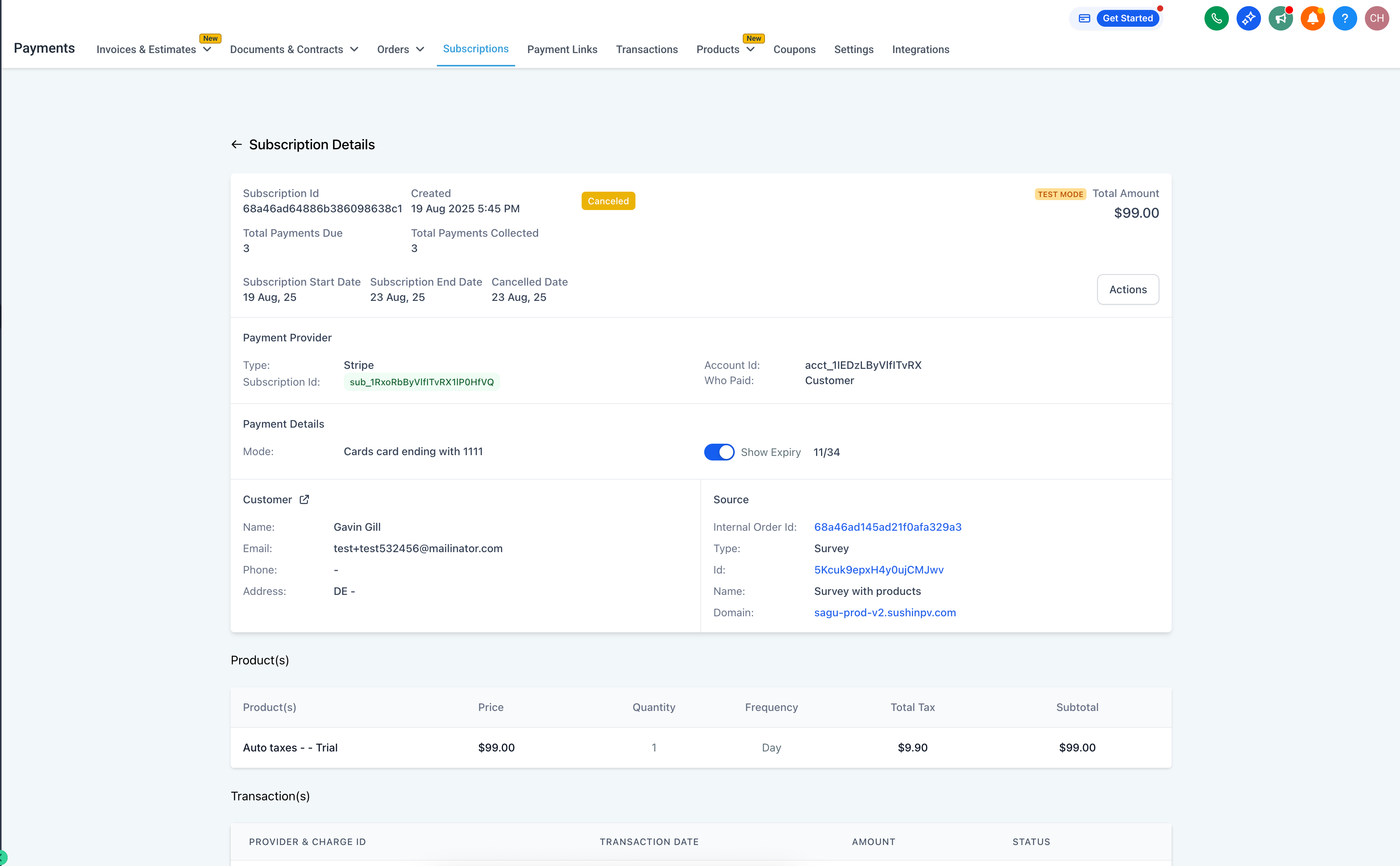
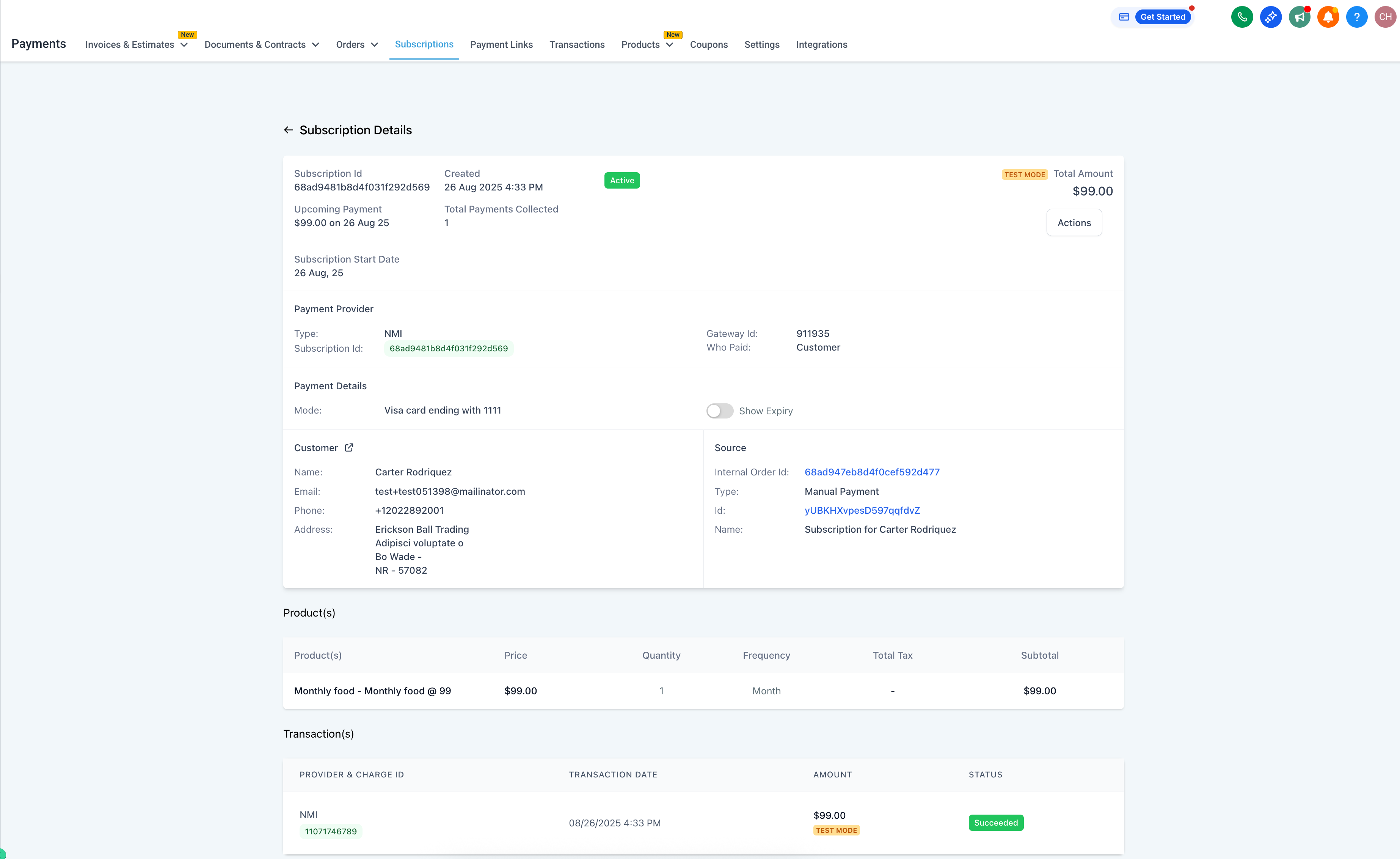
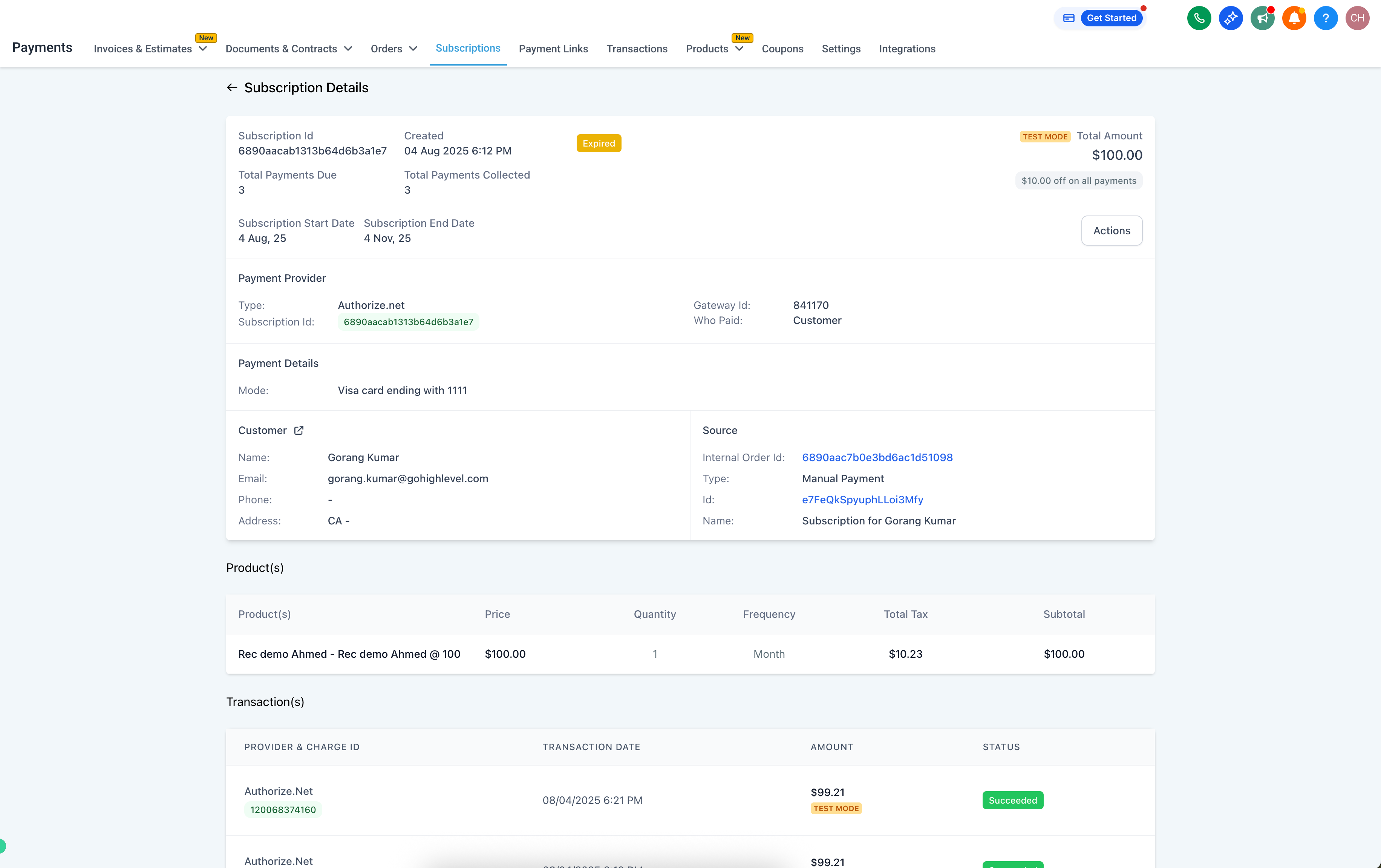
Businesses can now access more detailed information on both the Subscription Details and Transaction Details pages. This enhancement simplifies the process of managing billing inquiries, confirming payment methods, and tracking subscription lifecycles.
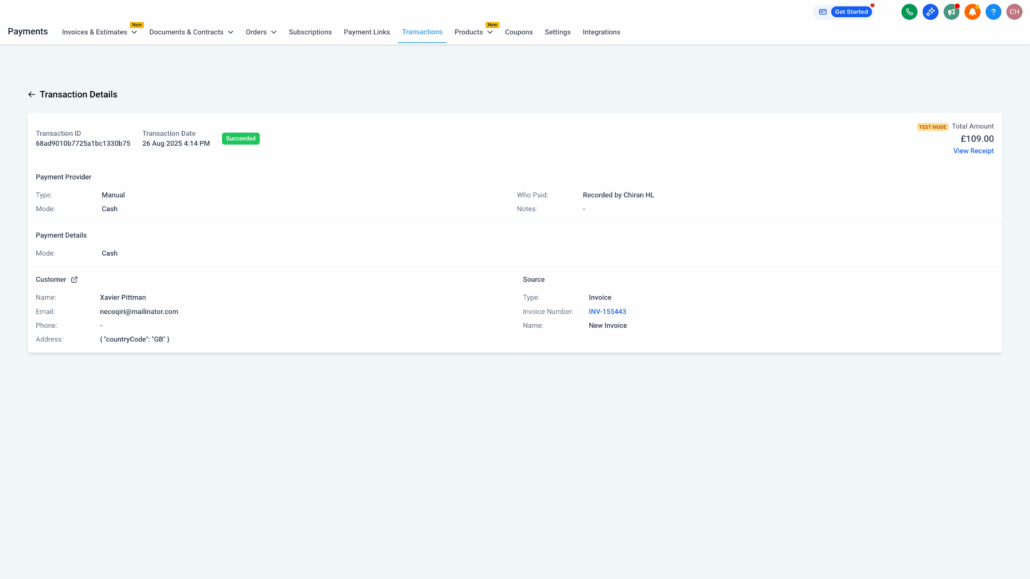
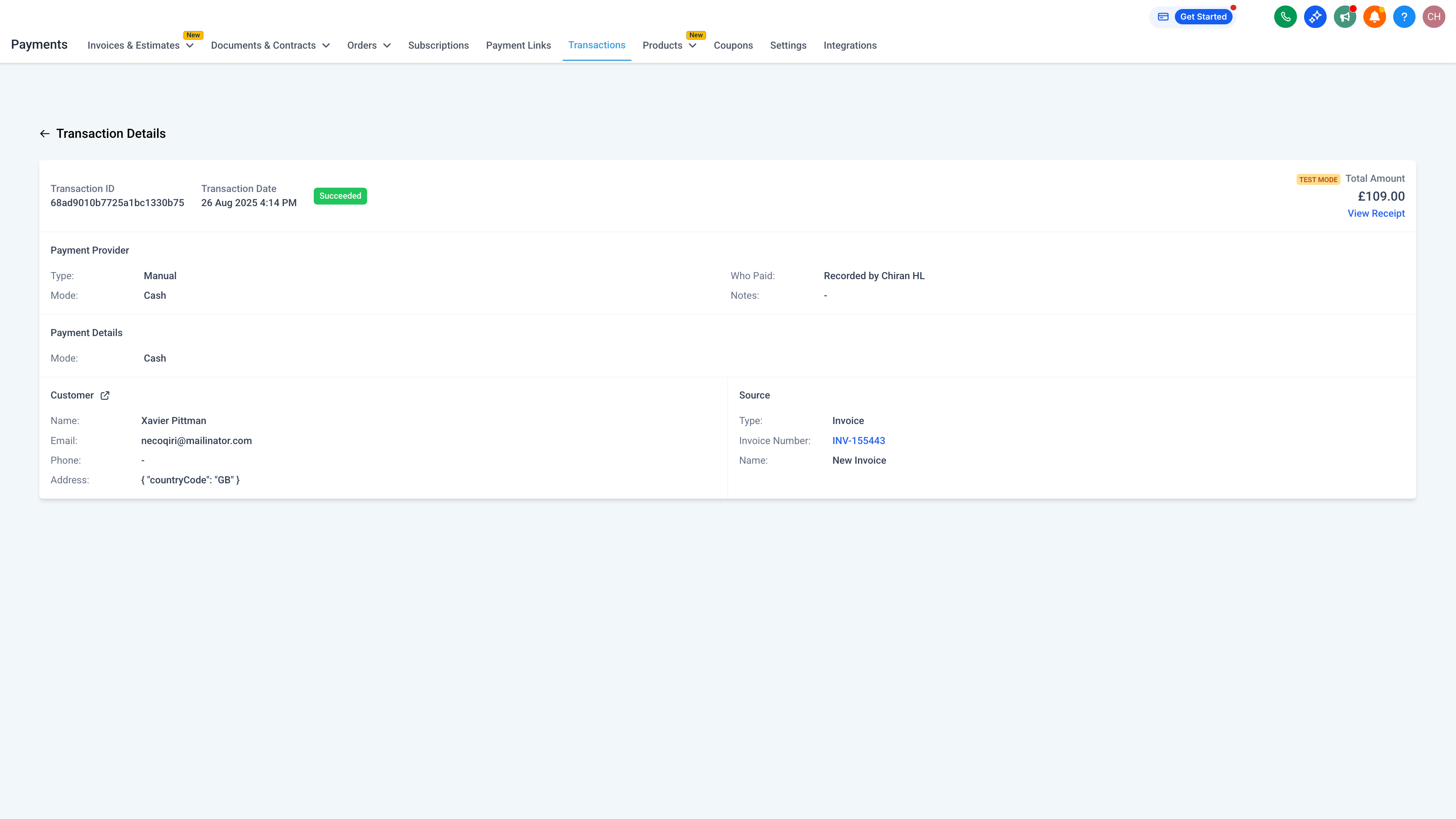
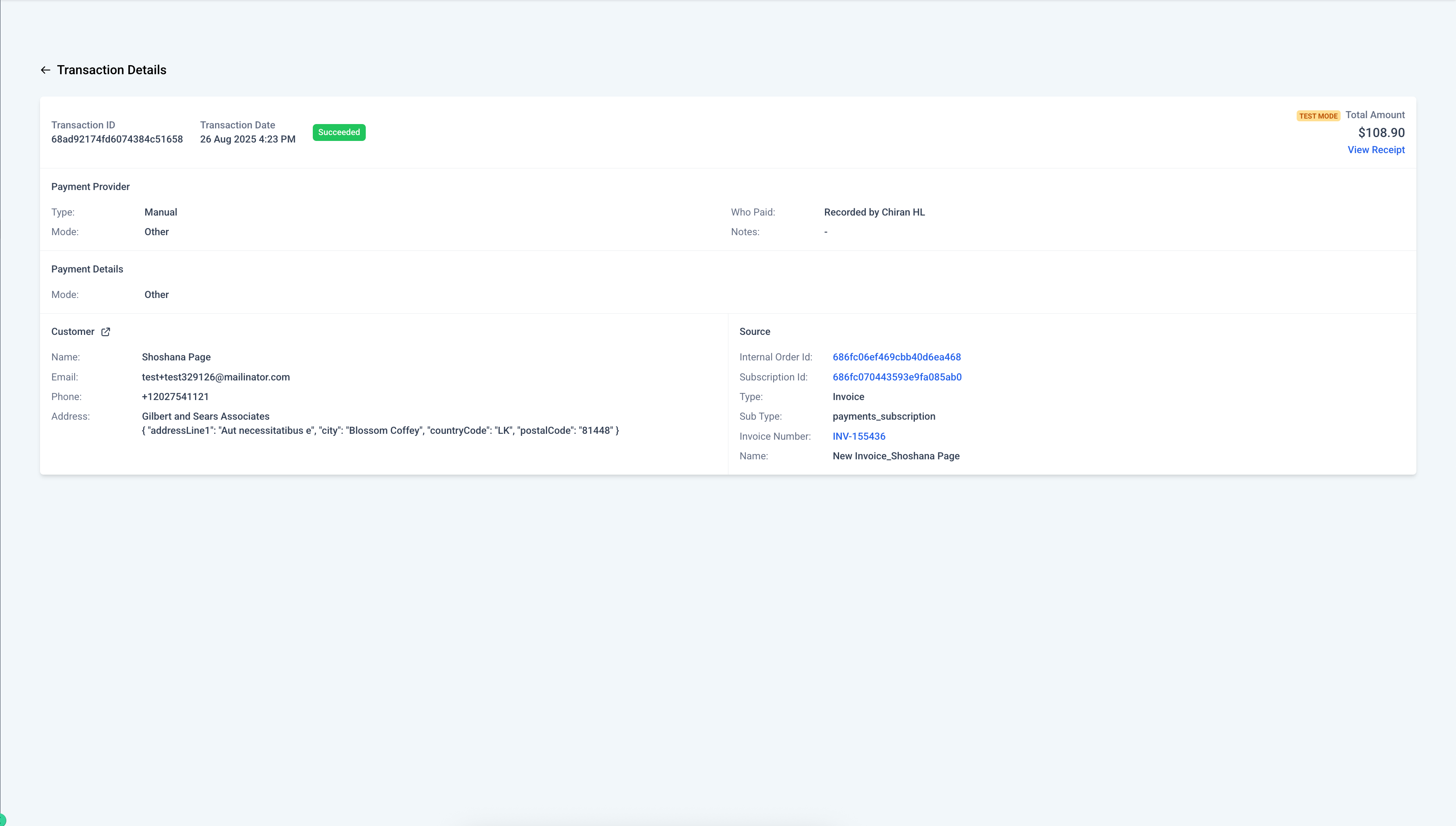
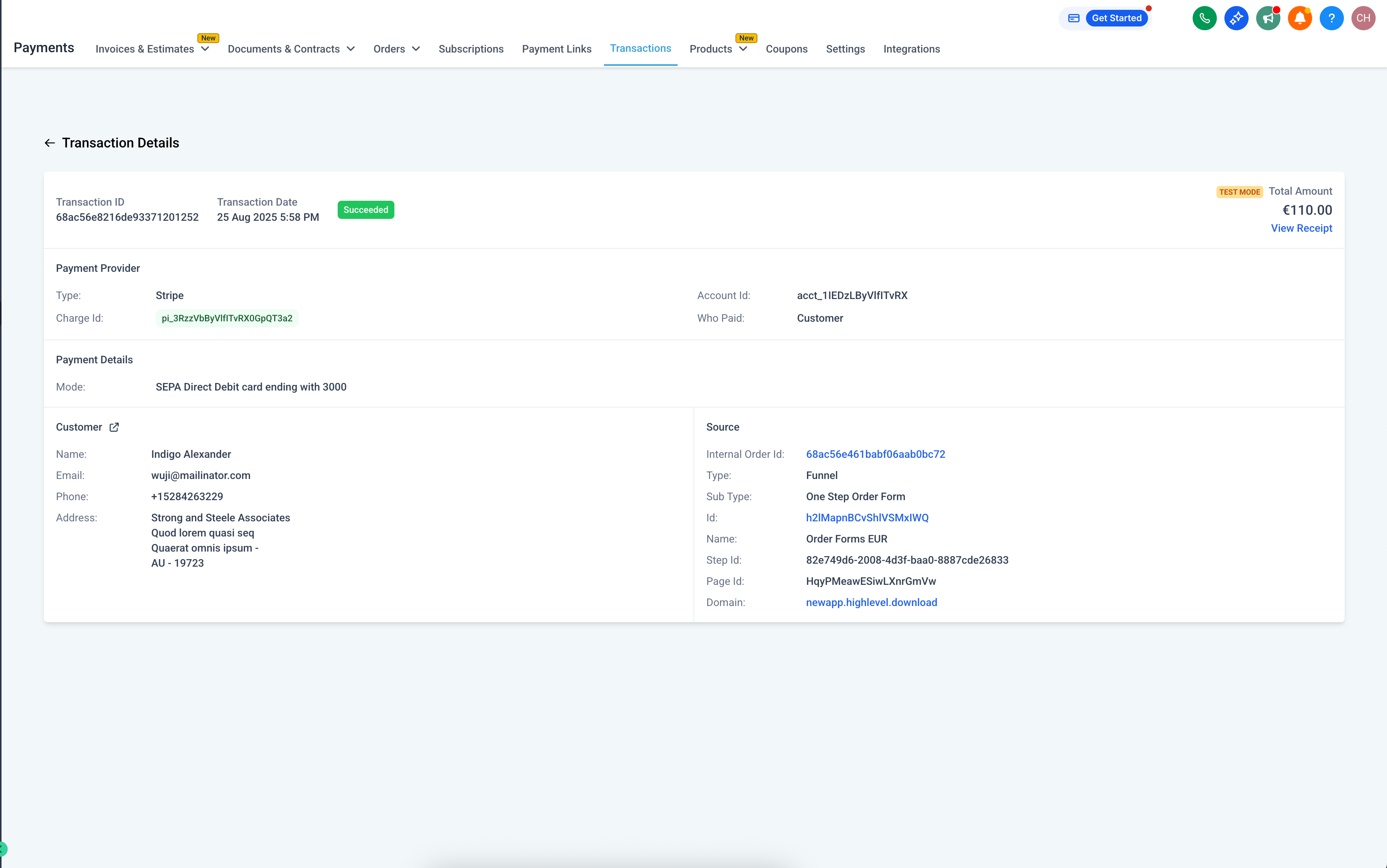
Payment Method Details
- Card:
Brand, last four digits, and expiry date are displayed for card payments.
- For non-card methods, pertinent details are presented in a unified Payment Details section.
- For PayPal and Custom Payment Providers, relevant information will be showcased if available, otherwise it will display ‘Not Available’.
- Clear fallback messaging is provided when data is unavailable.
Subscription Lifecycle Information
-
End Date (if set) and Cancellation Date (if ‘Cancelled’) are now visible.
-
Total number of payments due
can be seen when an end date is defined, either through ‘Update’ Subscription or based on the fixed number of payments for a Subscription Product.
- Completed payments are tracked under ‘Total Payments Completed’.
- All dates are presented in a clear and consistent format.
Where Can I Find This?
- Payments → Subscriptions → View → Subscription Details
- Payments → Transactions → View Transaction → Transaction Details
What’s Next?
- Exposure of this data through public APIs to support reporting and external workflows.
- Availability of additional data in CSV exports and filters across payment module pages.
Visuals:
Transaction Details Samples:
Subscription Details Samples: