
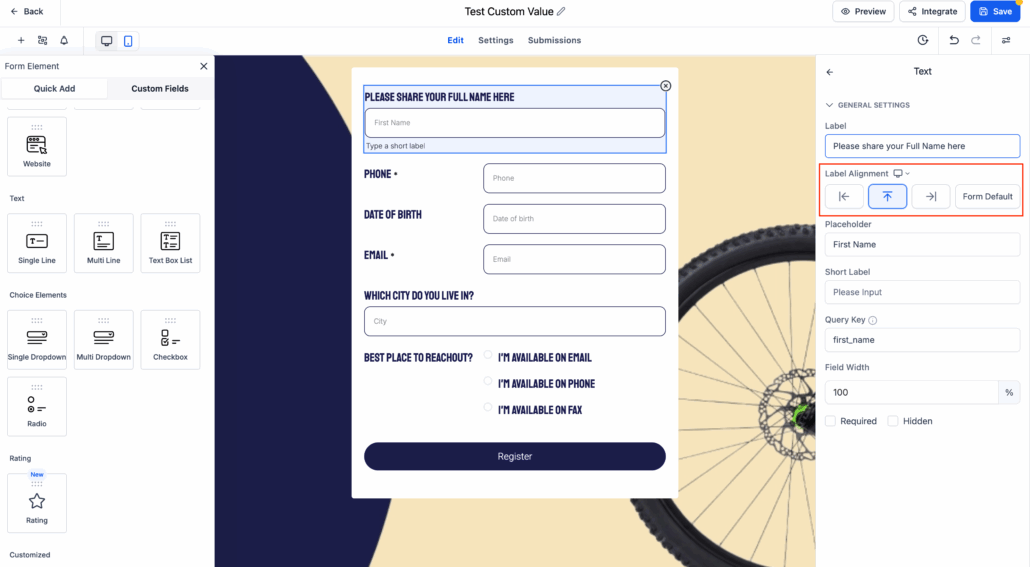
Element-Level Label Alignment | Clixio Changelog
Element-Level Label Alignment is now available across forms, surveys, and quizzes. This feature allows users to configure label alignment individually for each form element, rather than relying solely on global form-level settings.
Note:
This capability is currently supported for the Single Column layout only.
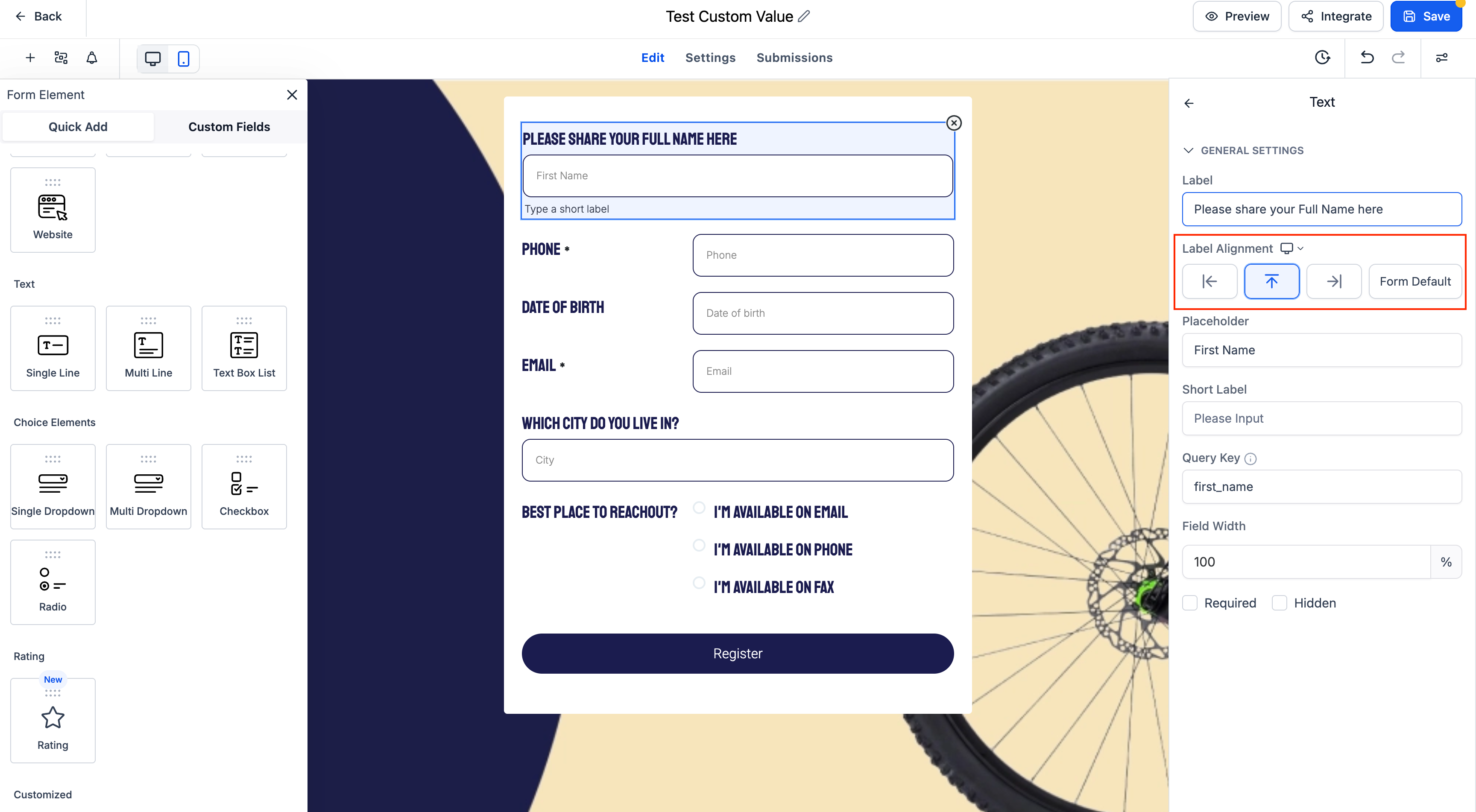
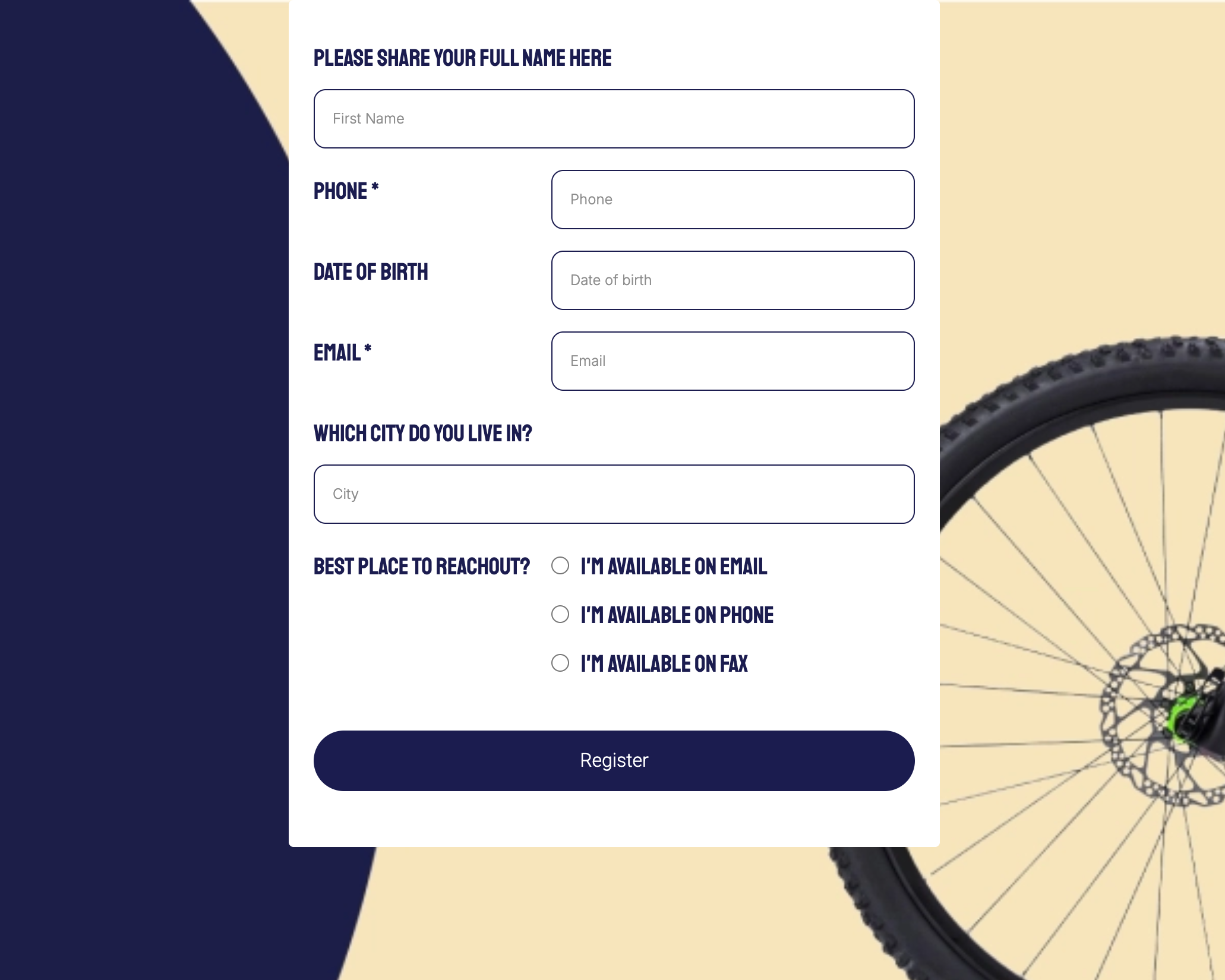
- Per-Element Alignment Options: Set label alignment to Left, Right, Top, or follow the global Form Default for each field.
- Form Default Option: Quickly inherit global label alignment without switching context.
- Supported Across Modules: Works in Forms, Surveys, and Quizzes.
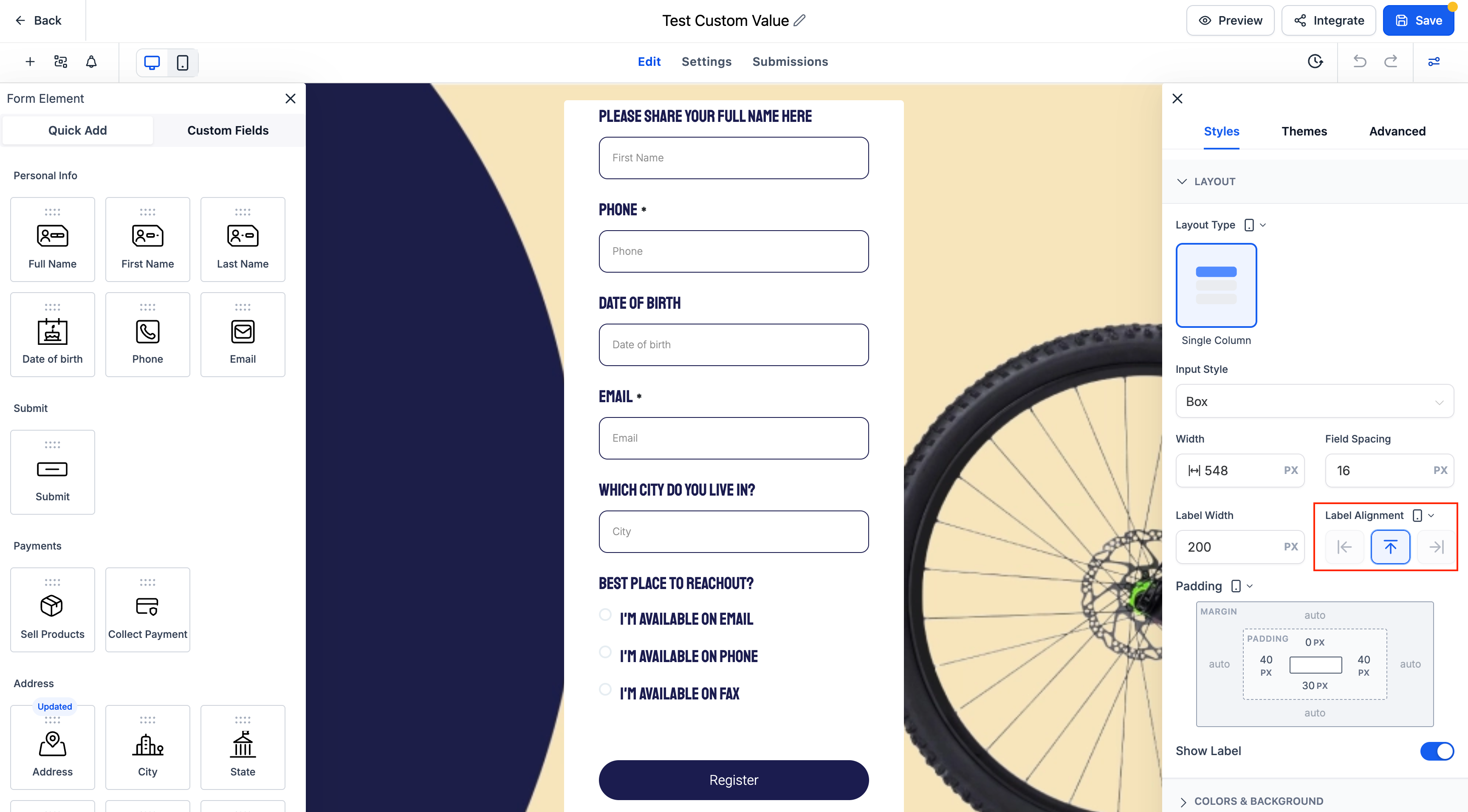
- Mobile Behaviour: On mobile devices, all labels default to Top alignment for optimal readability.
- Improved Layout Control: Enhances space efficiency and visual clarity, especially in longer forms.
In any form, survey, or quiz using the Single Column layout:
- Select a form field.
- Use the Label Alignment setting to choose:
- On mobile, label alignment is automatically set to Top, regardless of the desktop configuration.
- Existing forms will continue using the global label alignment unless explicitly updated at the element level.
- This update applies to all standard input types, including text fields, dropdowns, radio buttons, and more.
