Documents & Contracts: Add PDFs on the go, to existing Documents & Templates | Clixio Changelog
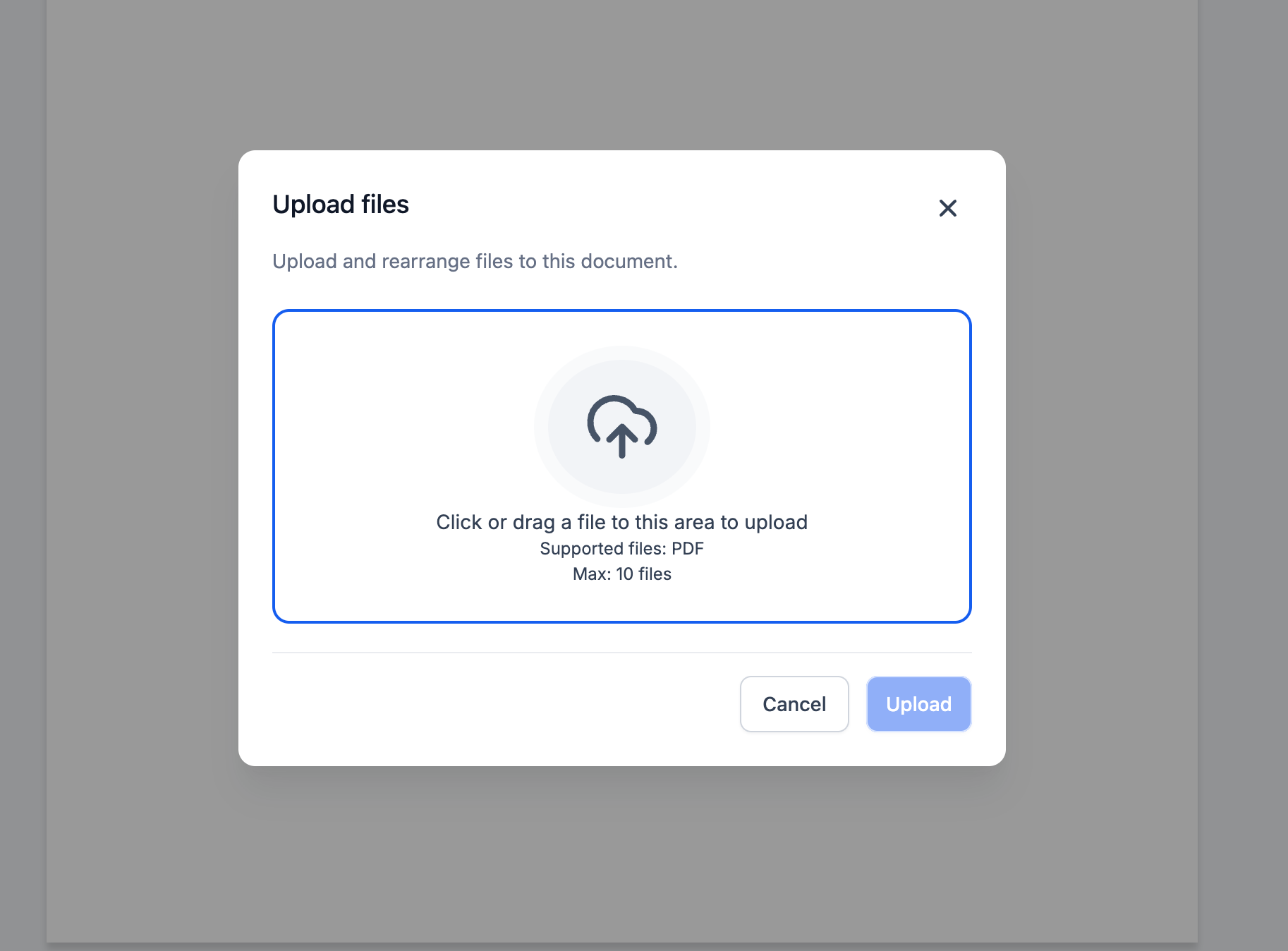
Tired of starting from scratch just because you missed a PDF? Now, you can easily add PDFs to existing Templates and Documents without redoing the entire file.
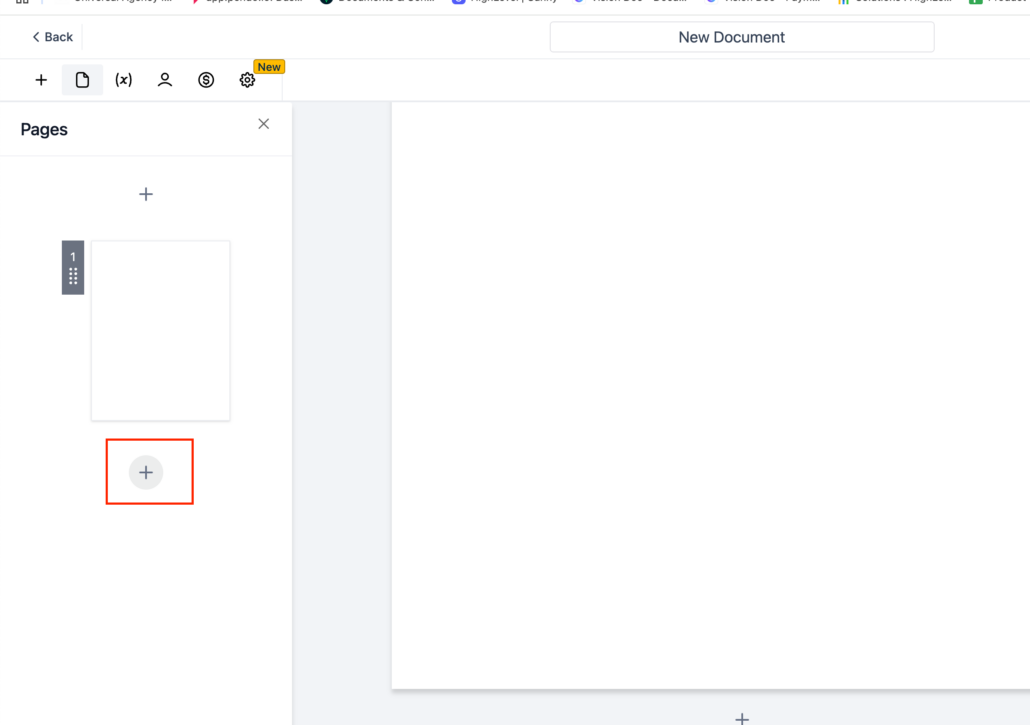
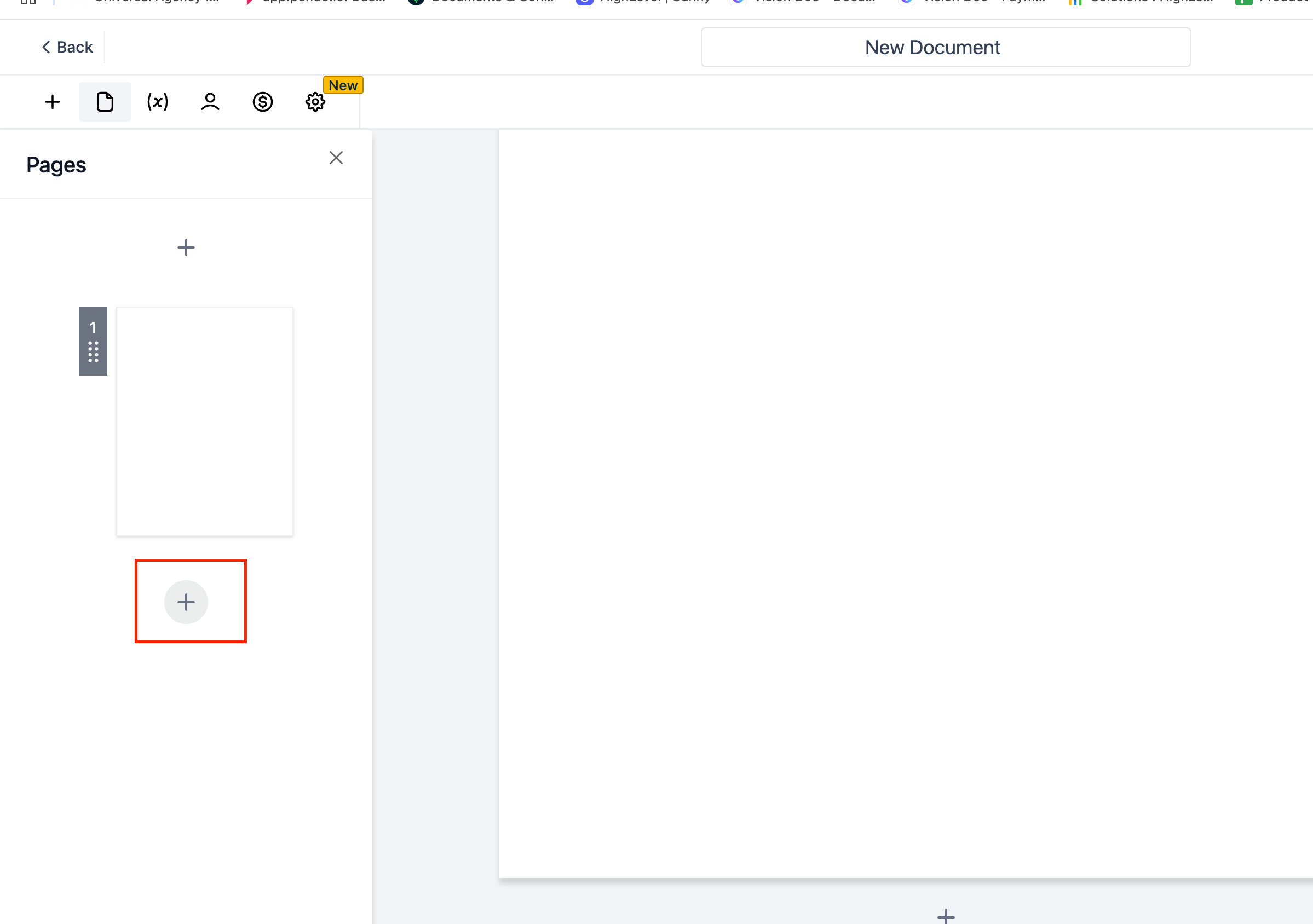
Click the “+” Symbol in the left Pages panel to add a page and upload a PDF.
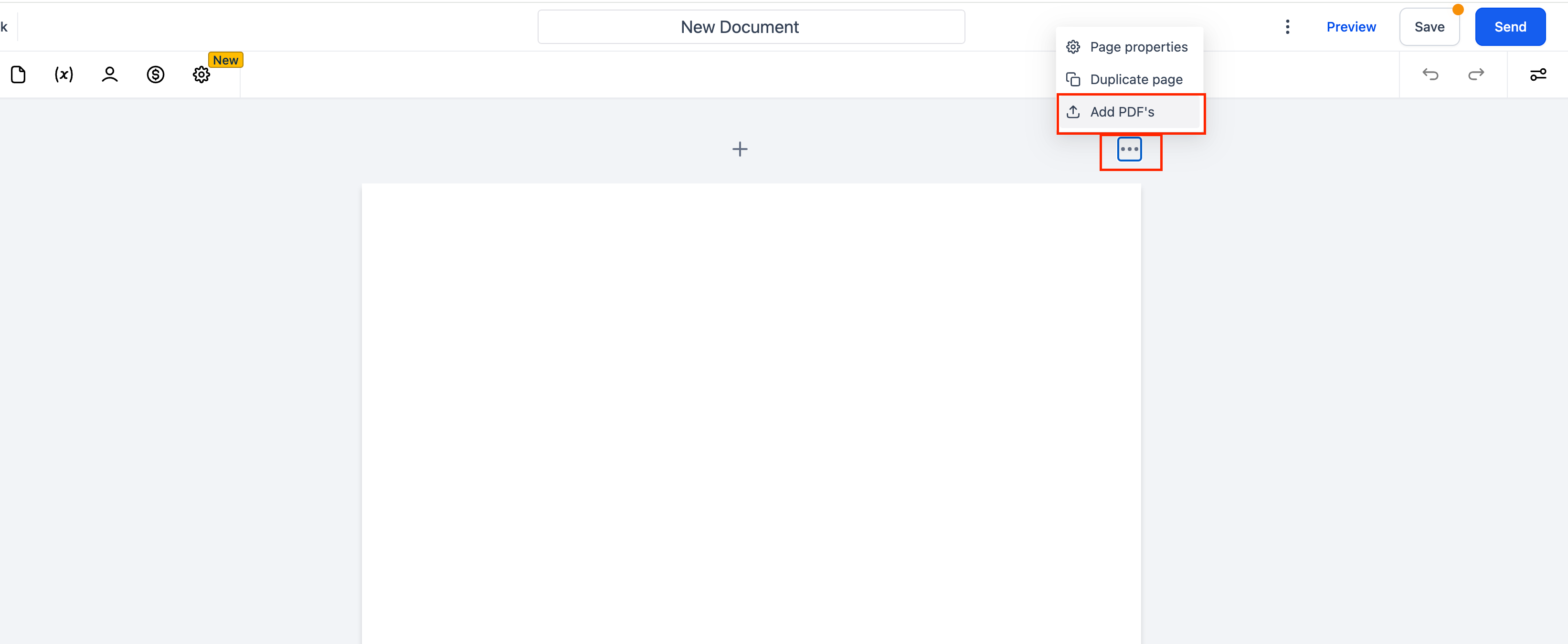
Use the Top-Right Menu by selecting the three dots and choosing Add PDFs.
We built this feature to help you save time and avoid unnecessary rework. Enjoy a smoother, more efficient document creation process!?
Book a demo
See Clixio working for your business, live.
30 minute call with our team. Personalised to your industry, no hard sell.
https://clixio.io/wp-content/uploads/2025/03/044906902f67b2facb89f670612c4987.png16882398Clixio.iohttps://clixio.io/wp-content/uploads/2023/08/clixio-logo-dark.pngClixio.io2025-03-12 20:54:002025-03-12 20:54:00Documents & Contracts: Add PDFs on the go, to existing Documents & Templates