
Documents and Contracts: Send Documents via SMS now!
- You can now send documents via SMS.
- Send through SMS only, or combine with Email + SMS for maximum visibility.
- Configure global defaults for Document Sent and Document Signed notifications.
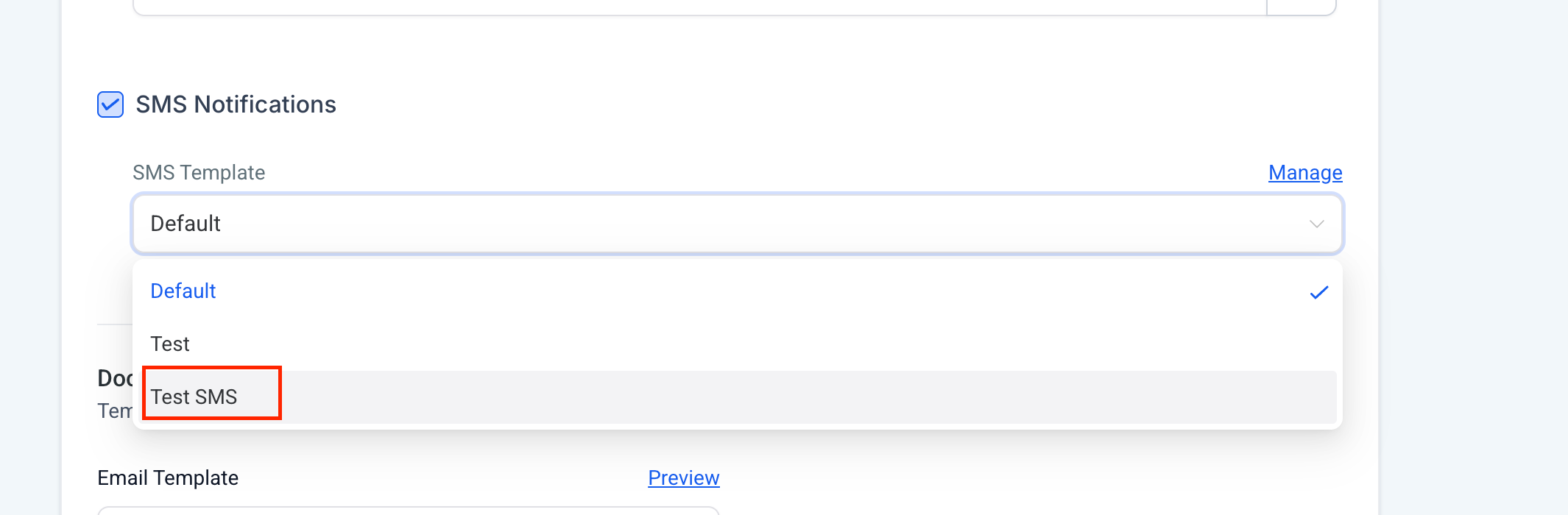
- Create and use custom SMS templates (via Snippets) to send personalised messages.
- Adjust the sending channel directly in workflows or on individual sends for flexibility.
- Set Global Defaults
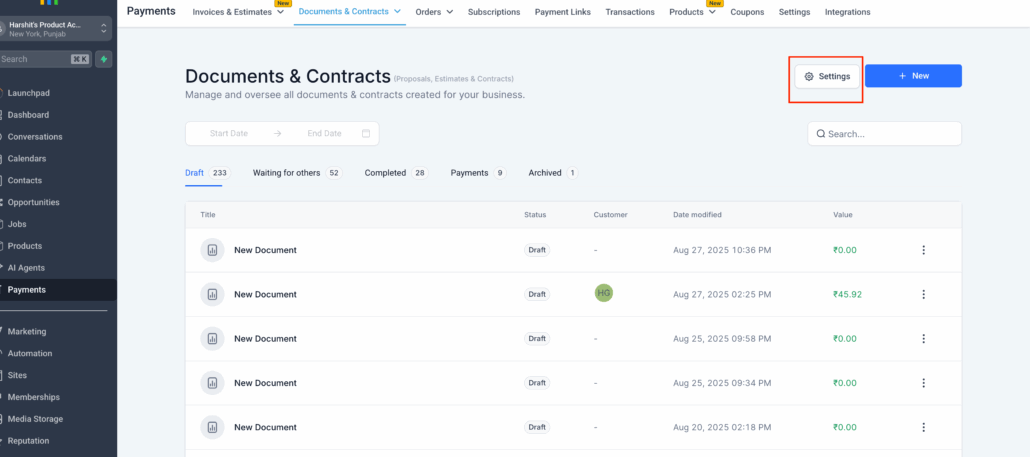
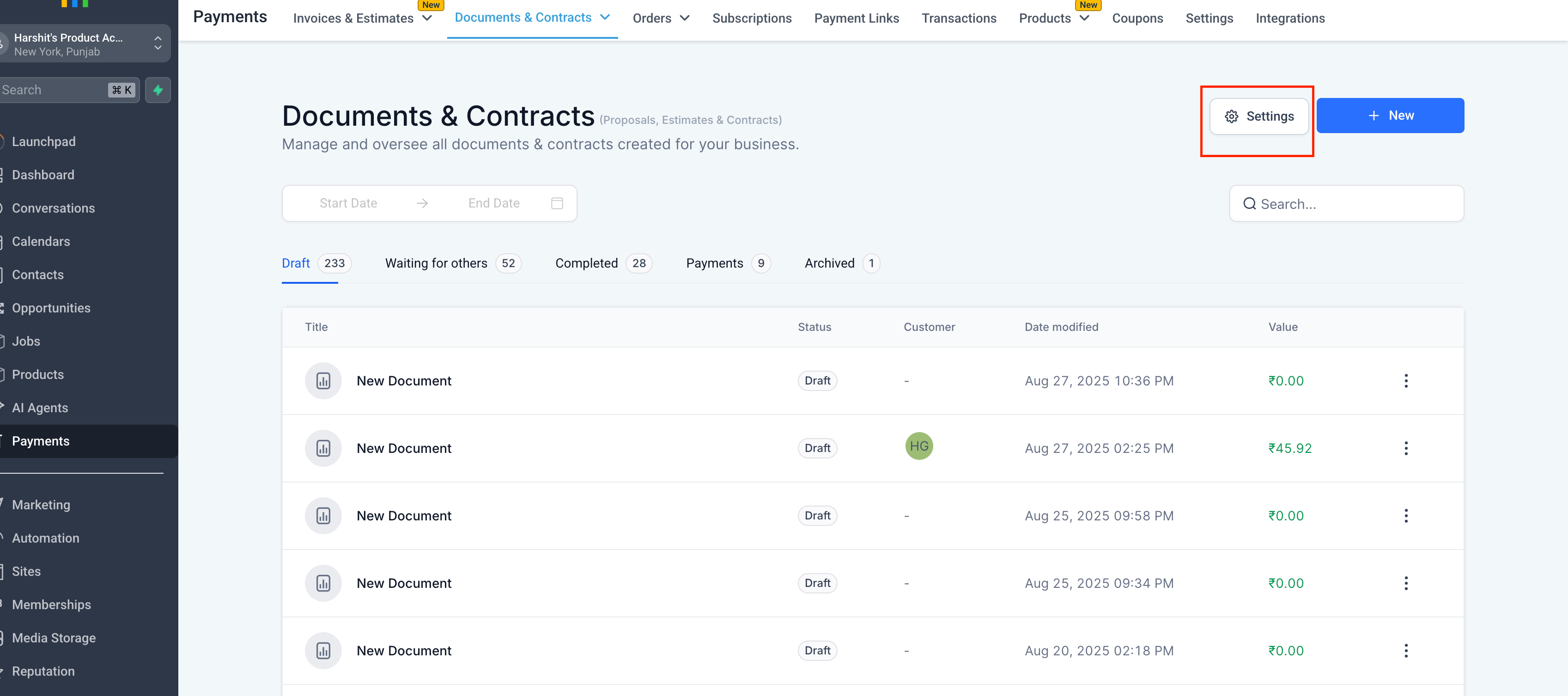
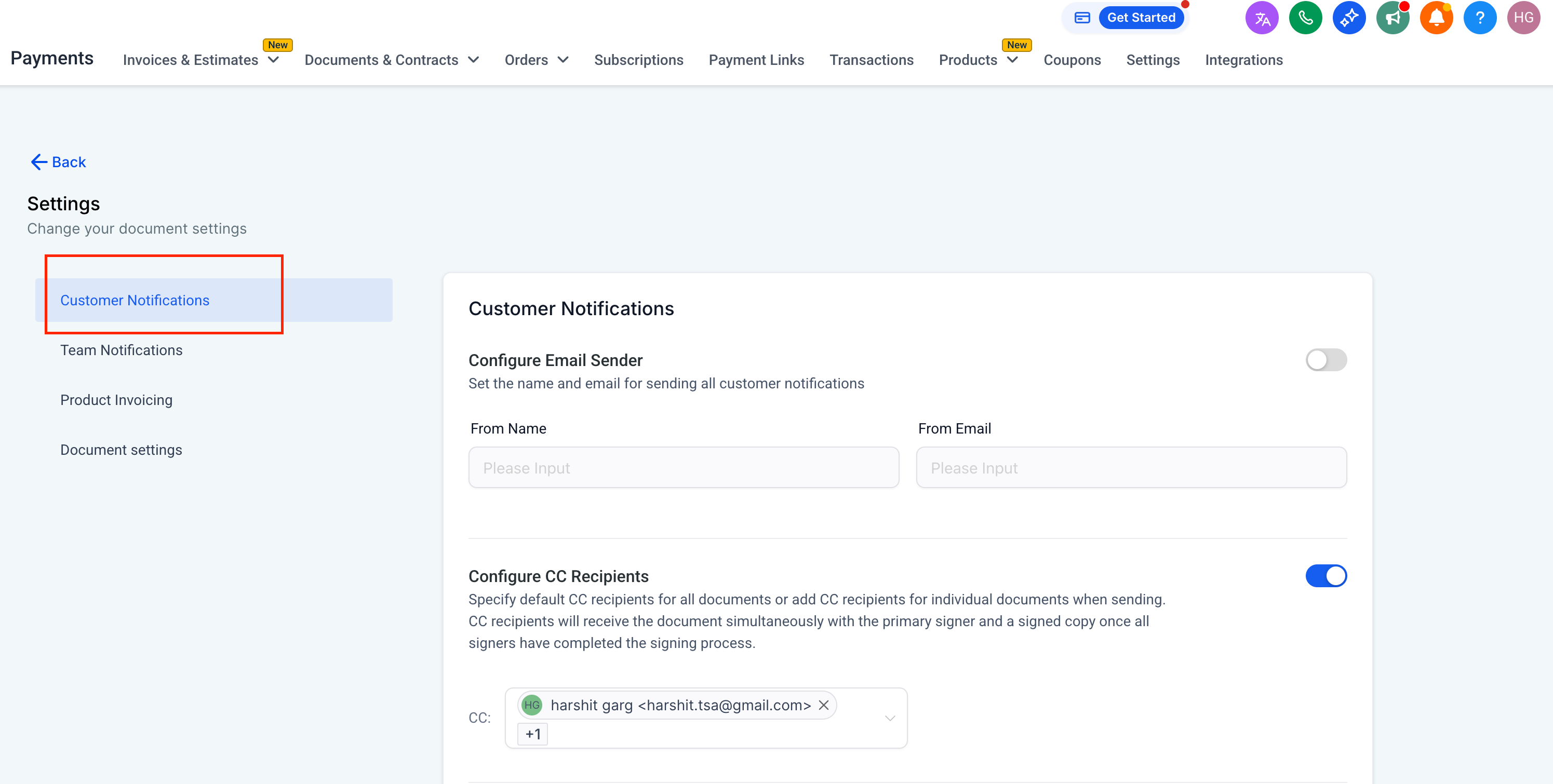
- Navigate to Documents & Contracts → Settings → Customer Notifications.
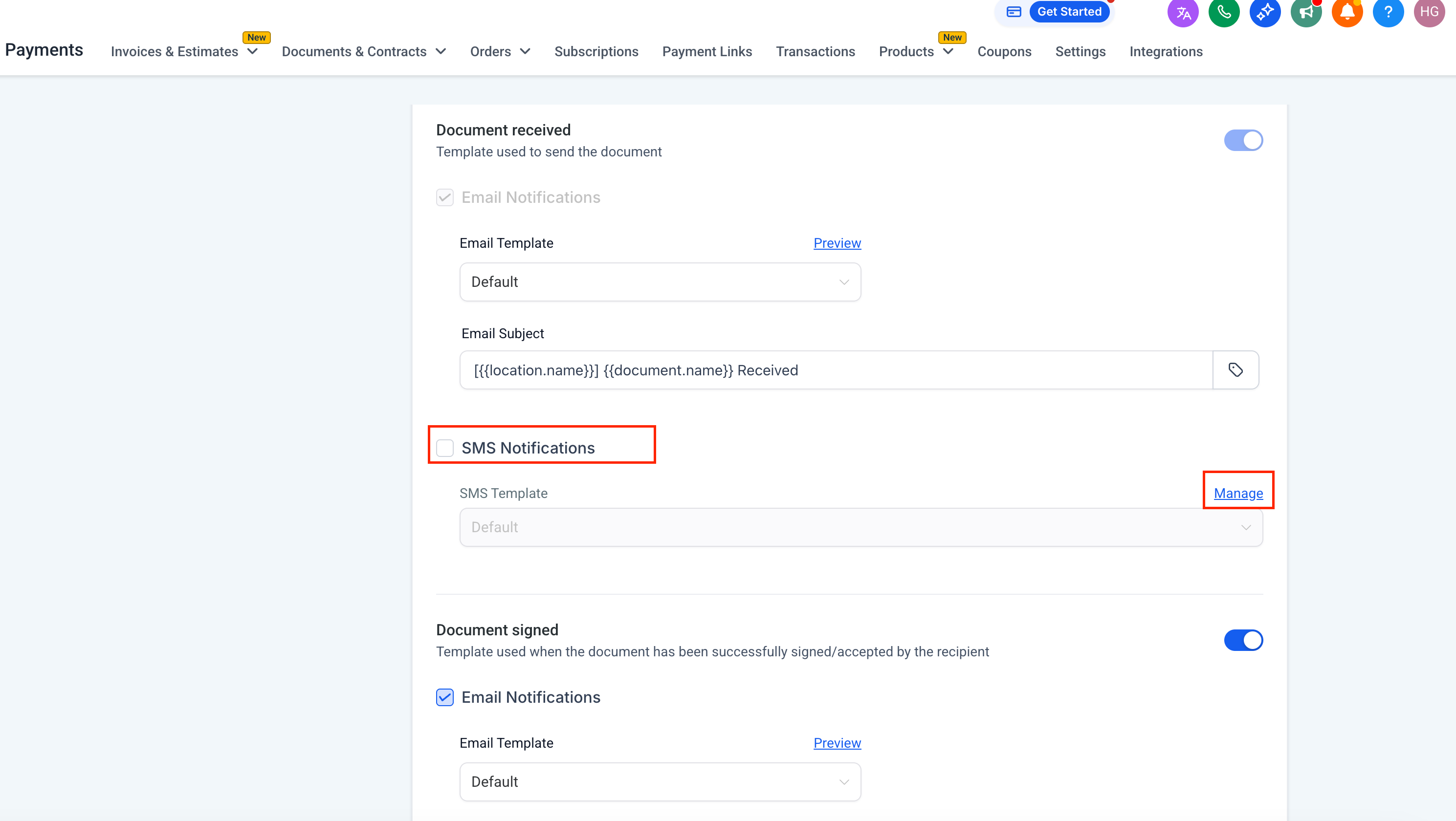
- Under Document Received and Document Signed, choose your default delivery method:
- SMS only
- Email + SMS
- Save your settings.
Note:
- Document Received follows defaults but can be overridden later if needed.
- Document Signed will always follow this global setting.
- Create SMS Templates with Snippets
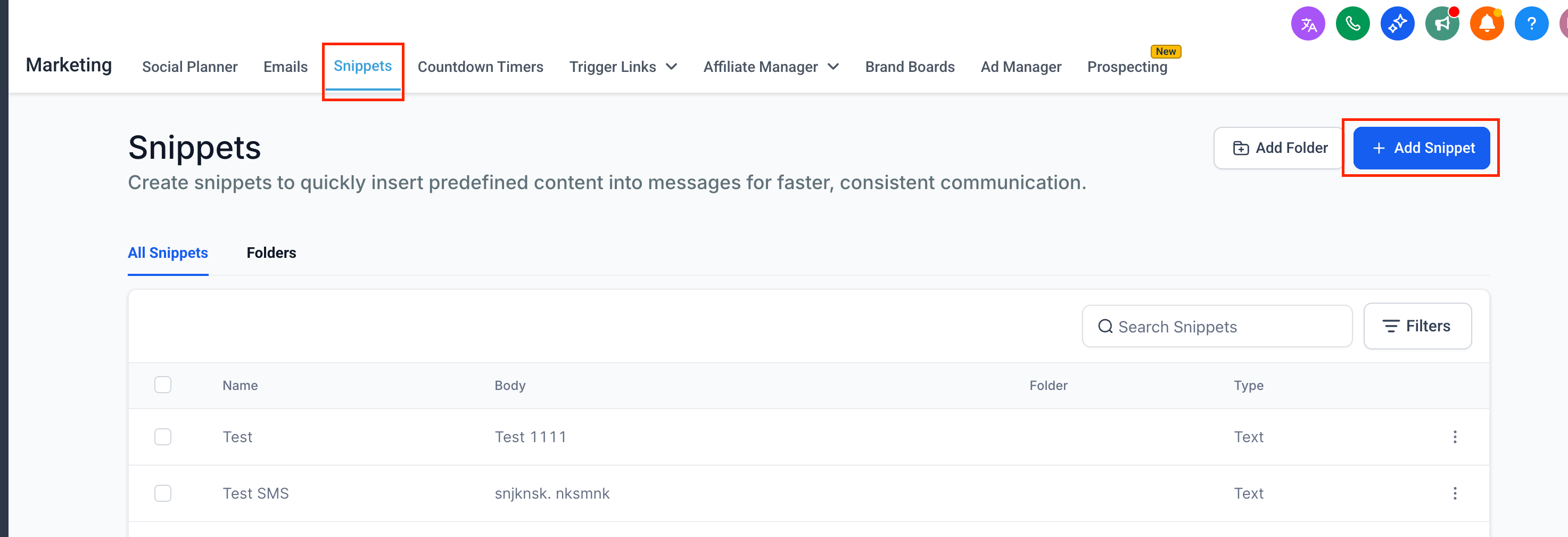
- Go to Marketing → Snippets.
- Click New Snippet and choose SMS as the type.
- Write your SMS content (keep it concise and clear, e.g., “Your document is ready, please review and sign”).
- Save your snippet — it will now be available when sending documents individually or while setting global defaults.
- Send Documents Individually
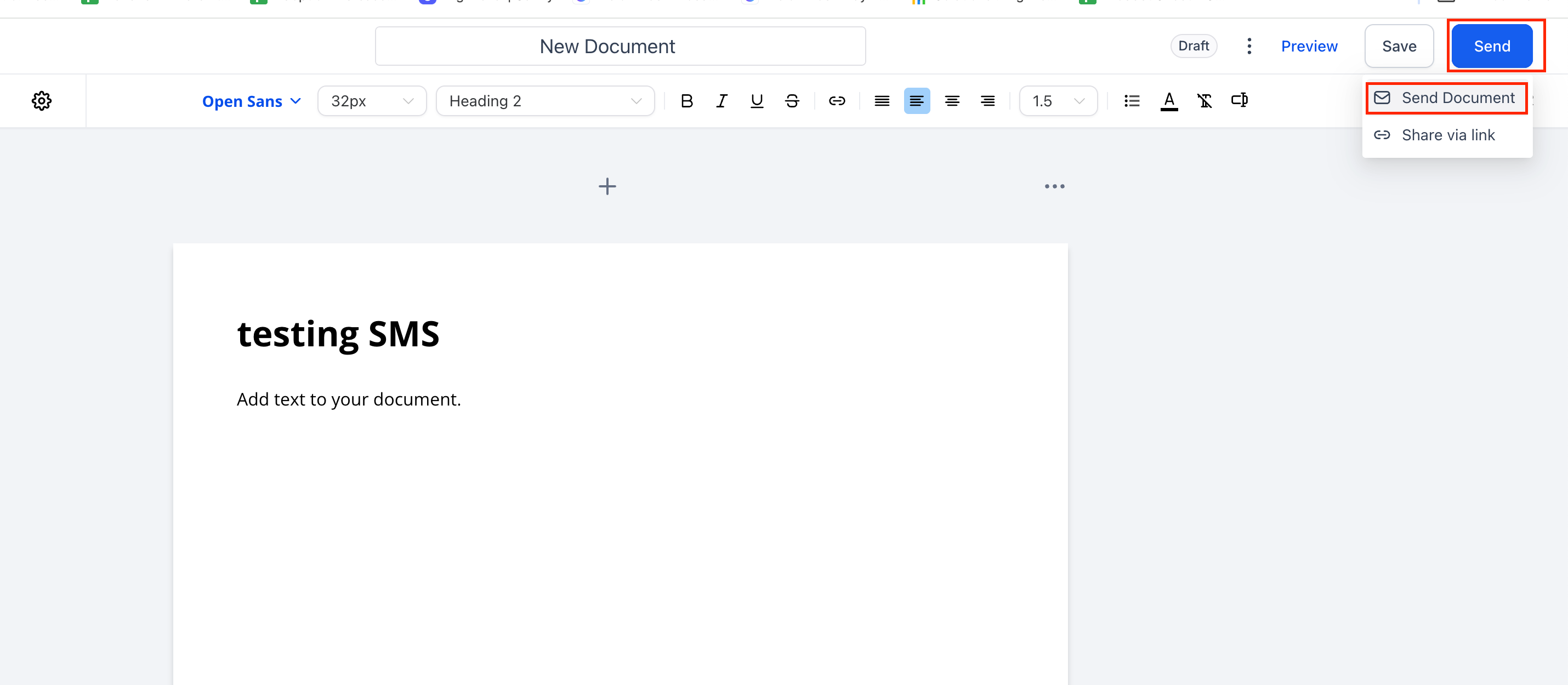
- Open the document you want to send.
- Click Send.
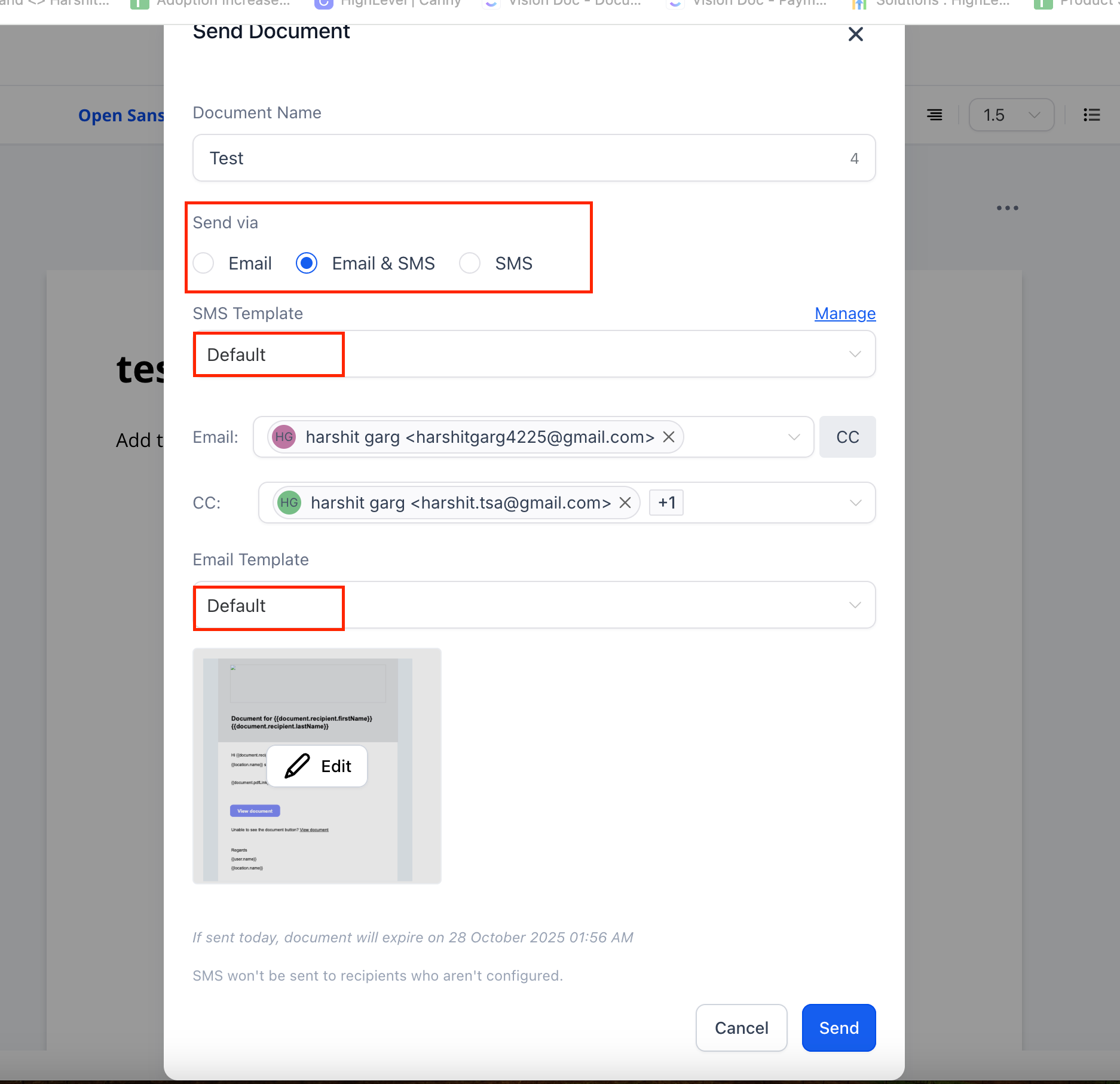
- Select the channel: Email, SMS, or both.
If using SMS:
- Pick your preferred SMS template (created via Snippets).
- Review and send.
- Send Documents via Workflows
- Open Automation → Workflows.
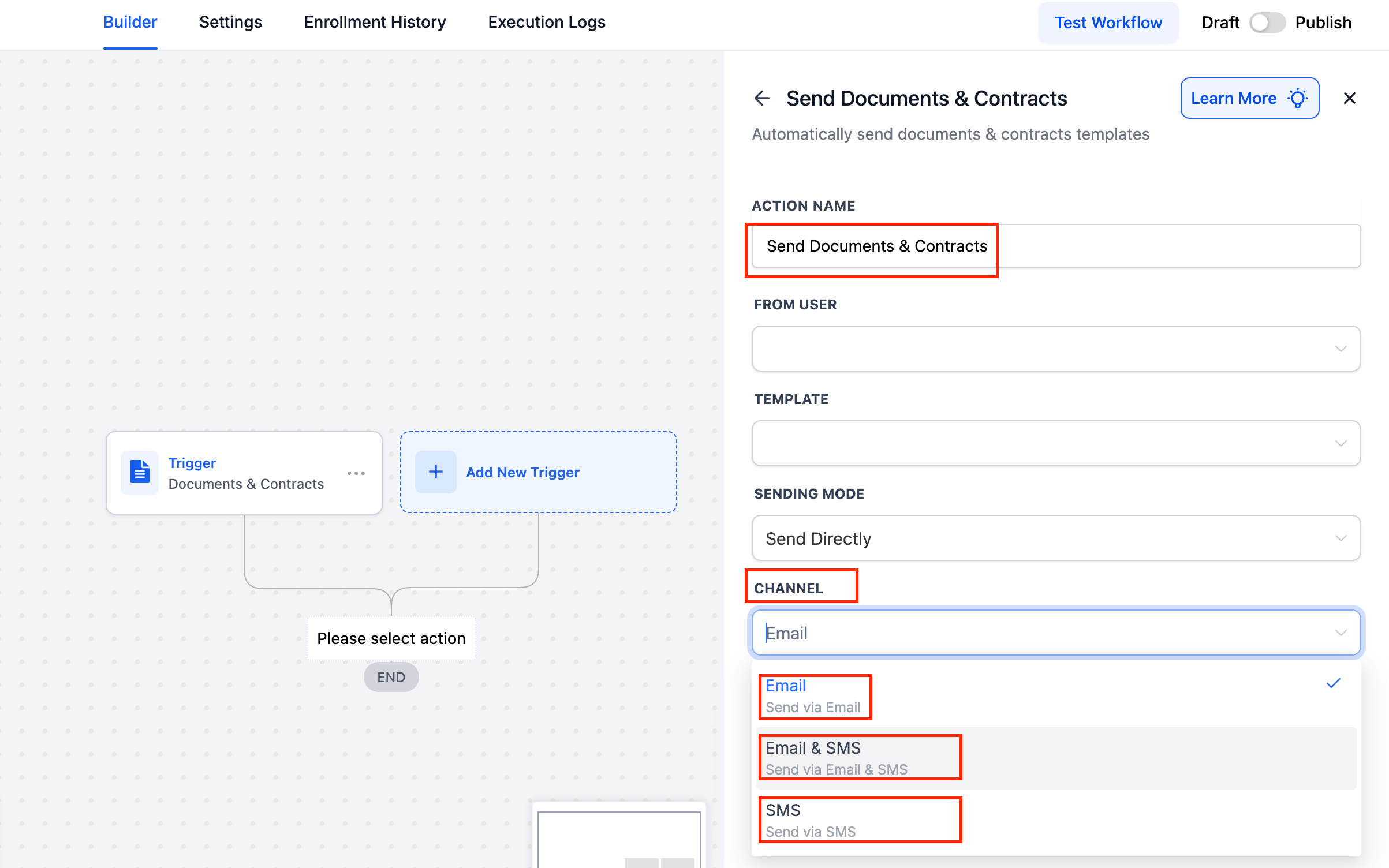
- Add a Send Document action.
- Choose the channel: Email, SMS, or both.
- Save the workflow.
- Here, the system will follow the default SMS content/template.
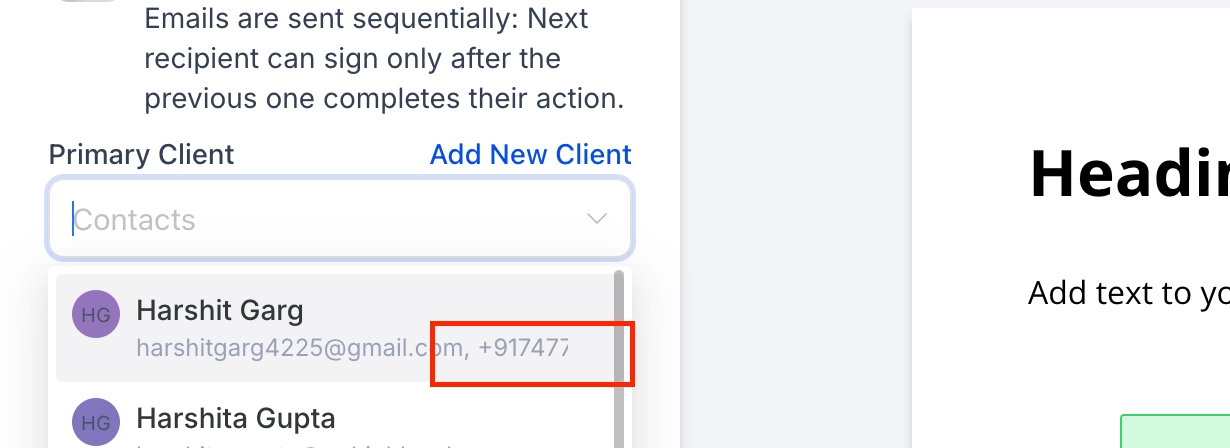
- View Users’ Contact Information When Adding Recipients to Documents
- Agencies informed us that emails are often overlooked, whereas SMS messages are immediately noticed. This update ensures:
- Documents reach clients more swiftly through their preferred channel.
- Global defaults save time, while individual sends allow for customisation as needed.
- With SMS delivery, your documents are now faster, smarter, and more reliable.
