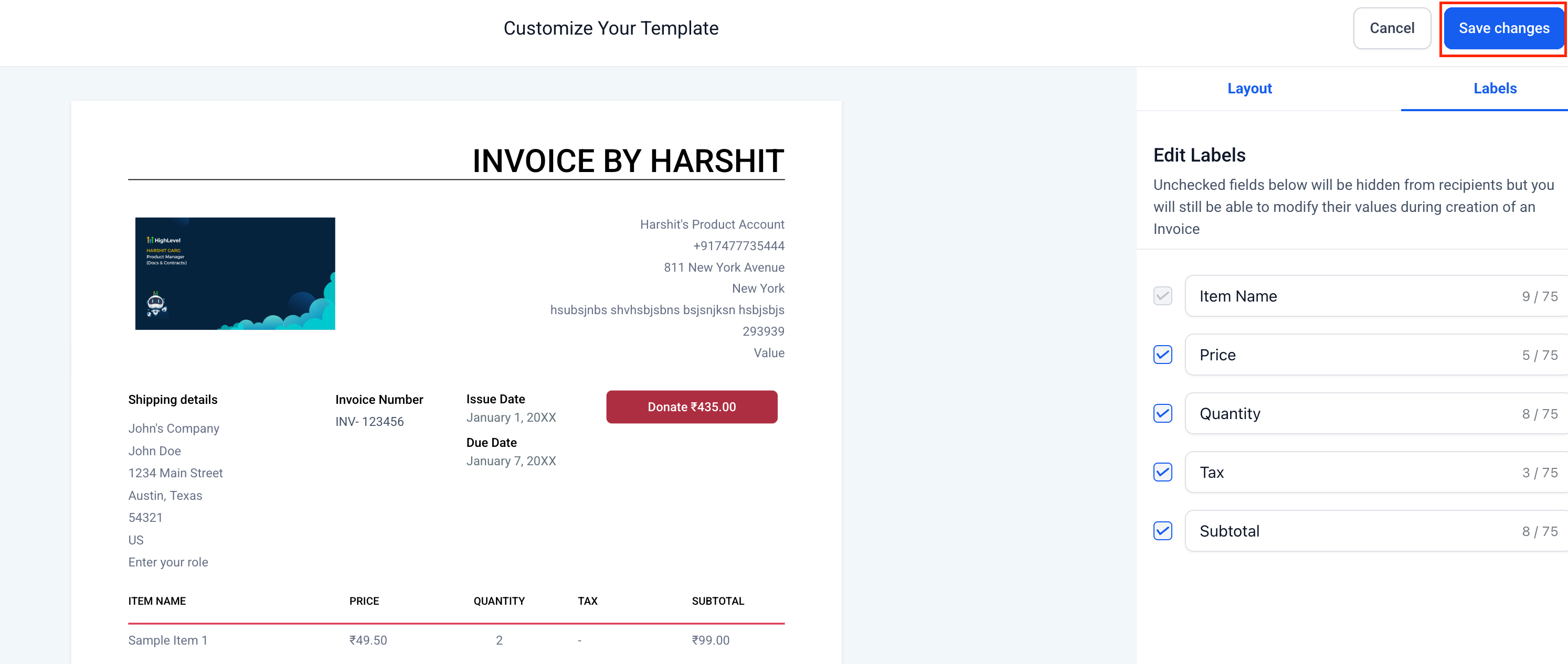
We’ve introduced customization options for Invoices in Clixio. You now have complete control over the appearance of your invoices—from titles and terms to branding, sections, and labels. Whether you wish to align with your brand identity or add custom fields, invoices can now reflect the professionalism and uniqueness of your business.
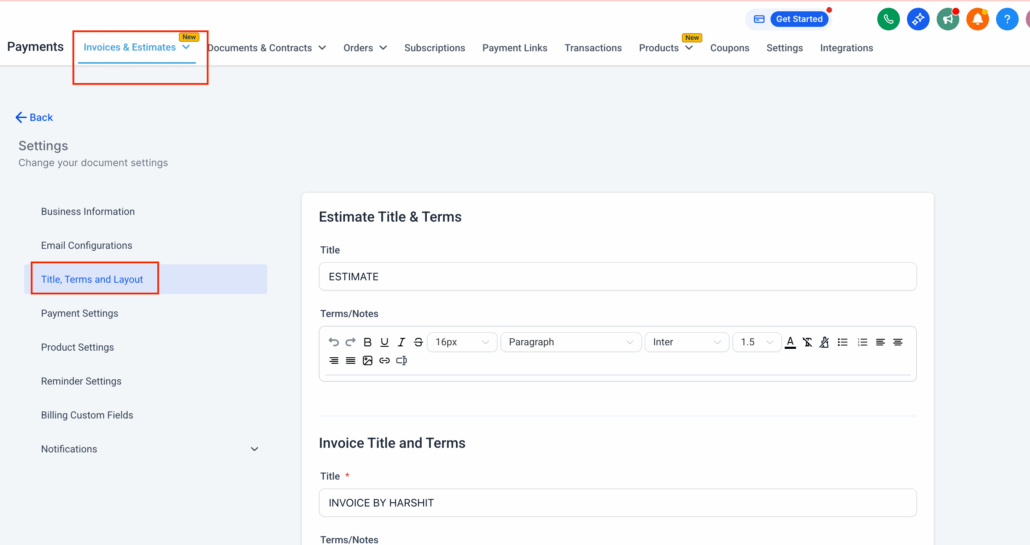
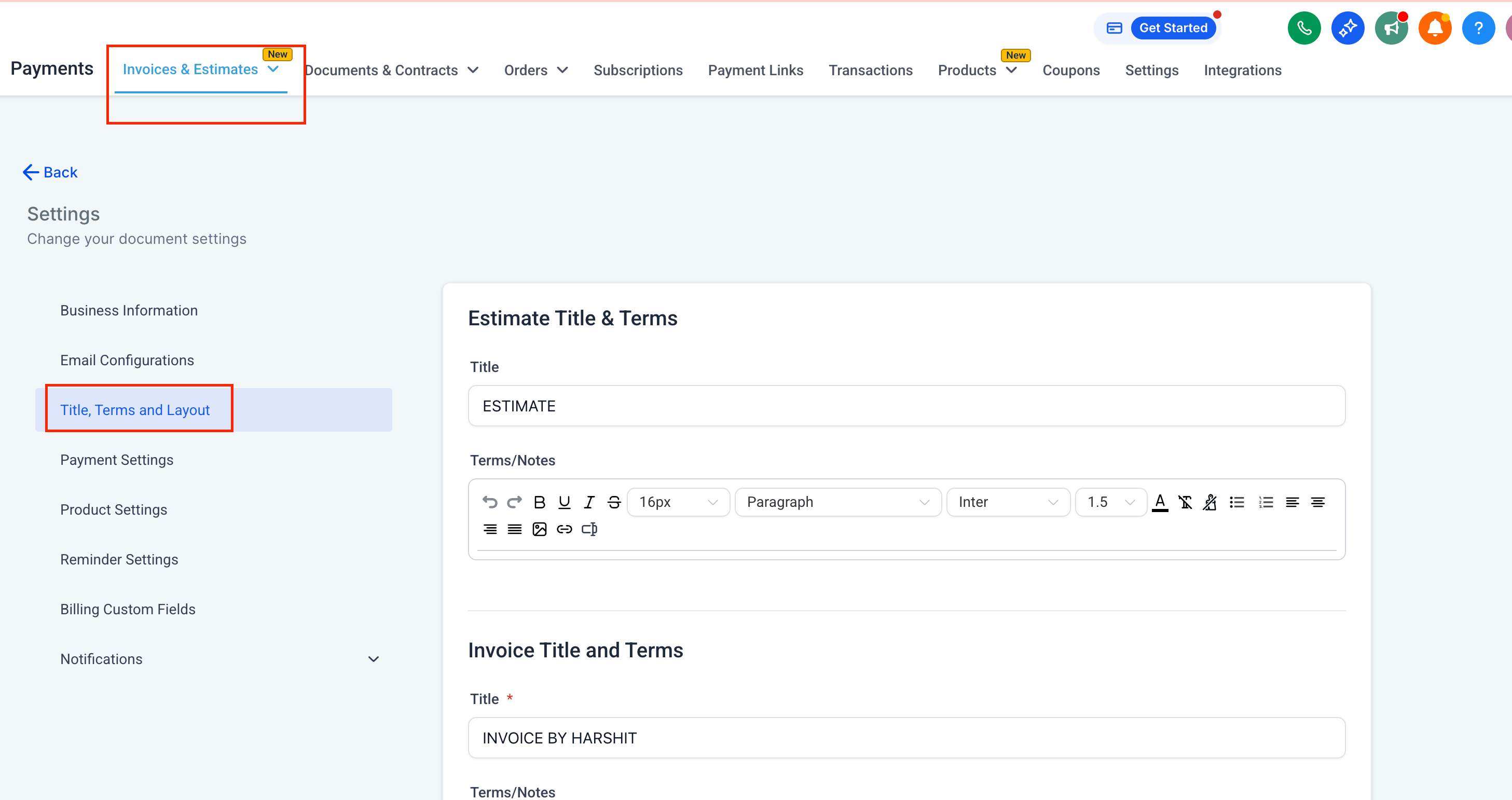
Navigate to Payments → Invoices & Estimates → Settings → Title, Terms, and Layout.
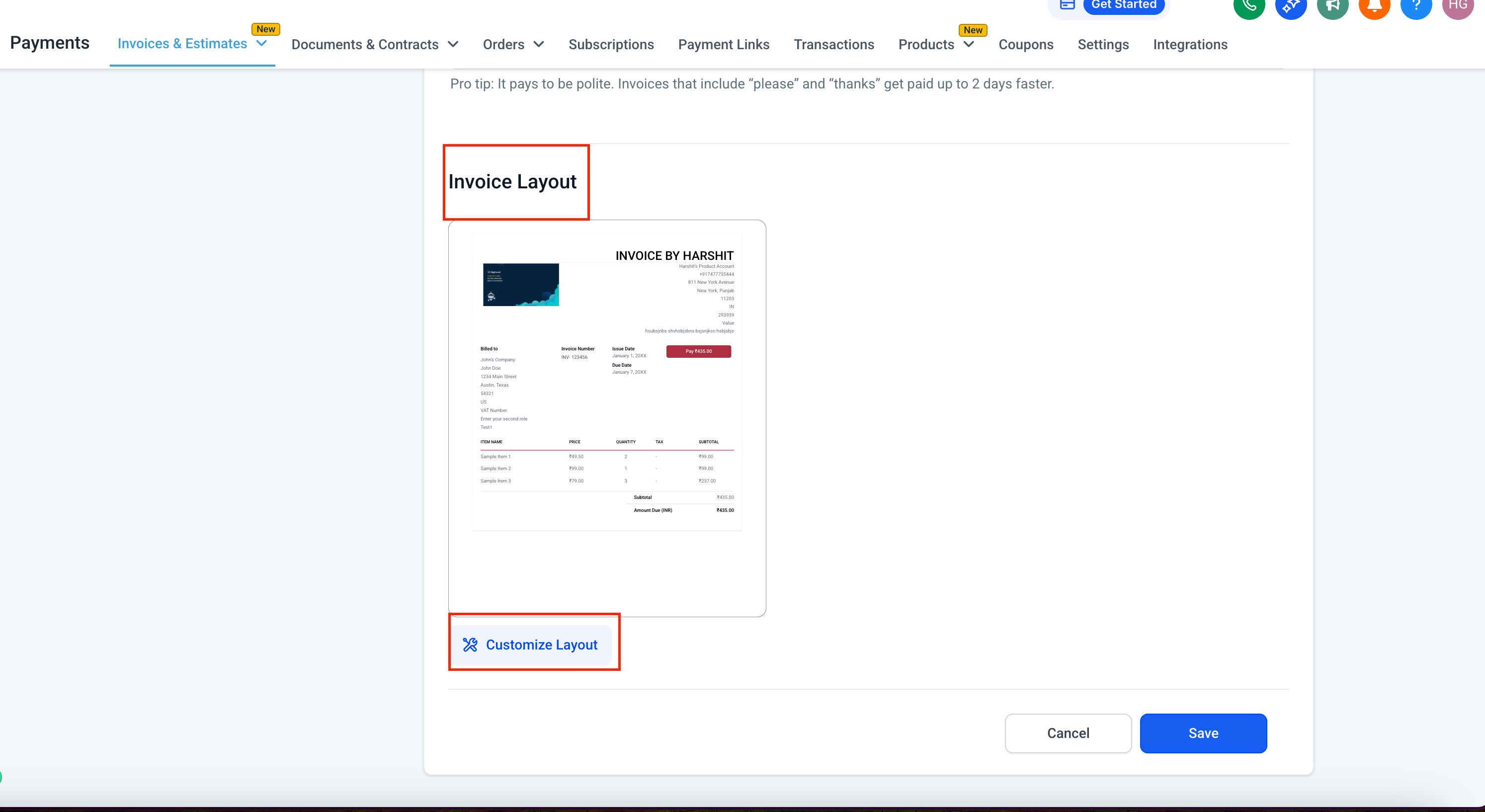
Under Invoice Layout, click on Customize Layout.
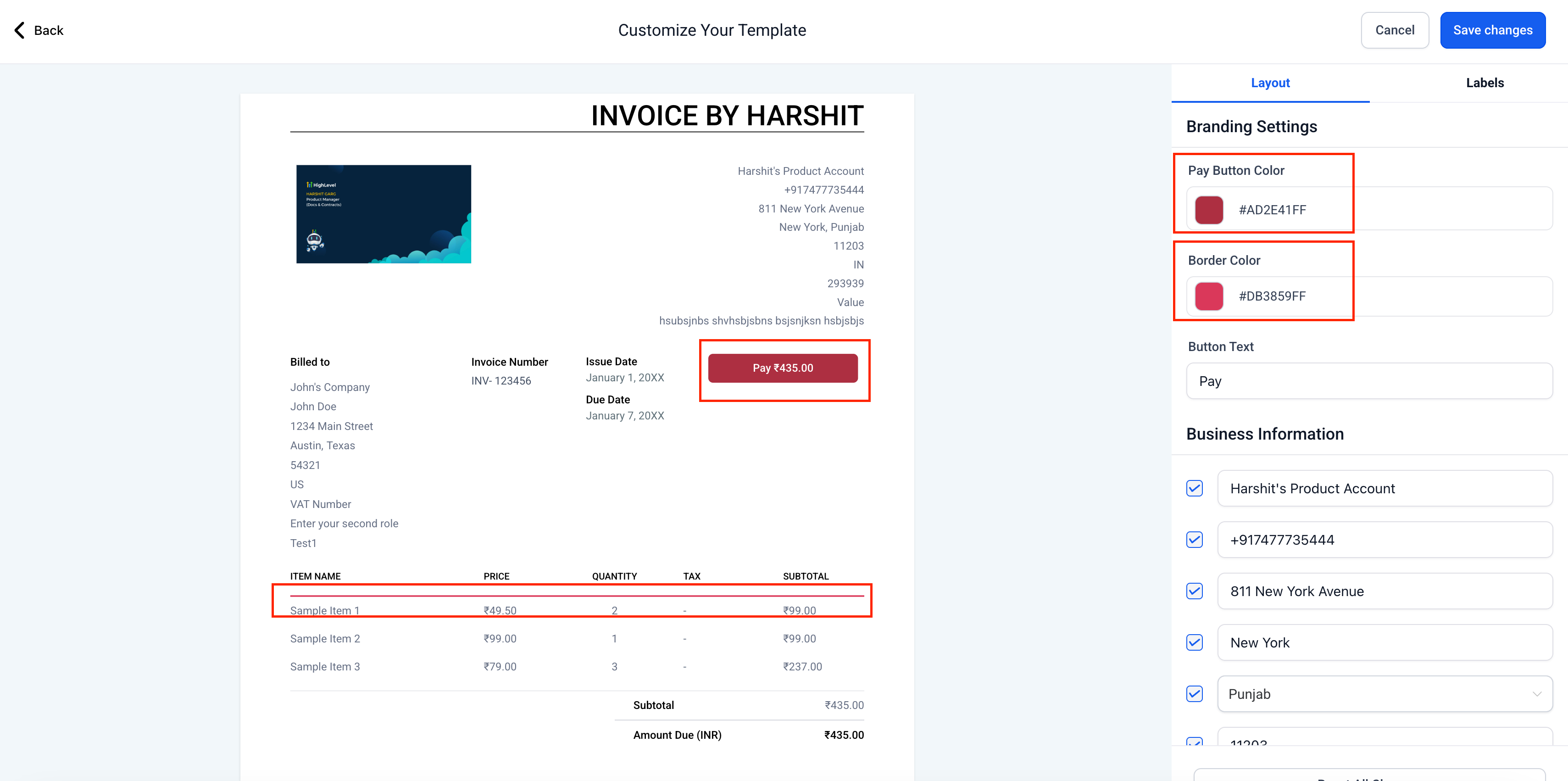
Use the customization panel to:
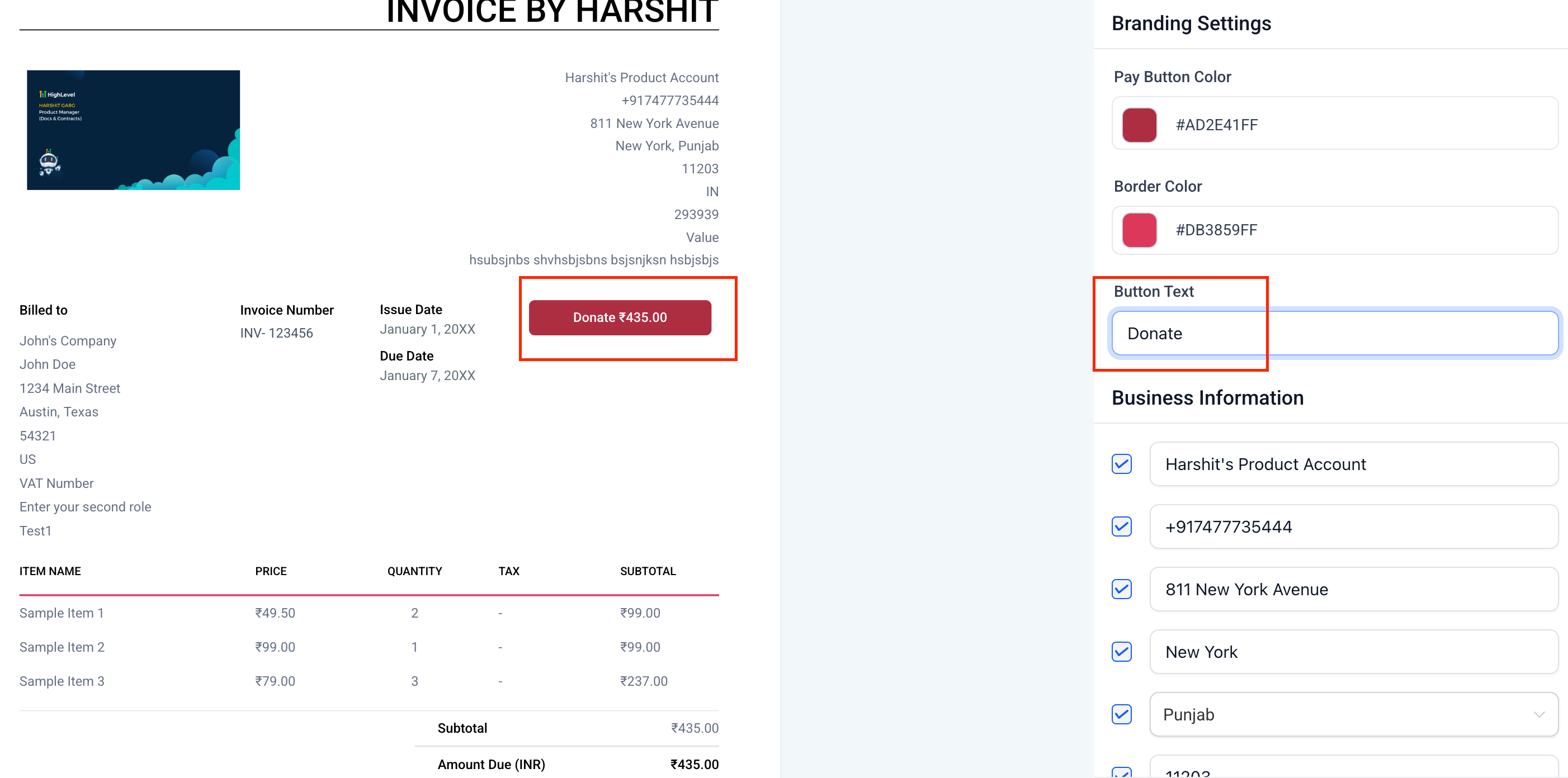
Branding: Change the pay button colour, border colour, and even the button text (e.g., “Pay” → “Donate”).
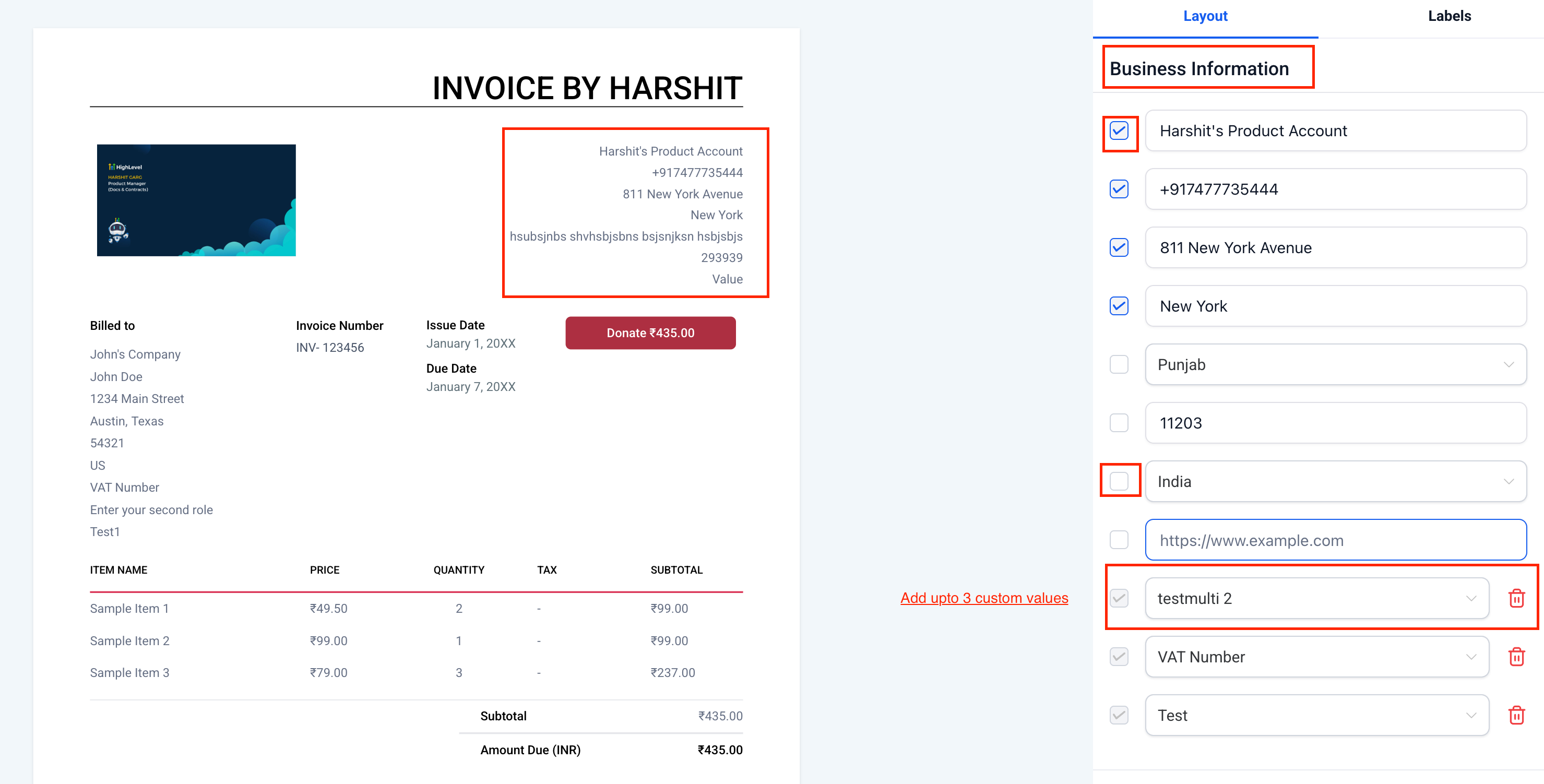
Business Information: Show or hide details such as company name, phone number, tax IDs, or add up to 3 custom values.
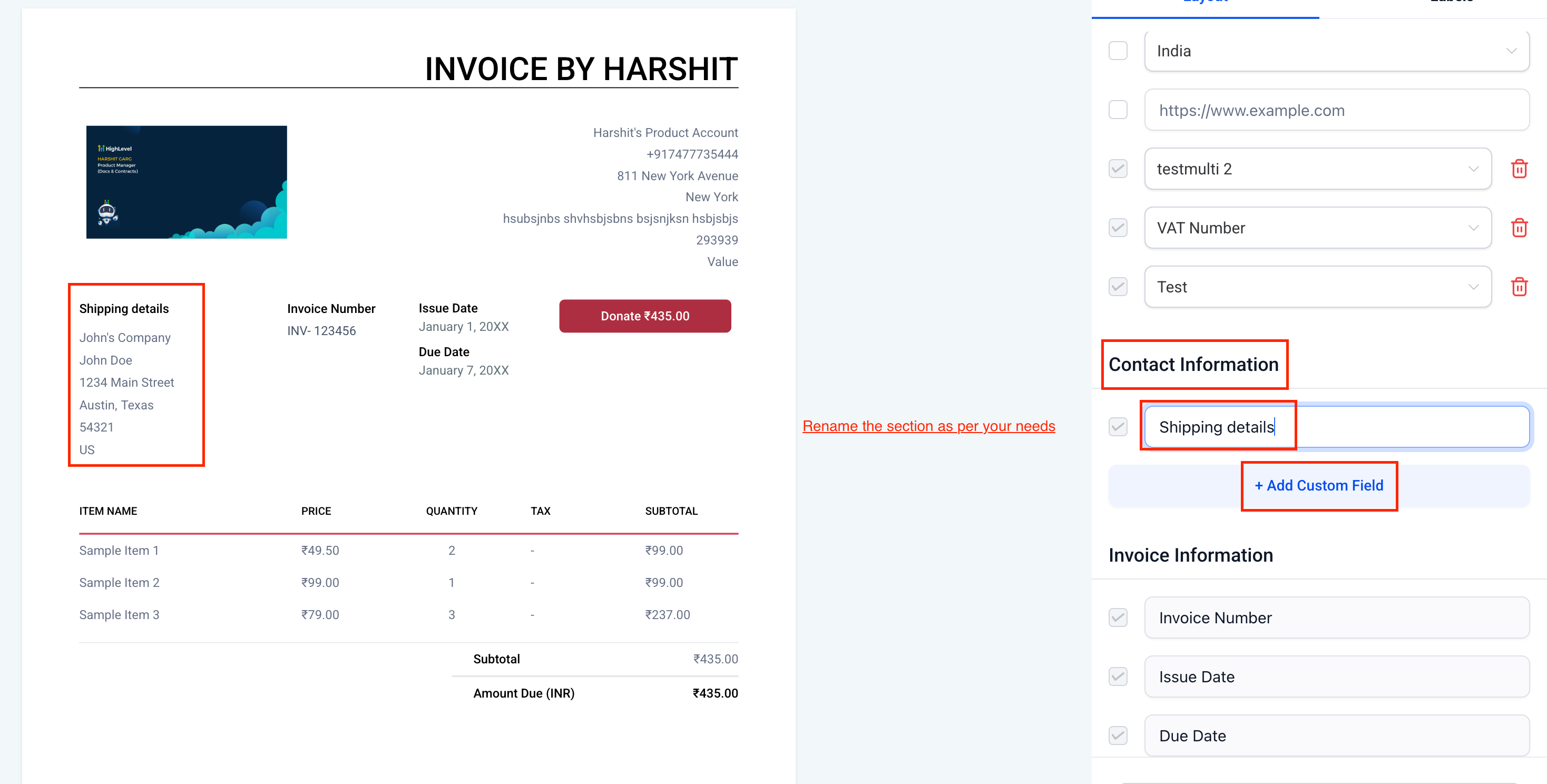
Sections: Rename sections like “Contact Information” to “Shipping Details” or any other suitable name. You can also add custom fields to the contact information as needed.
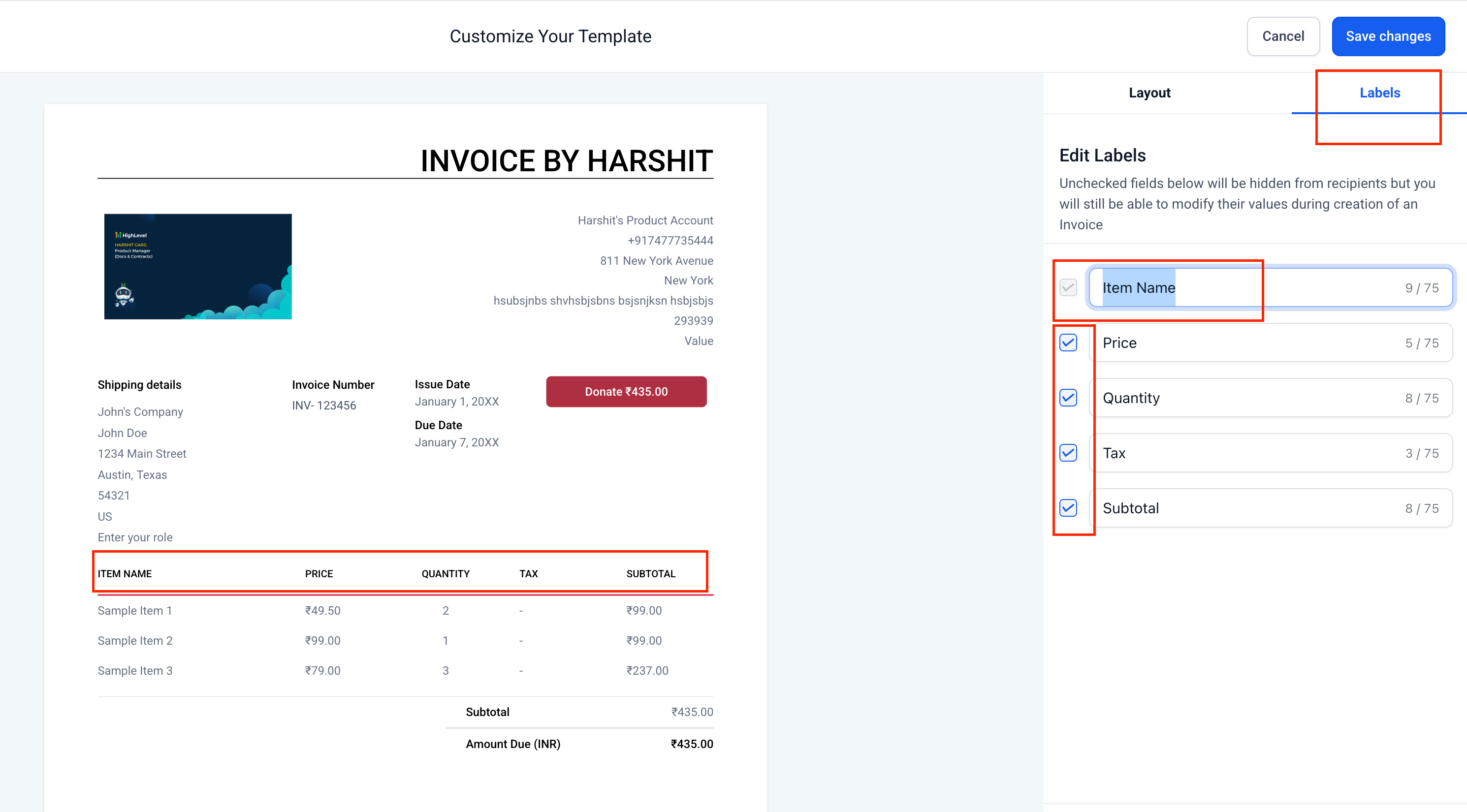
Labels: Edit column labels such as Item Name, Price, Quantity, Tax, Subtotal, or opt to hide them.
Preview changes live on your invoice template.
Hit Save Changes to apply your new design instantly.
Invoices are not just payment slips—they serve as touchpoints with your clients. A customised invoice builds credibility, reinforces your brand, and leaves a stronger impression. With these updates, agencies and businesses can:
Maintain brand consistency by aligning invoices with company colours, tone, and design.
Stay flexible by adding or removing fields to meet the diverse needs of various industries or client expectations.
https://clixio.io/wp-content/uploads/2025/09/54ab6b2ec1f3b7ae95520fa518855e62-scaled.png13552560Clixio.iohttps://clixio.io/wp-content/uploads/2023/08/clixio-logo-dark.pngClixio.io2025-09-26 14:30:002025-09-26 14:30:00Customize Your Invoice Layouts | Clixio Changelog