
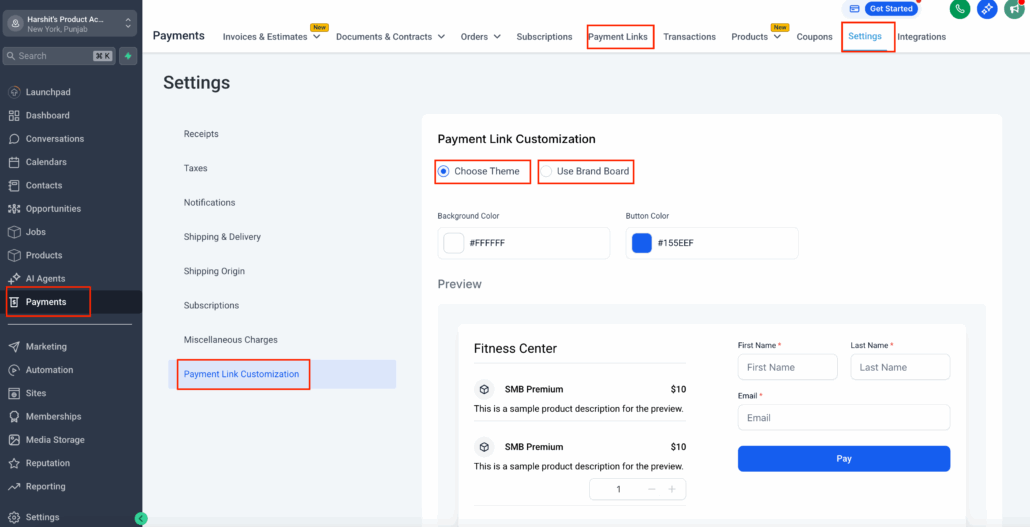
Customize Payment Links with Your Brand Colors
What’s New
Payment links have received a visual upgrade! Whether you’re closing a deal or selling a product, your links can now represent your brand personality—right down to the colours and buttons.
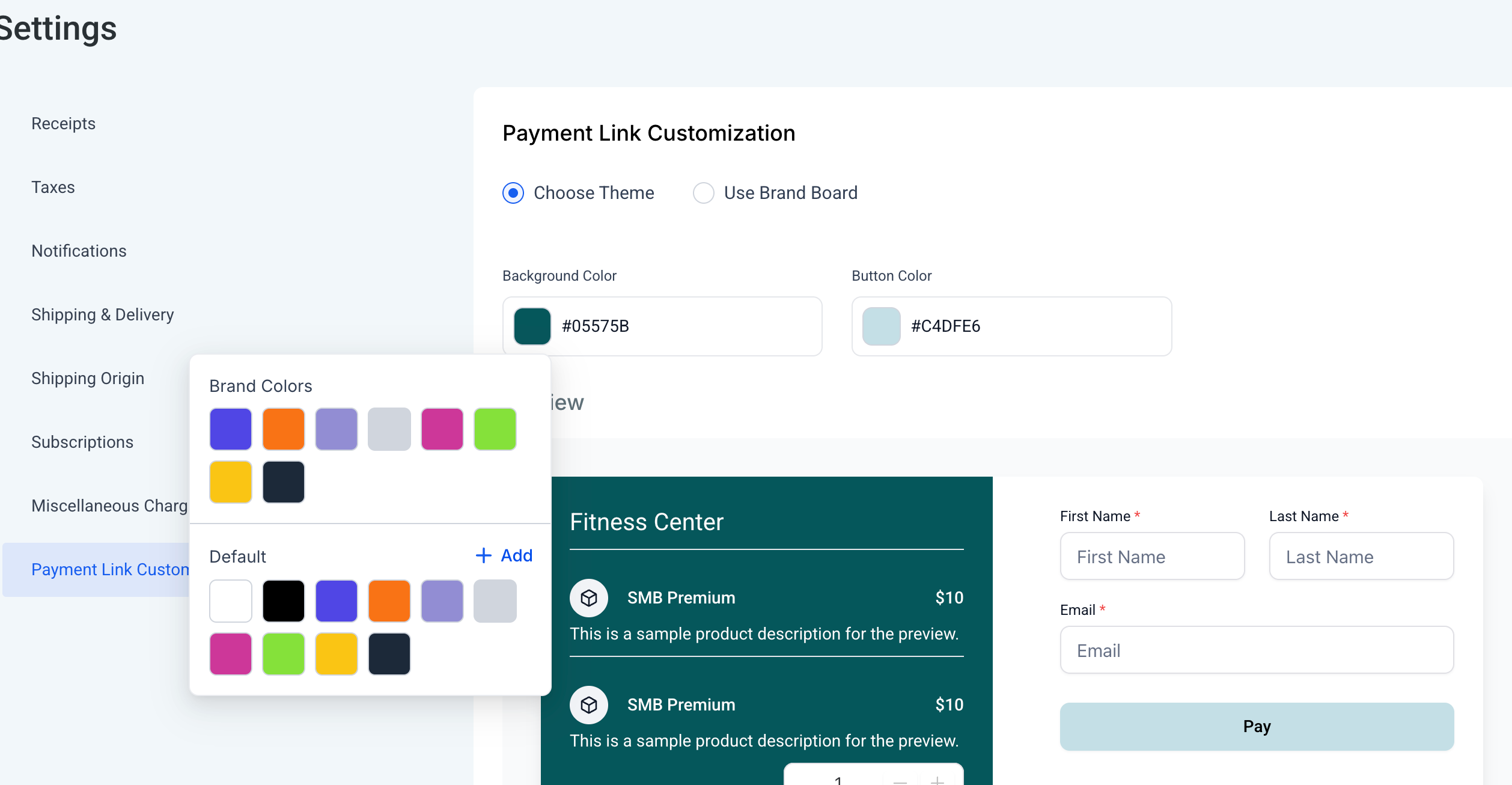
- Brand Board Integration: You can now apply your Brand Board styling directly to all your payment links—logos, colours, button shades, and more.
- Custom Theme Builder: Prefer to make adjustments? Use the “Choose Theme” option to set custom background and button colours.
- Live Preview: See a live preview instantly.
How to Use?
- Go to Payments → Settings
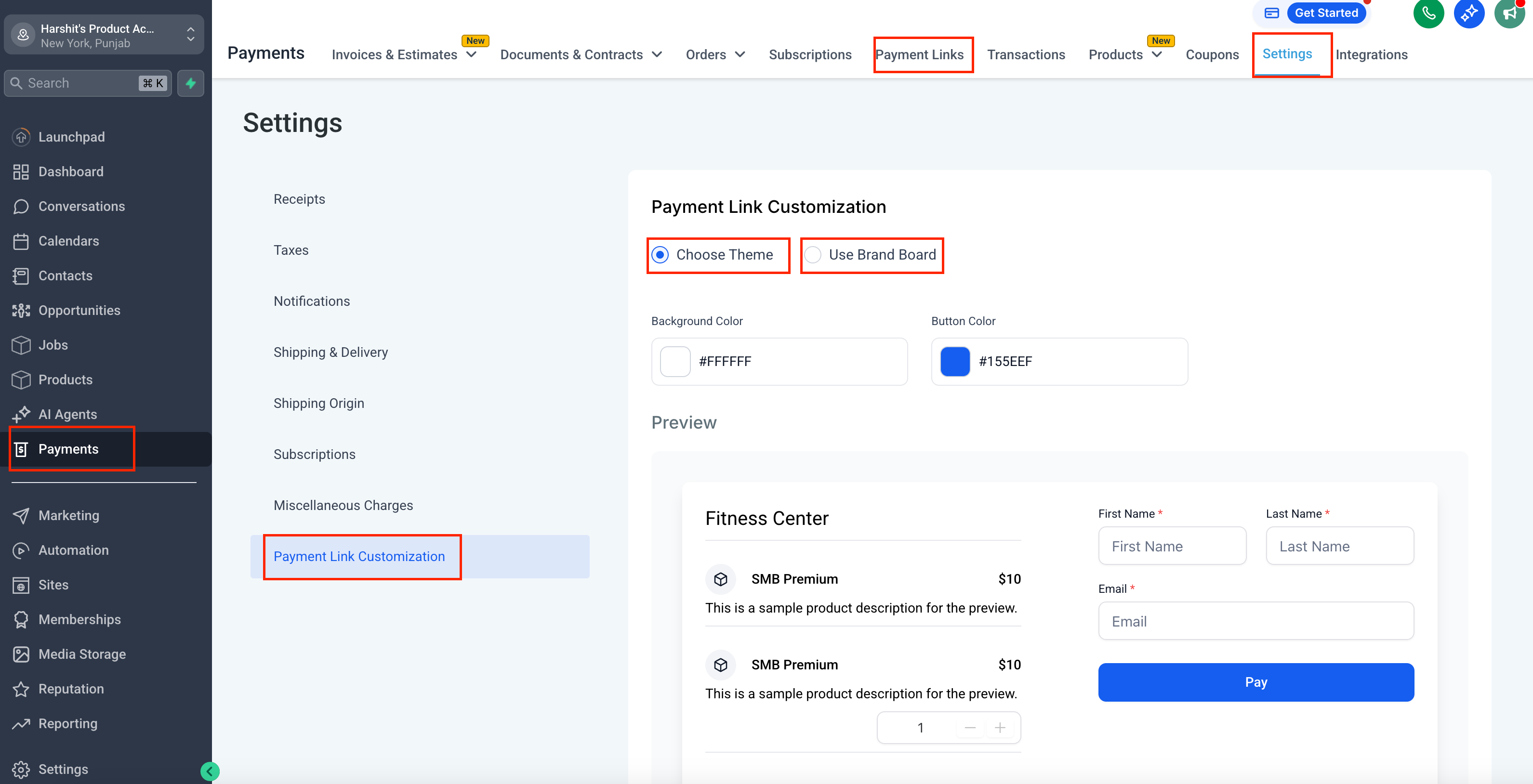
- Payment Link Customisation
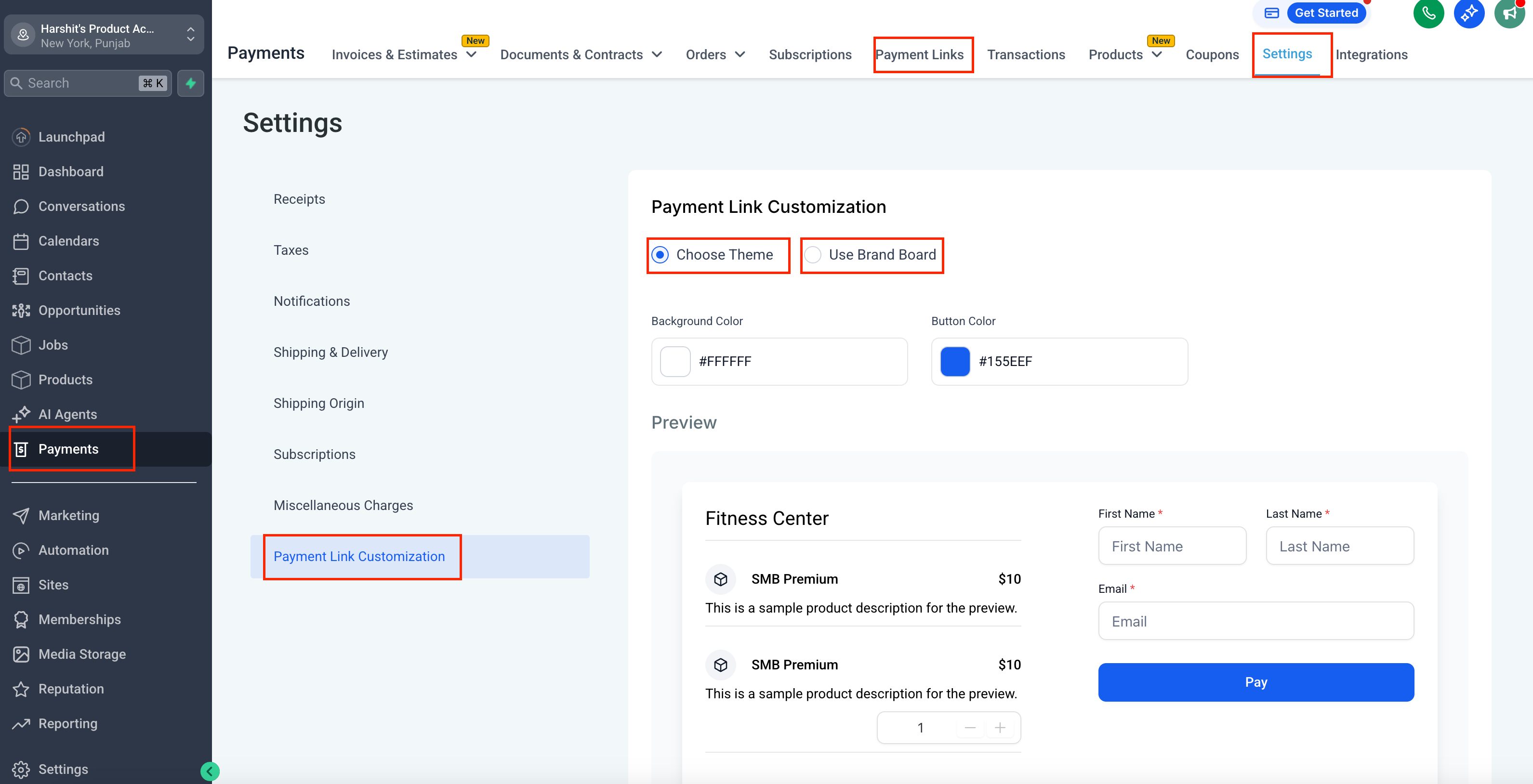
- Select Brand Board or Custom Colours according to your requirements.
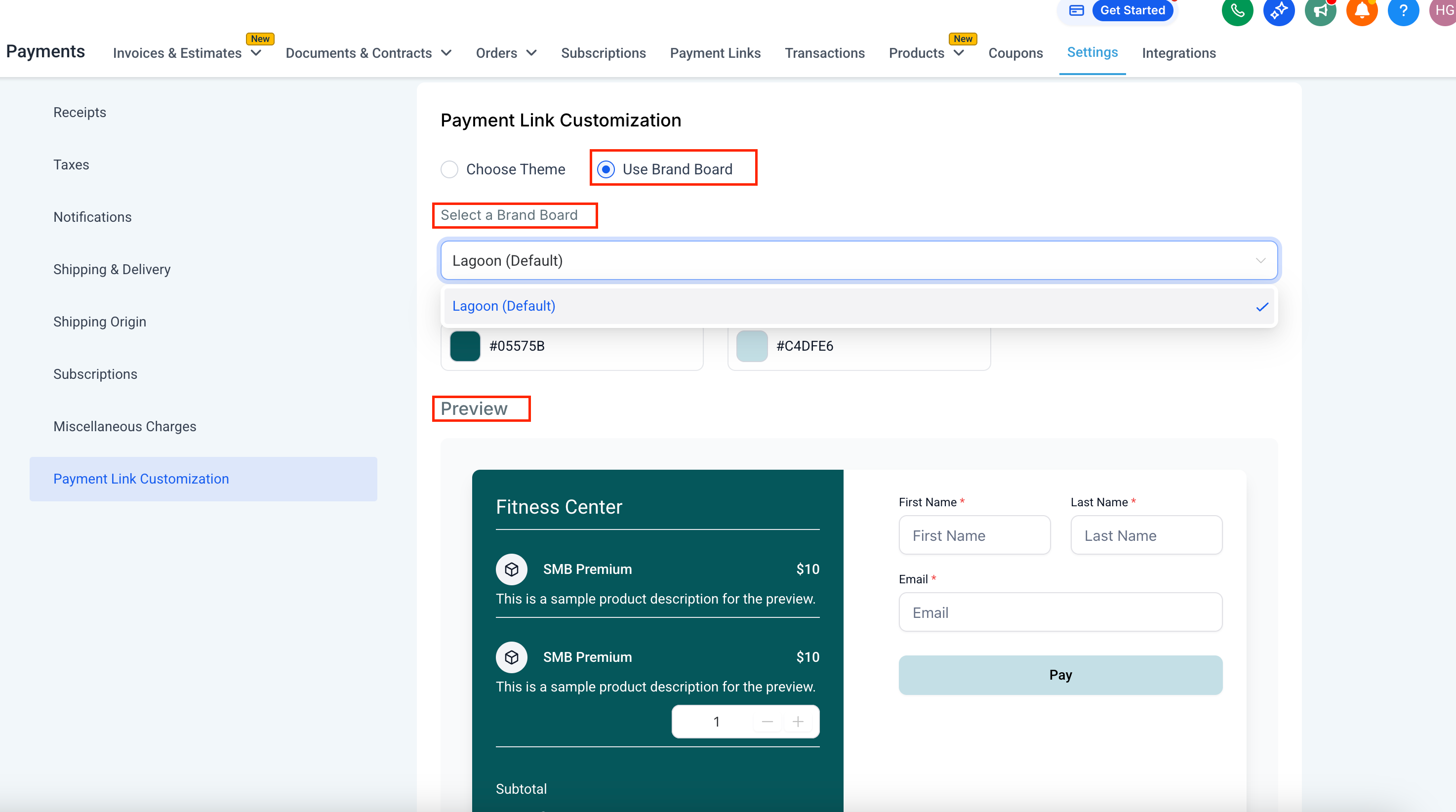
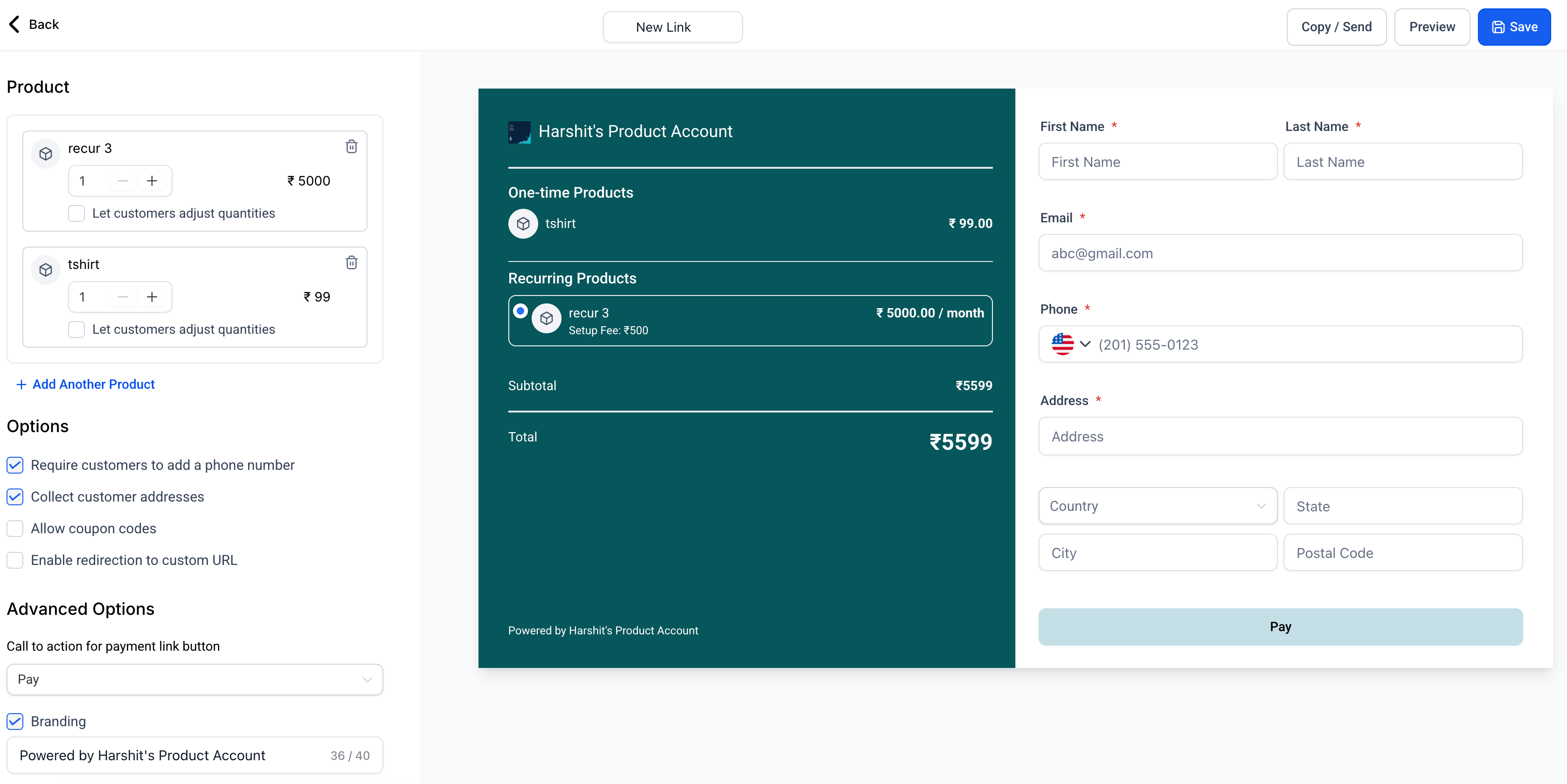
- Save, and all your payment links will now appear in this new theme.
Why We Built This?
- To ensure your payment links align with your brand theme, enabling you to use them in various flows while maintaining a consistent brand voice.