Custom Dispositions on Mobile | Clixio Changelog
Meet
Custom Dispositions on Mobile
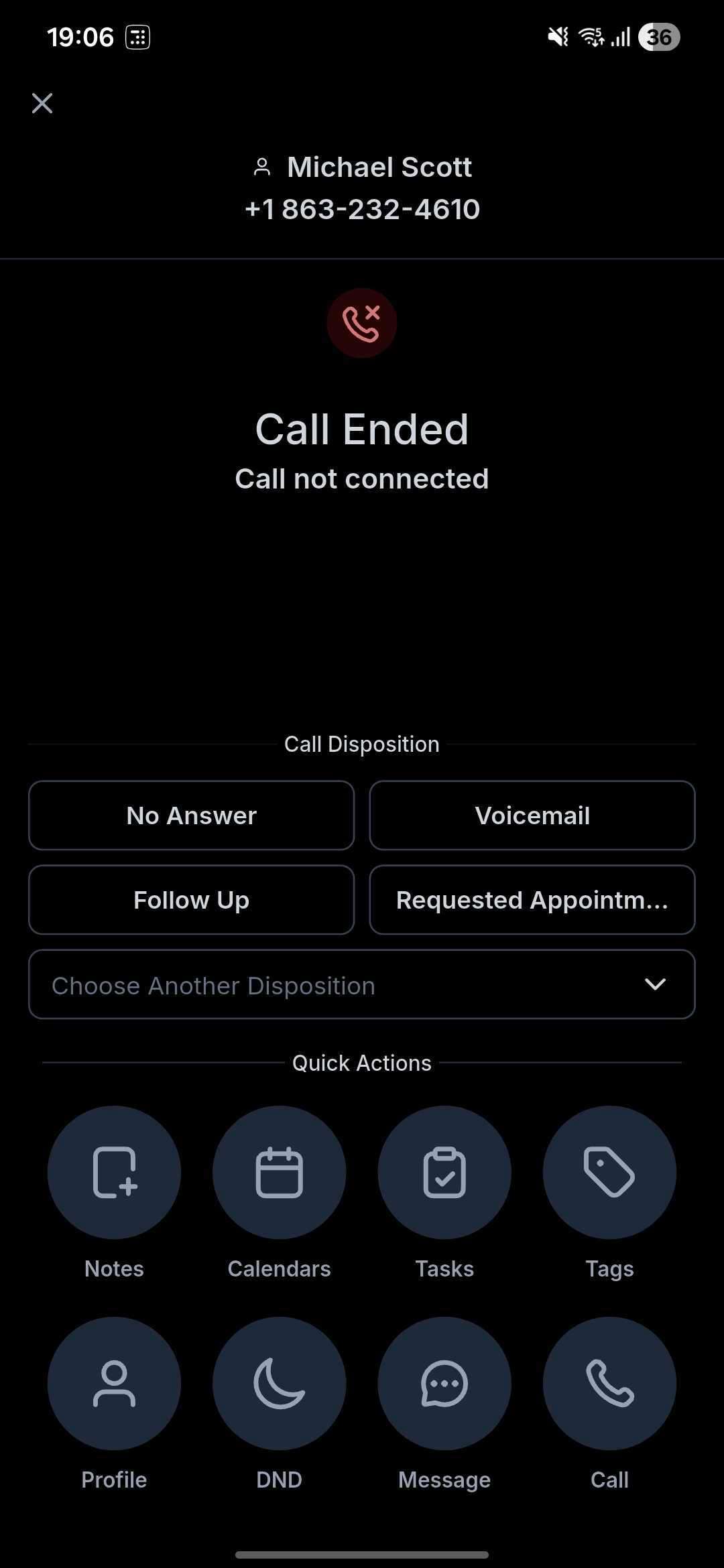
— the quickest way to turn every call into clear next steps. Select an
outcome
directly from
your mobile app
, and let it enhance your
workflows, reporting, and follow-ups
on both iOS and Android. This feature is now available for Clixio, LeadConnector, and Whitelabelled mobile apps.
⭐️ New to Dispositions on Mobile? Big Wins, Fast.
Provide your team with
crystal-clear call outcomes
without the need to switch devices:
🔁 Already Using Dispositions on Web? Now It’s Seamless on Mobile.
Bring your existing processes to the field—
no compromises
:
👷♂️ How to Use This Feature
- Make or receive a call in the Clixio mobile app.
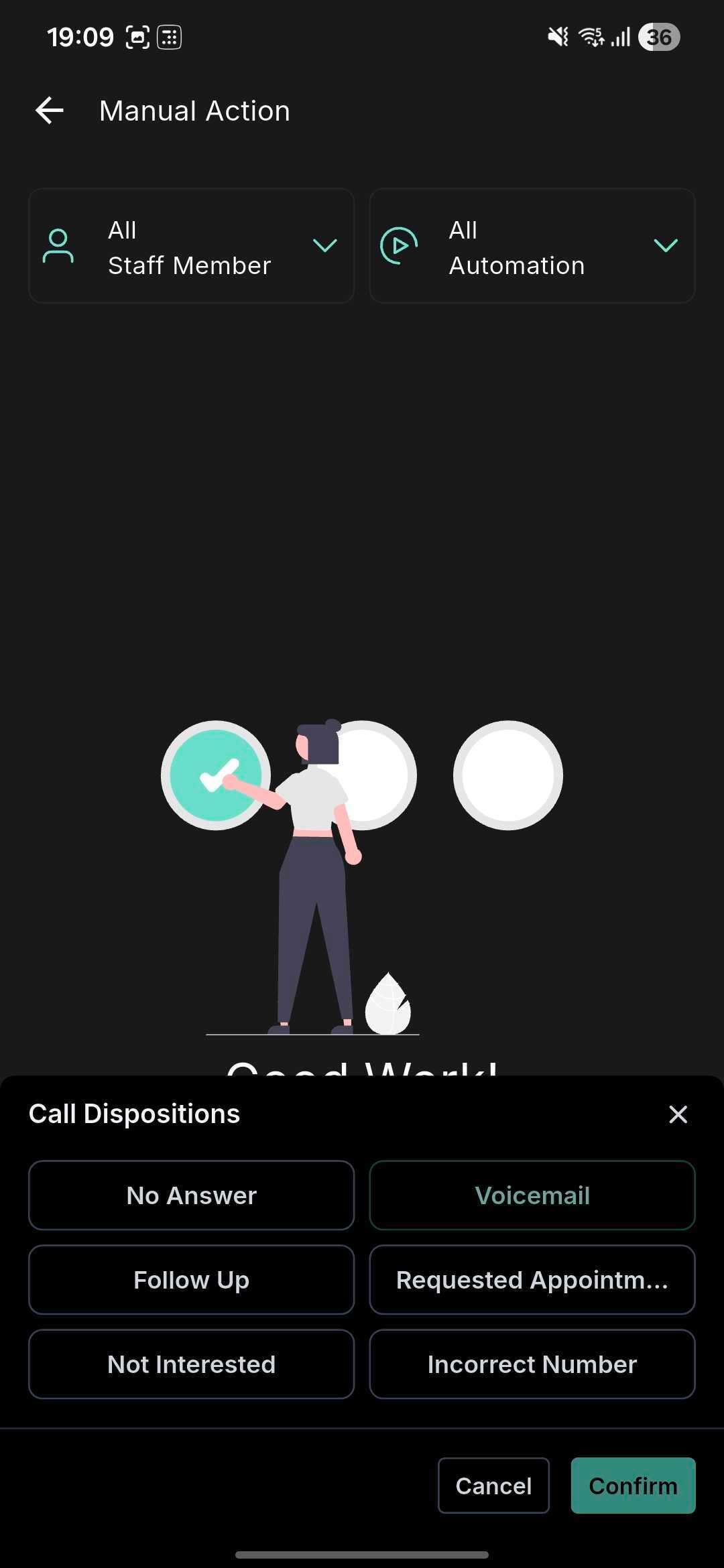
- On the call end screen (or in the post-call view), you will see a list of all your custom dispositions.
- Select one outcome (e.g., Follow Up, Qualified, etc.).
- If you encounter a notice regarding sub-account mismatch, tap “Switch” to change to the call’s sub-account, then select the disposition.
- To automate next steps, access Workflows (web) and add the Custom Disposition filter to your triggers or conditions.
- Use your reporting views to analyse outcomes (conversion, speed-to-follow-up, pipeline movement) across teams and timeframes.
📌 Mobile-Specific Notes
Account Matching Required: Dispositions will only appear when your selected sub-account matches the call’s location. As the app can receive calls across multiple sub-accounts, cross-sub-account dispositions are not supported. If necessary, tap “Switch” on the call end screen to move to the correct sub-account and then apply the disposition.