
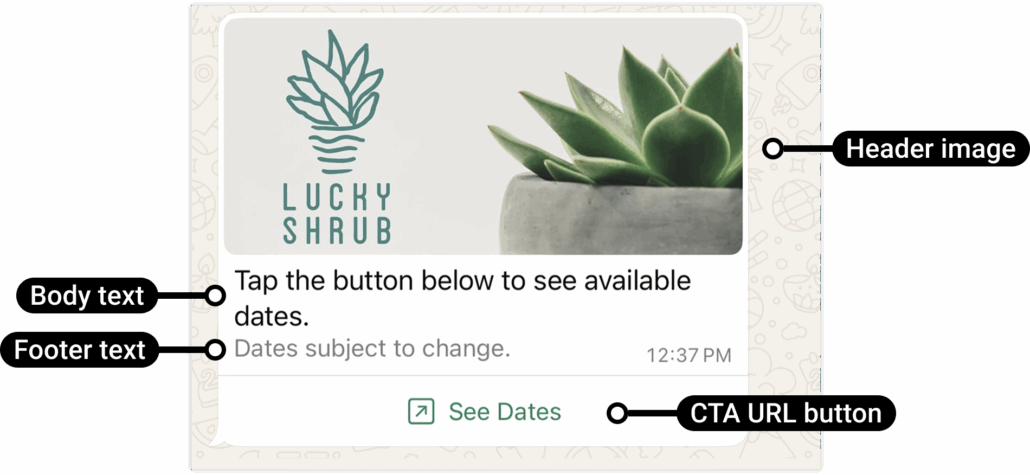
CTA Buttons under WhatsApp Interactive Message
We’re excited to announce the launch of **Interactive Call-to-Action (CTA) URL Button Messages** for WhatsApp within Automations!
This new interactive feature allows you to replace lengthy, cumbersome URLs in message bodies with clean, tappable buttons. Customers are significantly more likely to engage with a “Visit Website” button than with a plain URL, enhancing trust, click-through rates, and the overall customer experience.
The best part is that CTA URL Button Messages are completely free of charge when sent within the 24-hour Customer Service Window, and they can be easily personalised using CRM variables such as contact fields and custom values.
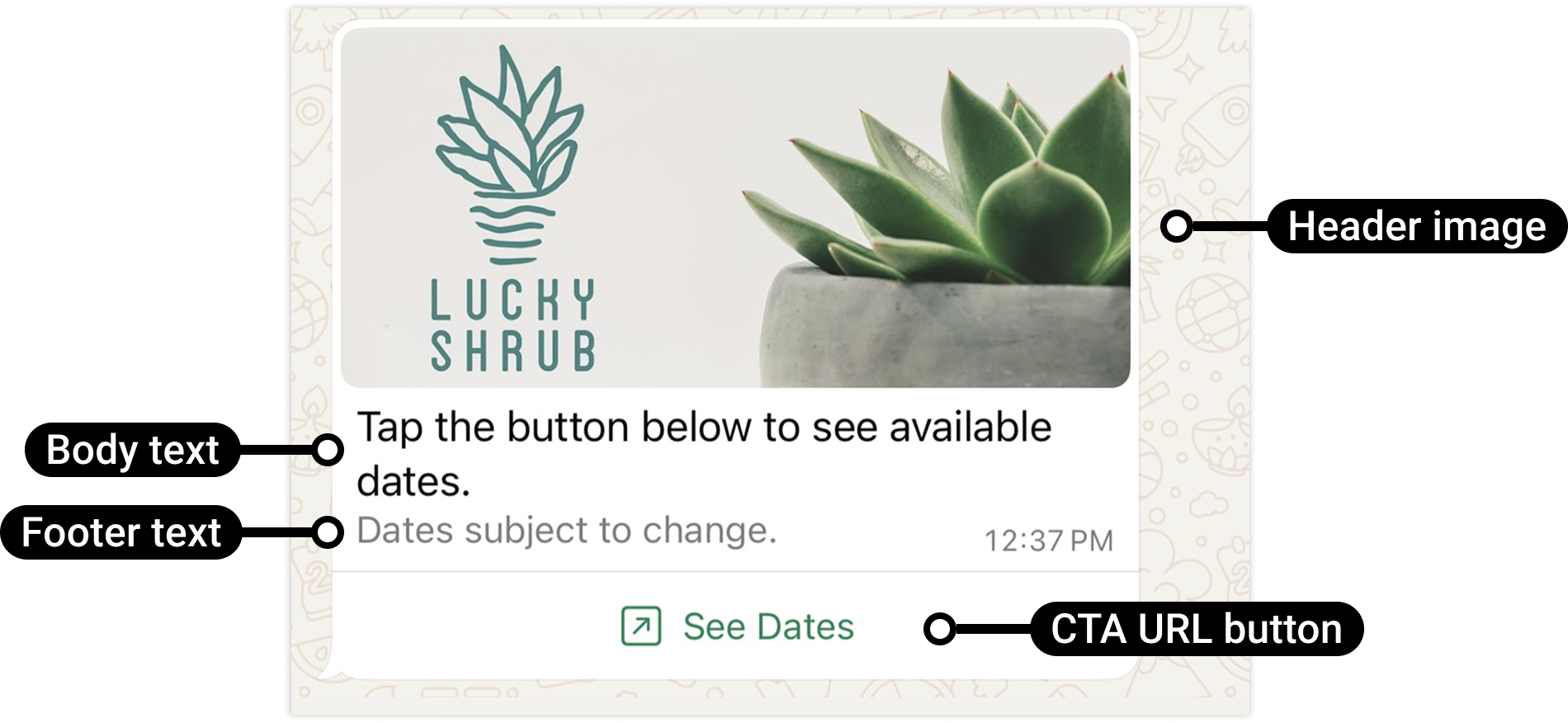
**Visit Website Button Messages:**
Send a button that clearly maps to a URL rather than exposing lengthy raw links.
**CRM Variable Support in URLs:**
Dynamically personalise links using CRM data. For example:
→ Agent’s calendar link
**Workflow Branching:**
Branch automation flows based on delivery and interaction:
- Link Opened
- Not Delivered
- Timeout
**Header Options:**
Add context with a Text, Image, Video, or Document header.
**Flexible Timeout:**
Configure the duration for which the button remains active (5 minutes – 2 days).
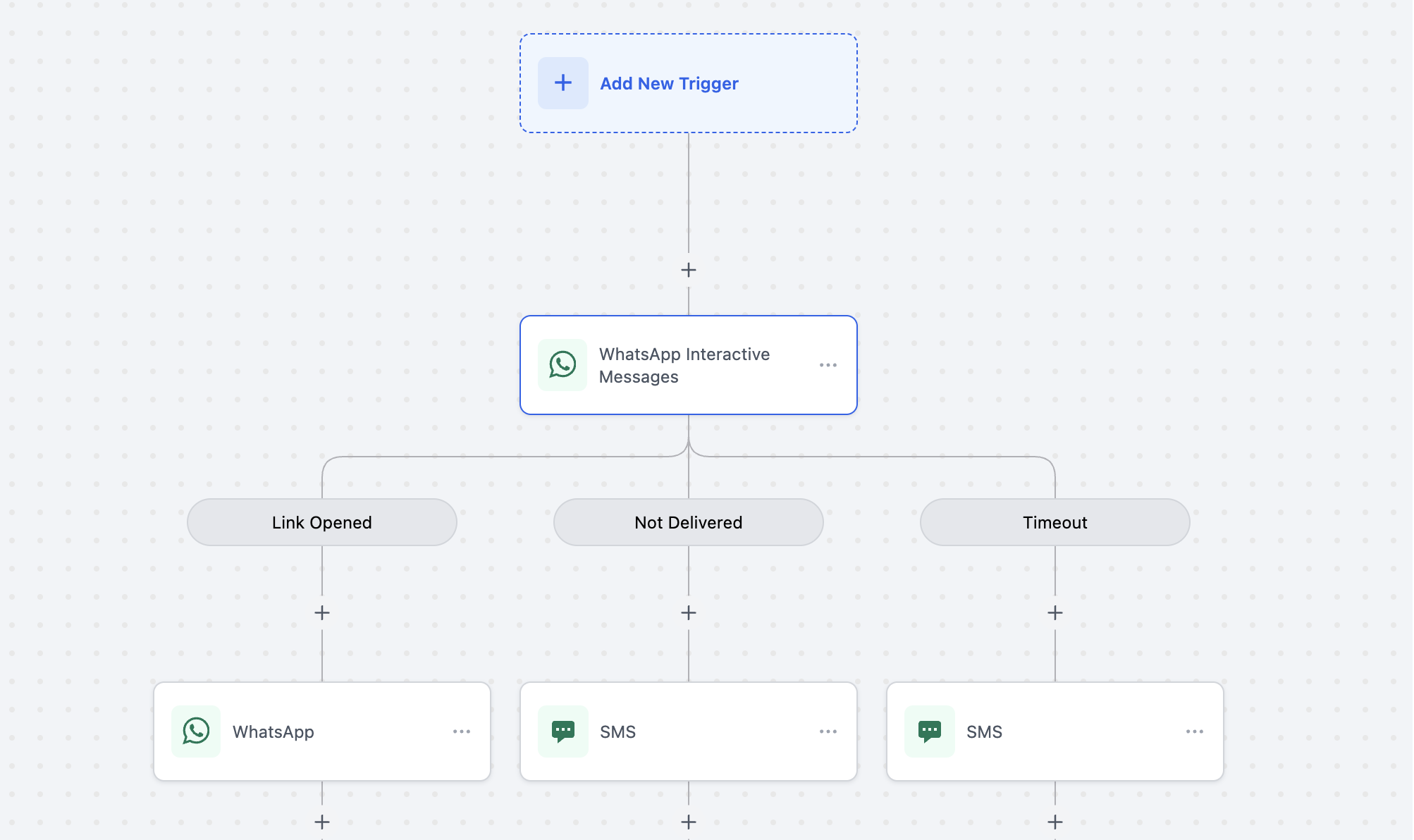
Link Opened → trigger a WhatsApp or multi-channel follow-up.
Not Delivered → automatically retry via SMS or another channel.
Timeout → define a fallback path if no action is received within your chosen window.
**Workflow Builder Enhancements**
Clear, drag-and-drop condition nodes—Link Opened, Not Delivered, Timeout—make pathways easy to visualise and maintain.
**Trackable Engagement** – See exactly which CTA a contact interacts with.
**Smarter Automations** – Route leads to the appropriate journey based on actual user intent.
**Fewer Drop-offs** – Built-in Not Delivered and Timeout fallbacks ensure flows continue smoothly.
**Multi-Channel Resilience** – Seamlessly transition to SMS or other channels when necessary.
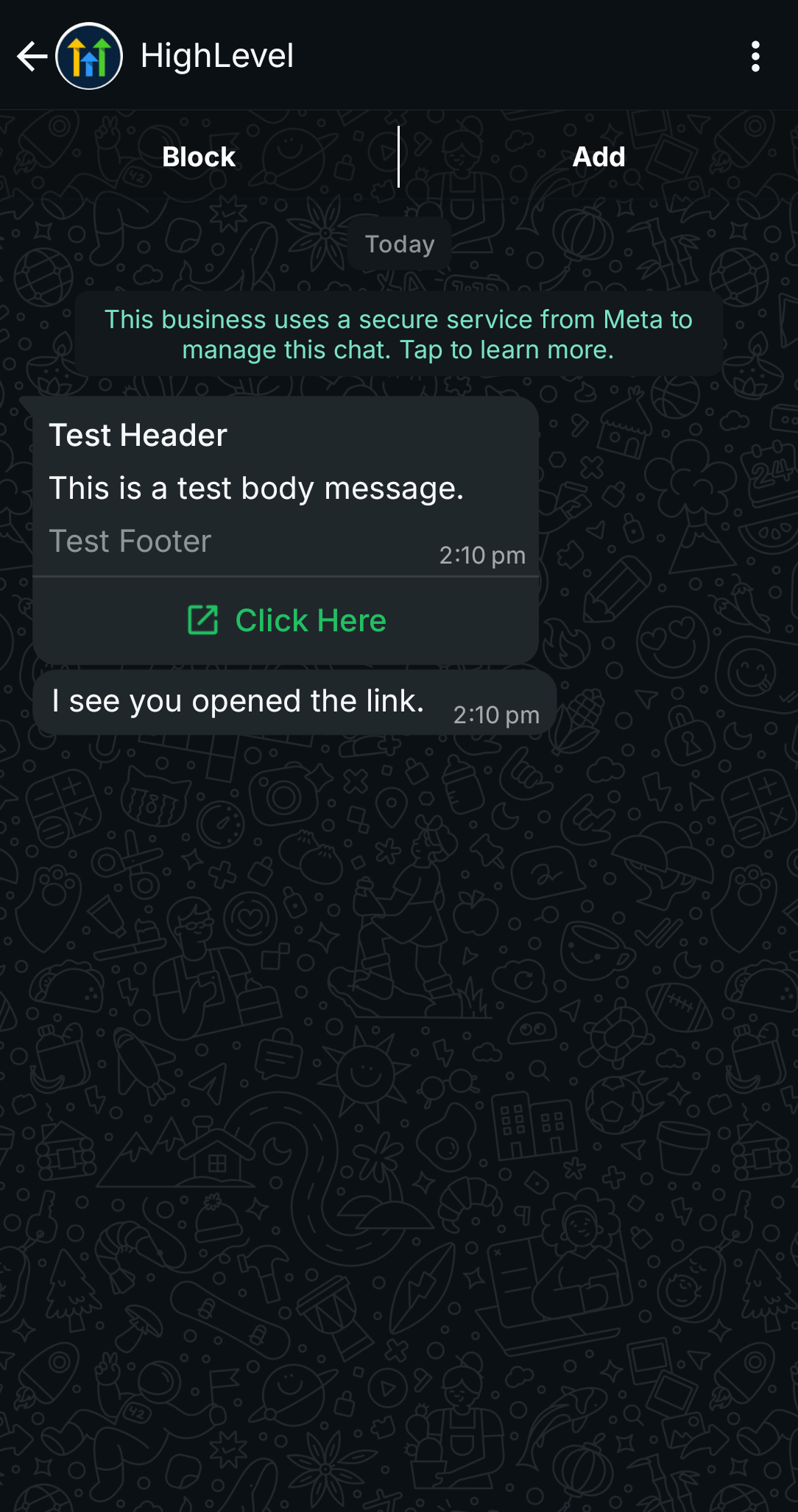
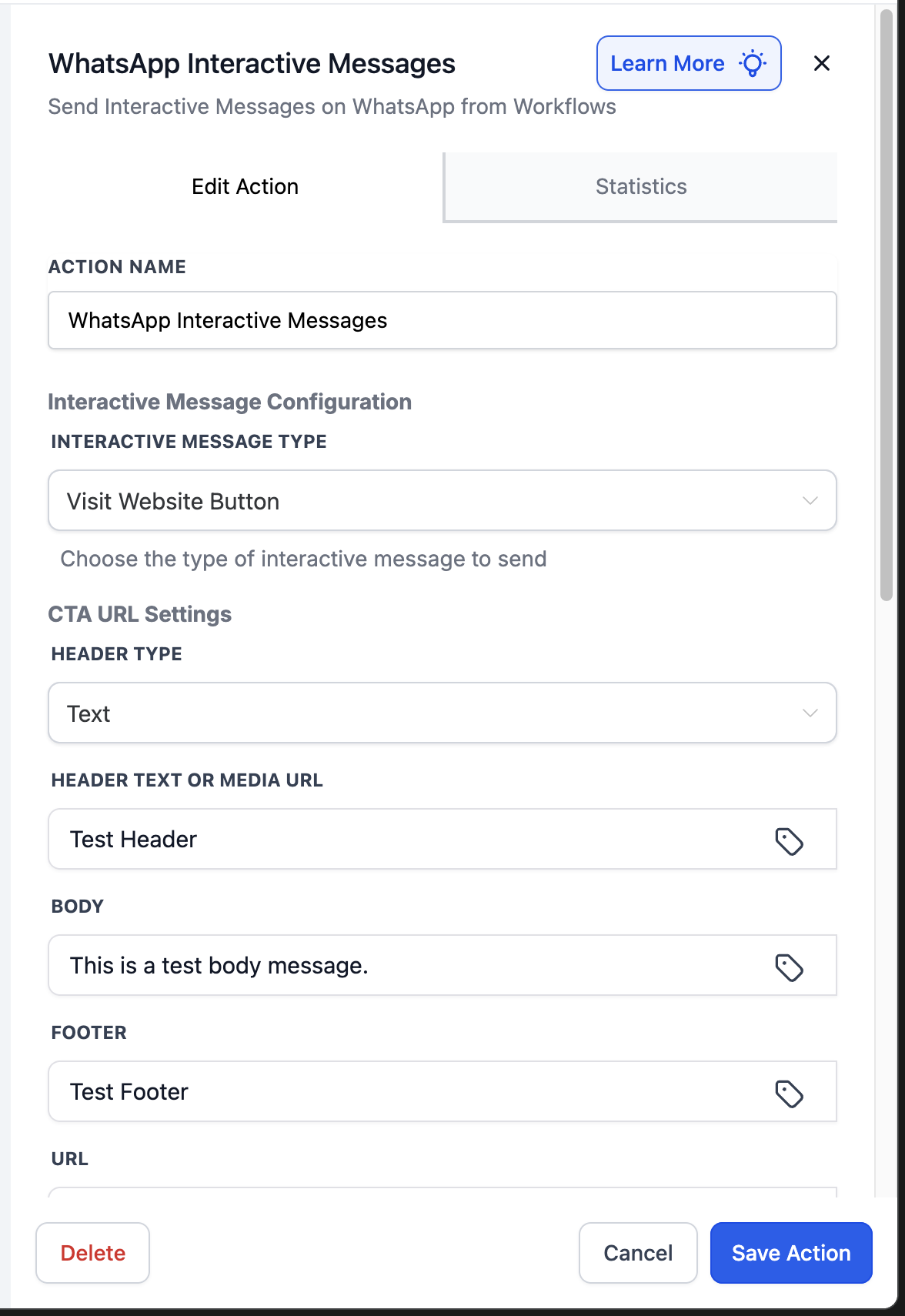
In Automations, add the action WhatsApp Interactive Messages.
Select **INTERACTIVE MESSAGE TYPE = Visit Website Button**.
Complete the required fields:
**HEADER TYPE** – Choose Text, Image, Video, or Document.
**HEADER TEXT OR MEDIA URL** – Provide the header text or media link.
**BODY** – Enter the main message content.
**FOOTER** – Optional supporting text.
**URL** – Enter the destination URL (supports CRM variables).
**BUTTON TEXT** – Set the button’s label (e.g., Visit Website).
**TIMEOUT UNIT & VALUE** – Choose between 5 minutes and 2 days.
Save and test with a sample contact to ensure personalisation works and the button leads to the correct URL.
🔑 **Prerequisite: Customer Service Window**
Interactive CTA URL Button Messages can only be sent if the 24-hour Customer Service Window is open.
This window opens when a customer sends a WhatsApp message to your business.
During this window:
You can send unlimited CTA URL Button Messages at no cost.
All customer interactions (tapping the button) are free.
If the window is closed, you must send a Marketing or Utility Template to reopen the session.
**Completely Free of Cost** – All CTA URL Button Messages are without charge within the 24-hour Customer Service Window.
No additional fees for personalisation, CRM variables, or customer interactions.
Unlimited use across all active WhatsApp business phone numbers.
**Cleaner UI:** Replace lengthy, untrusted raw URLs with branded buttons.
**Personalised Links:** Use CRM fields (e.g., name, calendar links, order IDs) for dynamic URLs.
**Unlimited Free Usage:** Send as many CTA URL buttons as necessary within the 24-hour window.
**Automation Control:** Branch workflows based on Link Opened, Timeout, or Not Delivered.
**Improved Engagement:** Buttons promote higher click-through rates than text-based links.
Only one CTA button per message is supported.
Cannot be combined with other interactive types (Lists, Quick Reply Buttons, etc.) within the same message.
Timeout range must be between 5 minutes and 2 days.
