
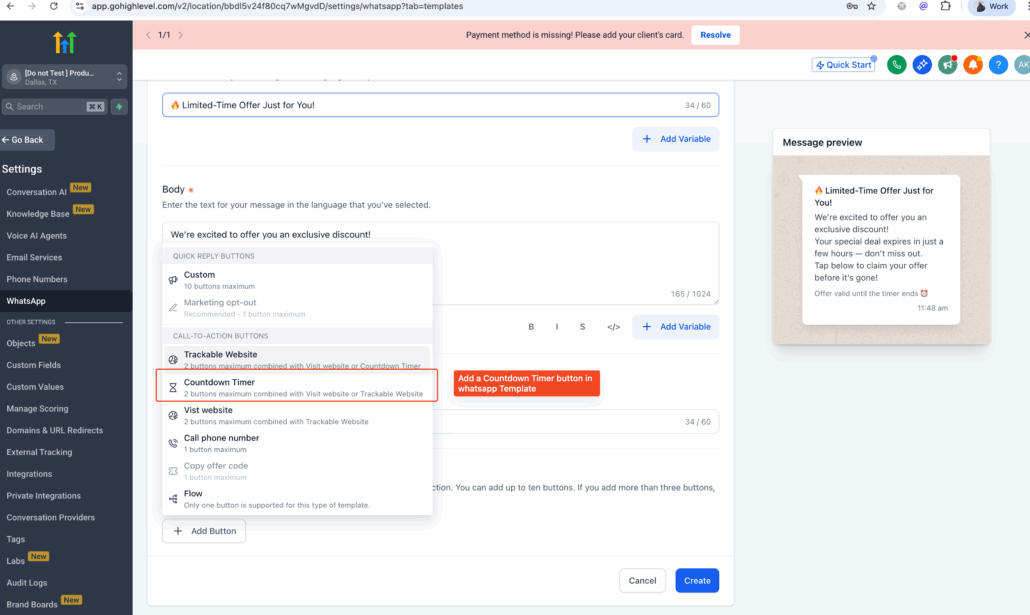
Countdown Timers in WhatsApp Messages 🚀
You can now run limited-time offers in WhatsApp messages using Countdown Timers.
Key Features:
- Add a button in your WhatsApp template and link it to a fixed, recurring, or dynamic timer.
- Create a new timer instantly.
- When recipients click the button, they will be directed to an active or expired page depending on the timer’s status.
Creating Urgency:
- Run fixed-time offers in these campaigns to create a sense of urgency.
- Deliver personalised offers using dynamic timers for each contact.
Getting Started:
- Enable the feature from the
Labs settings
.
- Create a WhatsApp template.
- Add any header of your choice.
- In the button section, select the Countdown Timer type.
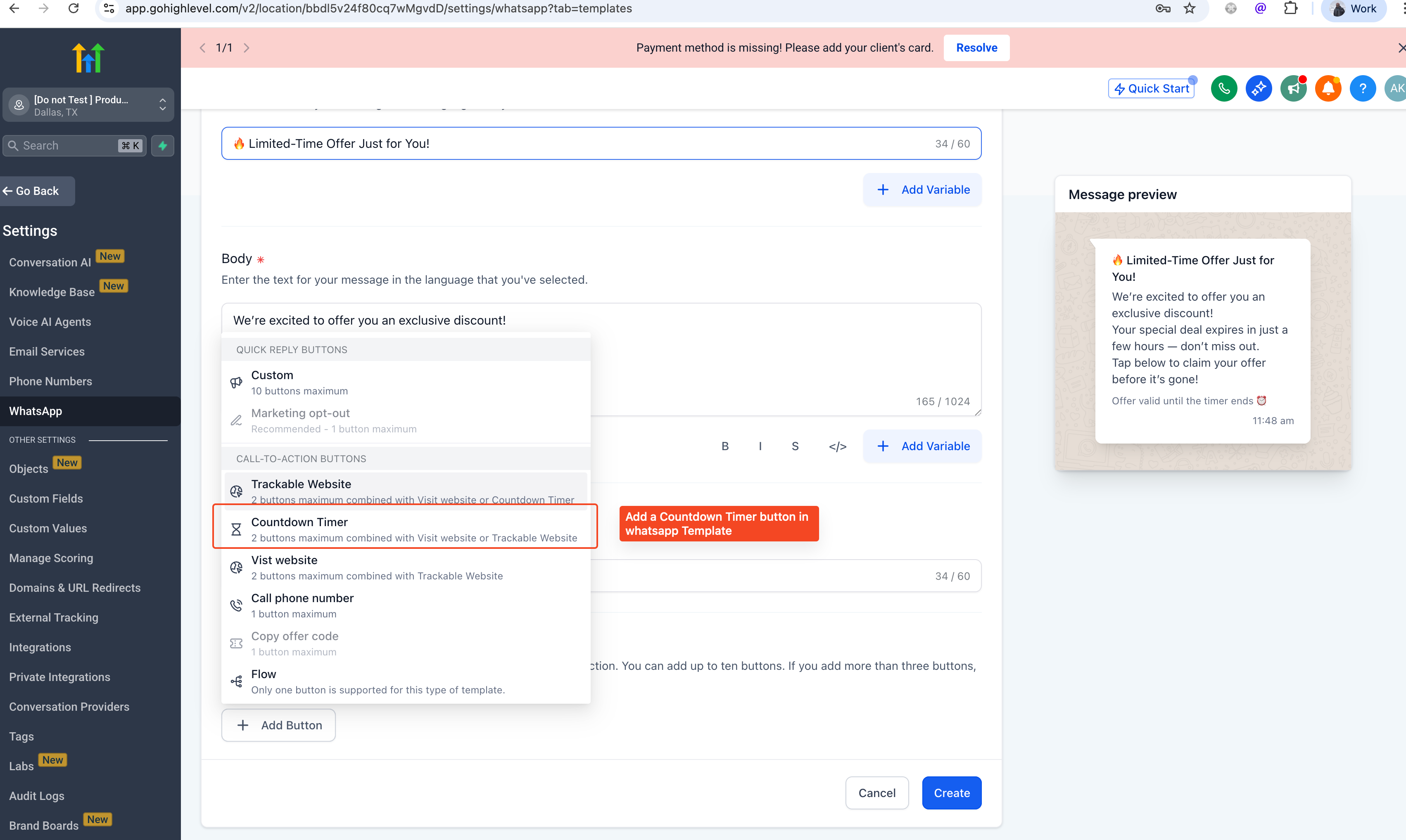
Creating Your Timer:
- Create your timer and select its type (fixed, recurring, or dynamic).
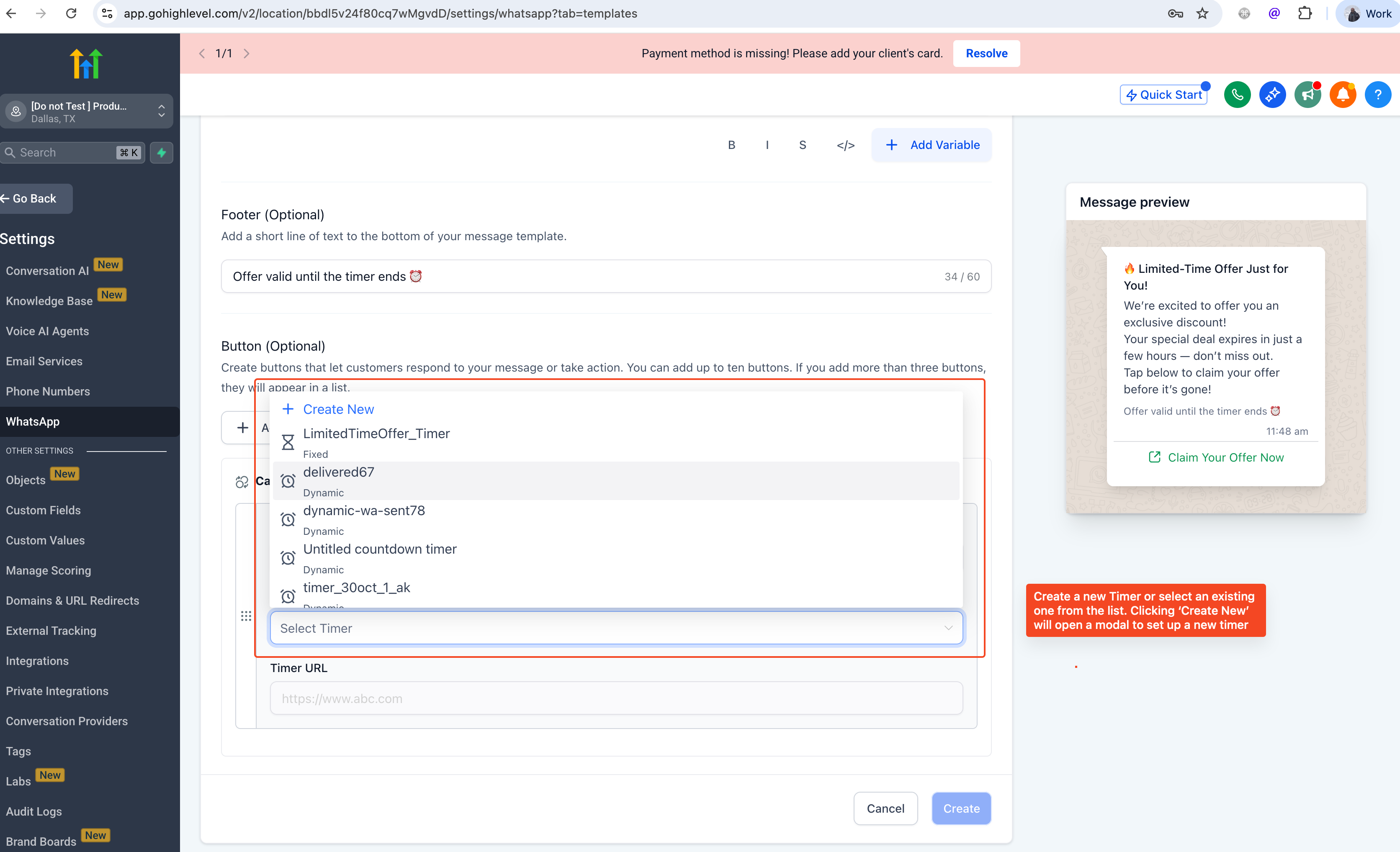
Editing Your Timer:
- Click on Edit Timer to modify the timer as needed.
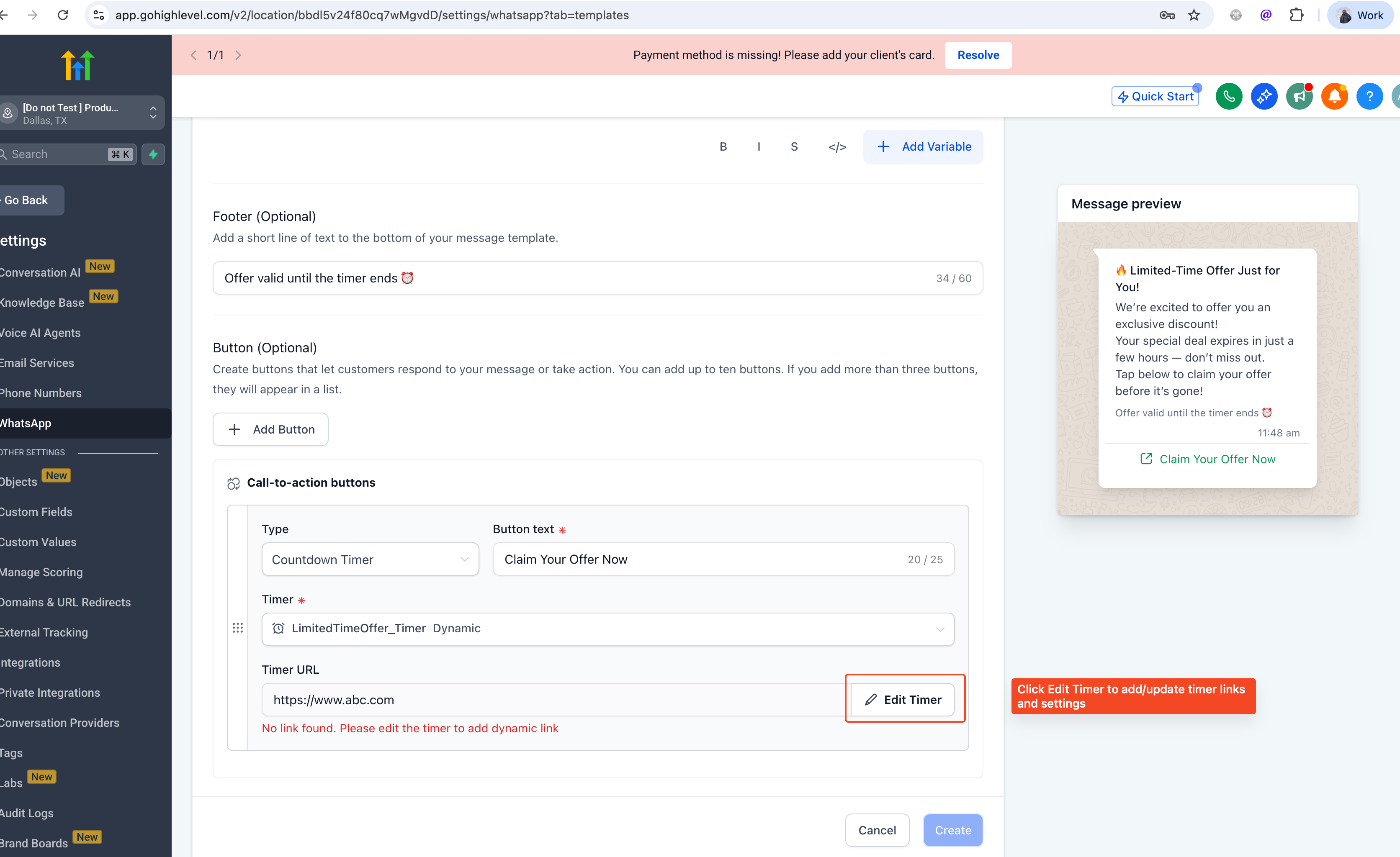
For dynamic timers created through WhatsApp, the trigger will default to ‘WhatsApp Sent’, but this can be changed to other options such as ‘WhatsApp Delivered’.