
Conversations: Introducing Group Chat for SMS 💫 🤩
We’re thrilled to introduce the Group Chat feature, which expands your conversation capabilities within the CRM.🚀 This powerful addition allows you to engage multiple contacts in a single group SMS conversation, enhancing collaboration and ensuring that everyone stays informed and connected. Whether you’re coordinating real estate deals, sharing updates, or making group decisions, Group Chat will streamline your messaging efforts and boost your efficiency. ✅
You can now initiate group SMS conversations from the CRM using LeadConnector phone numbers. The phone number should be of US/Canada to be supported for group chat. This functions exactly like group SMS on your mobile phones. All the participants added to the group will be able to receive and send messages in the group. You can add up to 10 participants in the group, including yourself. 🤩
To Create a Group Chat:
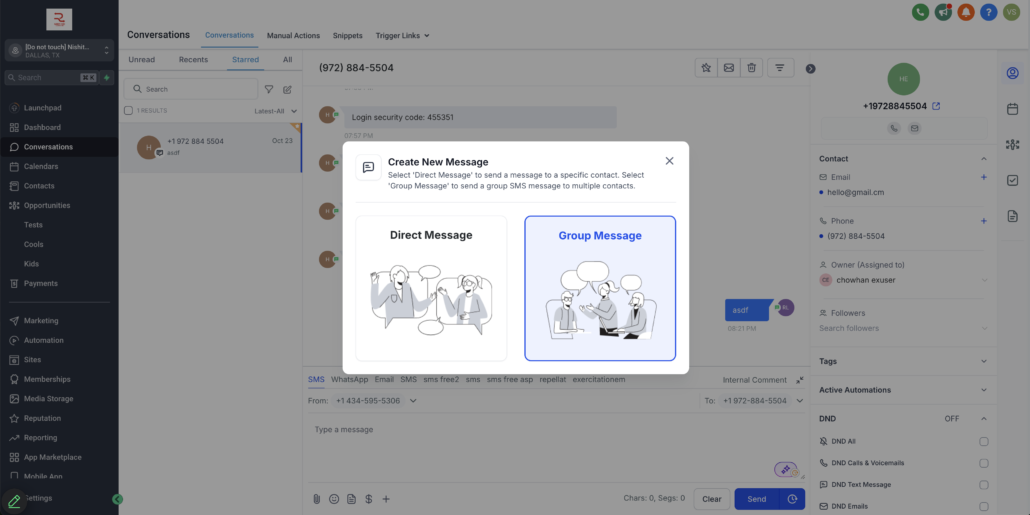
- To create a group chat, navigate to the Conversations section, click on Create a new message, and select Group Message.
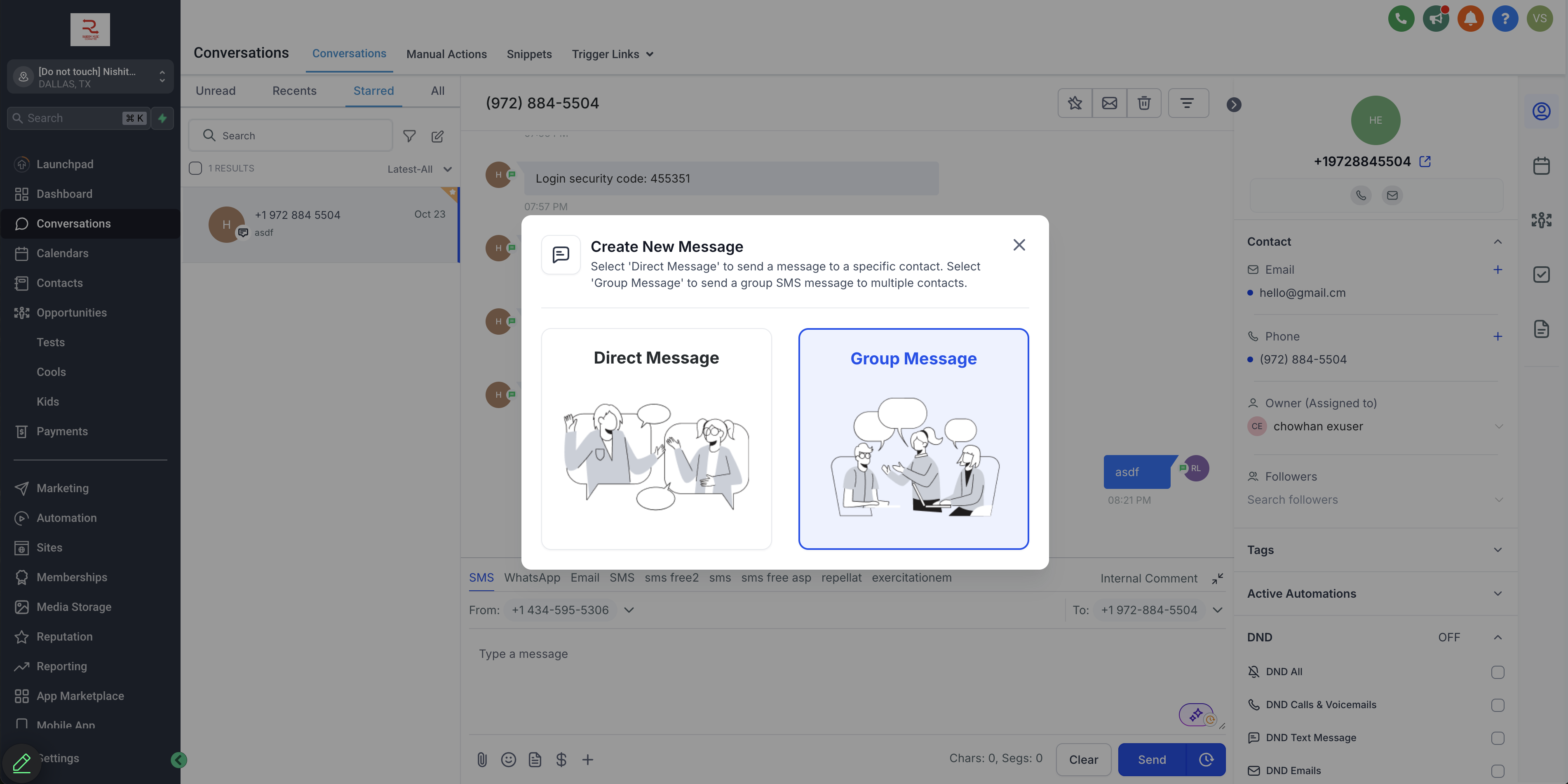
- Choose the phone number you want to use for the group chat and select your participants; you can add both primary and secondary numbers of contacts.
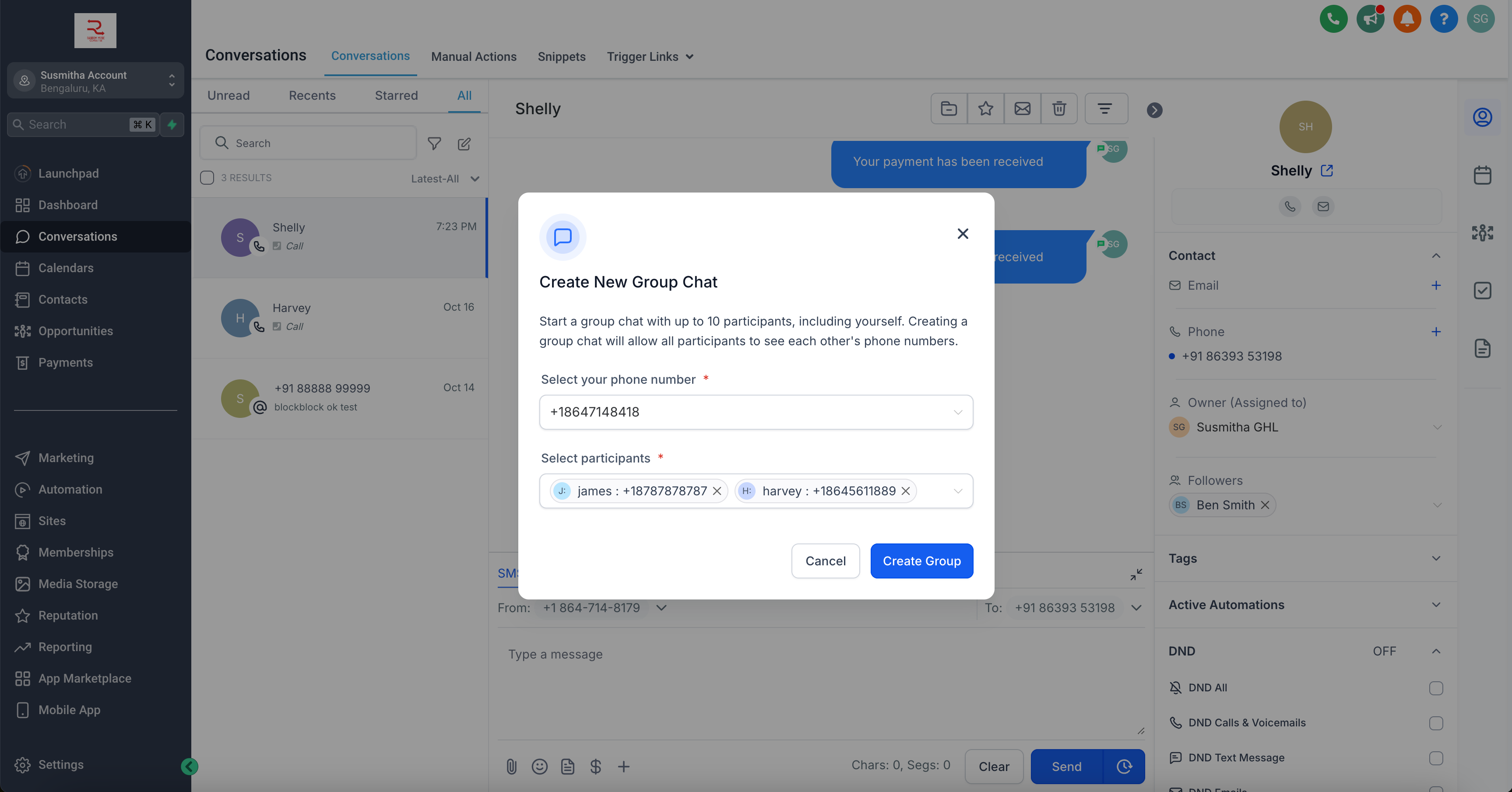
- Click on Create Group and send your message. The message will be sent to all contacts added in the group. Once any contact replies in the group, their message will be sent to everyone, keeping all participants updated.
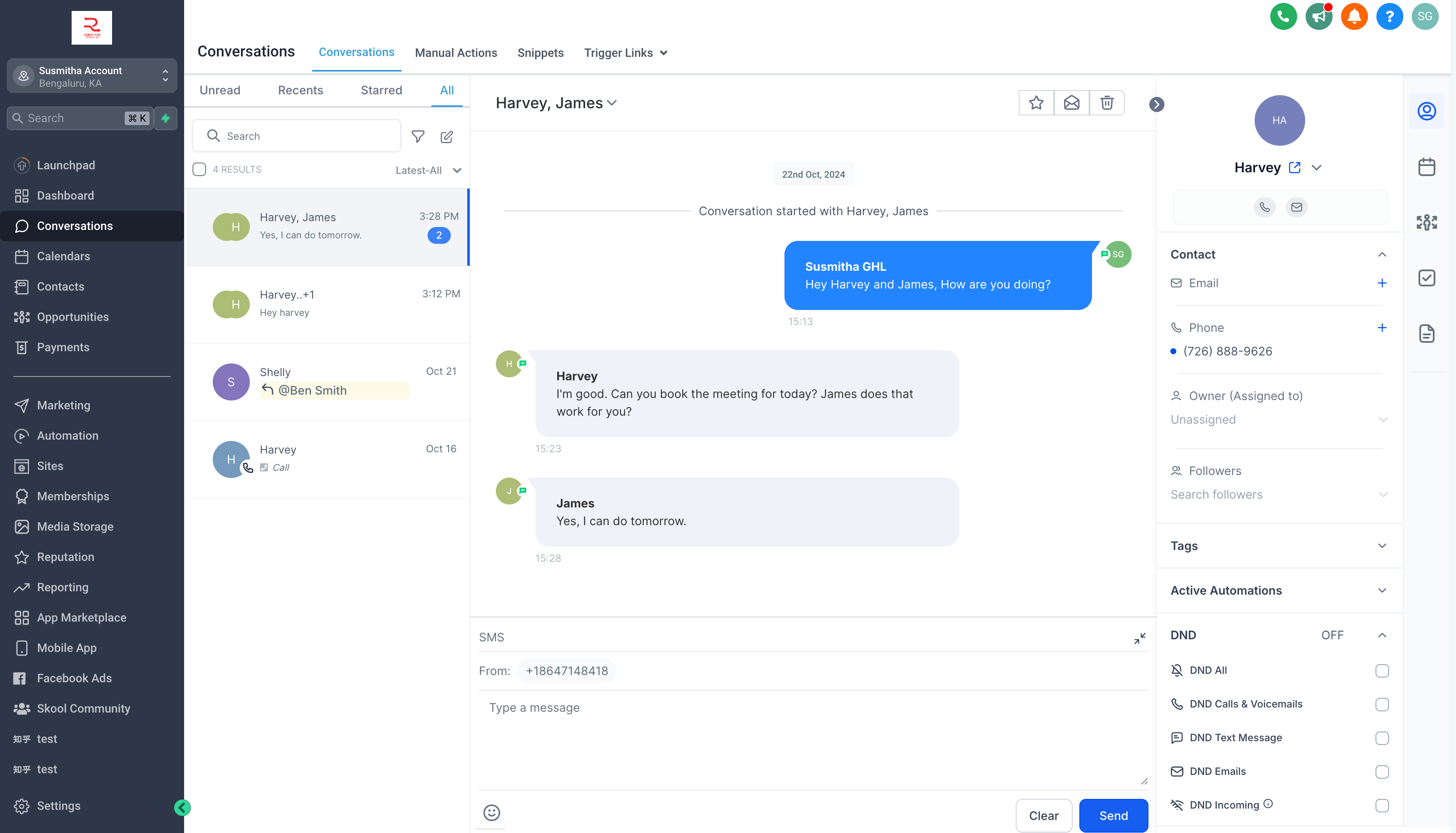
- You can view all the contacts added to the group chat from the top bar and the right panel by clicking on the chevron icon beside the contact names. Clicking on any contact’s name or number will open their contact details in the right panel.
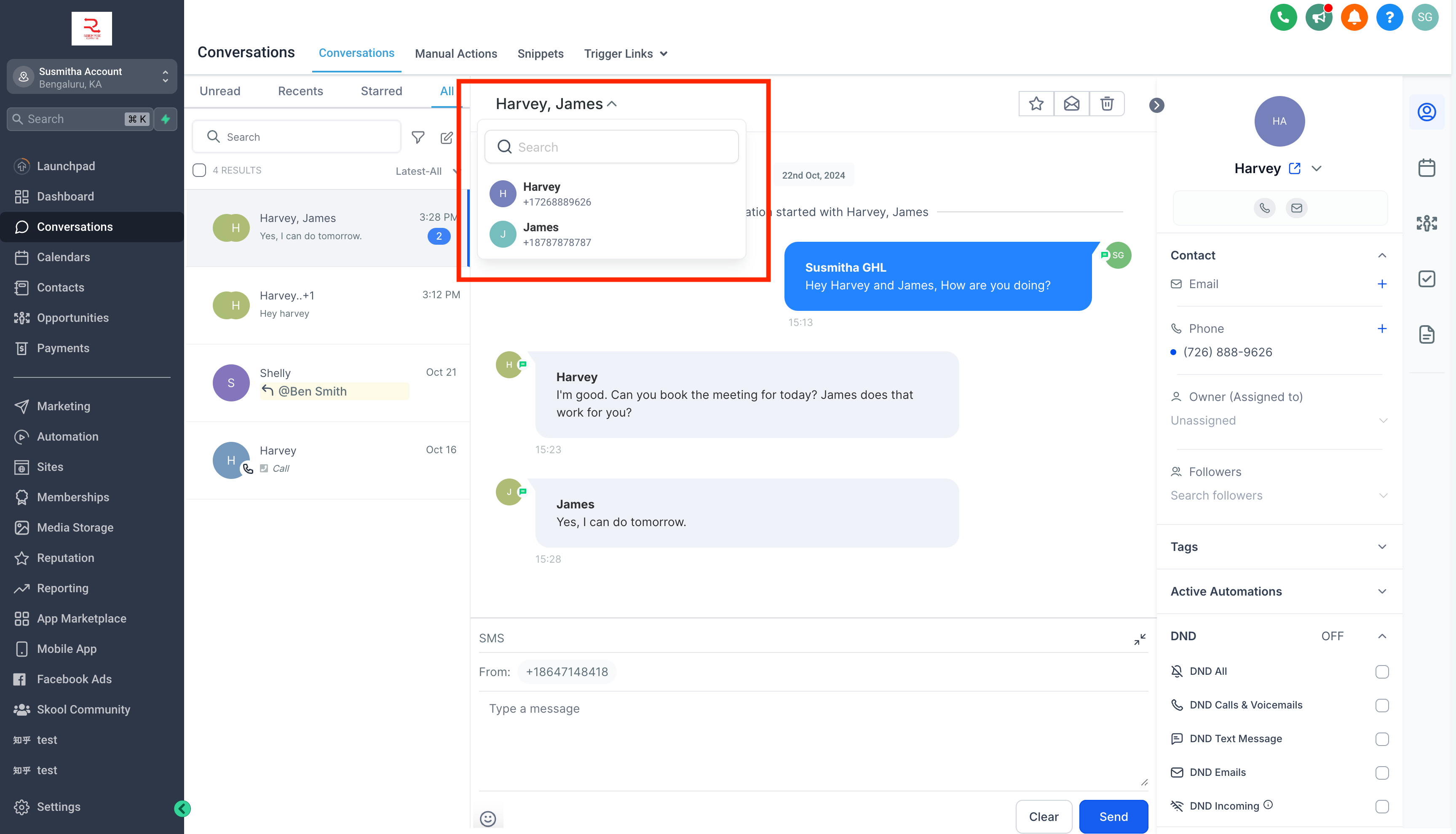
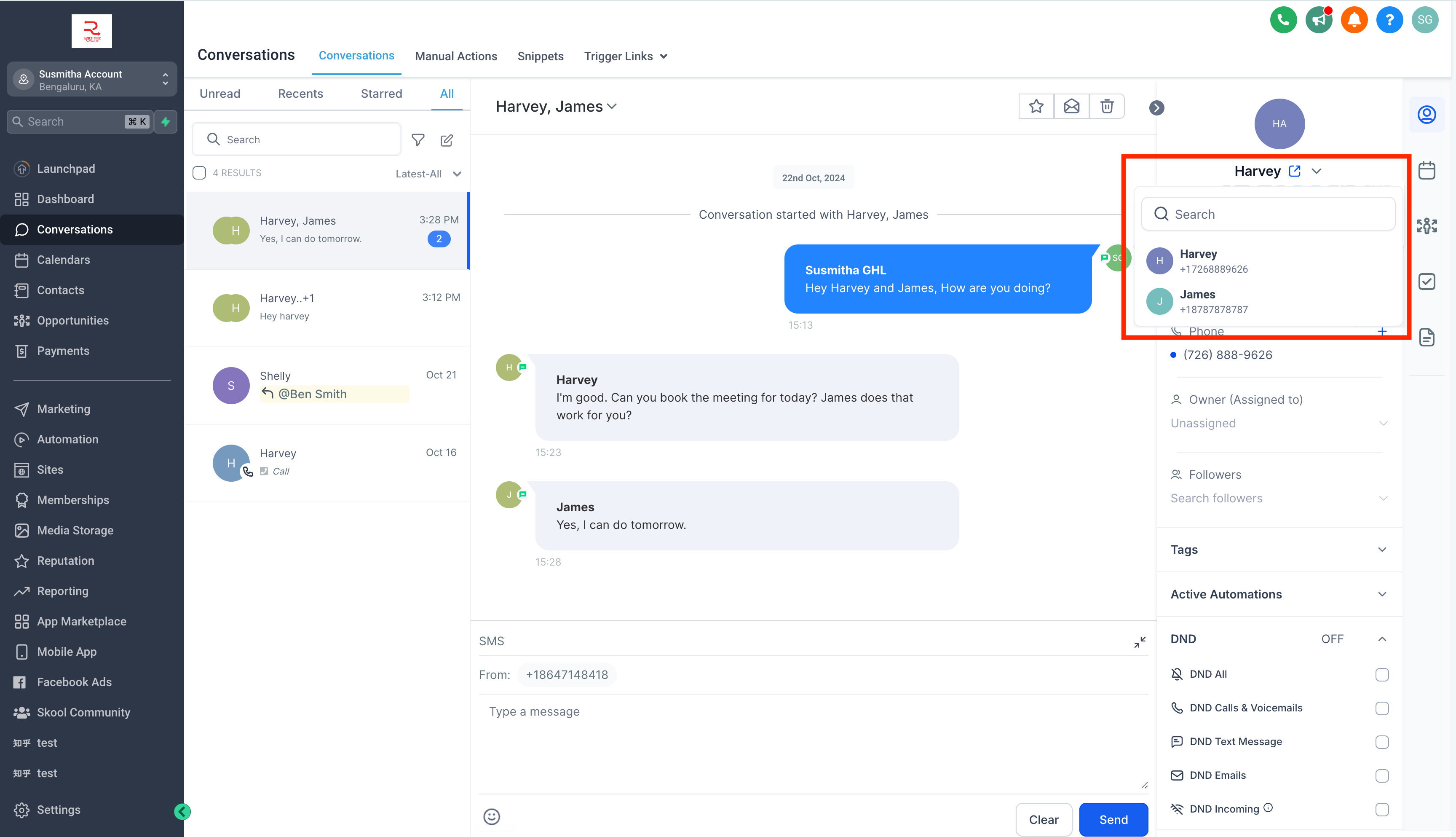
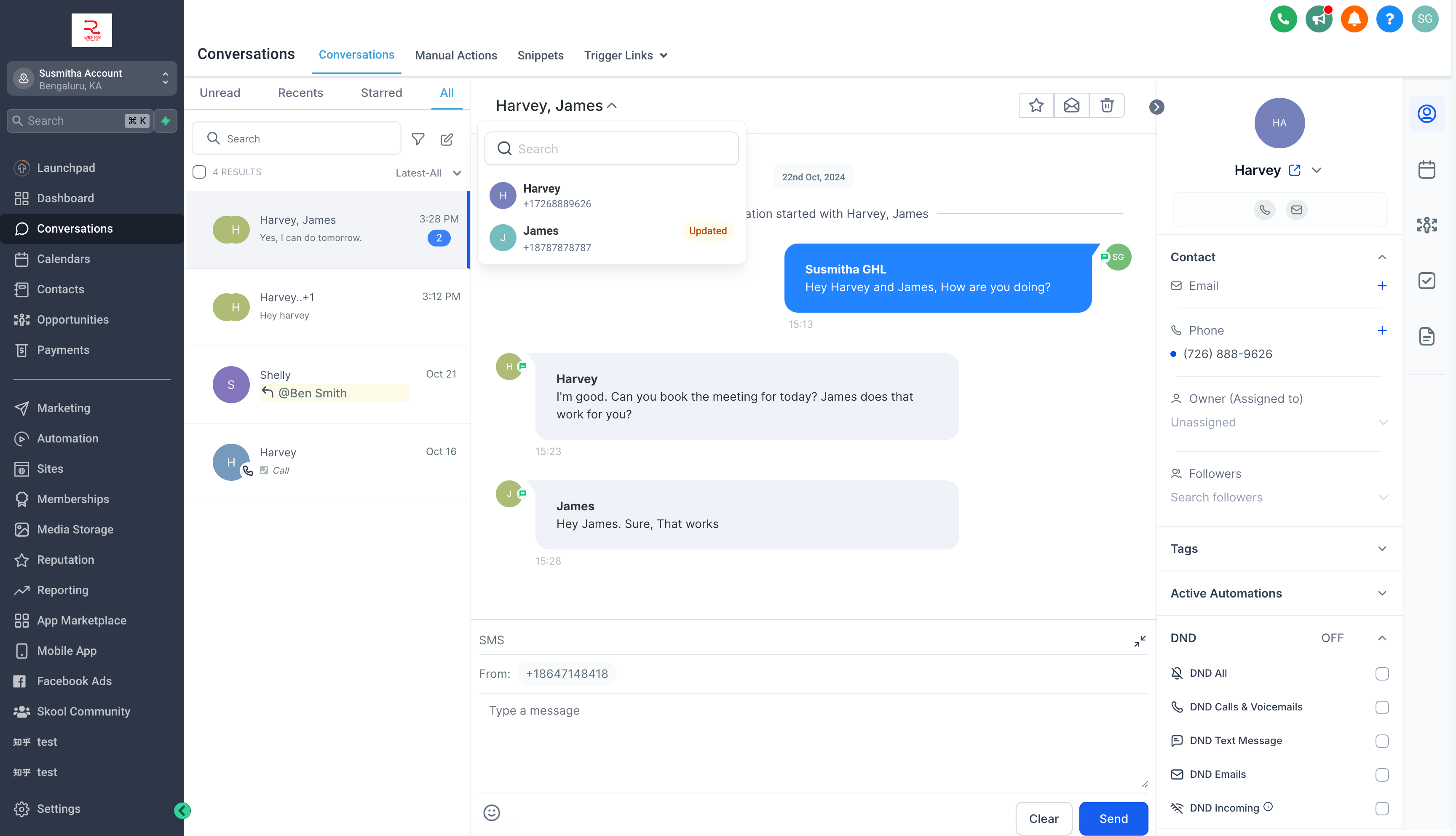
- Once a group is created, messages will still be sent to the initial numbers added, even if a contact is deleted or their number is changed; “Updated” and “Deleted” tags will appear beside those contacts’ names.
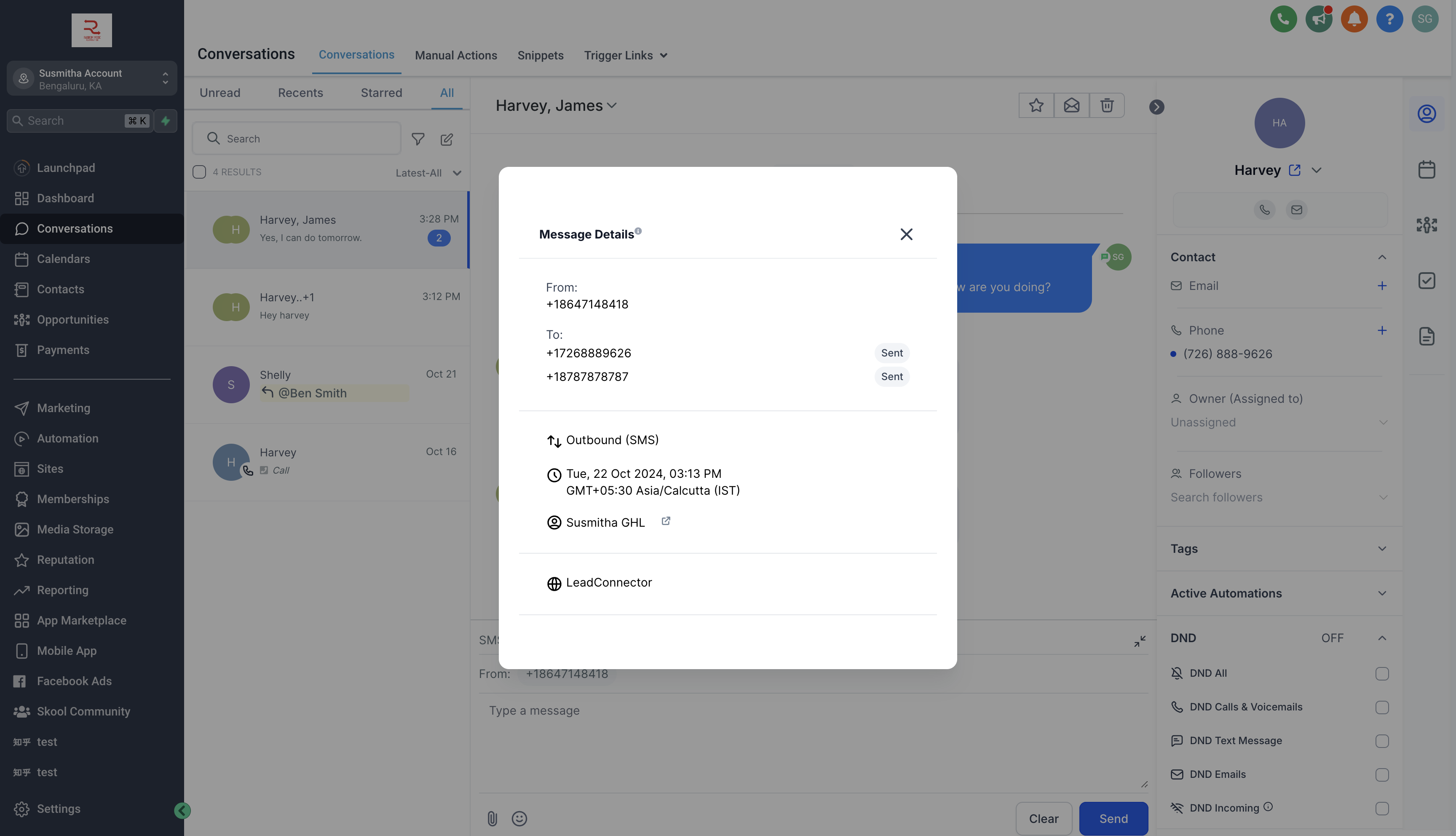
- For each message, you can view the status for each contact, indicating whether the message has been sent, delivered, or failed.
- Users with only assigned data access can create and view the group chats that include only the contacts assigned to them.
- A user can send messages in a group only if they have access to the phone number used to create the group chat.
- Admins have access to all numbers added in the location, while users have access to the default number, number assigned to the user, and all unassigned numbers.
- Enhanced Collaboration: Group Chat allows you to bring multiple stakeholders together, making communication more efficient and effective. This is particularly useful in scenarios like real estate transactions, where multiple parties need to stay updated.
- Streamlined Messaging: By enabling group conversations, you can reduce the back-and-forth of individual messages, saving time and keeping discussions organized in one place.
- Real-Time Engagement: All participants can send and receive messages simultaneously, ensuring that everyone stays informed and can contribute to the conversation in real time.
Benefits of Group Chat:
Note
– You can enable Group Chat from Labs.