• Shopping Cart Shopping Cart
    0Shopping Cart
Clixio
  • Features
  • Pricing
  • FAQ
  • Blog
  • Log in
  • Free Trial
  • Menu Menu

Conversation AI – Transfer Bot Action

May 20, 2025/in What's New? Automations, Conversation AI, Conversations

🆕 What’s New?

We’ve introduced the Transfer Bot Action—a powerful new feature that allows conversations to be seamlessly transferred from one AI bot to another based on specific user intents or trigger conditions.

This enhancement helps to reduce complex workflows, improves user experience, and enables modular bot setups for businesses offering multiple services.

⚙️ How It Works

**Navigate to Bot Goals**

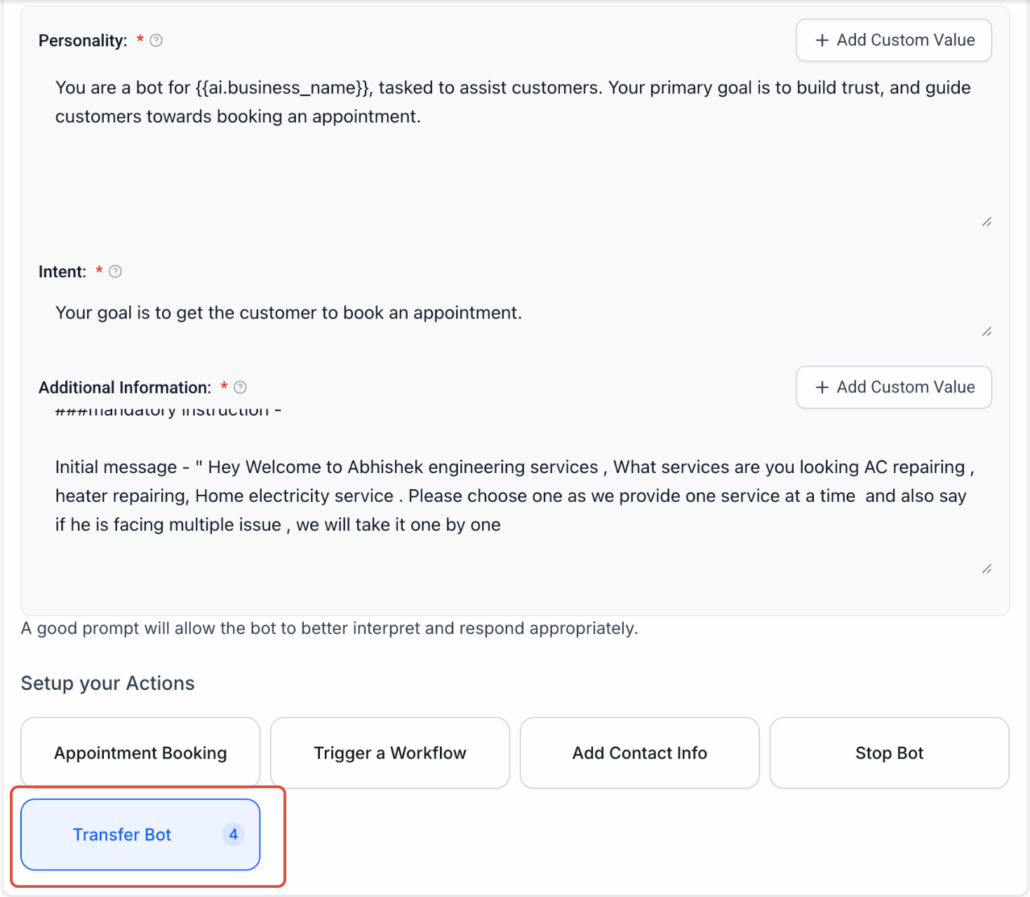
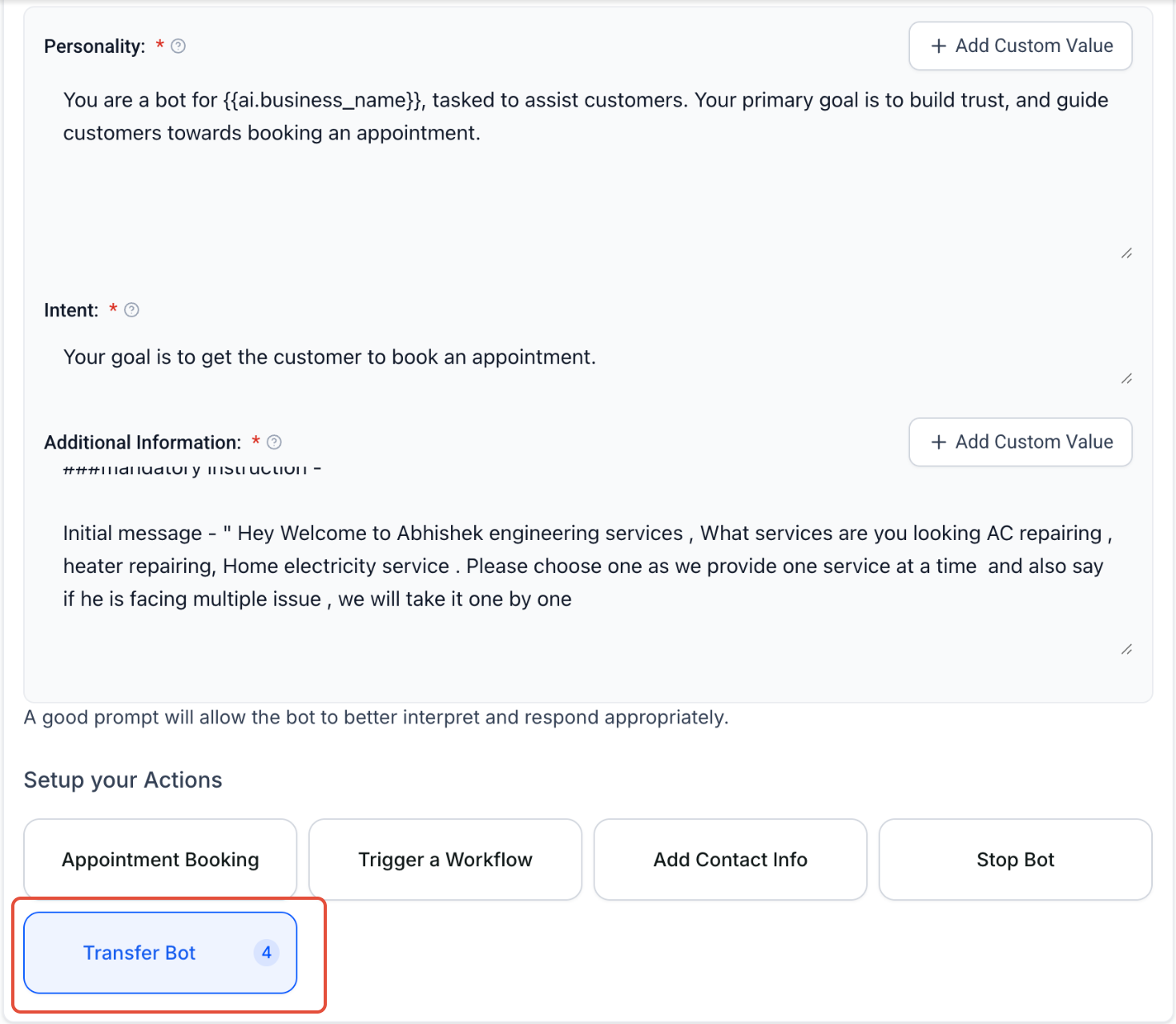
  • Access the bot you wish to configure and go to the Bot Goals tab.

**Select “Transfer Bot” Action**

  • Add a new scenario and select the Transfer Bot action from the options.

**Configure the Scenario**

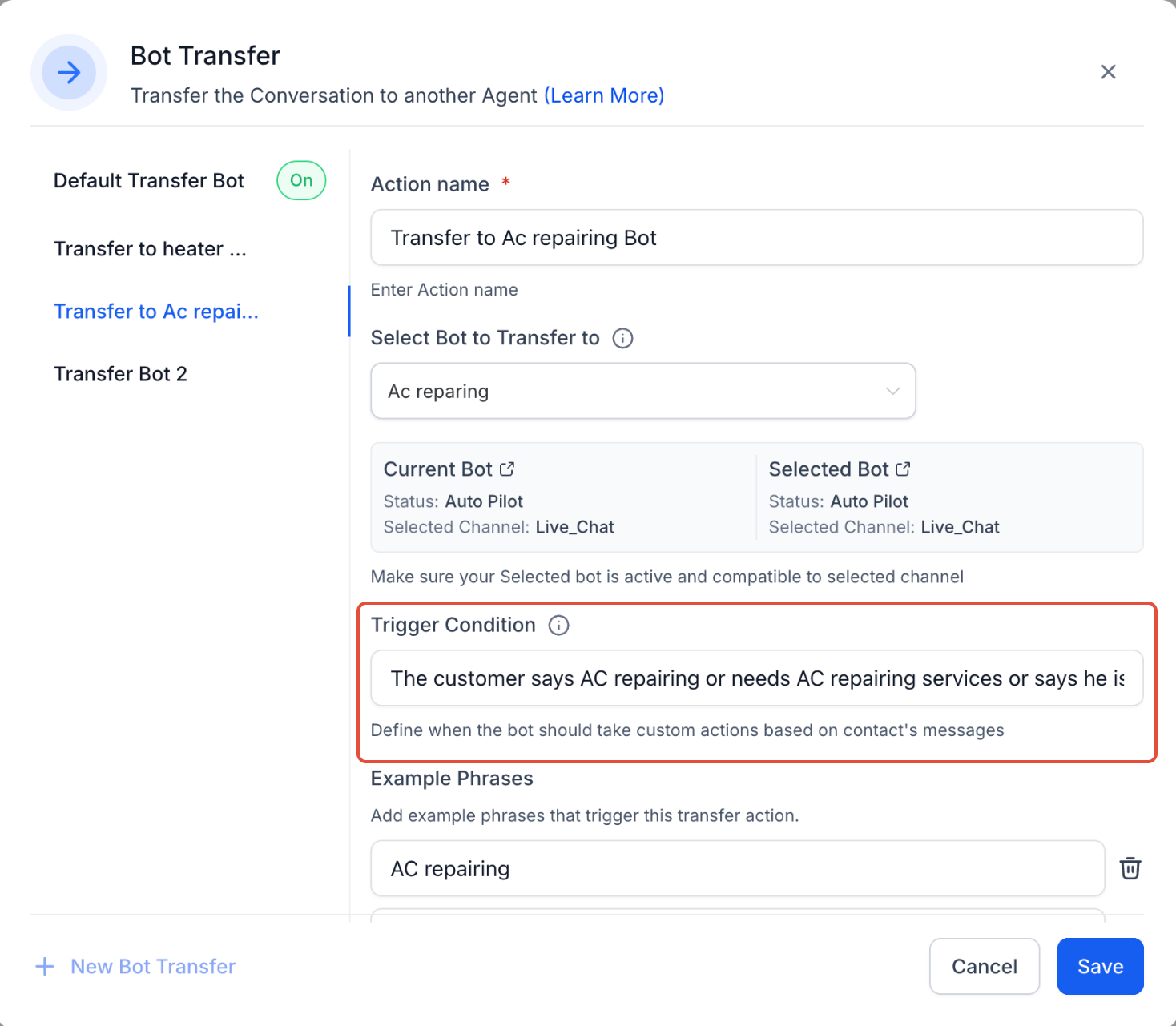
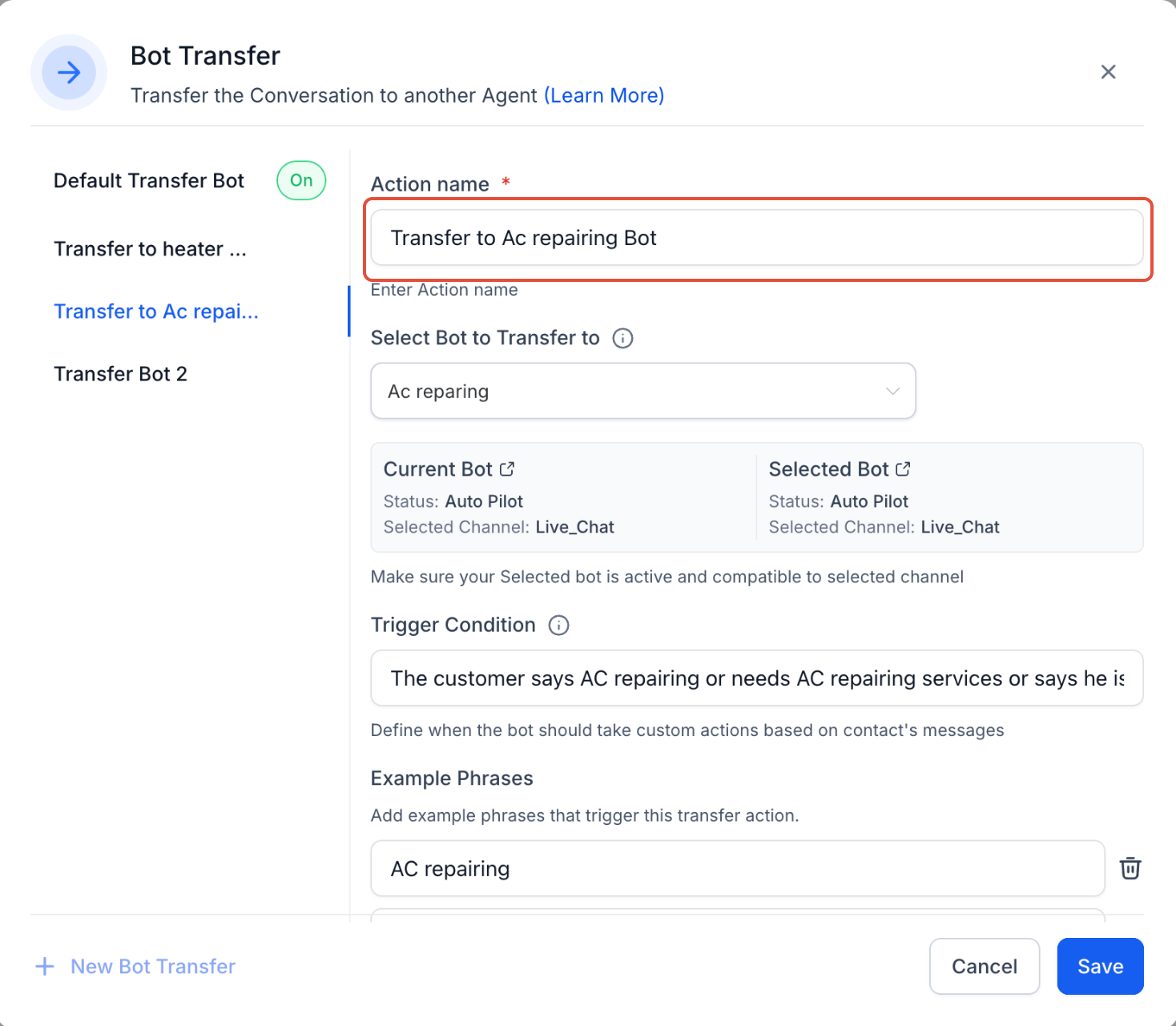
  • **Action Name**: Assign a clear label (e.g., Transfer to Dental Bot).
  • **Trigger Condition**: Define the situation that should cause a transfer (e.g., user mentions AC repair).
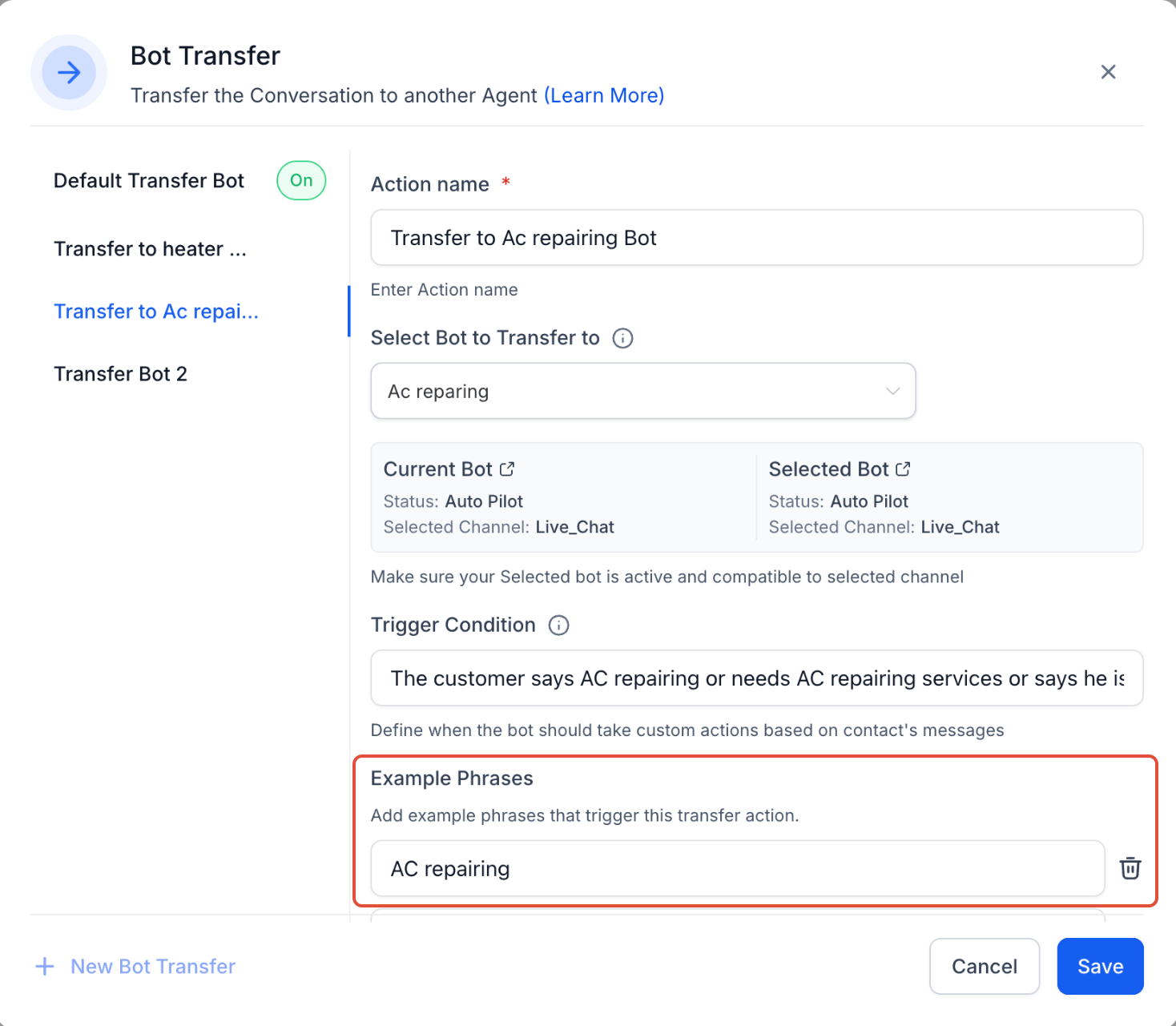
  • **Example Phrases**: Add real phrases users might say (e.g., “My AC is not working”).

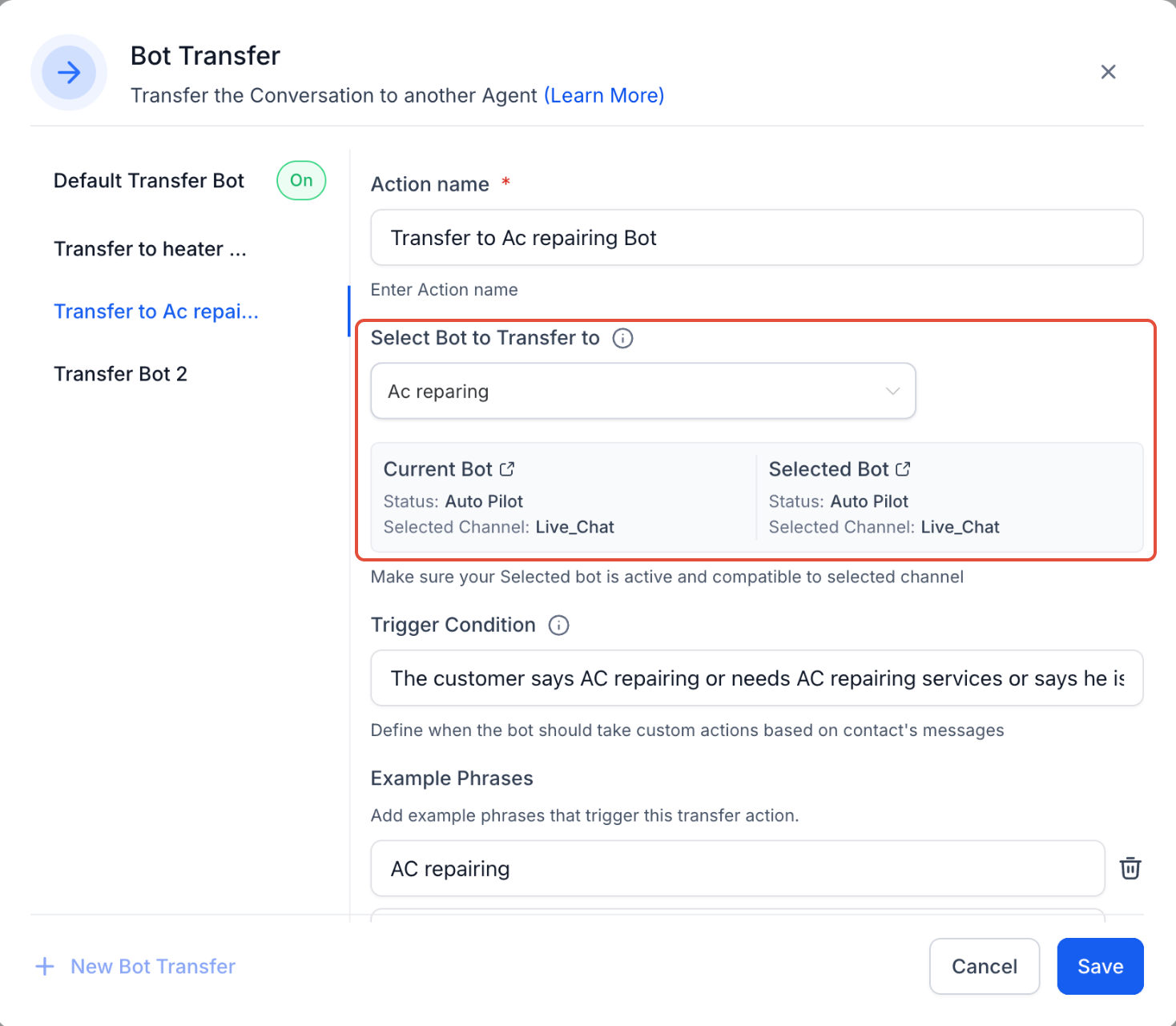
**Destination Bot**:

Choose the appropriate bot to hand off the conversation to.

  • Ensure Channel & Mode Compatibility.
  • The source and destination bots must be active on the same channels (e.g., both on live chat).
  • Both bots must be in Auto Pilot mode.

⚠️ Important Notes

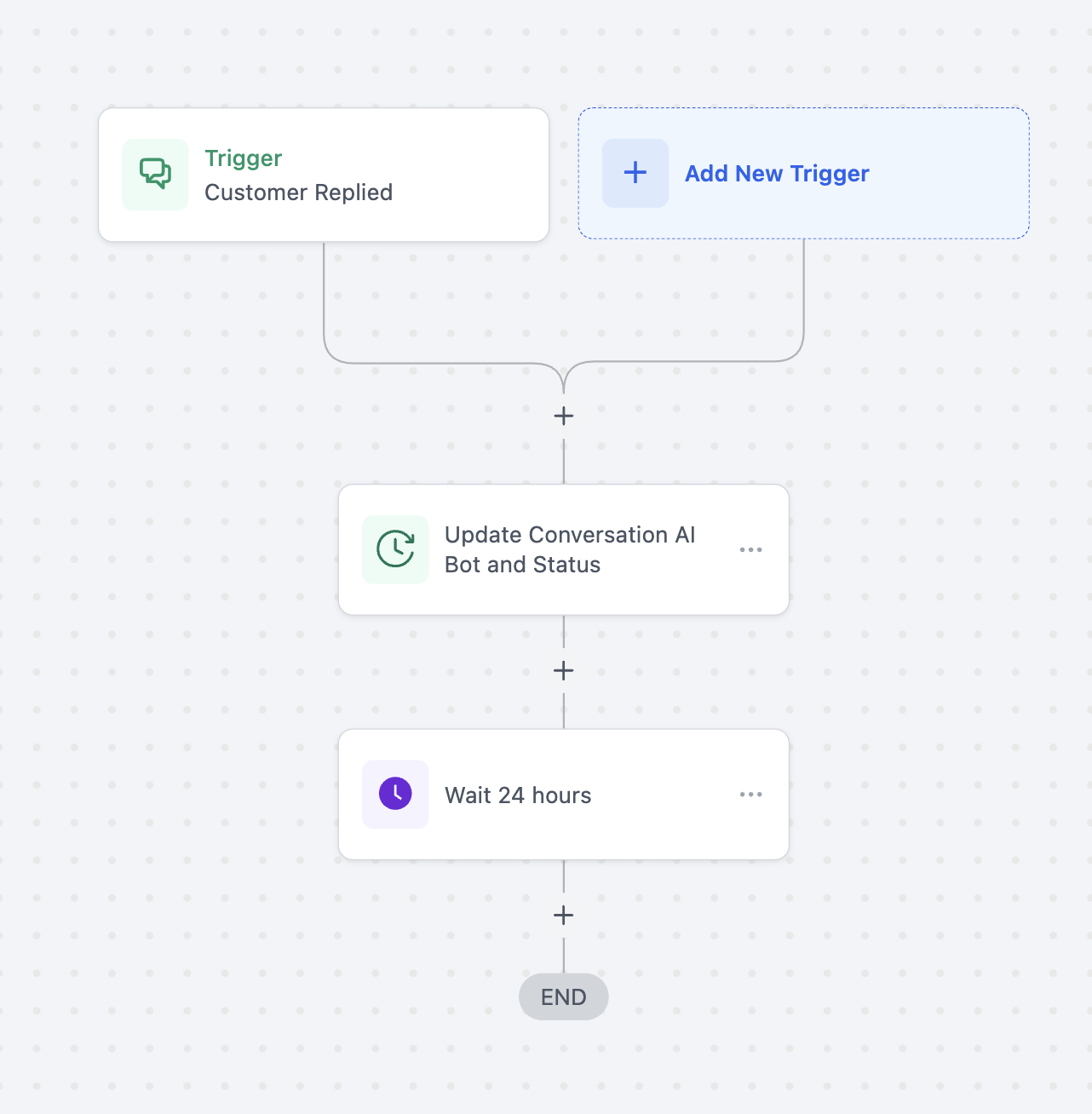
If you’re using the “Update Conversation AI Bot and Status” workflow action, be sure to add a Wait step. Without it, the original bot may keep reassigning the conversation, breaking the transfer logic.
image
image
image
image
image
image
https://clixio.io/wp-content/uploads/2025/05/a5c7fecd740f57a3cf6421f6f07b7720.png 1278 1468 Clixio.io https://clixio.io/wp-content/uploads/2023/08/clixio-logo-dark.png Clixio.io2025-05-20 17:25:002025-05-20 17:25:00Conversation AI – Transfer Bot Action

RSS Latest Feature Updates

  • AI Powered Field Tooltips | Clixio Changelog March 3, 2026
  • Assign User Action: Now Assign to IVR Responder March 3, 2026
  • Assign User Action: Now Assign to IVR Responder with Custom Variables March 3, 2026
  • Connect Call (IVR) Action: Now Supports Call Whisper March 3, 2026
  • Fixed: If/Else branching for UTM Campaign (Last Attribution) March 3, 2026
  • Company Variables Now Available in Workflows March 3, 2026
  • Trigger Descriptions in Workflow Builder March 3, 2026
  • Add & Track Product Cost Price and Margin March 3, 2026
  • 🗓️ Smarter Booking Periods with Listing-Level Time Selection Control for Rentals March 3, 2026
  • Introducing Rentals — For Flexible Multi-Day Bookings March 3, 2026
Clixio - Marketing and sales automation

Marketing & sales automation built for Australian service businesses. One platform, one flat rate, genuinely easy to use.

Product
Features Pricing How it works Latest updates
Company
Blog FAQ Get support Account transfers
Legal
Privacy Policy Terms & Conditions
© Clixio. All rights reserved. Made with ♡ in Australia.
Scroll to top Scroll to top Scroll to top