Company Variables Now Available in Workflows
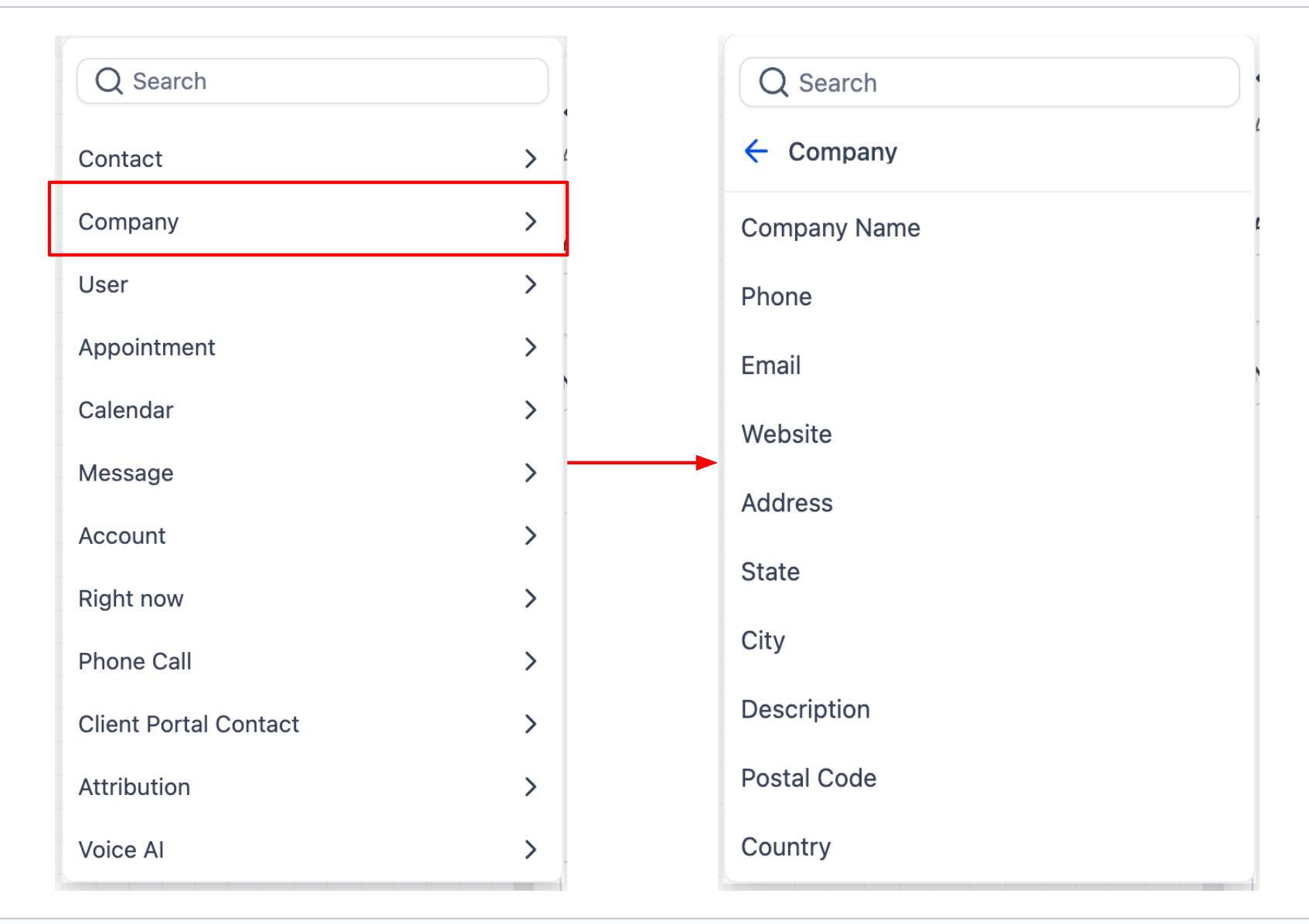
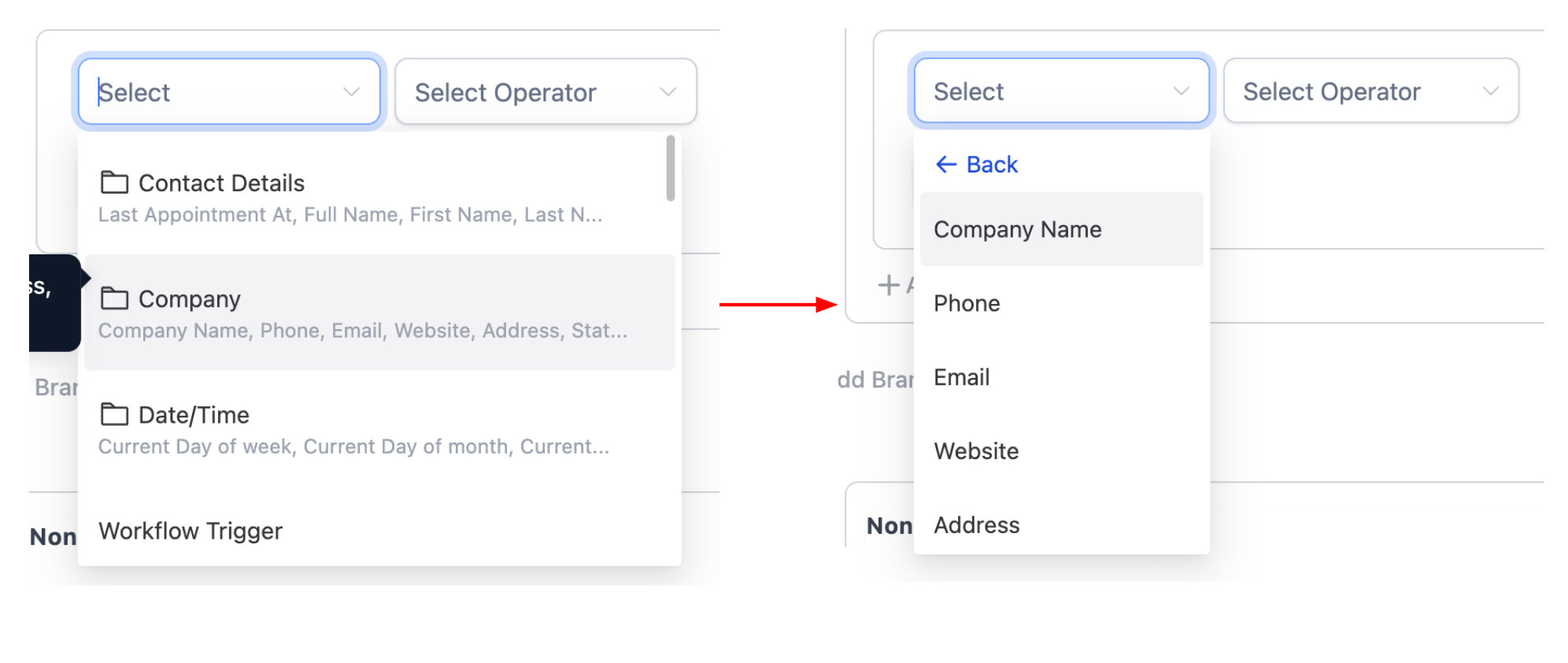
You can now use company-based variables inside contact-based workflows. In addition to contact fields, you can reference company details such as the company name, phone number, email, website, address, and other relevant company fields. These are accessible in both the Custom Value picker and If/Else branches.
When creating a workflow, company fields now appear alongside contact fields in the variable picker. If a contact is associated with a company, the workflow can dynamically incorporate that company’s details into messages, notes, and conditions, or utilise them to drive If/Else logic.
- Open a workflow and add or edit an action or If/Else branch.
- Select the Custom Value picker and choose a Company field.
- Insert it into your message, note, or branch condition.
Many users manage contacts linked to businesses. This update eliminates the need for workarounds and manual mapping, simplifying the personalisation of communication and automating decisions based on company-level data.
- Add the Company Name variable (from the contact’s associated company record) into an email body to personalise outreach to a business contact.
- Create an If/Else branch that checks the Company Address (City) field and routes contacts differently based on their company’s location.
- Company variables will only be computed if the contact is associated with a company. If not, the value will be blank.
- These variables are available in both the Custom Value picker and If/Else conditions.