Communities Learning Tab- Private Course/ Member-Specific Course Access
Introducing Member-Specific Course Access in Communities
Community admins now have direct control to grant access to any course within the community.
No waiting, no workarounds—just instant access whenever you decide.
With Member-Specific Course Access in Communities, admins can manually grant or revoke course access for individual members, all from the Members tab.
Admins can now:
- Grant access to any course in the community
- Revoke course access when needed
Important: If a member already meets the existing unlock criteria for a course, access cannot be revoked.
Private Courses (New Course Type)
Introducing Private Courses. These courses:
- Are accessible only when an admin grants access
- Cannot be unlocked automatically
Perfect for:
- VIP or exclusive content
- Internal or team training
- Invite-only programmes
- Grant Courses to a Member:
- Go to Community → Members
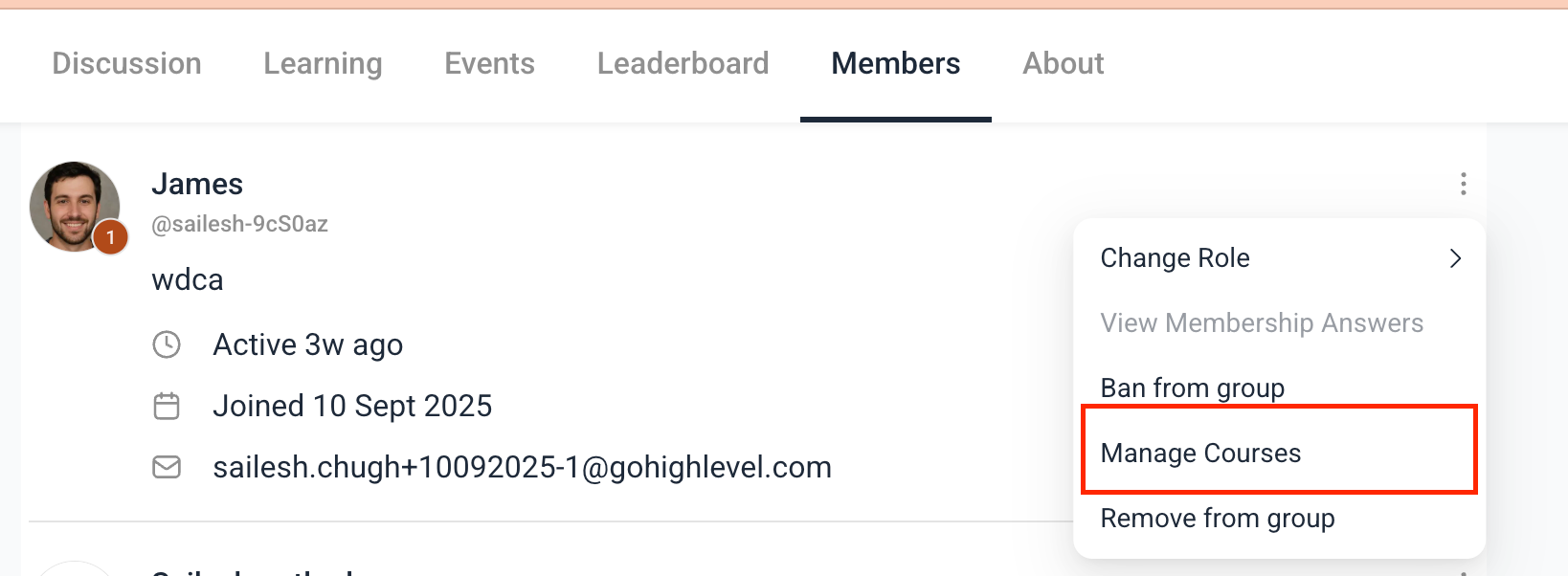
- Click the 3-dot menu next to a member
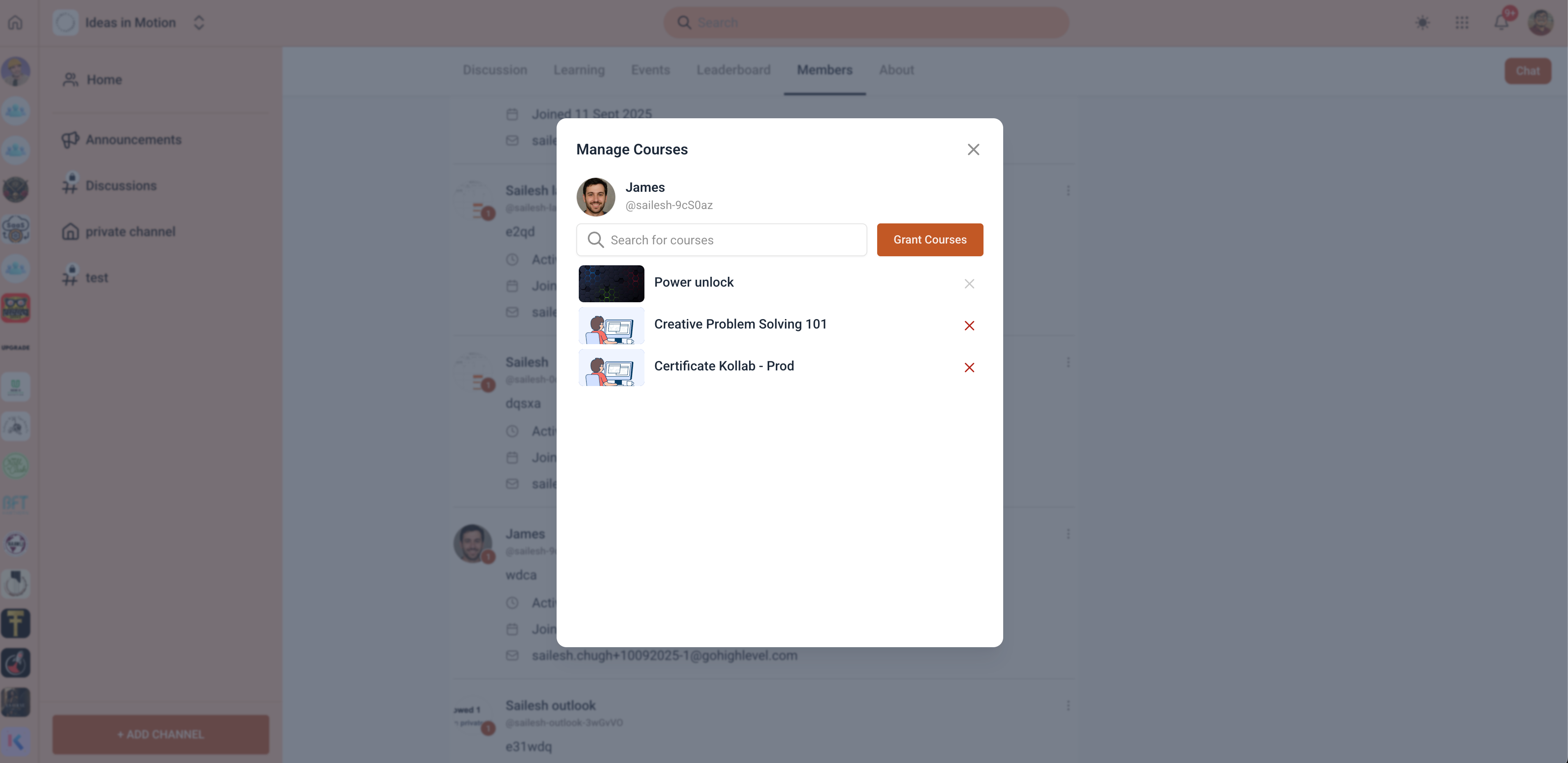
- Select Manage Courses
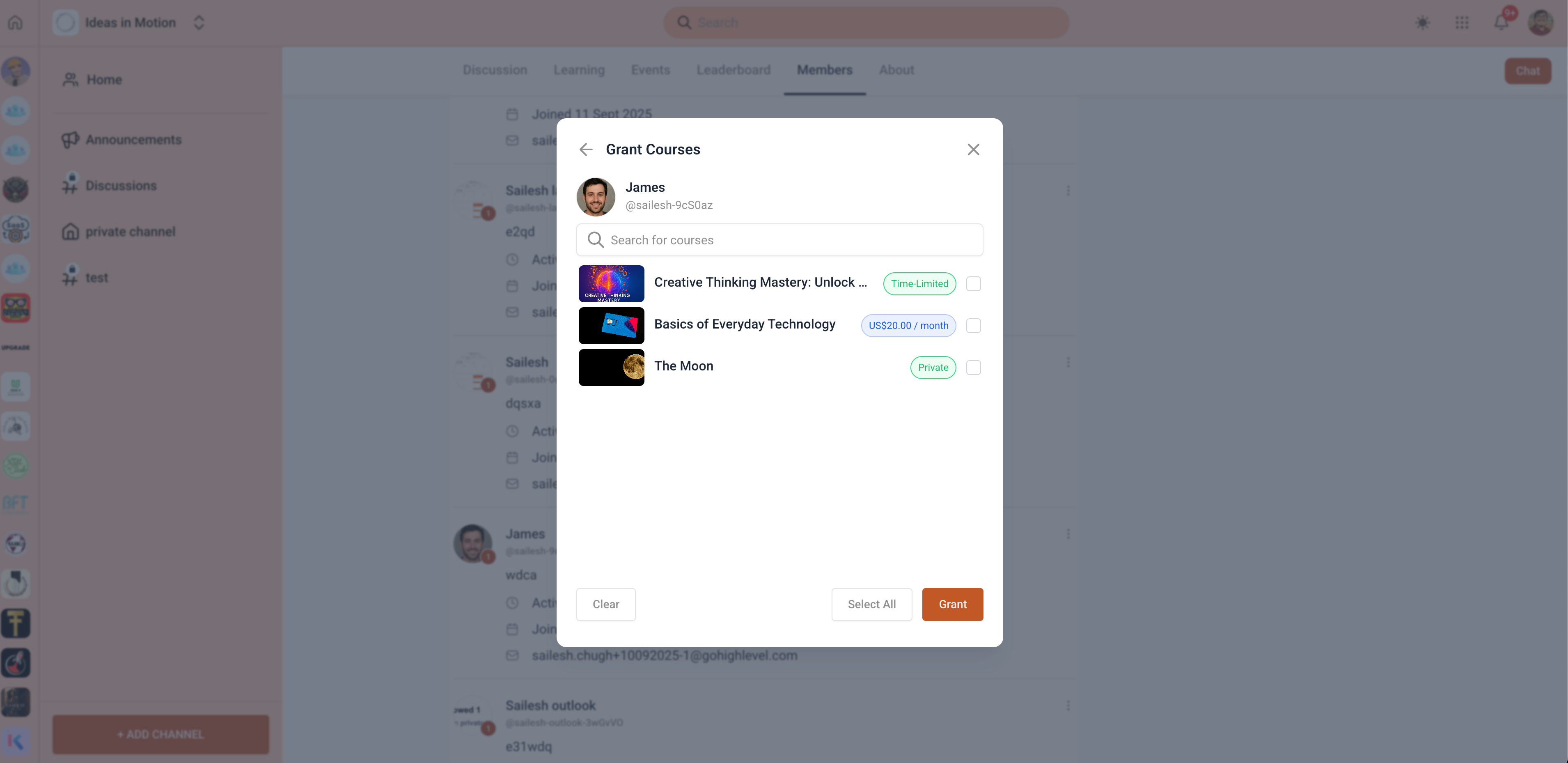
- Click Grant Courses
- Select the courses and click Grant
Members receive an email when a course is unlocked.
- Go to Community → Members
- Click the 3-dot menu next to a member
- Select Manage Courses
- Click the icon next to the course
Note: Access cannot be revoked if the member already meets the existing unlock criteria.
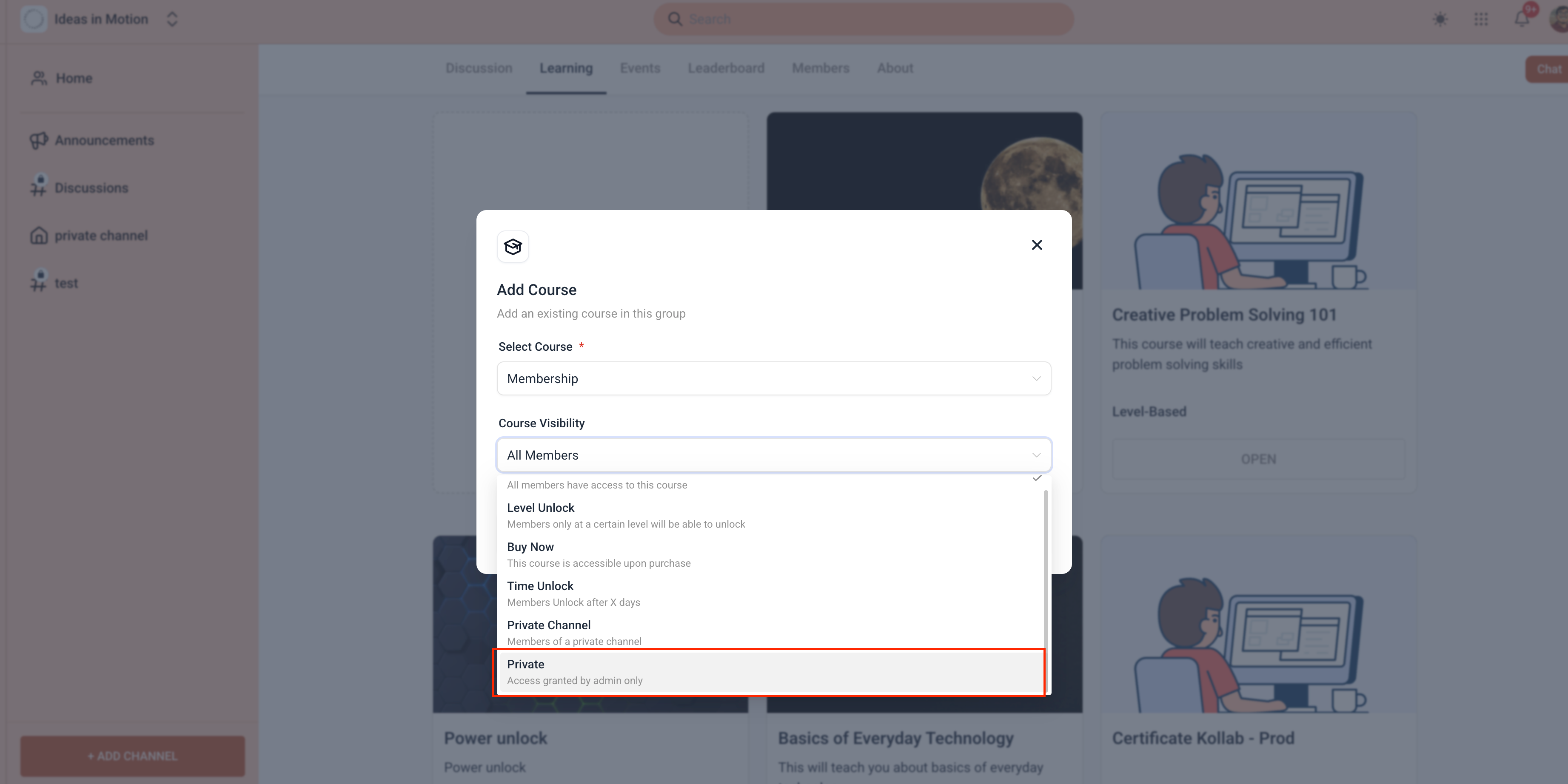
How to Add a Private Course to the Learning Tab
- Go to the Learning tab
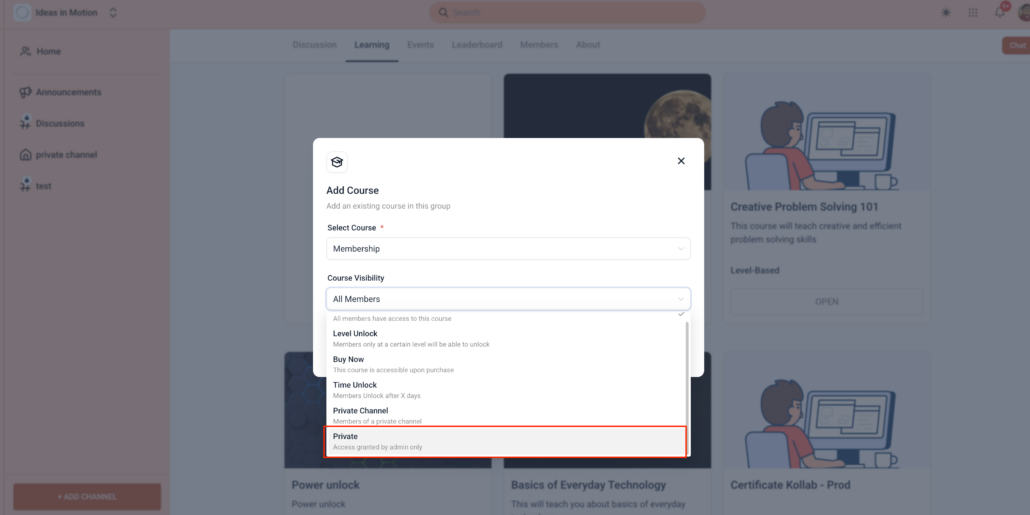
- Click Add Course
- Select a course
- Choose Private in the Course Visibility dropdown
- Save and you’re done
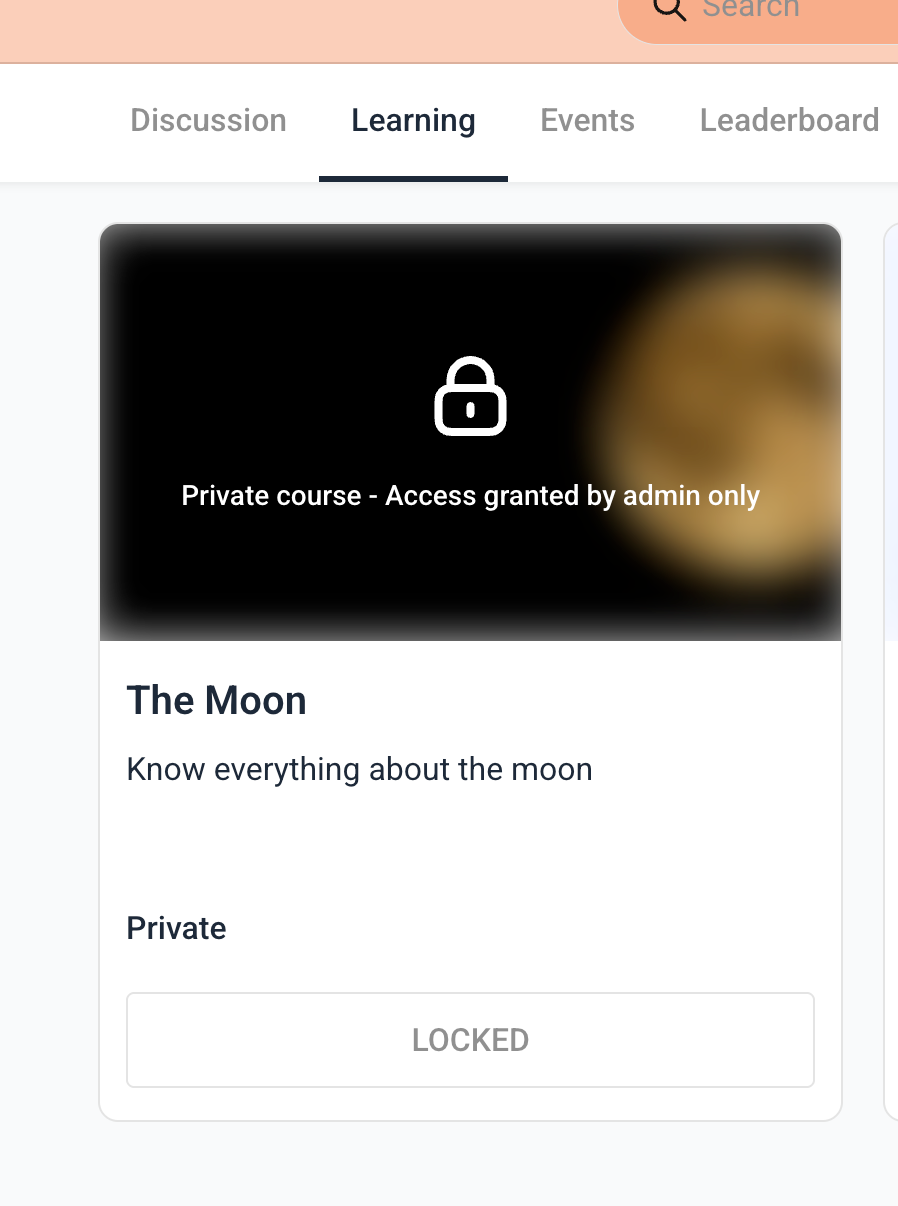
- Members will now see the course as locked until access is provided
Member-Specific Course Access in Communities gives admins full control over course access, making it easier to reward members, onboard users faster, and create truly exclusive learning experiences.