📅 Calendar View Enhancements | Clixio Changelog
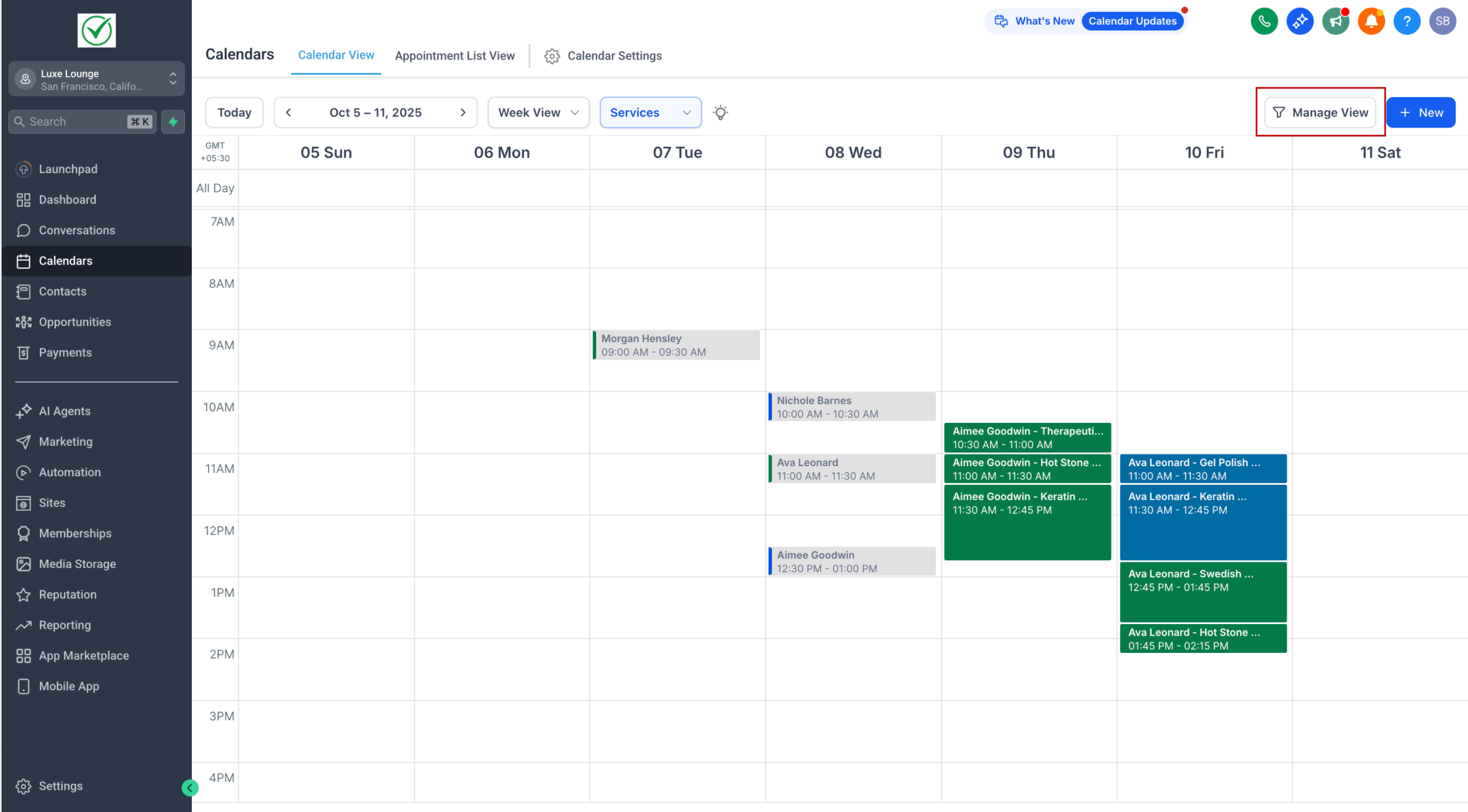
We’ve redesigned the
Calendar View
to make it more spacious, intuitive, and tailored to your needs.
Note: This is live via LABS
—
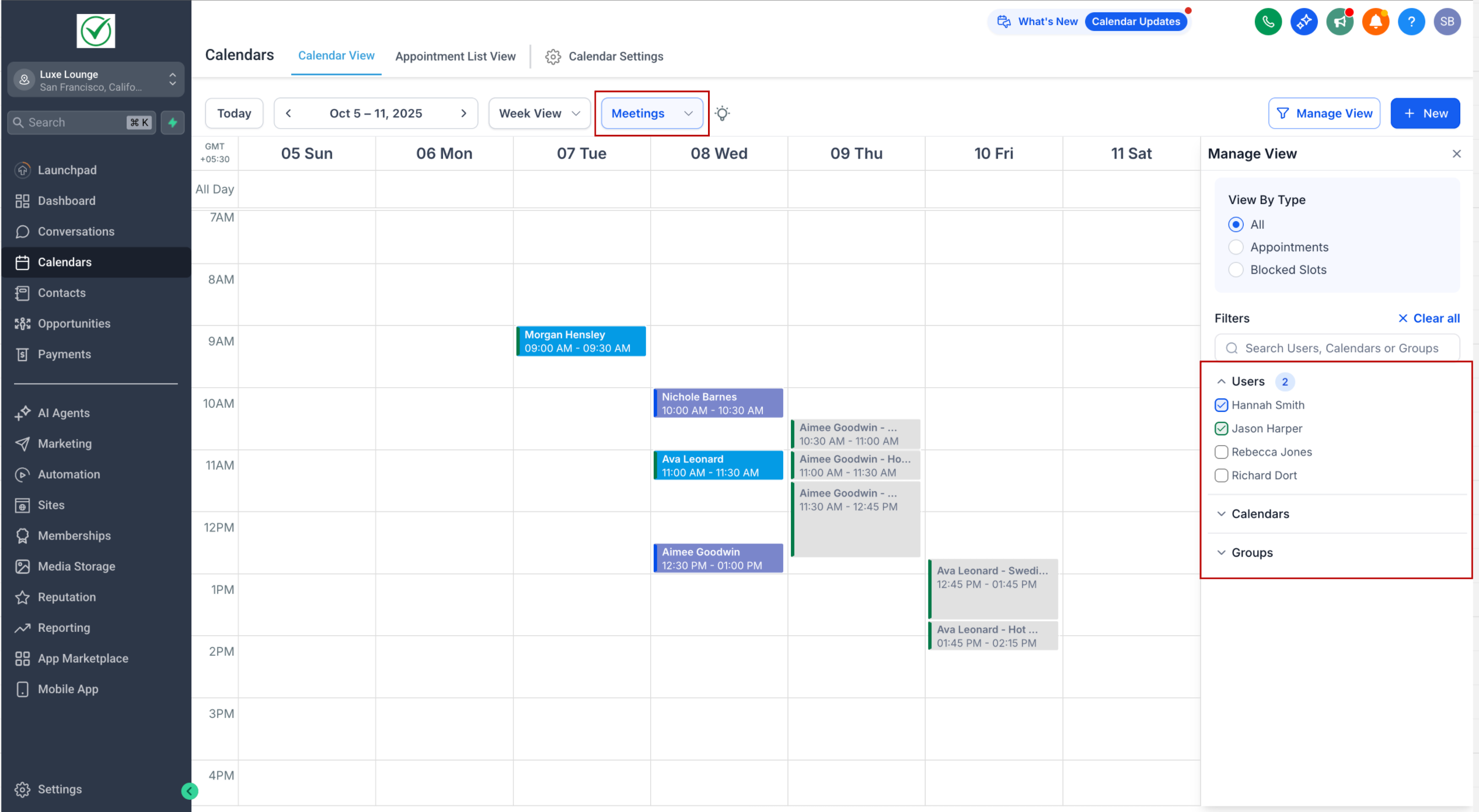
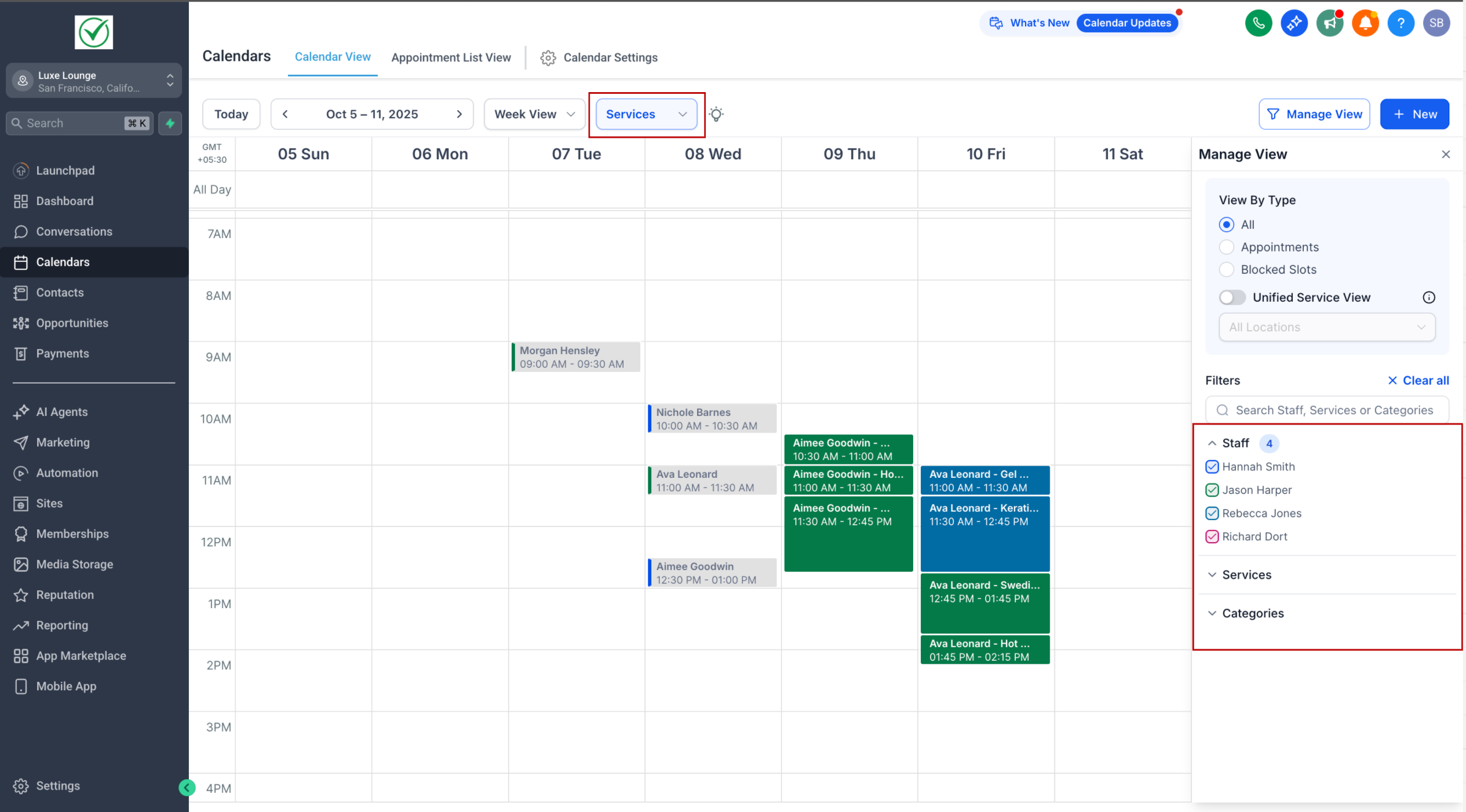
Smart Dropdown Navigation
—
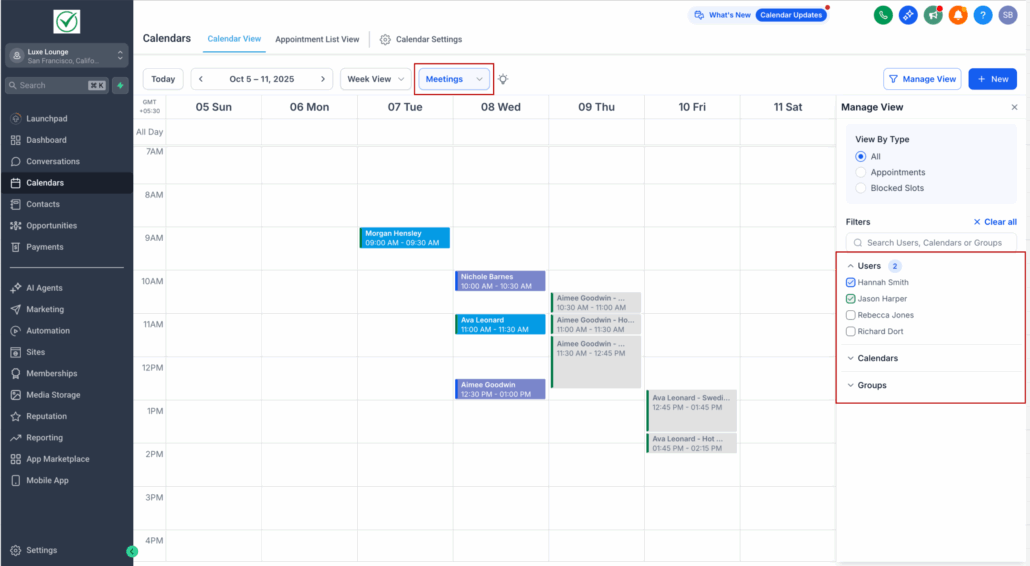
- The
filter panel
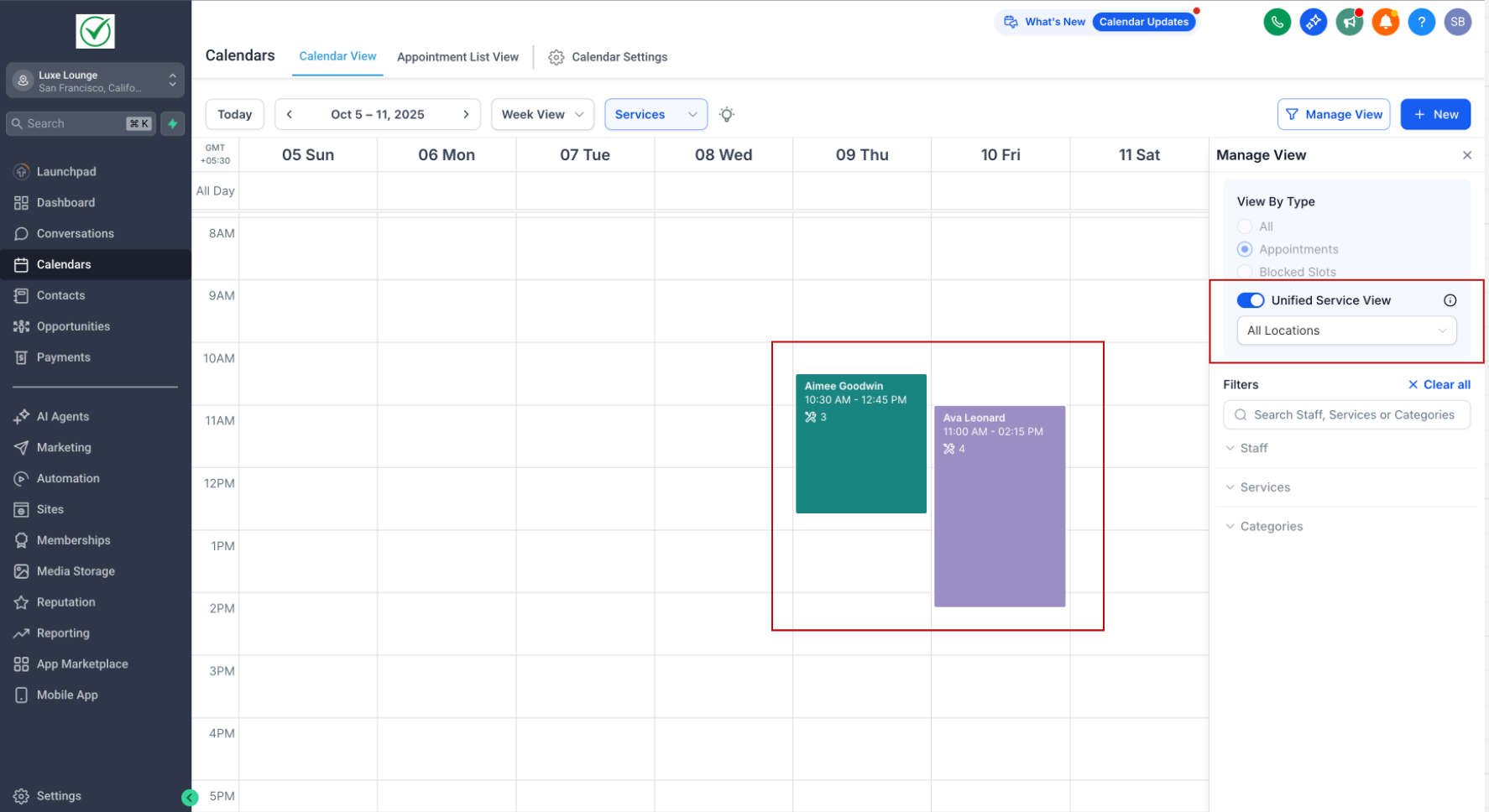
on the right dynamically updates based on the selected view (Meetings / Services).
- All events and blocked slots displayed in the calendar are
specific
to the selected scheduling type.
—
More Space to View Events
—
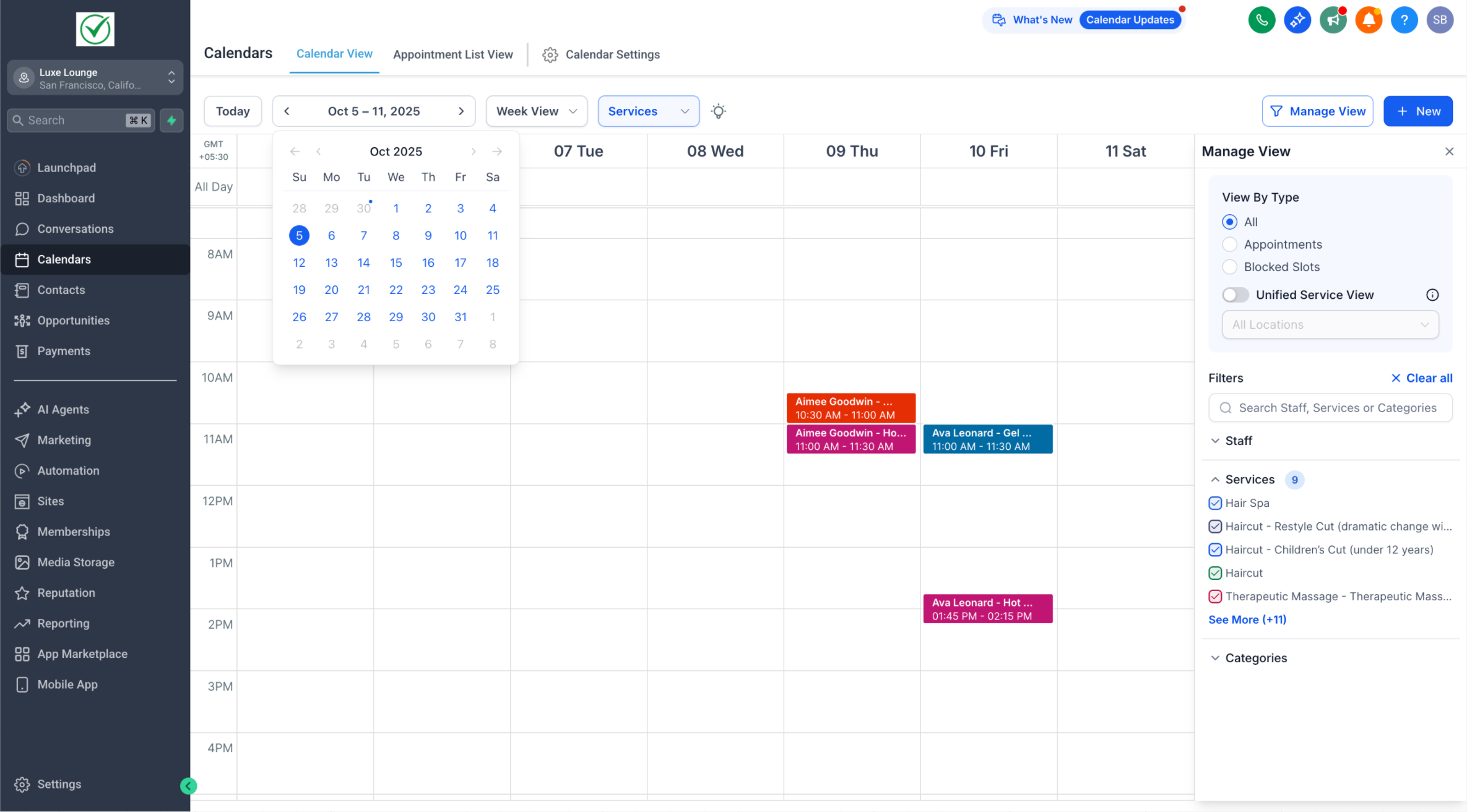
Mini Month Calendar Relocation
- The mini month-view calendar has been moved below the
main date
for easier access.
- Simply click on the date to expand it.
—
This redesign reduces clutter and maximises the space available for your appointments. With
scheduling-type-specific views
, smarter filters, and the ability to hide panels when you don’t need them, you benefit from a cleaner, more powerful way to manage your calendar.
We’ll be rolling out
more enhancements in the coming weeks
to deliver an even better scheduling experience. Stay tuned!