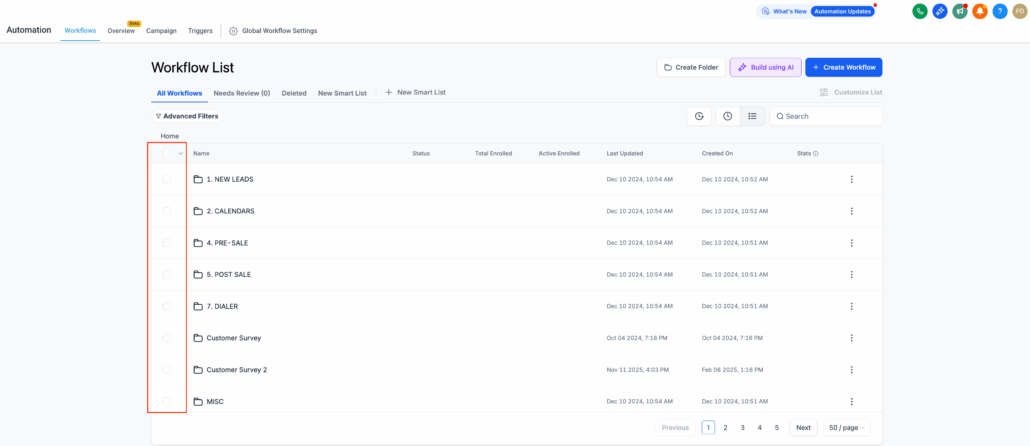
Bulk Operations in Workflow List Page
Managing multiple workflows and folders simultaneously has become significantly easier.
We are excited to introduce Bulk Select, a quicker method for performing repetitive tasks such as moving, publishing, or deleting numerous workflows at once.
No more making changes one workflow at a time!
You can now select several workflows (or folders) and execute bulk actions directly from the list view.
Available Actions Include:
- Delete – Remove multiple workflows or folders with a single click.
- Move – Transfer workflows or folders to another folder or nested folder.
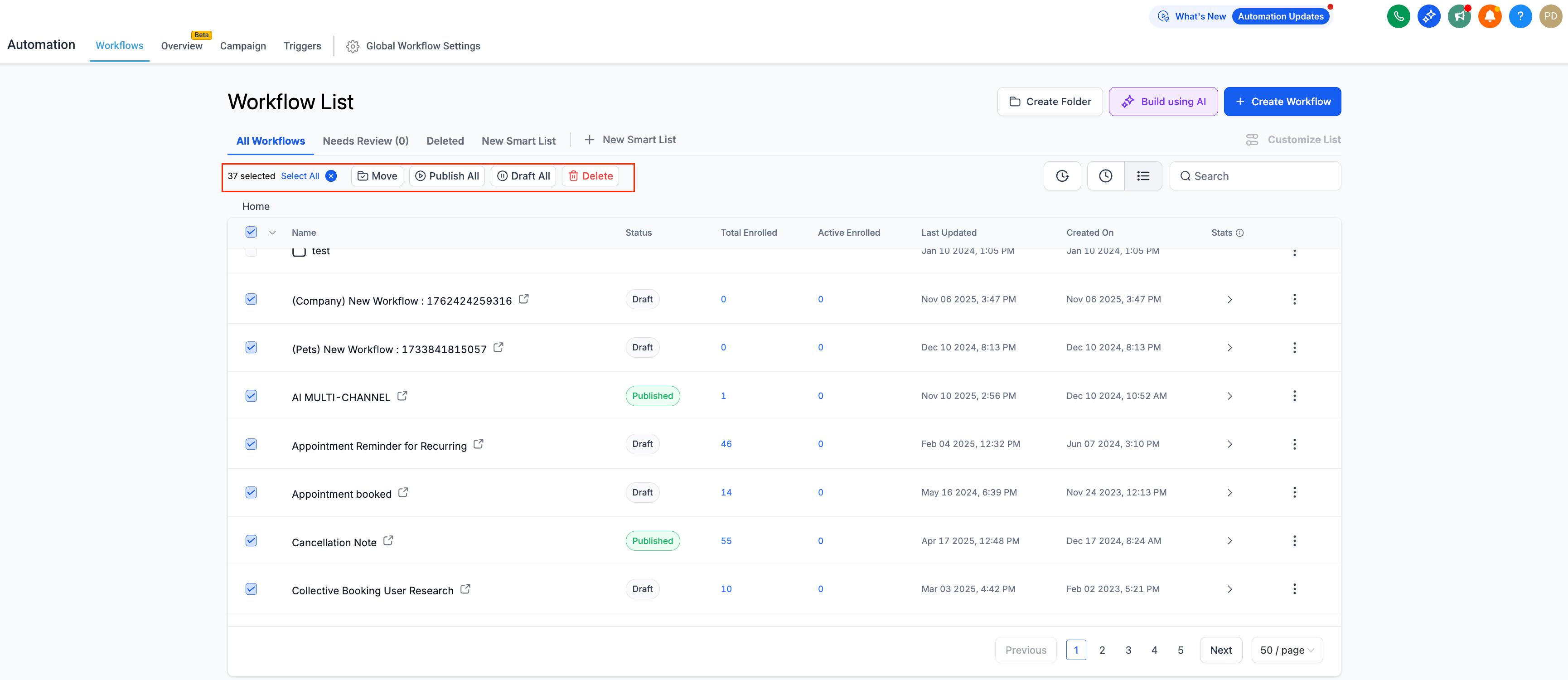
- Publish/Draft (for workflows) – Alter the status of multiple workflows simultaneously.
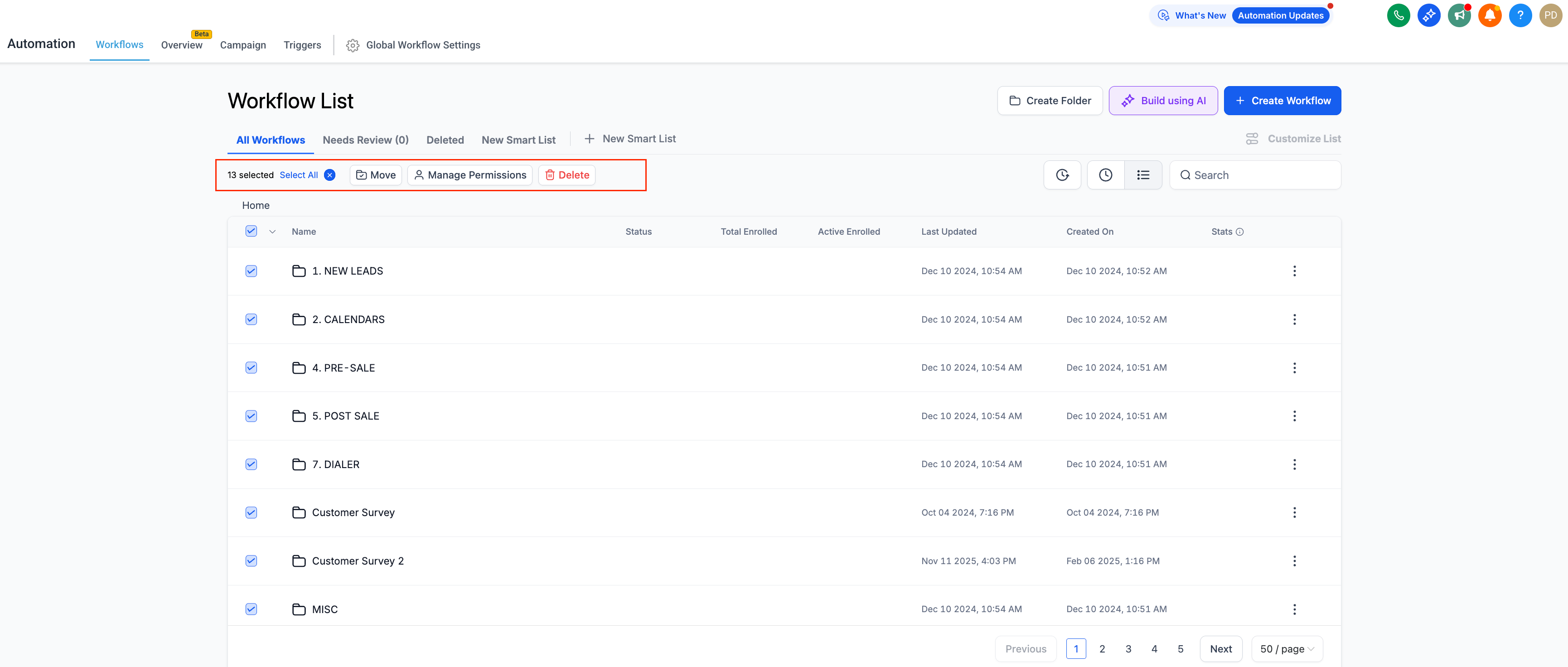
- Manage Permissions (for folders) – Update the permissions for a folder.
When multiple items are selected, a toolbar will appear, displaying all available actions clearly.
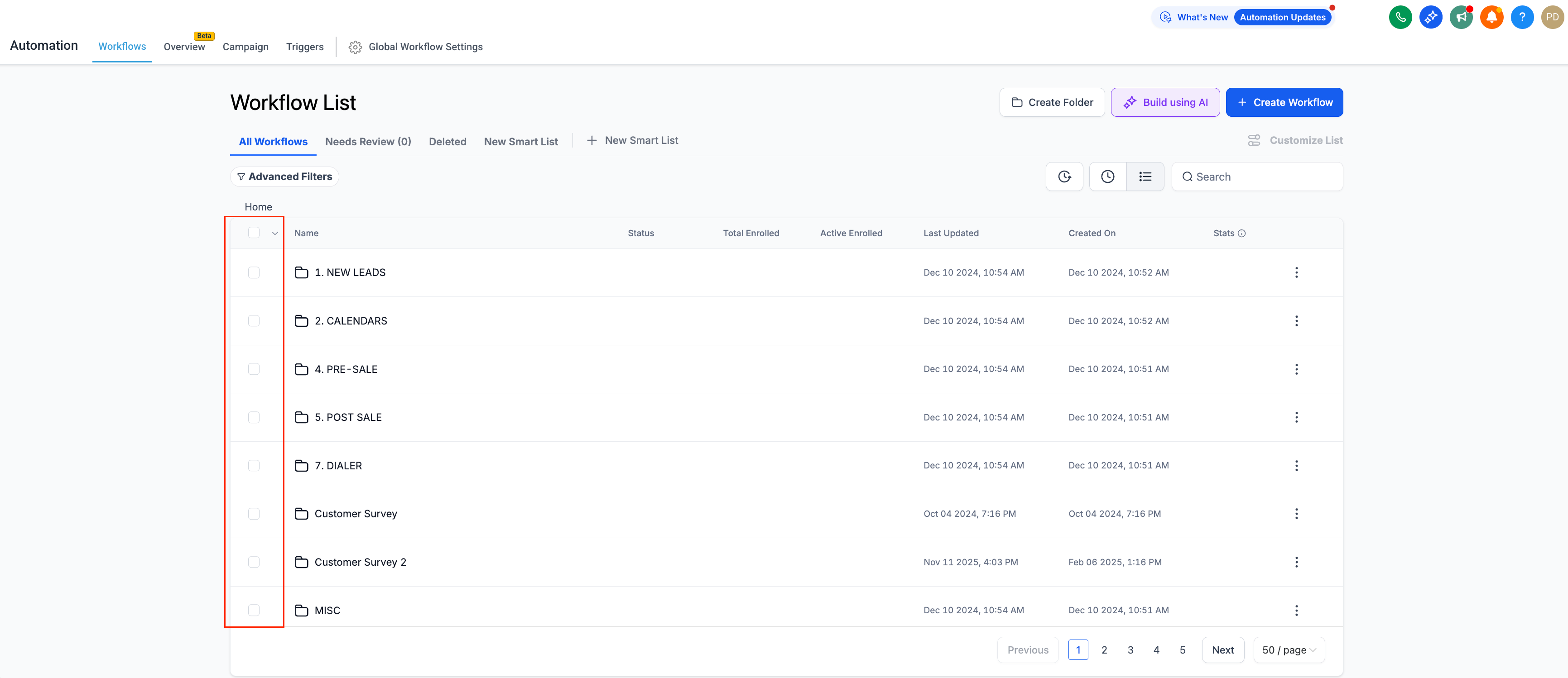
- Utilise checkboxes to select one or more workflows or folders.
- The “Select All” option allows you to choose every visible workflow on the page; by default, workflows will be selected, not folders.
- A toolbar will indicate how many workflows are selected and which actions are available.
- Confirmation pop-ups will present the number of workflows affected by any action.
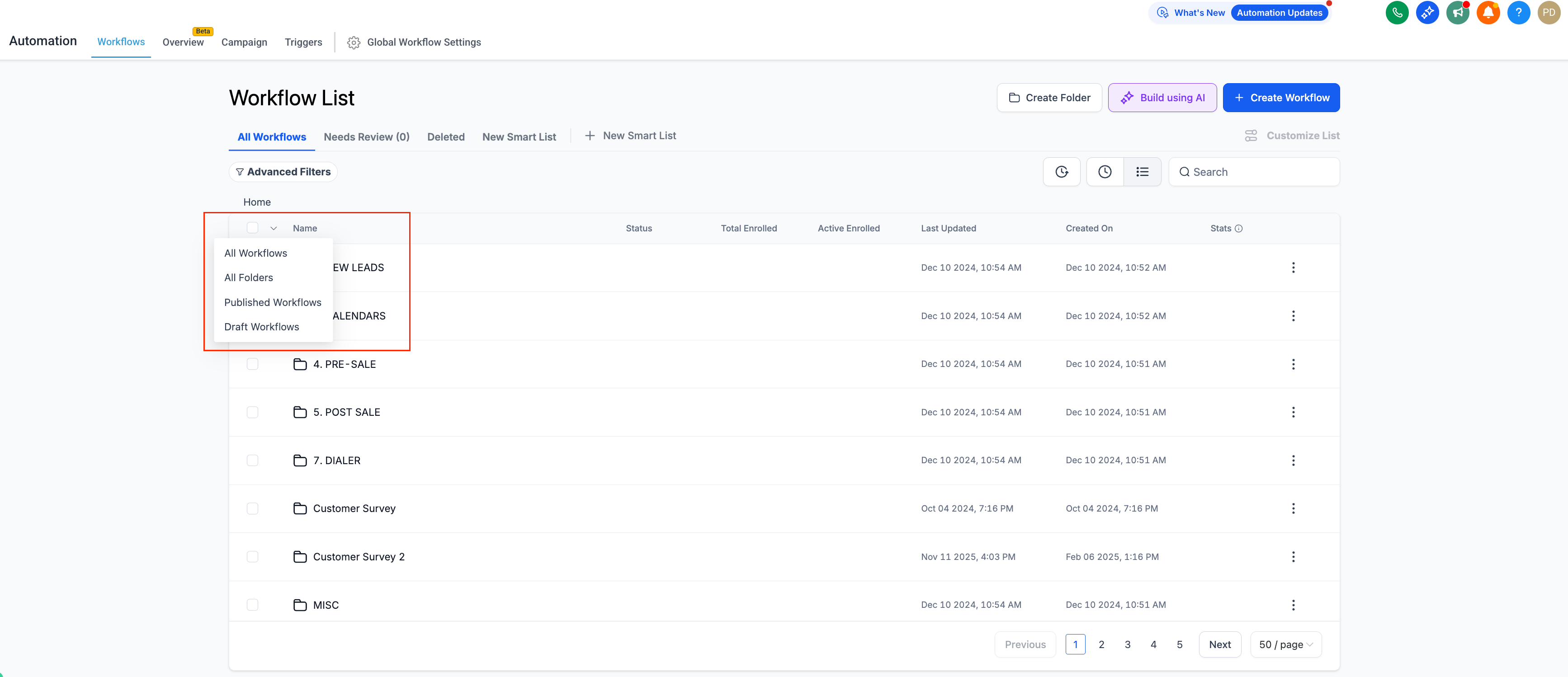
- If you need to select all workflows or folders, simply click on the down arrow next to ‘Select All’ and choose from the four options available.
- You can now move up to 10 workflows to another folder or publish them all at once, rather than one by one.
- Available in “All Workflows” and any smart lists you have created.
- Works seamlessly across both folders and individual workflows.
- Compatible with existing permissions; users can only perform bulk actions they are authorised to undertake.
- Managing workflows one at a time was tedious. Bulk Select saves hours by reducing repetitive steps, enhancing consistency, and providing you with better control when organising or publishing multiple workflows.