
Bulk Company Export | Clixio Changelog
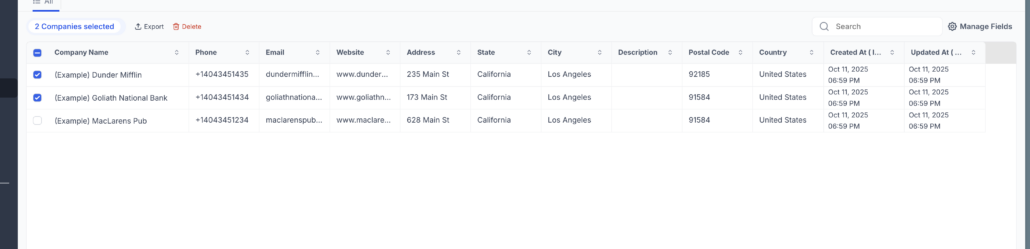
You can now export multiple company records with a single click. Whether you wish to download a few selected companies or the entire list, the process is faster and more flexible.
Export Multiple Company Records Directly From the Companies Table
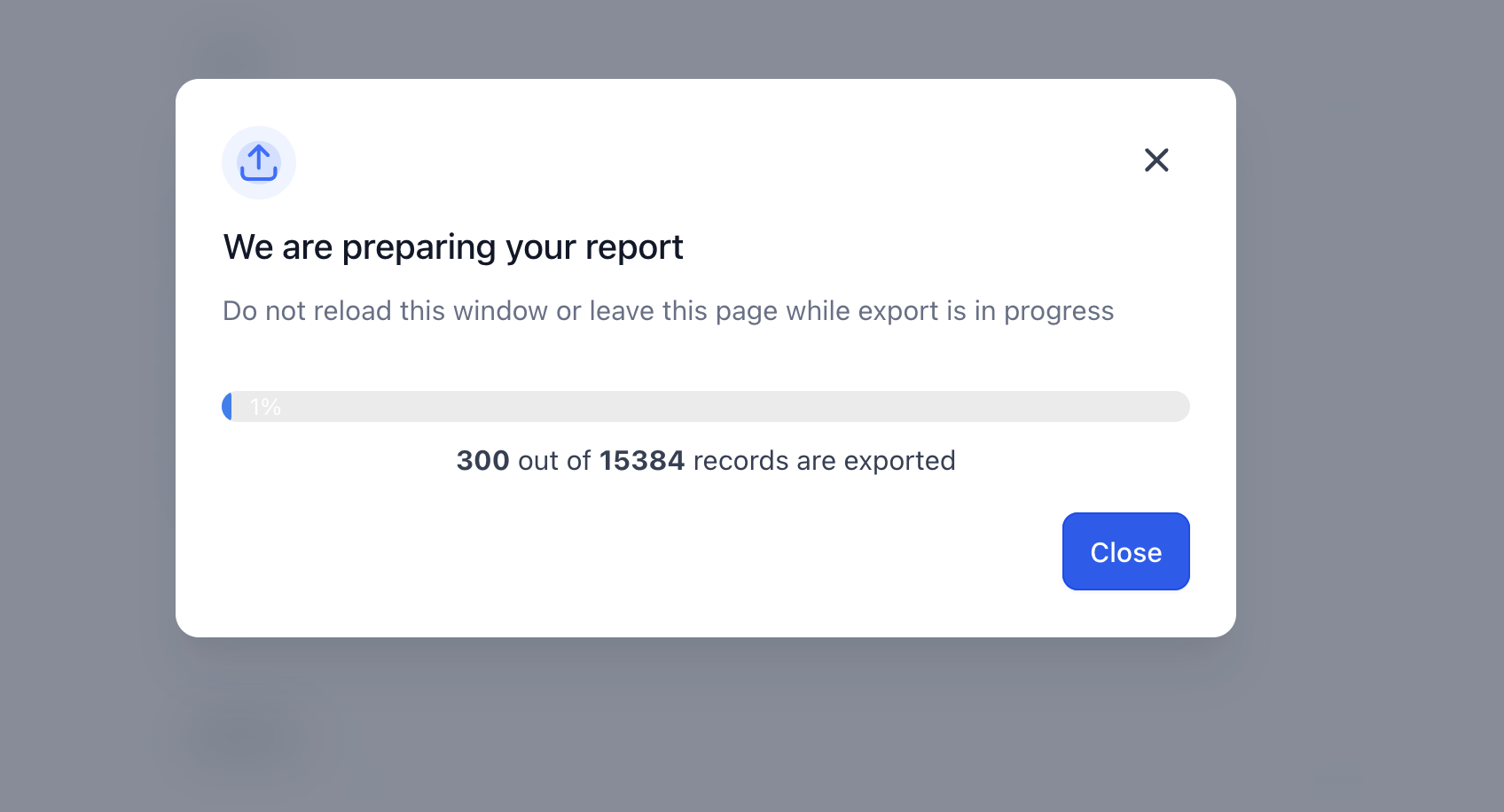
You have the option to export all companies from the 3-dot menu (top-right) and can monitor the export progress in real time with a modal displaying the record count and percentage completion. The download will be in CSV format, containing all selected company fields.
To export selected companies:
- Navigate to Contacts → Companies
- Select one or more companies using the checkboxes
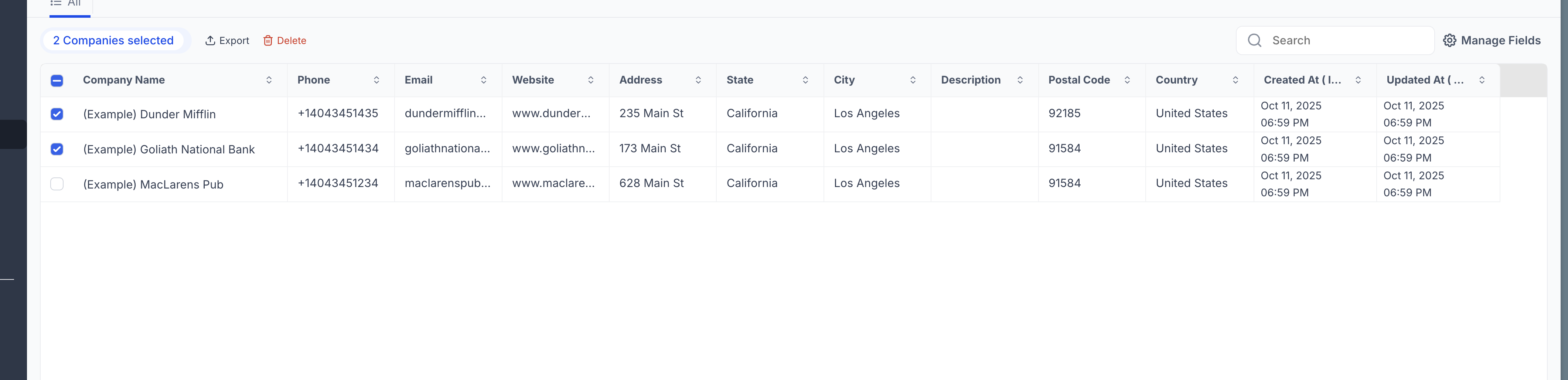
- Click Export from the action bar
- Wait for the export progress to complete
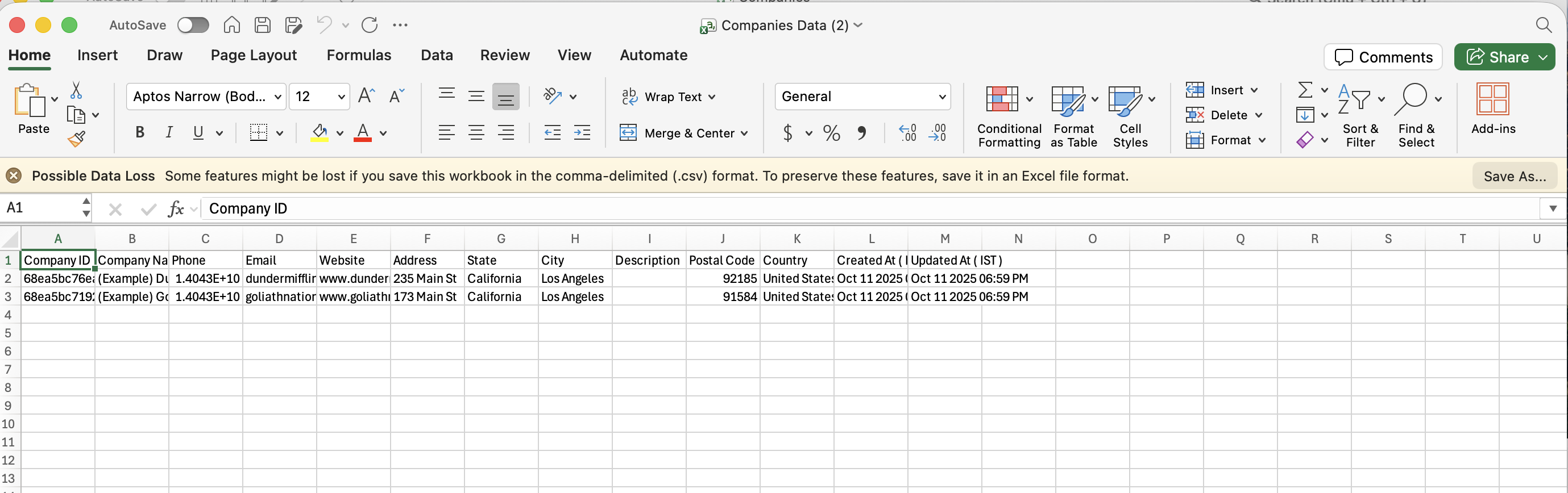
- Download the generated CSV file
- Go to Contacts → Companies
- Click the 3-dot menu in the top-right corner
- Select Export
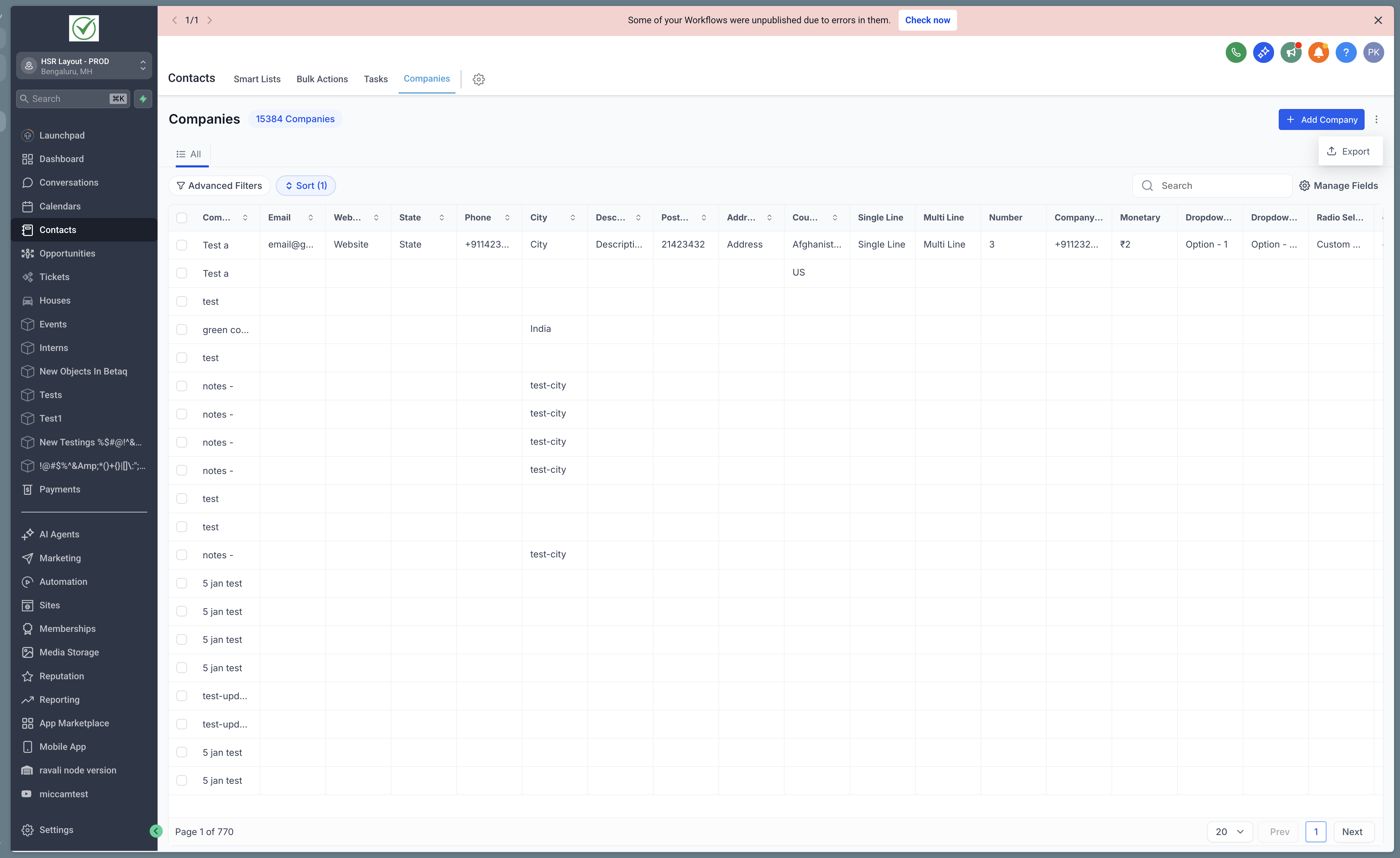
- Wait for the export to complete
- The CSV file will be downloaded to your system
- Saves time when handling large datasets of companies
- Facilitates easy data sharing with external teams or stakeholders
- Simplifies reporting and offline analysis
- Removes the need for manual record-by-record extraction
