
Breadcrumbing: Ad Manager x WhatsApp & Social Planner
👀 What’s New?
- Introduced inline ad creation breadcrumbs within WhatsApp and Social Planner modules to enable seamless ad creation directly from Ad Manager.
- Added new “Create Engagement Ad” and “Run as Ad” buttons across respective modules to assist users in initiating ad campaigns with pre-filled data and fewer steps.
- Implemented redirect modals and subscription gating to guide users through Ad Manager access and setup.
- Enhanced onboarding for non-Ad Manager users by highlighting benefits and upgrade CTAs.
👷 How It Works
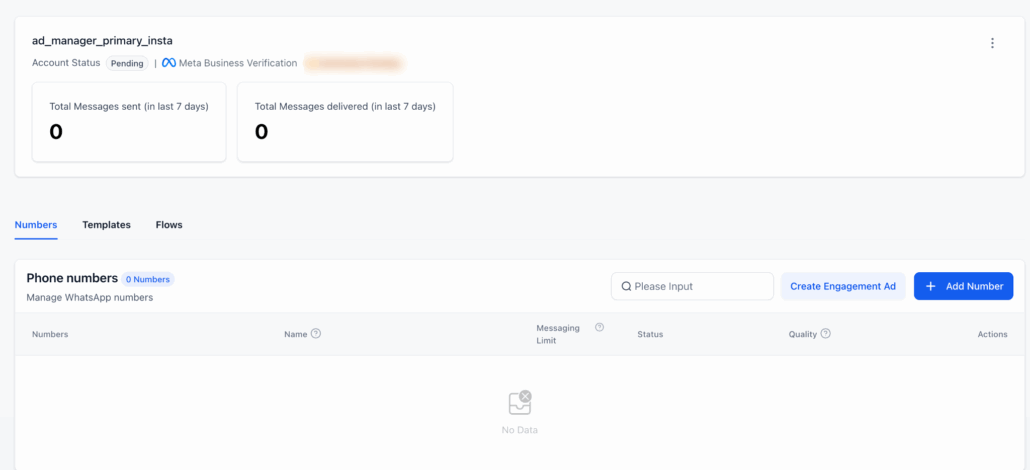
- WhatsApp > Create Engagement Ad
- A new “Create Engagement Ad” button is now available beside the “Add Number” button under Phone Numbers in the WhatsApp > Numbers tab.
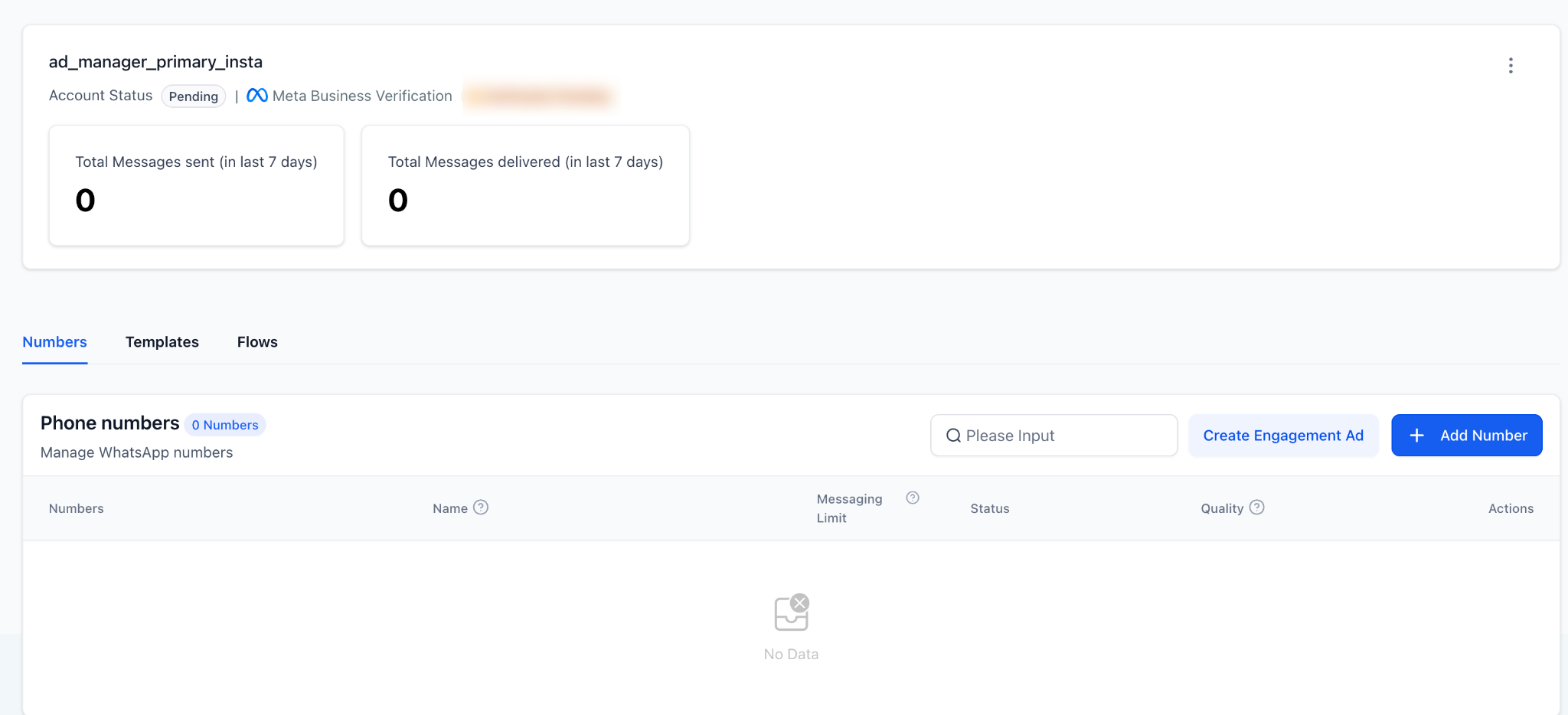
- When clicked:
- A redirect confirmation modal appears, and by clicking Continue, users are taken to Ad Manager.
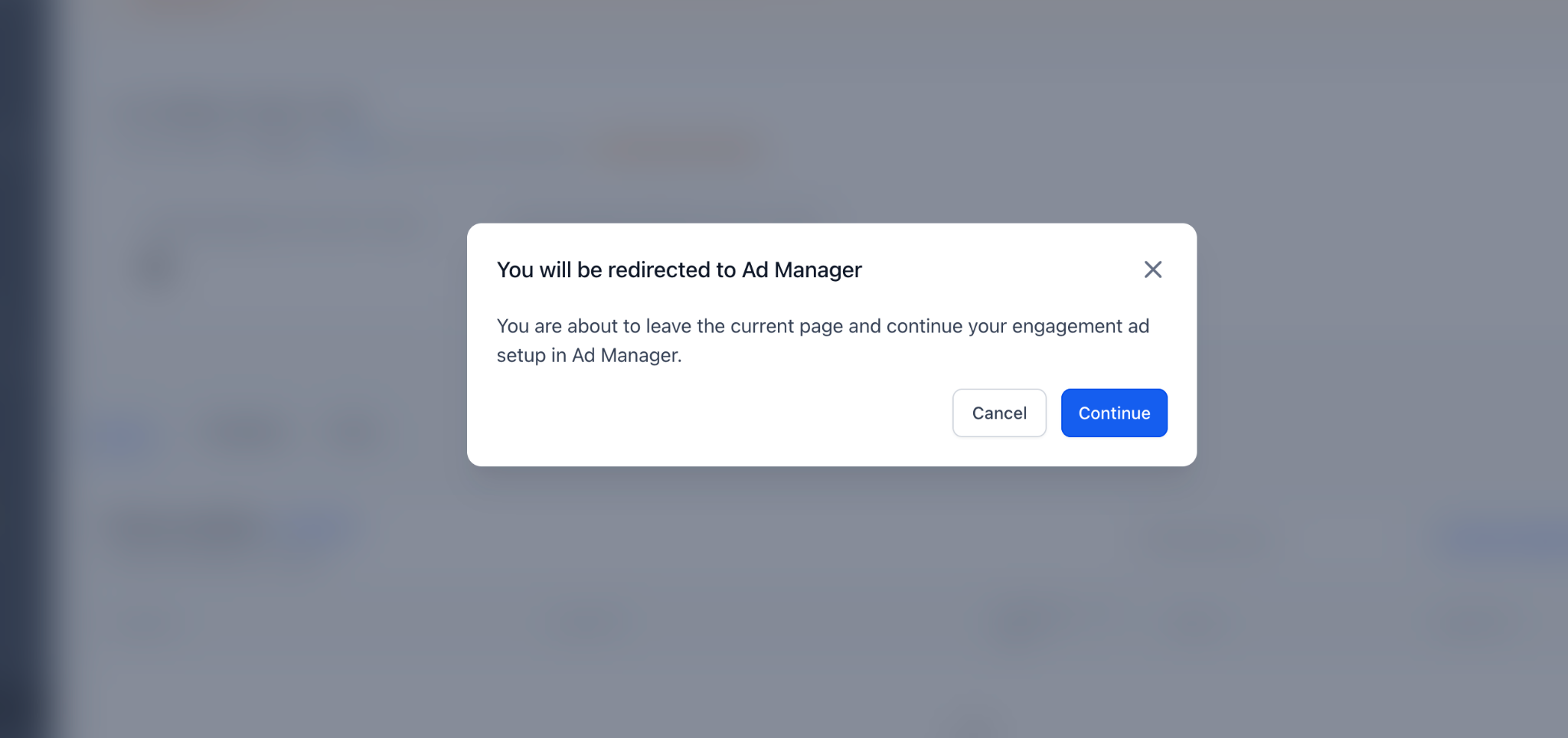
- The campaign creation modal opens with:
- Objective pre-selected as “Engagement”
- Destination set as WhatsApp
- Users can then continue to configure creatives, audience, and budget.
- If the user does not have Ad Manager activated:
A subscription prompt appears, displaying benefits and an option to Connect Ad Manager.
- Social Planner > Run as Ad
- Added “Run as Ad” as a contextual option across multiple Social Planner views:
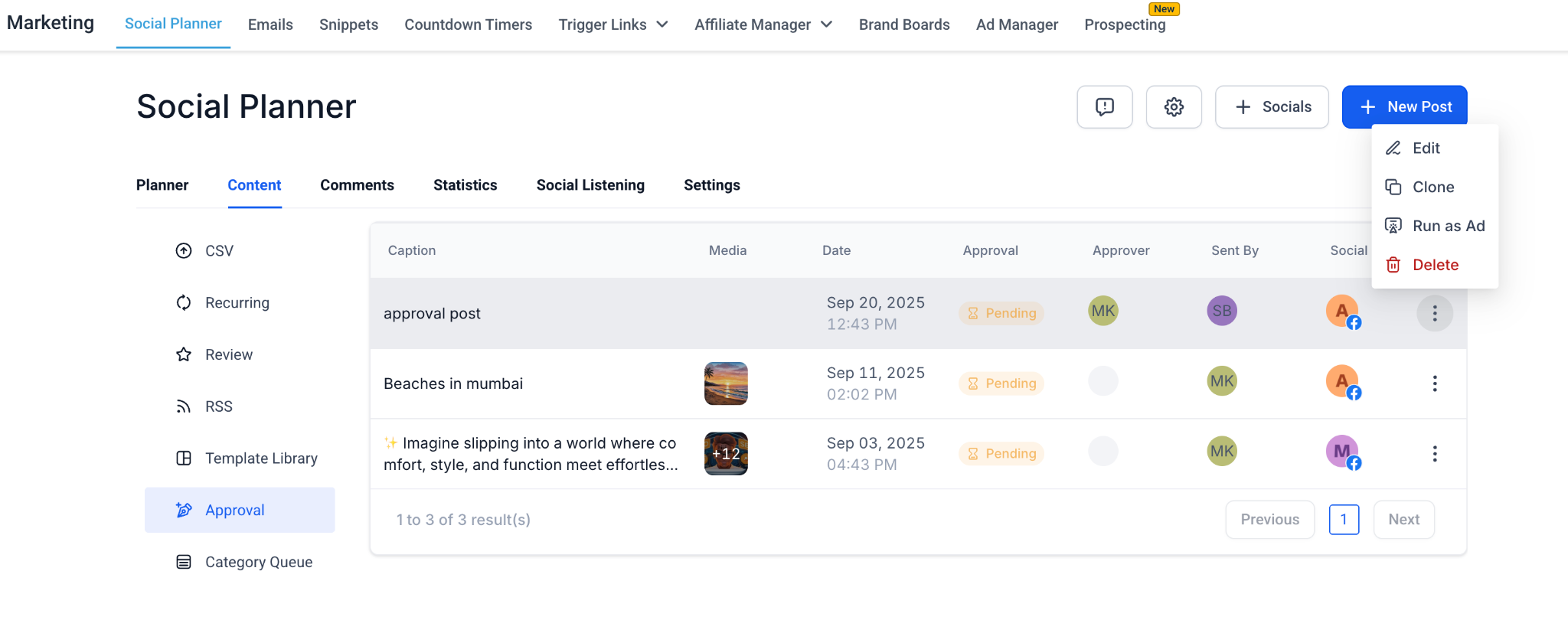
- Planner View – accessible from the post’s three-dot (⋮) menu.
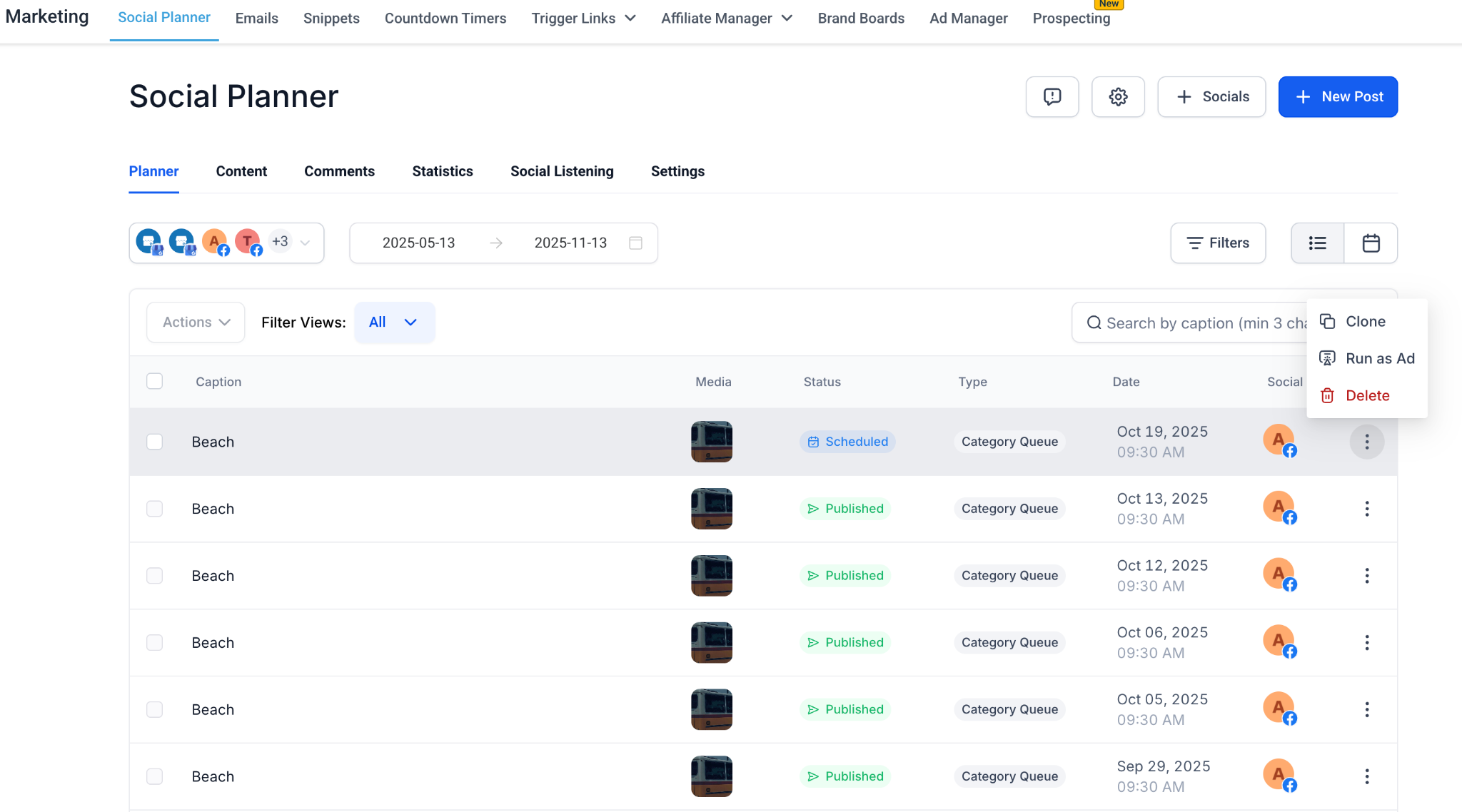
- Content > Approval Tab – appears in the post action menu for scheduled or pending approval posts.
- Post Details Sidebar – visible near the post status badge (e.g., “Published” or “Scheduled”).
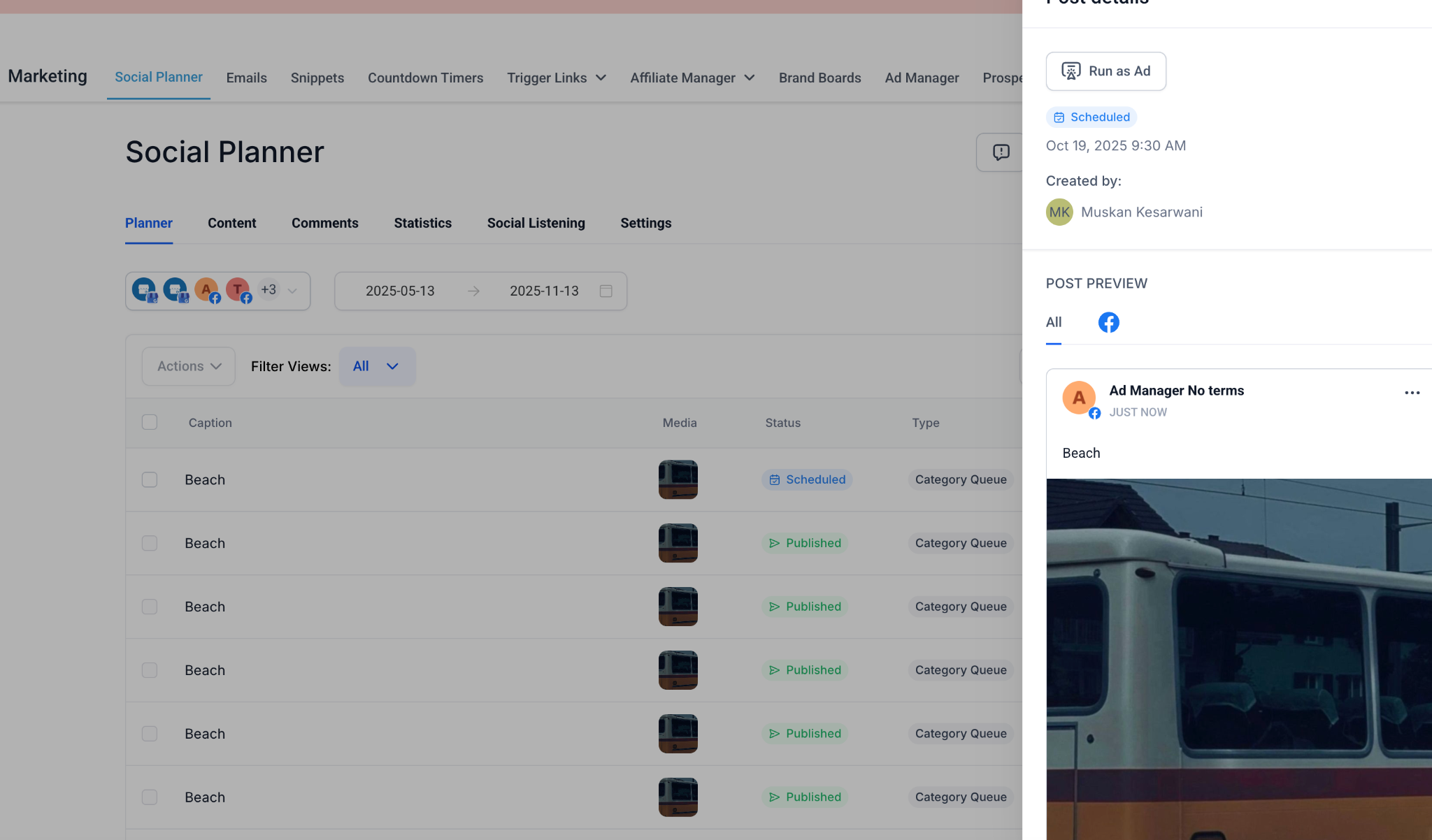
- Supported post statuses:
- Published, Scheduled and In Review
- Supported platforms:
- Facebook and Instagram
- Flow:
- User clicks Run as Ad > a redirect confirmation modal appears.
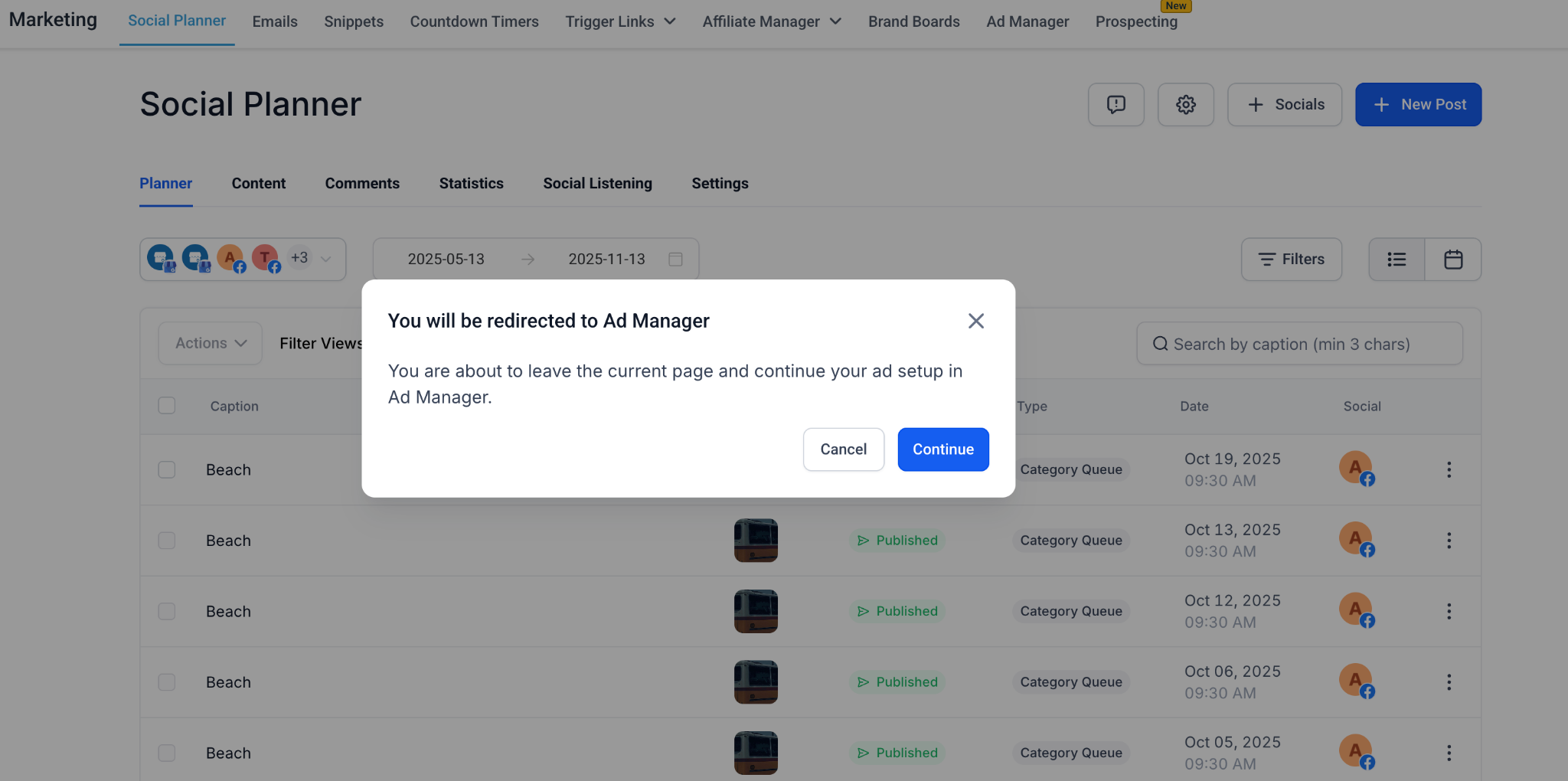
- On clicking Continue, users are redirected to Ad Manager. Users can then select the ad platform (Google or Meta).
- They can proceed to build their campaign with the post’s media and caption pre-filled in the campaign setup modal.
- Social posts containing only media (without a caption) are still supported, but the ad text fields are not pre-filled and remain editable.
🌟 Why It Matters
- Simplifies campaign creation by embedding ad entry points directly into popular marketing and communication tools like Social Planner and WhatsApp.
- Improves discoverability of Ad Manager, showcasing its capabilities within context.
- Reduces steps for marketers by enabling one-click transitions from organic posts or WhatsApp setups to paid campaign creation.
- Helps drive Ad Manager adoption by surfacing relevant CTAs and educational breadcrumbs where users are most active.
📝 Notes
- “Run as Ad” button on the Social Planner screen supports only posts with statuses: Published, Scheduled, or In Review.
- Not available for Recurring or Draft posts.
