
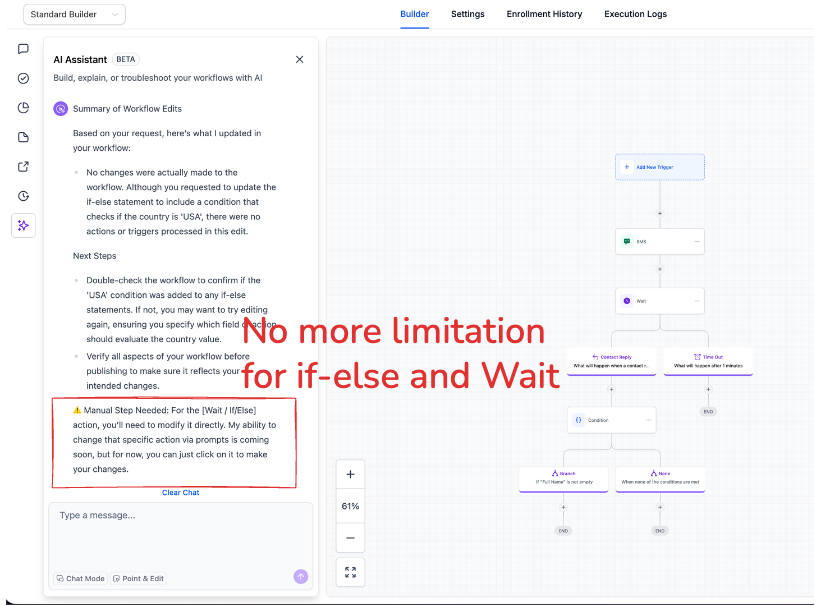
AI Builder: Conversational Editing for If-Else & Wait Actions
AI Builder Now Supports Direct Editing
AI Builder now allows users to edit If-Else and Wait actions directly through conversation. Previously, although these actions could be created via AI, modifying If-Else and Wait actions required manual configuration. This update provides a completely seamless workflow development experience.
Multi-Turn Editing for Complex Actions
Edit workflow logic conversationally without needing to switch to manual configuration. Simply describe the changes you wish to make.
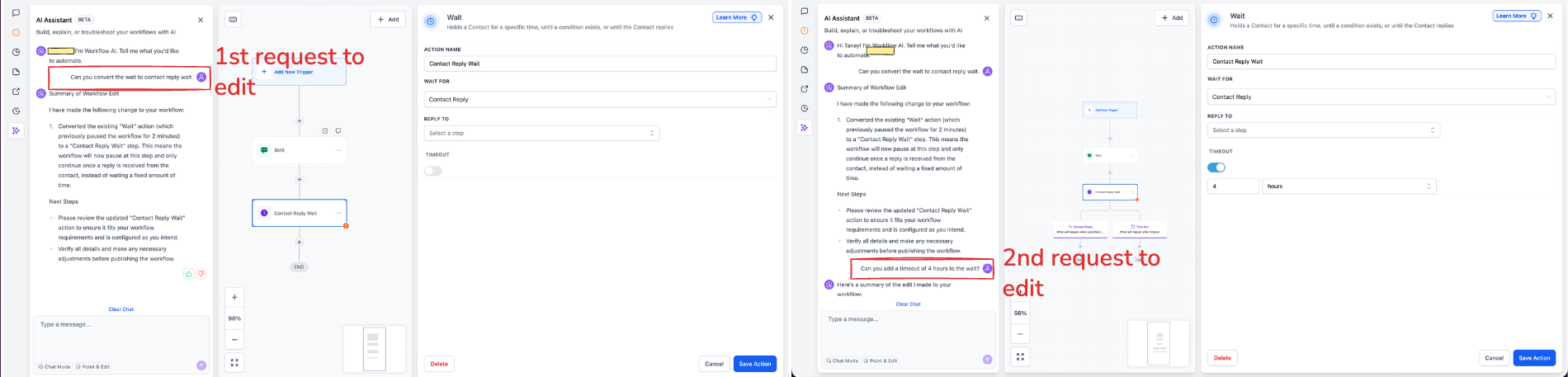
- Update wait attributes, including time delays, window settings, and reply conditions
- Add or remove timeout branches without disrupting the existing workflow structure
- Convert between wait types (e.g., switch a multi-branch “wait for email reply” to a simple time delay or to a conditional wait)
- Existing branch configurations remain intact when modifying attributes only
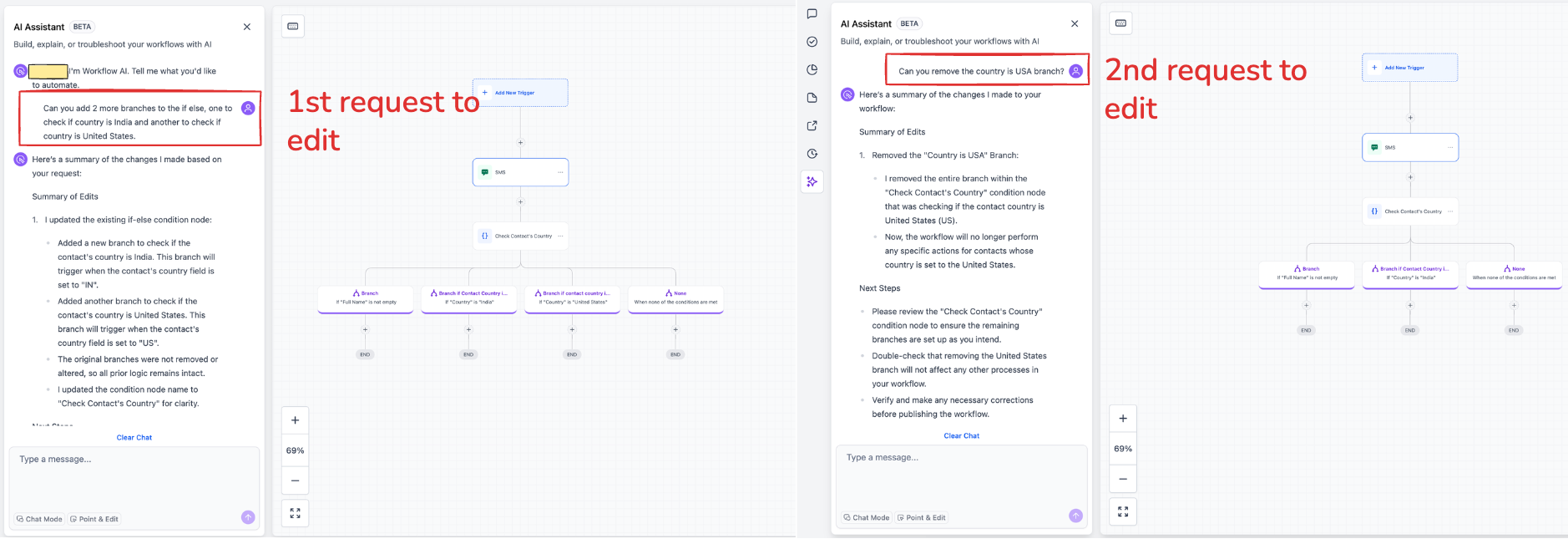
- Add new branches or remove existing ones while preserving the remaining logic
- Update branch conditions, change AND/OR operators, or append new condition segments
- All modifications maintain existing branch nodes and downstream actions
These actions involve intricate branching logic with many permutations, making accurate interpretation of user intent particularly challenging. This update removes the need to exit the conversational flow when refining workflow logic—users can now create, iterate, and finalise entire workflows without leaving AI Builder.
