Add & Track Product Cost Price and Margin
What’s New?
Businesses can now define a Cost Price and Margin for every product price or variant. This feature provides a clear, integrated method to track profitability without relying on spreadsheets or external tools.
Once configured, cost data will flow into your transaction exports, invoices, and calendars, ensuring you always know what you’re earning on each sale.
How it Works
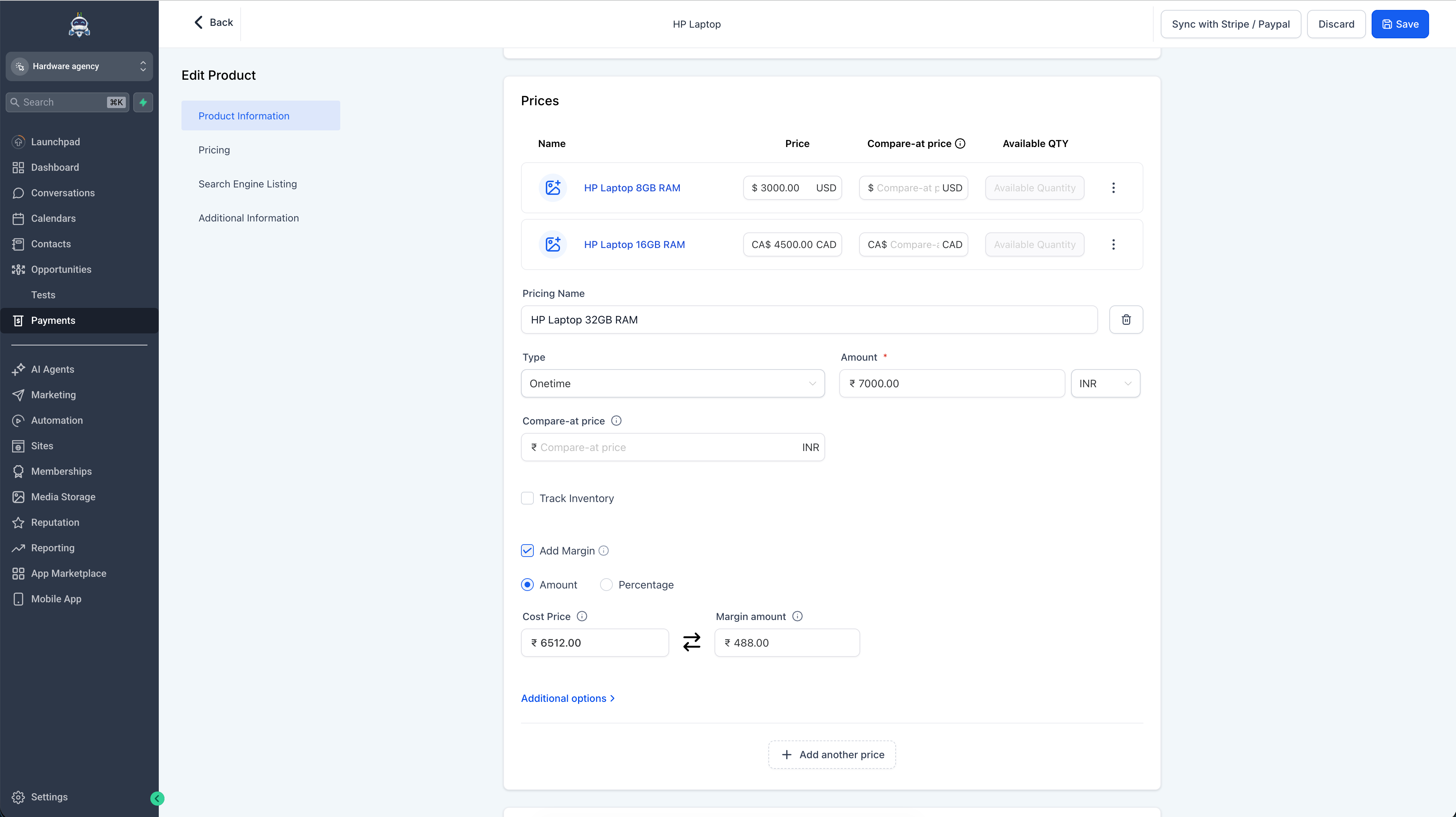
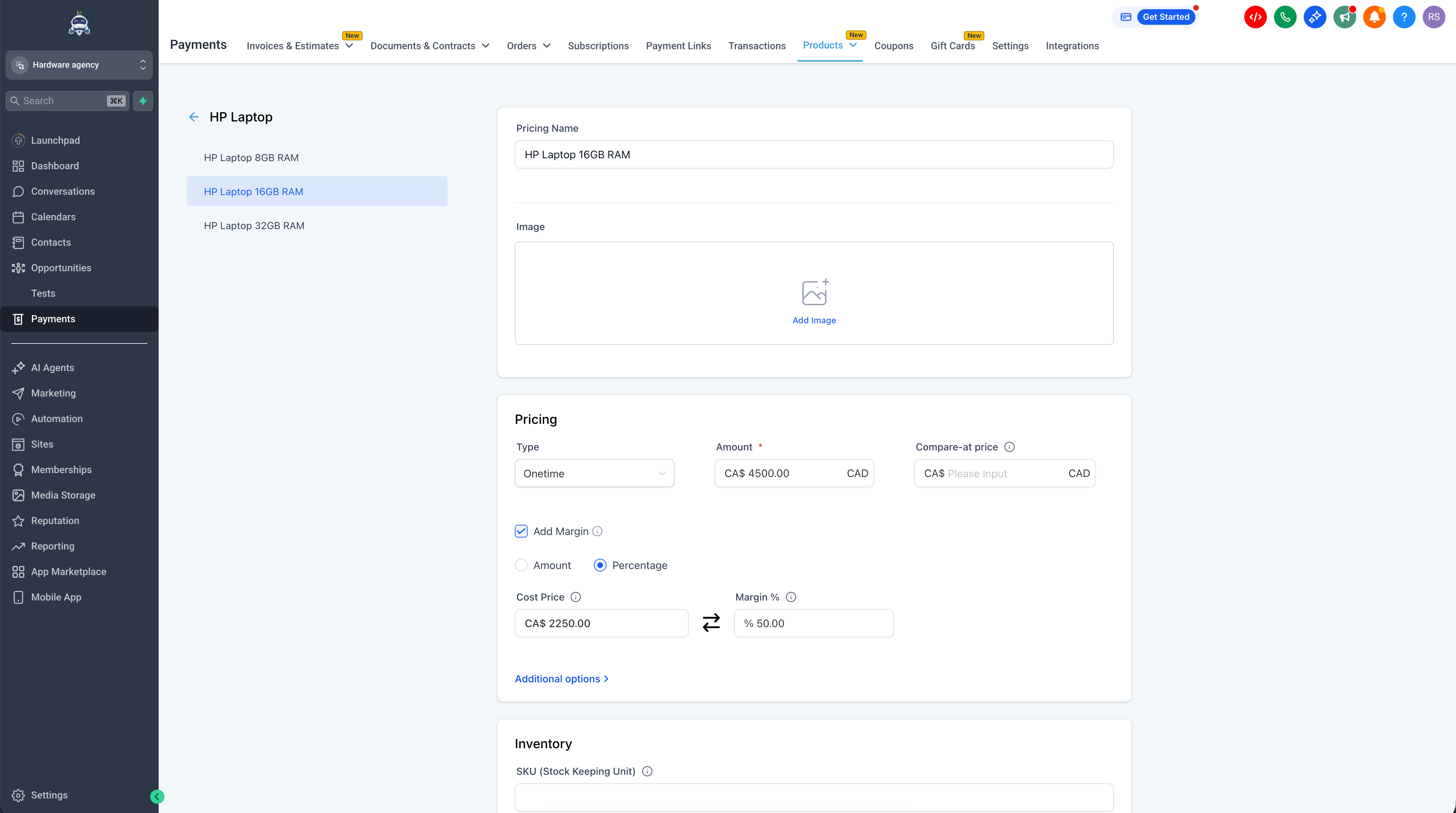
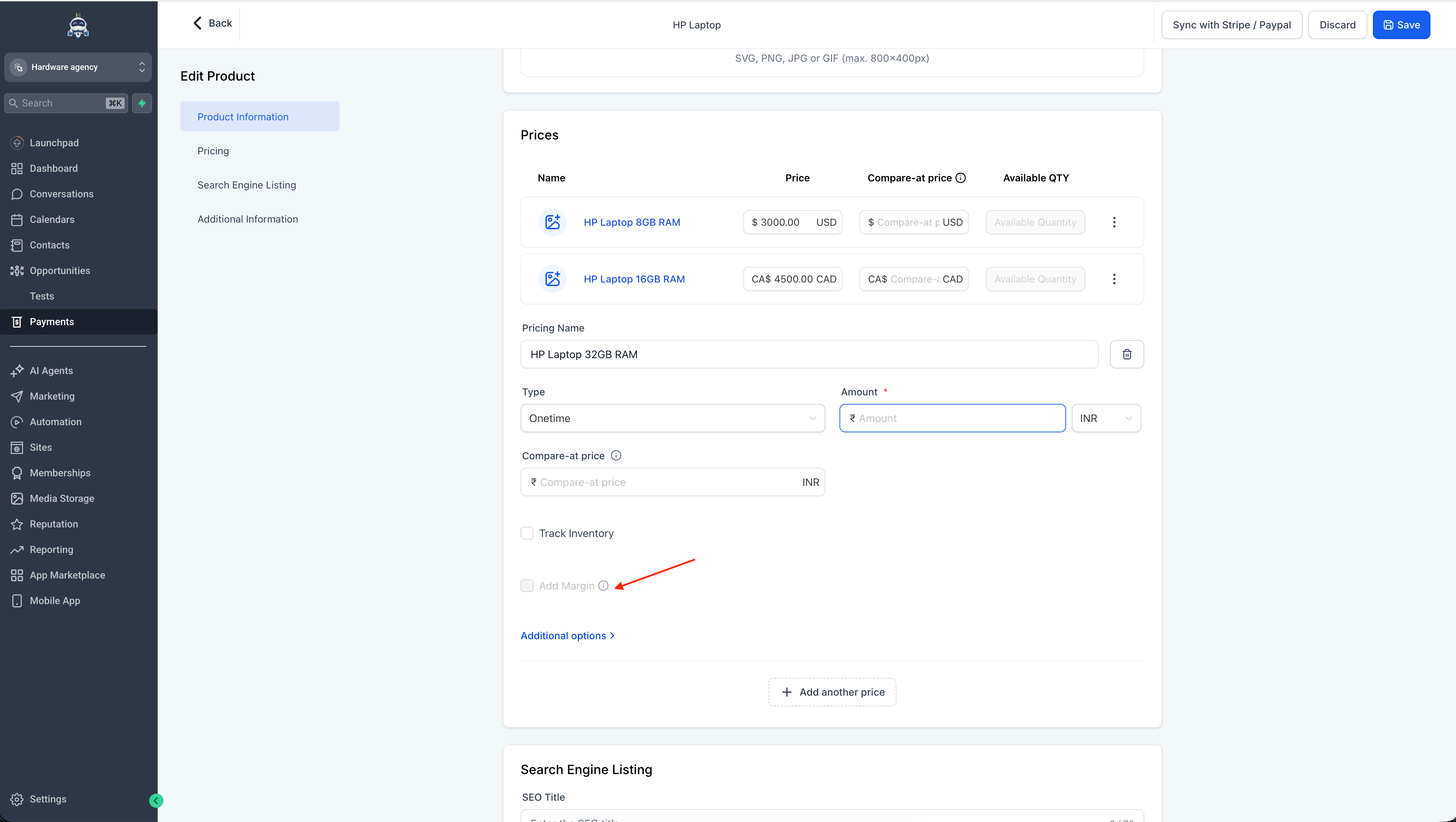
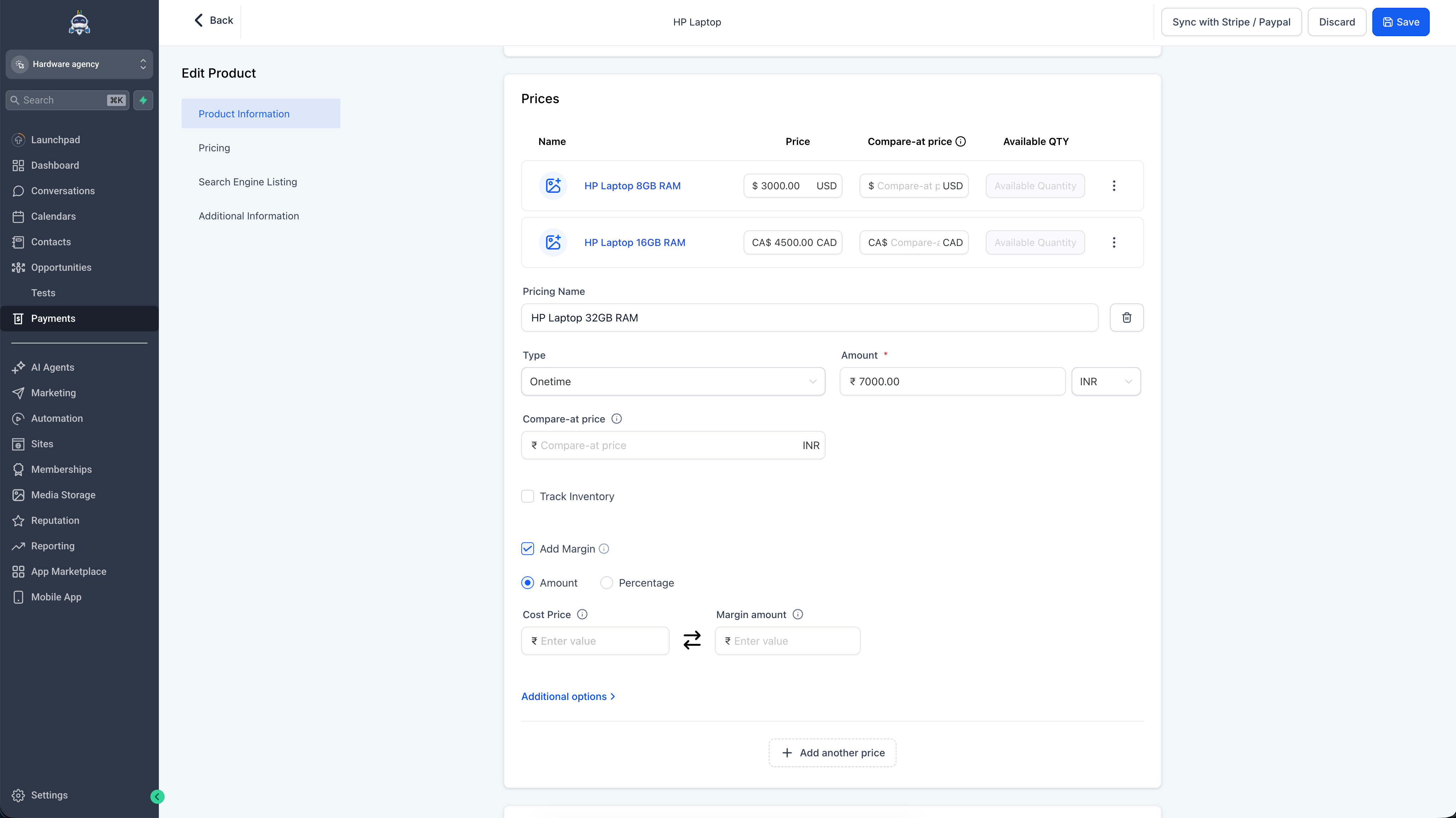
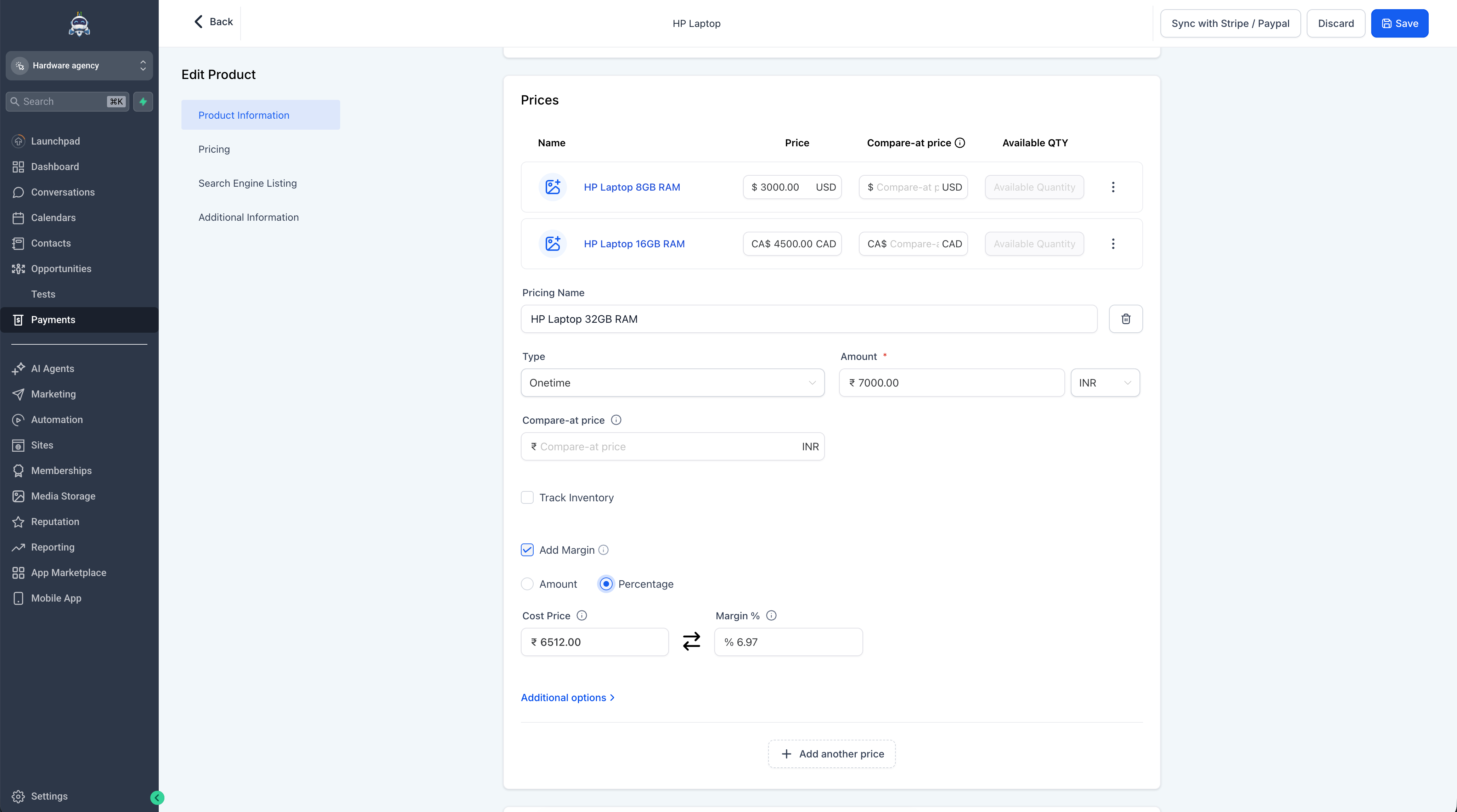
- Add cost price and margin under any product price or variant using the new “Add Margin” toggle (off by default — existing products will remain unaffected).
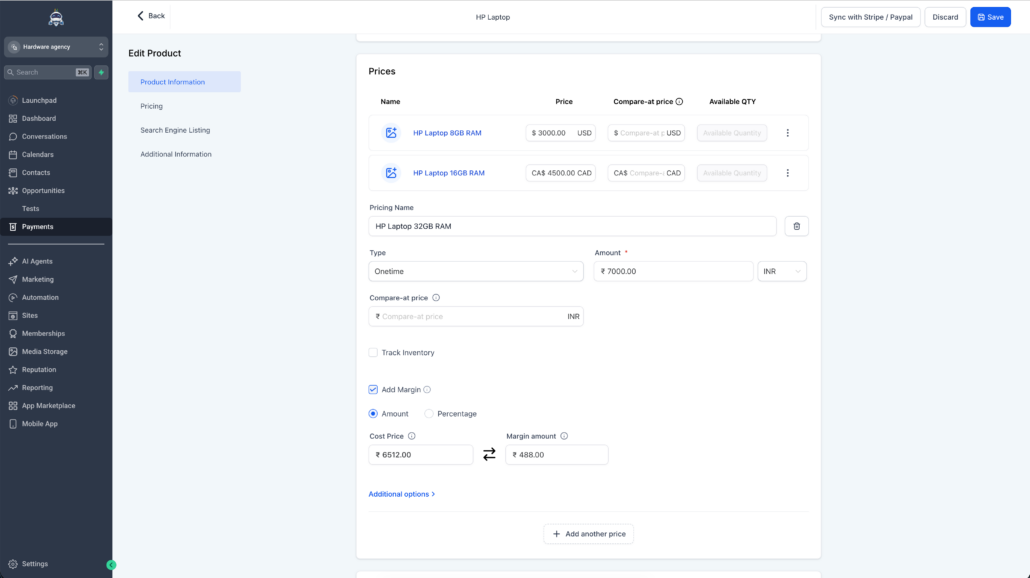
- Choose between Amount or Percentage mode for margin; enter a value in either field, and the other will automatically calculate based on the selling price.
- Margin percentages above 100% are supported, indicating that the cost exceeds the selling price.
- For invoices and calendars where prices are manually overridden, the cost price will always come from the original product — it will not be recalculated on the fly.
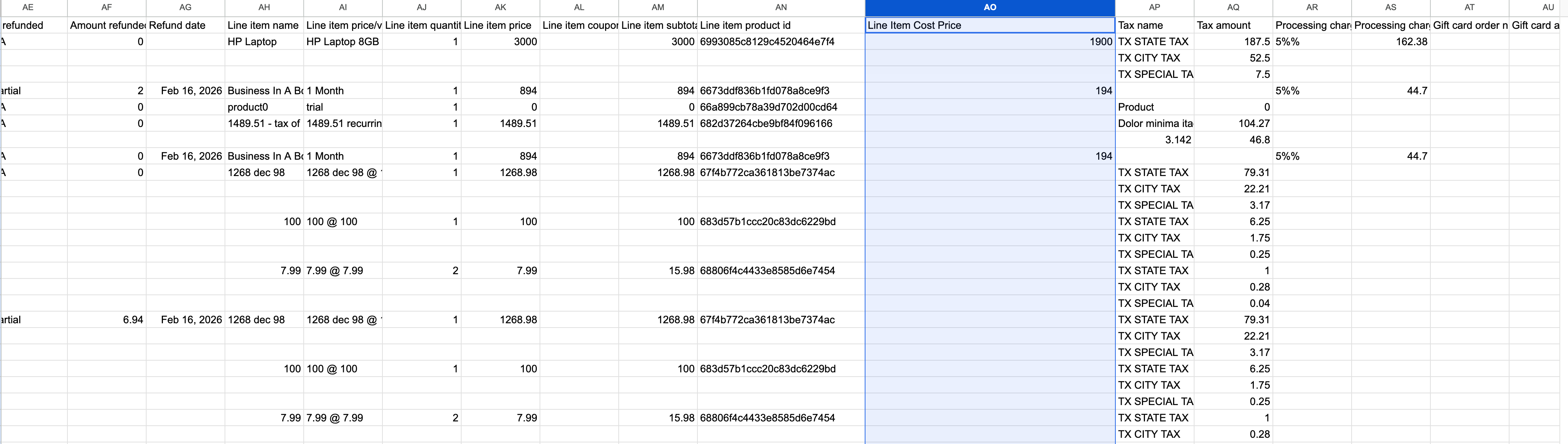
- A new Line Item Cost Price column is now available in the Transactions CSV export, enabling profitability analysis at the transaction level.
Where Can I Find This?
- Navigate to Payments → Products → Create or Edit a Product → Pricing section and check “Add Margin” to configure cost price and margin for any price or variant.
- For exports, go to Payments → Transactions → Export CSV — the new Line Item Cost Price column will automatically appear when a cost price has been defined for a product.
What’s Next?
- Bulk cost price editing across products.
- Margin data in additional export types.
- Cost Price and Margin modifications and consumption on invoices.
Visuals