

Add Photos in Estimates | Clixio Changelog
Clixio
Roadmap
Feedback
Changelog
new
Invoicing
What’s new?
- Attach up to 4 photos per line item on an estimate.
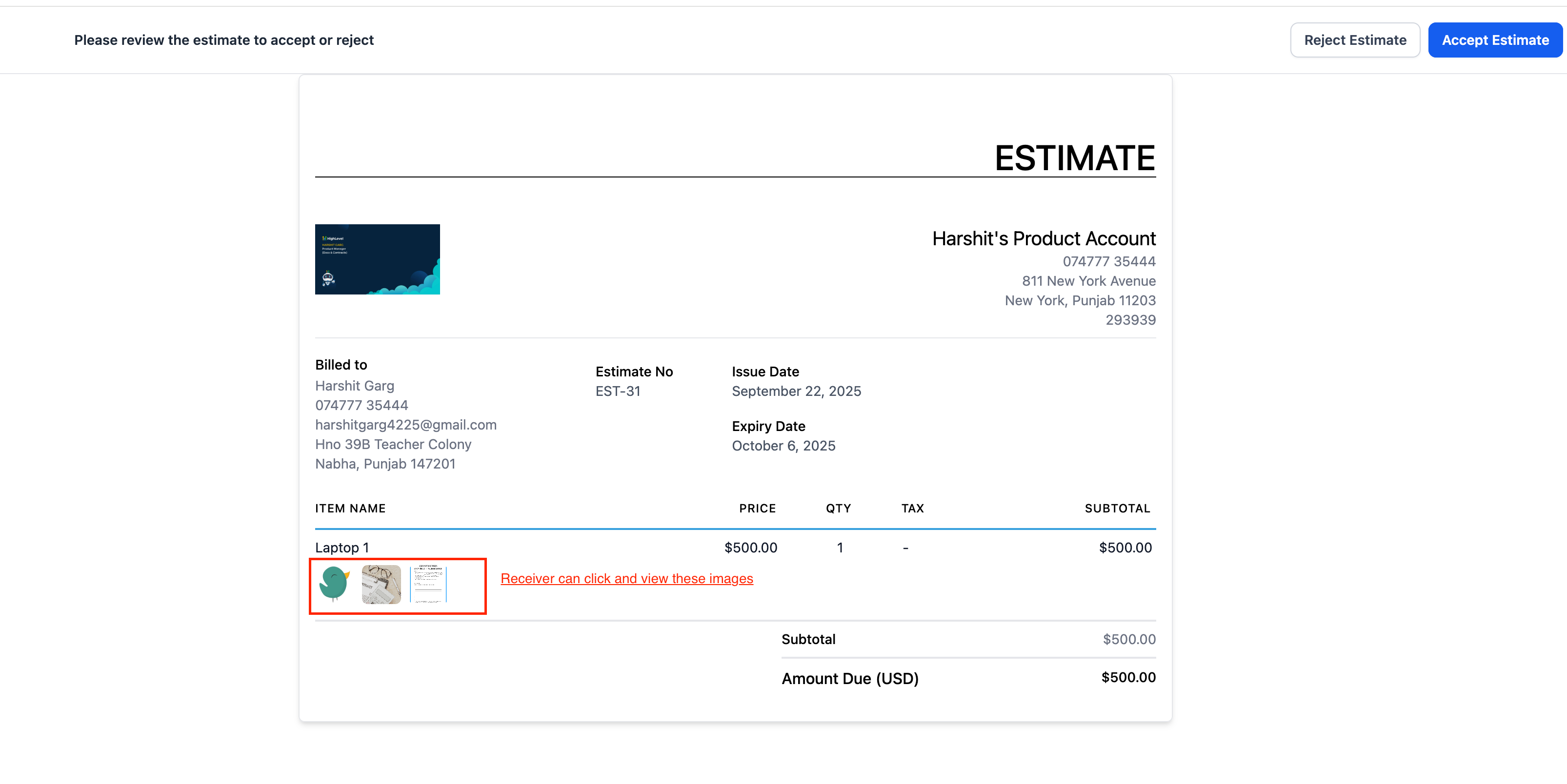
- Customers can see thumbnails under each item and click to view a full-screen gallery.
- Select images straight from Media Storage or upload on the fly—reuse them anytime.
How to use
- Navigate to Payments → Invoices & Estimates → Estimates → New Estimate.
- Add your product/service line.

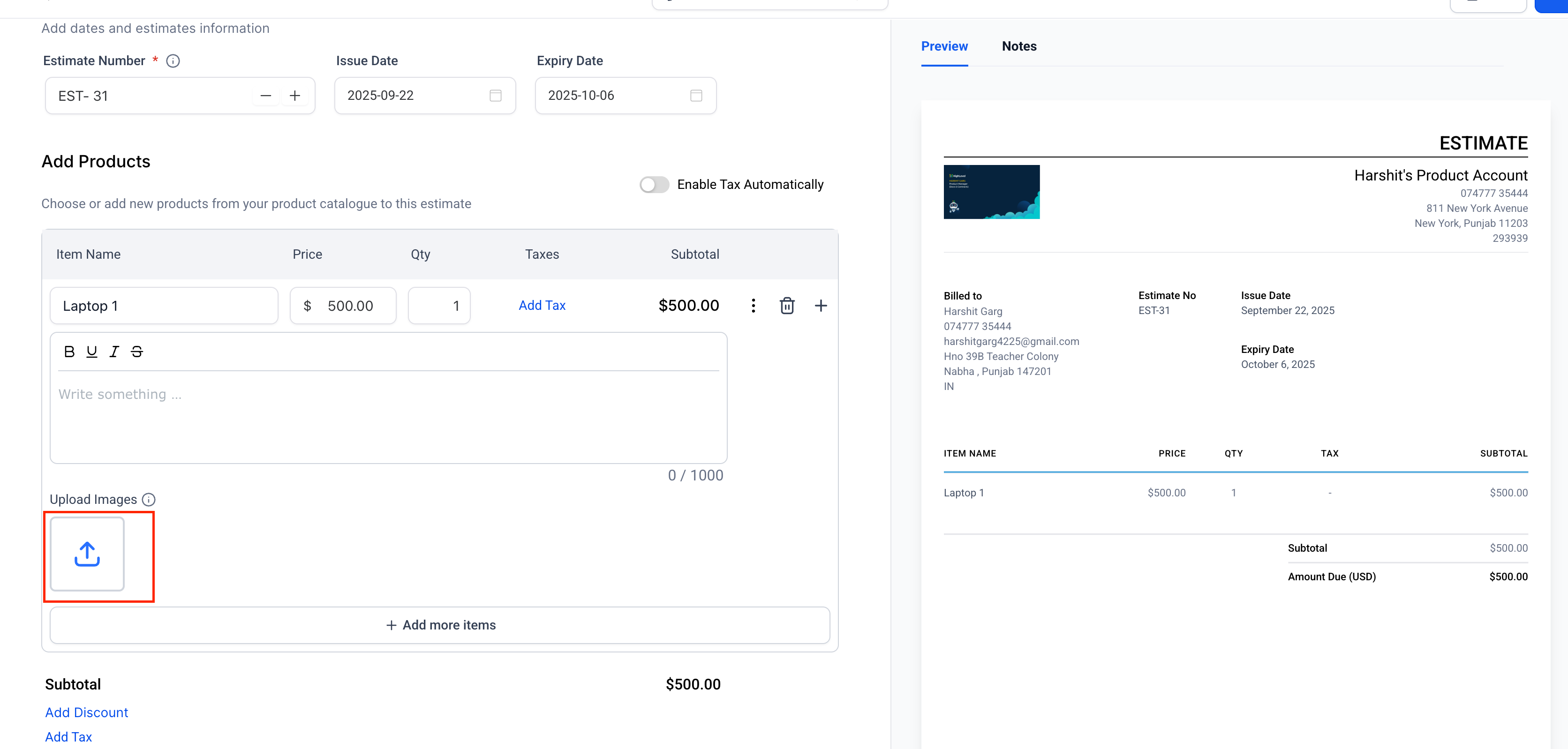
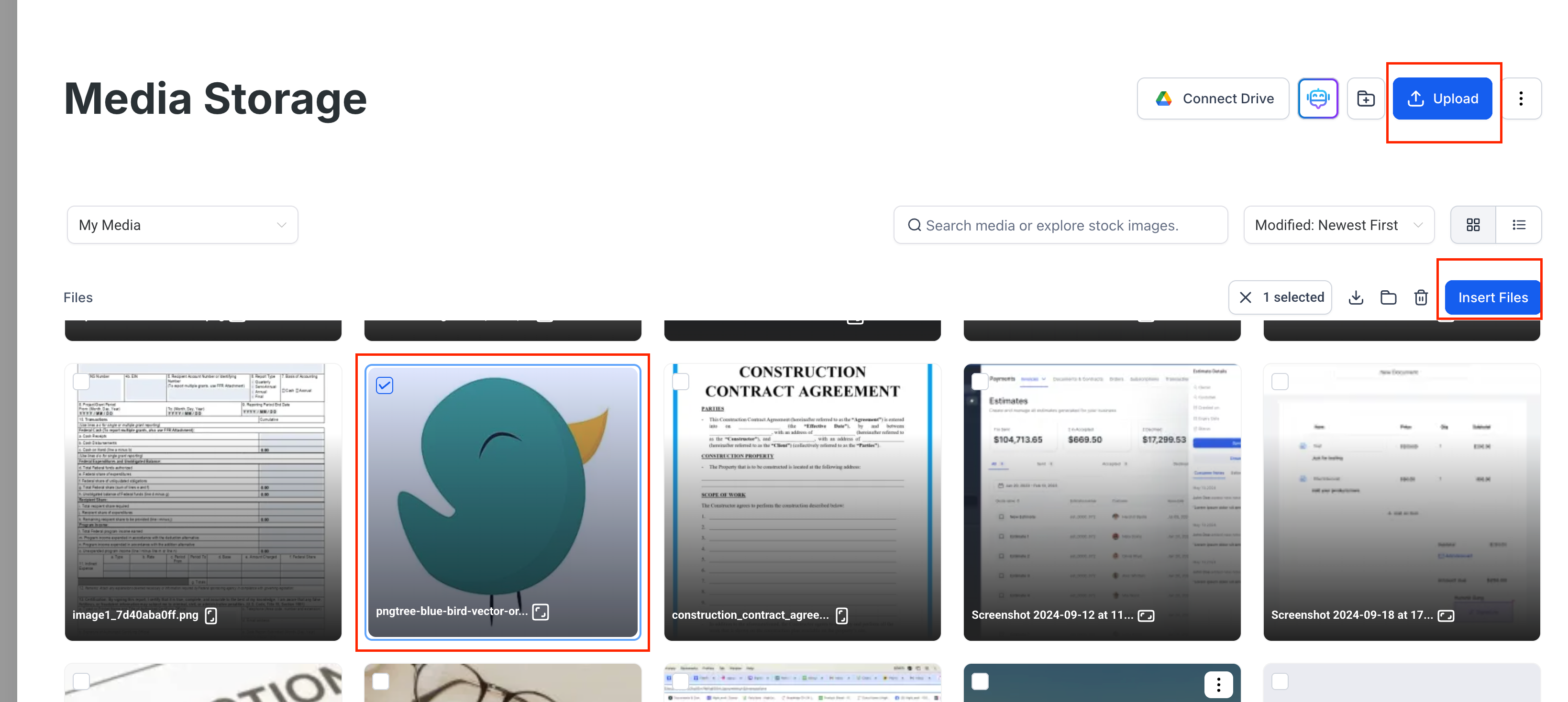
- Click Upload Images → choose from Media Storage or Upload → Insert Files (maximum of 4 per item).
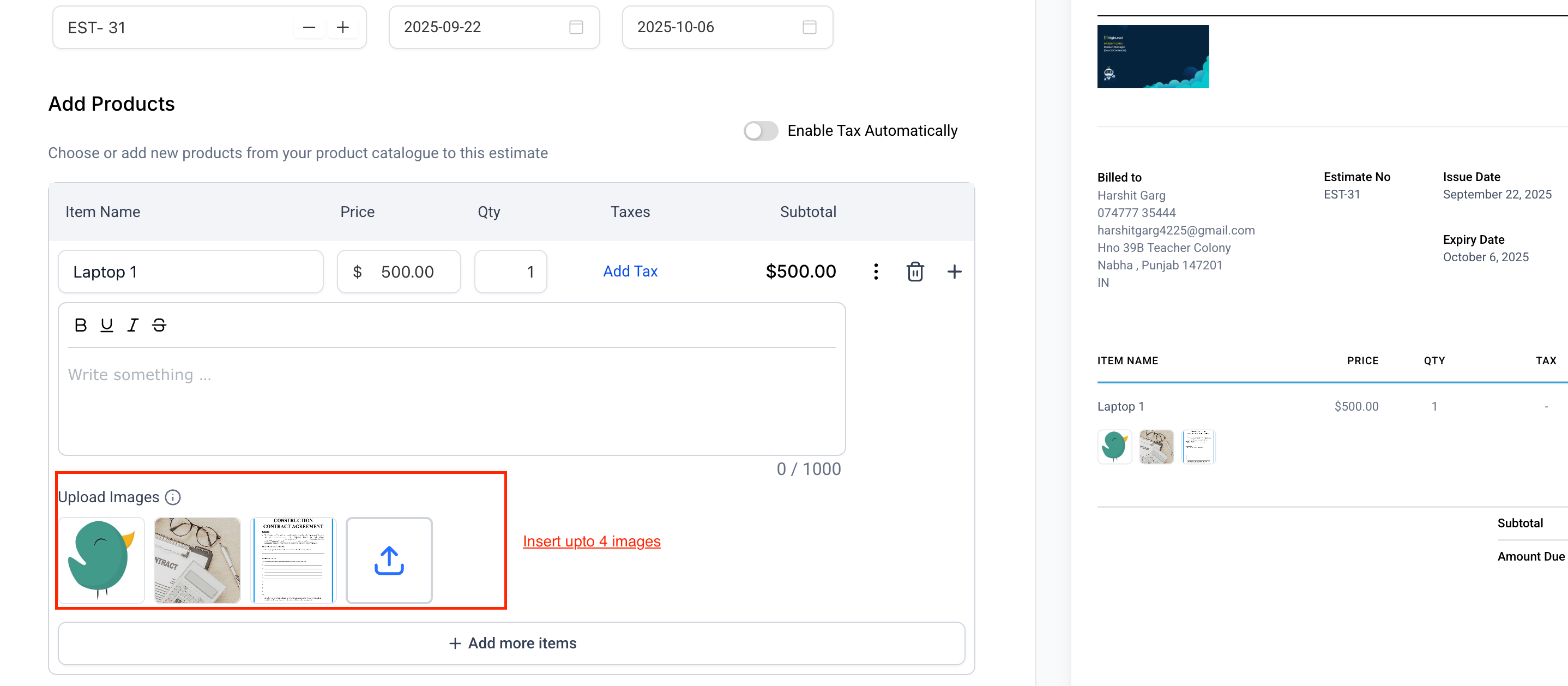
- Send the estimate. In the customer view, photos appear under the item and open in a gallery when clicked.
Why we built it?
- Clear visuals help clients accept estimates more quickly and avoid disputes over specifications, conditions, or finishes.
- Allows you to showcase options (colour, model, before/after, serial numbers) right where the price is indicated.
