
Ad Manager: LinkedIn Ads Integration
LinkedIn Ads
inside Clixio Ad Manager 🎉
LinkedIn Ad Accounts
and build
Lead Generation
and
Website Traffic
campaigns directly within Clixio. With this addition, you can manage all three major ad platforms:
Meta, Google, and LinkedIn
in one place.
-
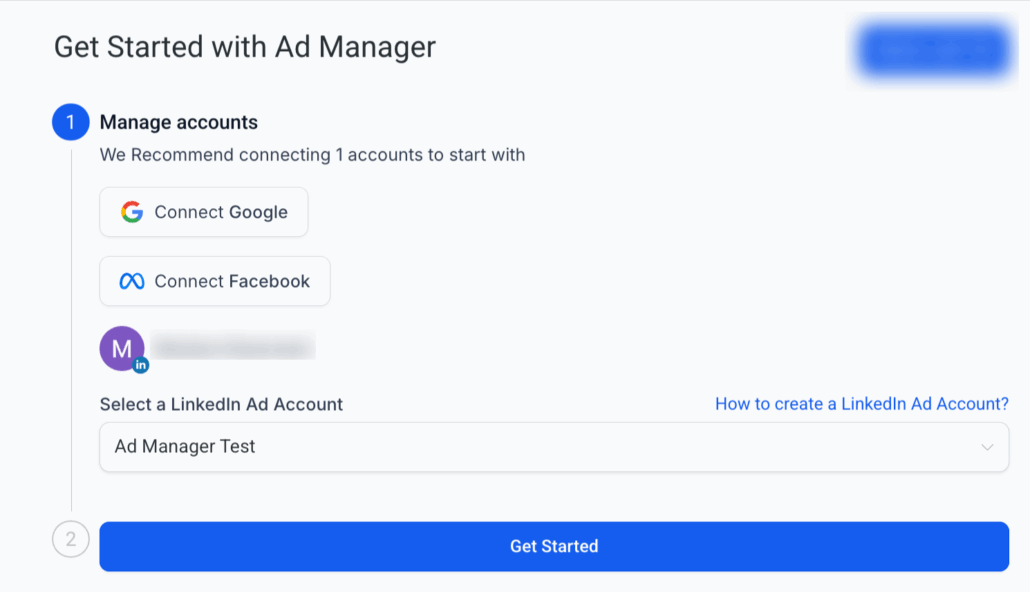
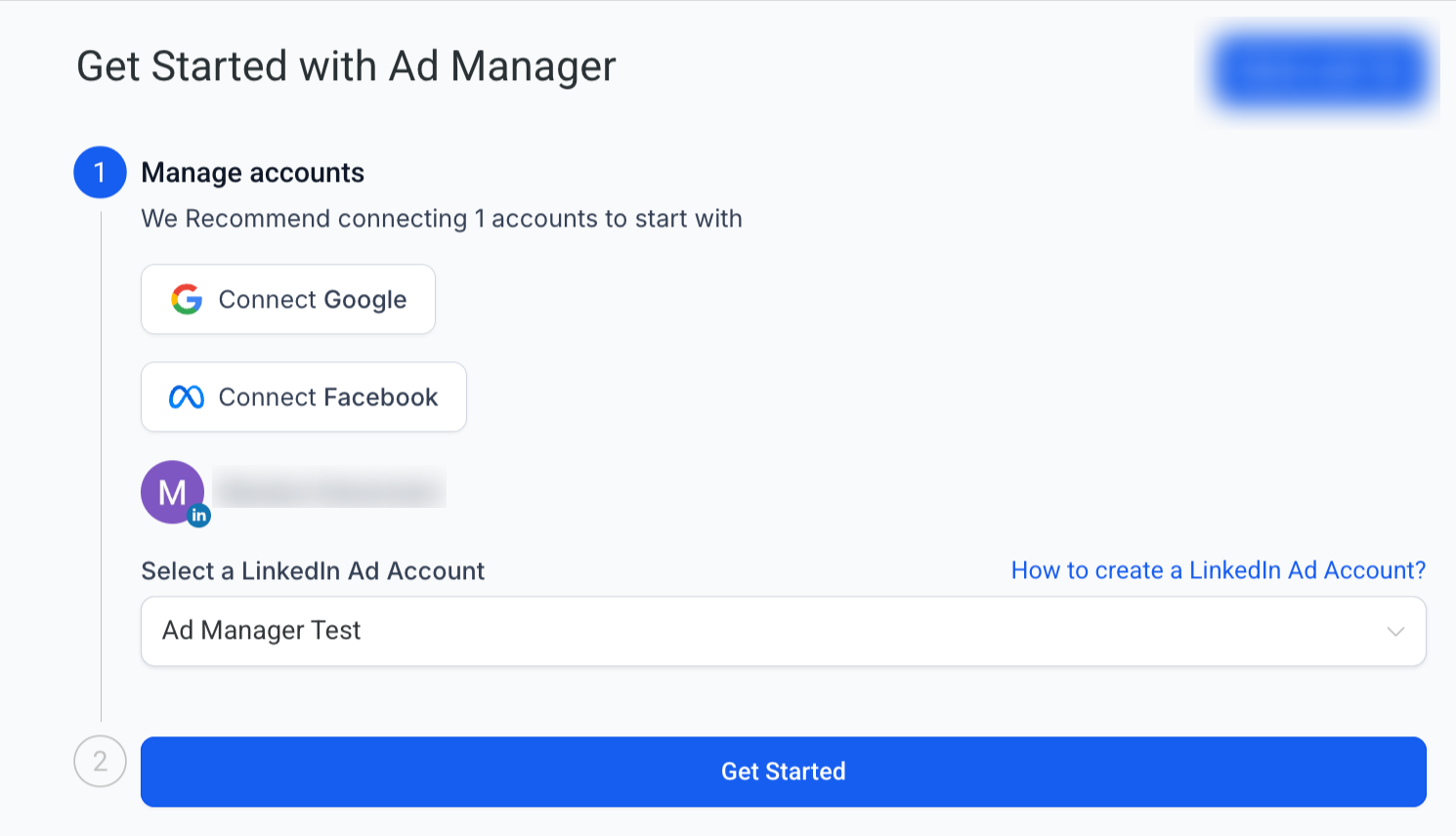
Connect Your LinkedIn Ad Account
- Secure OAuth integration (ensure that your LinkedIn Page is already linked to your ad account on LinkedIn before connecting in Clixio).
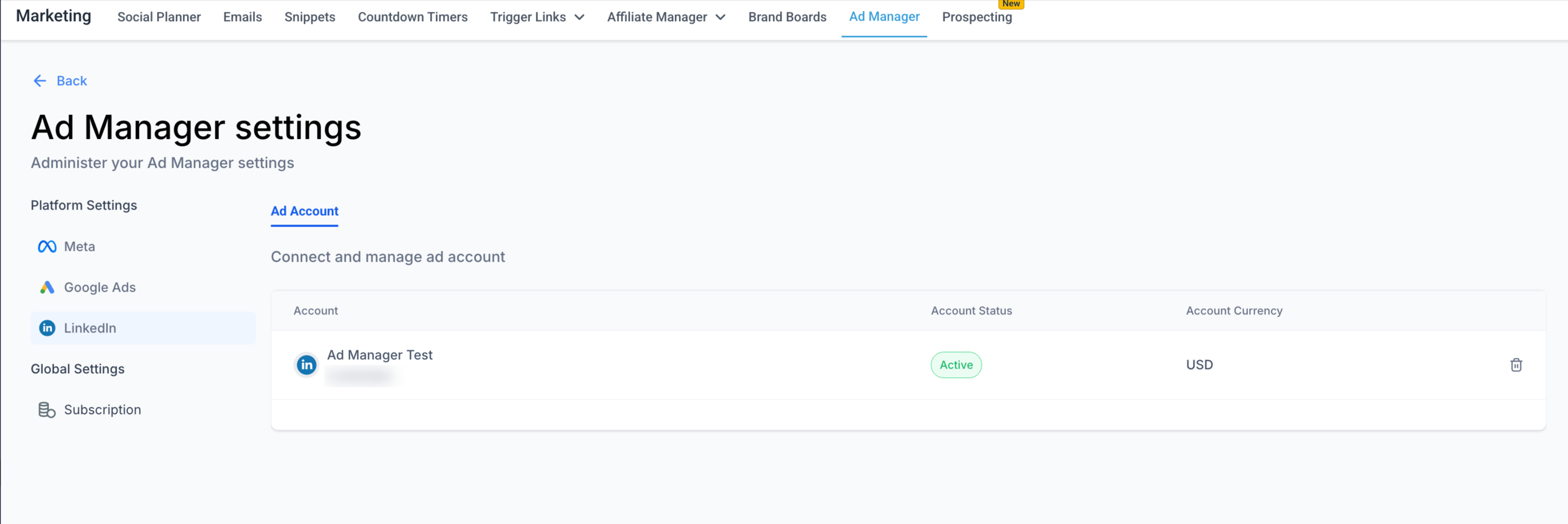
- Manage the connected ad account directly from
Ad Manager Settings
.
-
Campaign Hierarchy
-
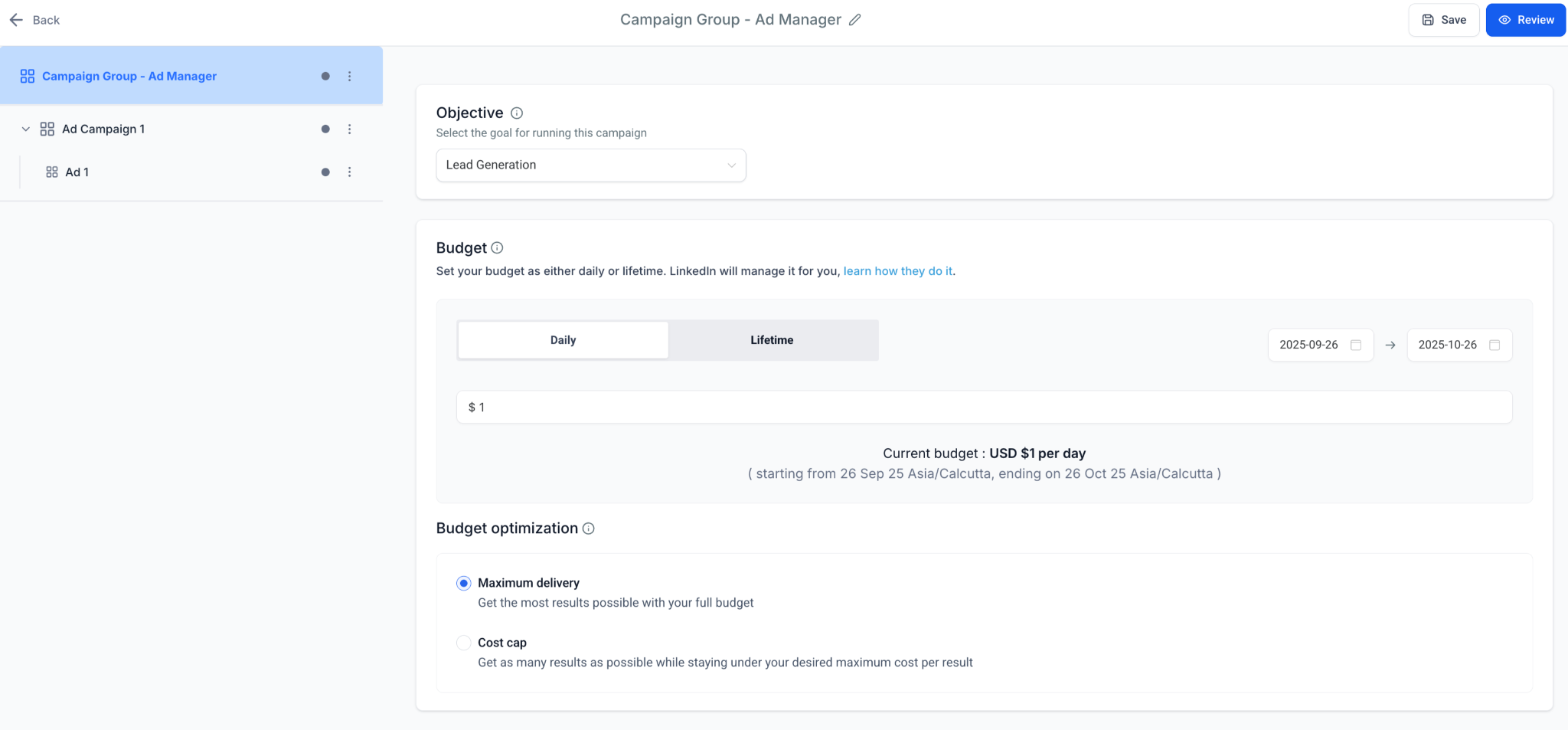
Campaign Group
: top-level container (similar to Meta Campaign / Google Campaign).
-
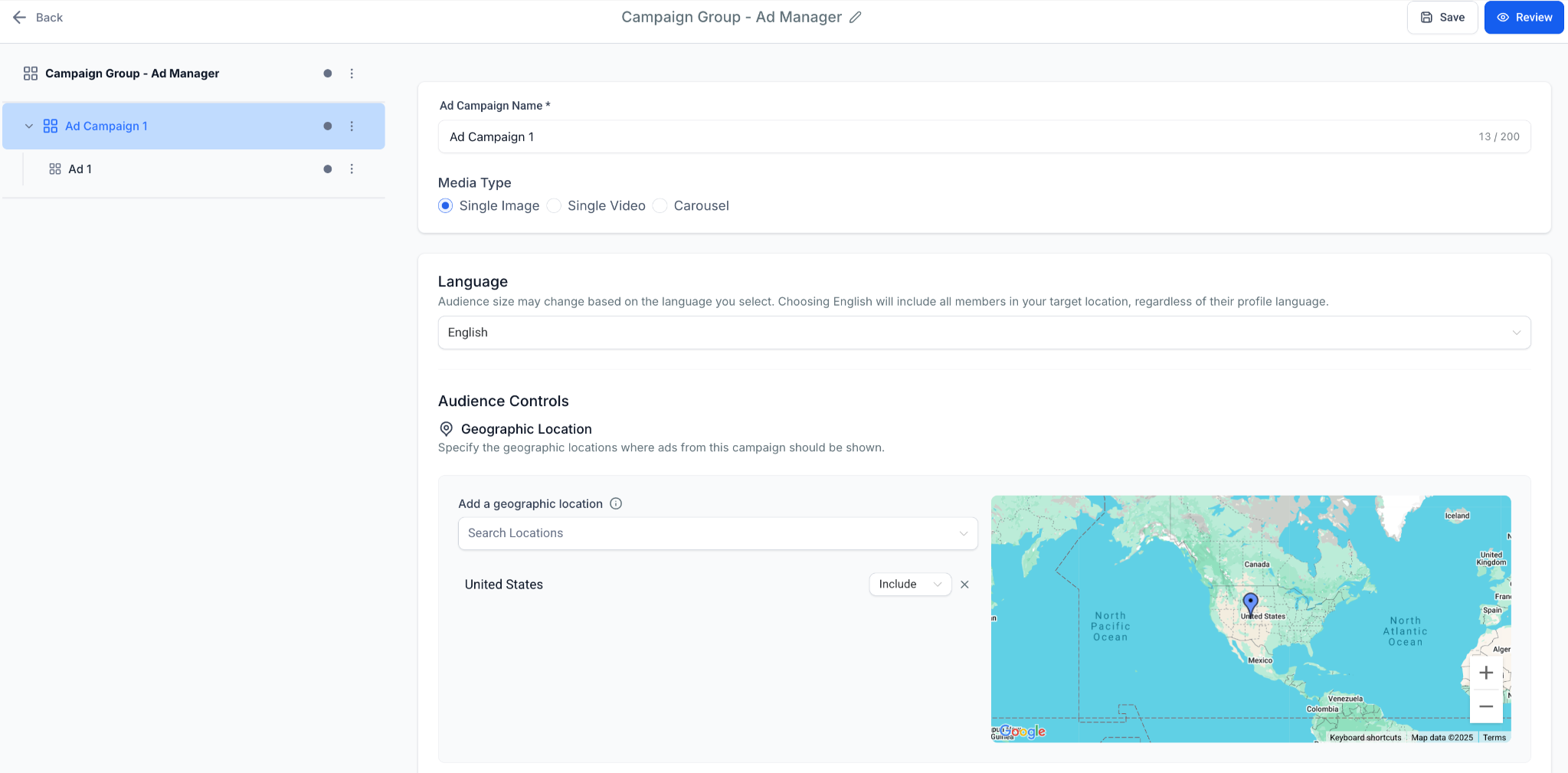
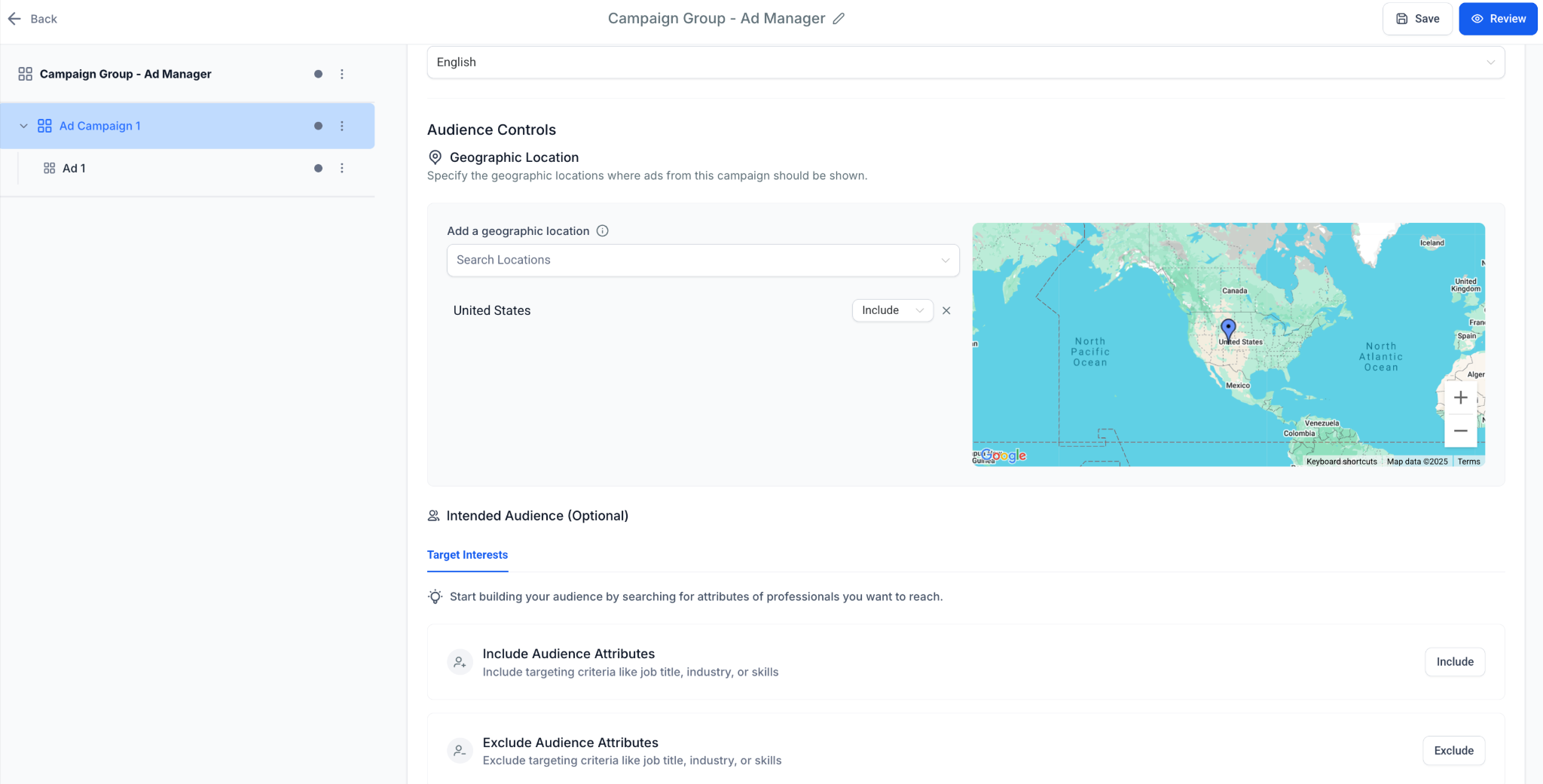
Campaign
: targeting & budget layer (similar to Meta Ad Set / Google Ad Group).
-
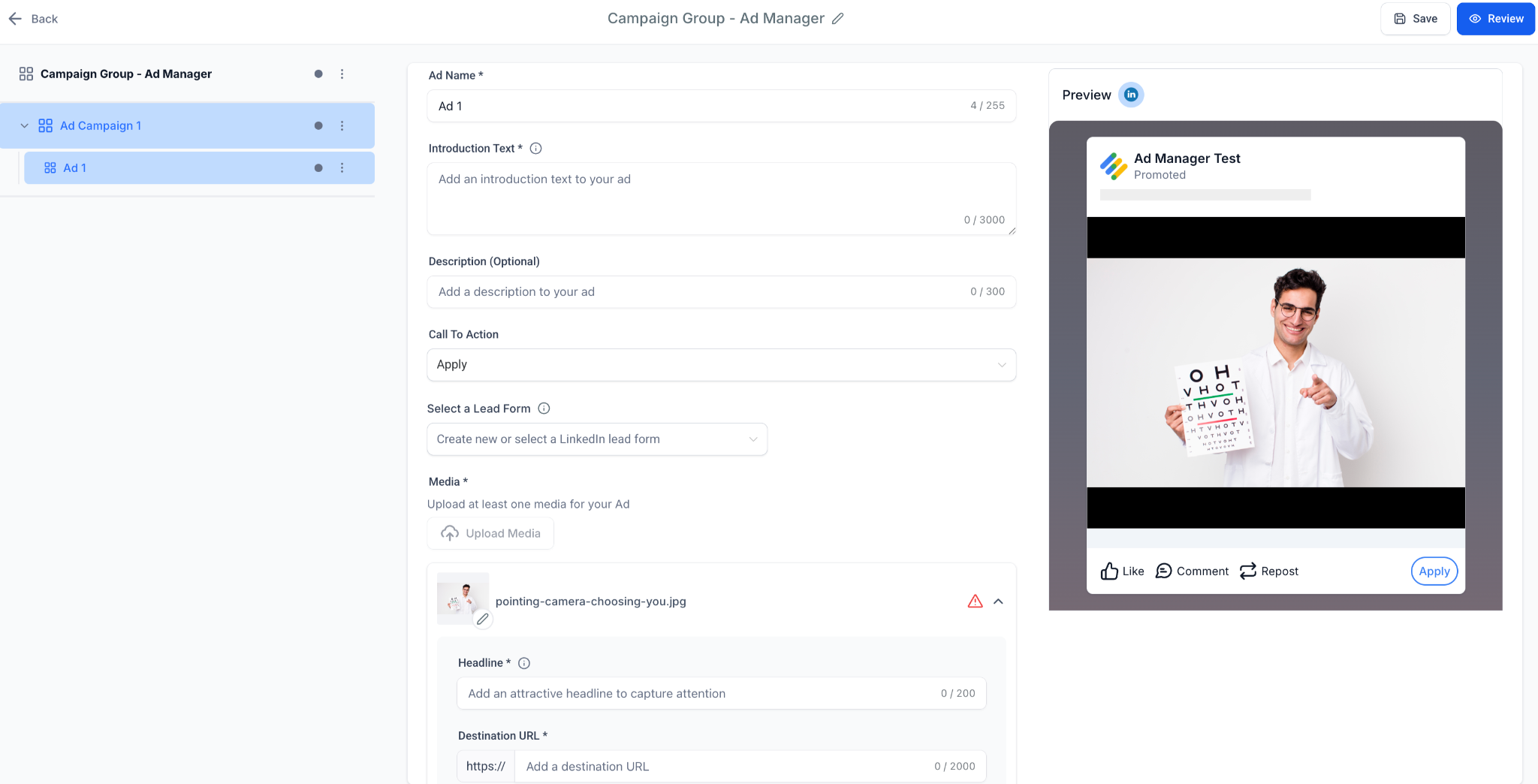
Ad
: creative layer (similar to Meta Ad / Google Ad).

- Supports multiple campaigns under a group and multiple ads per campaign.
-
Supported Objectives
-
Lead Generation
: Use LinkedIn’s native Lead Gen forms with our brand-new accordion-style builder.
-
Website Traffic
: Drive clicks with validated destination URLs.
-
Ad Creation and Media Types
- Choose media type at campaign level:
Single Image, Single Video or Carousel
.
- Configure ad details: Introduction, description, headline, select a CTA, and specify the destination URL.
- LinkedIn Lead Form (create or attach).
- Carousel ads support
per-card headline + destination URL
.
-
Live preview
panel for
desktop and mobile feed
.
-
Audience Targeting
-
Mandatory
: Geographic location.
-
Optional filters
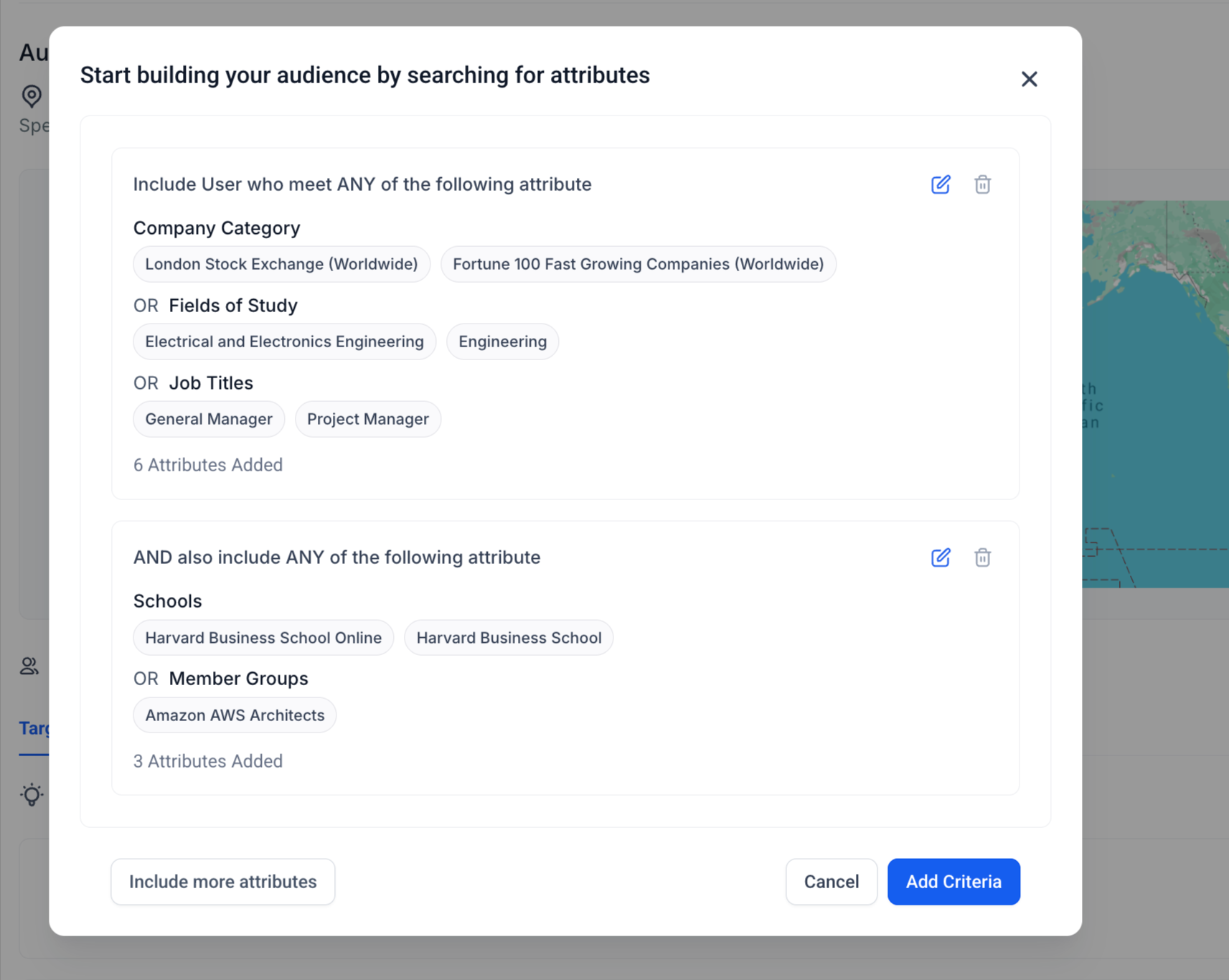
: Job Title, Industry, Company Size, Education, Skills, Seniority, Interests & Traits.

-
Advanced Logic
:
- Add up to
3 attribute groups
.
-
OR logic
within a group (e.g., Job Title = Manager OR Director).
-
AND logic
between groups (e.g., Job Title = Manager AND Industry = Healthcare).
- Support for both
Include
and
Exclude
attributes.
-
Budget & Schedule
- Define your
daily
or
lifetime
budget for your Campaign Group.
-
Optimisation
modes: Maximum Delivery (default) or Cost Cap.
-
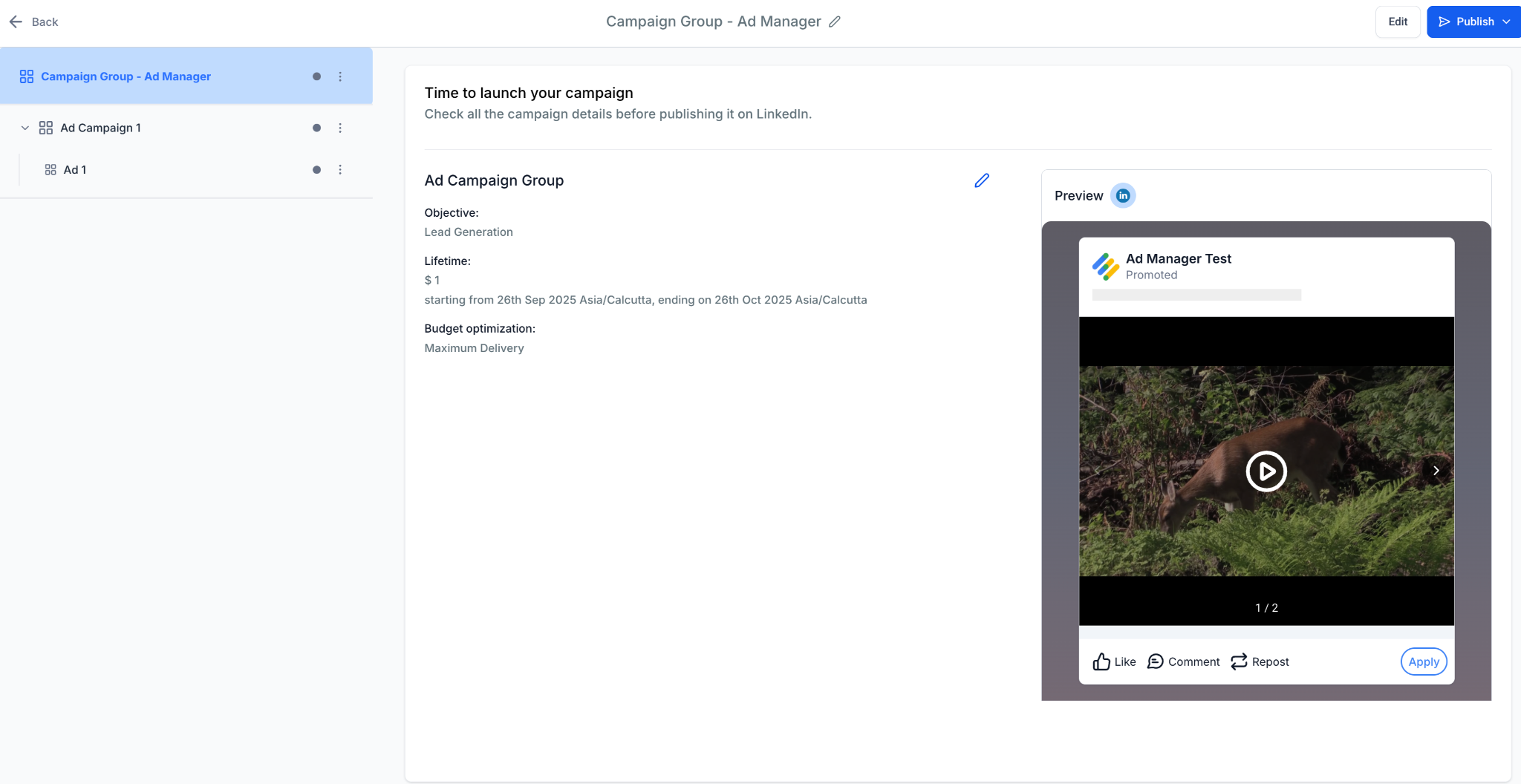
Review & Publish
- Final summary including campaign objective, budget, schedule, and complete ad preview.
- One-click publish to LinkedIn Campaign Manager.
-
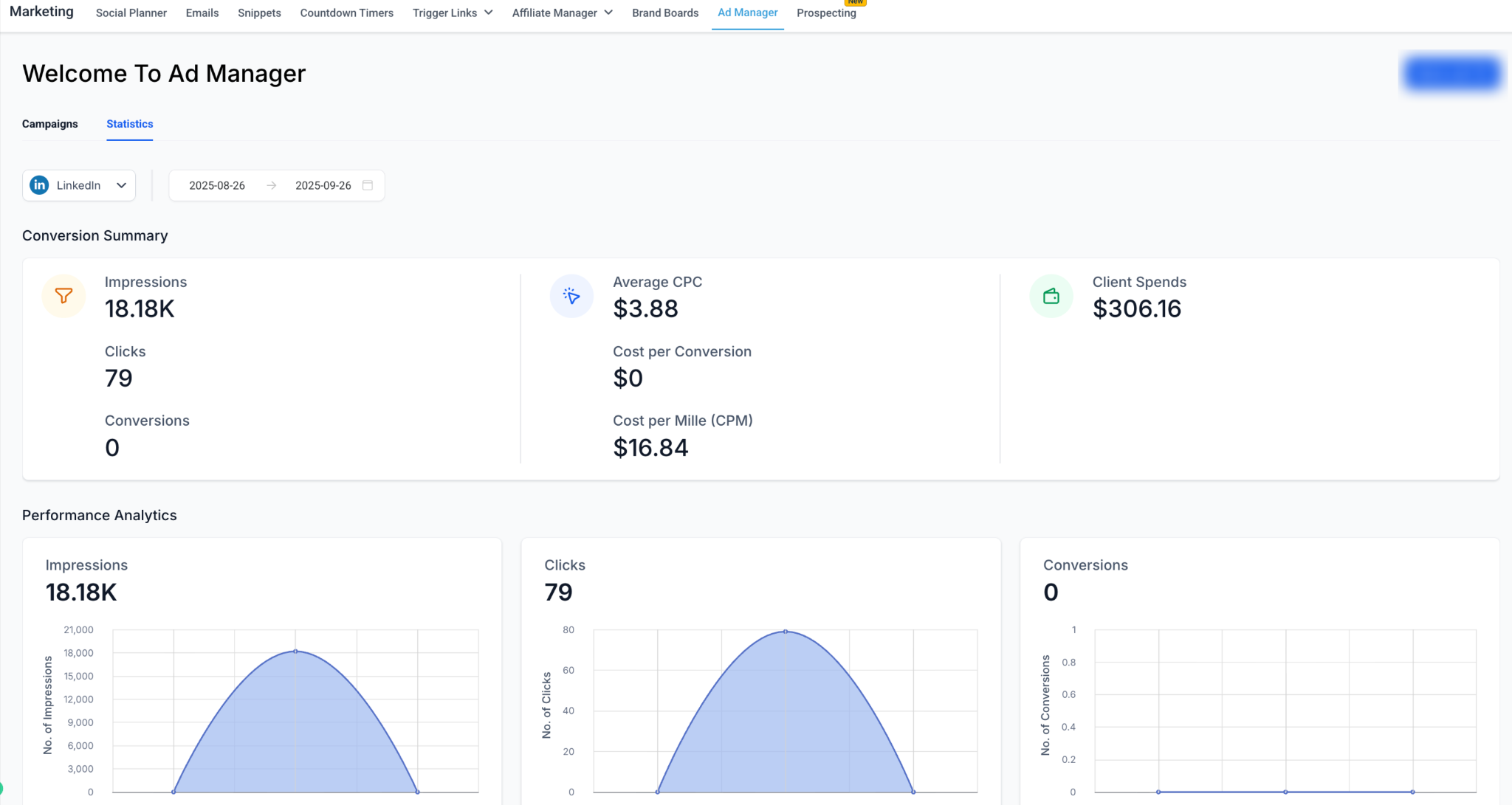
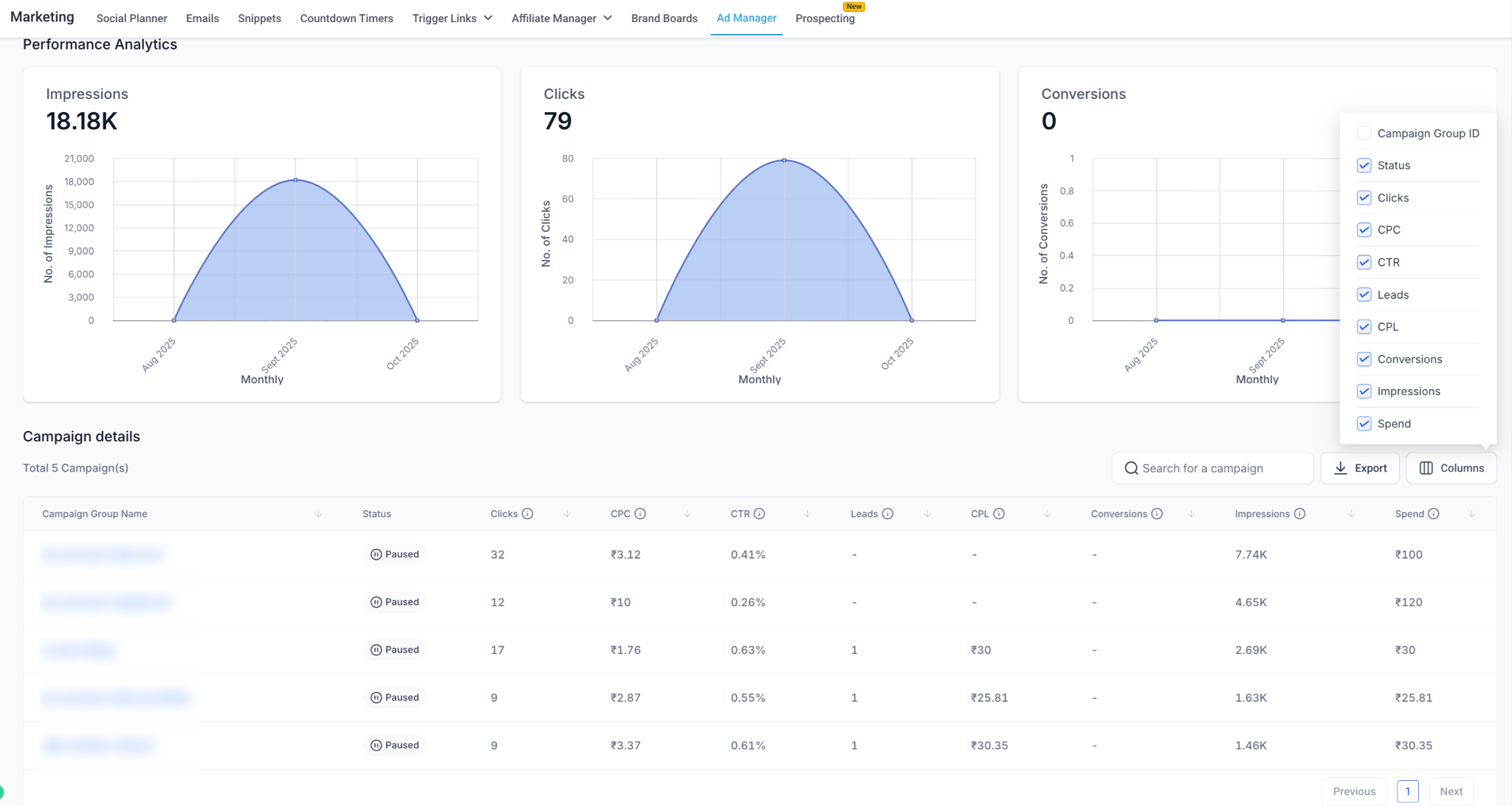
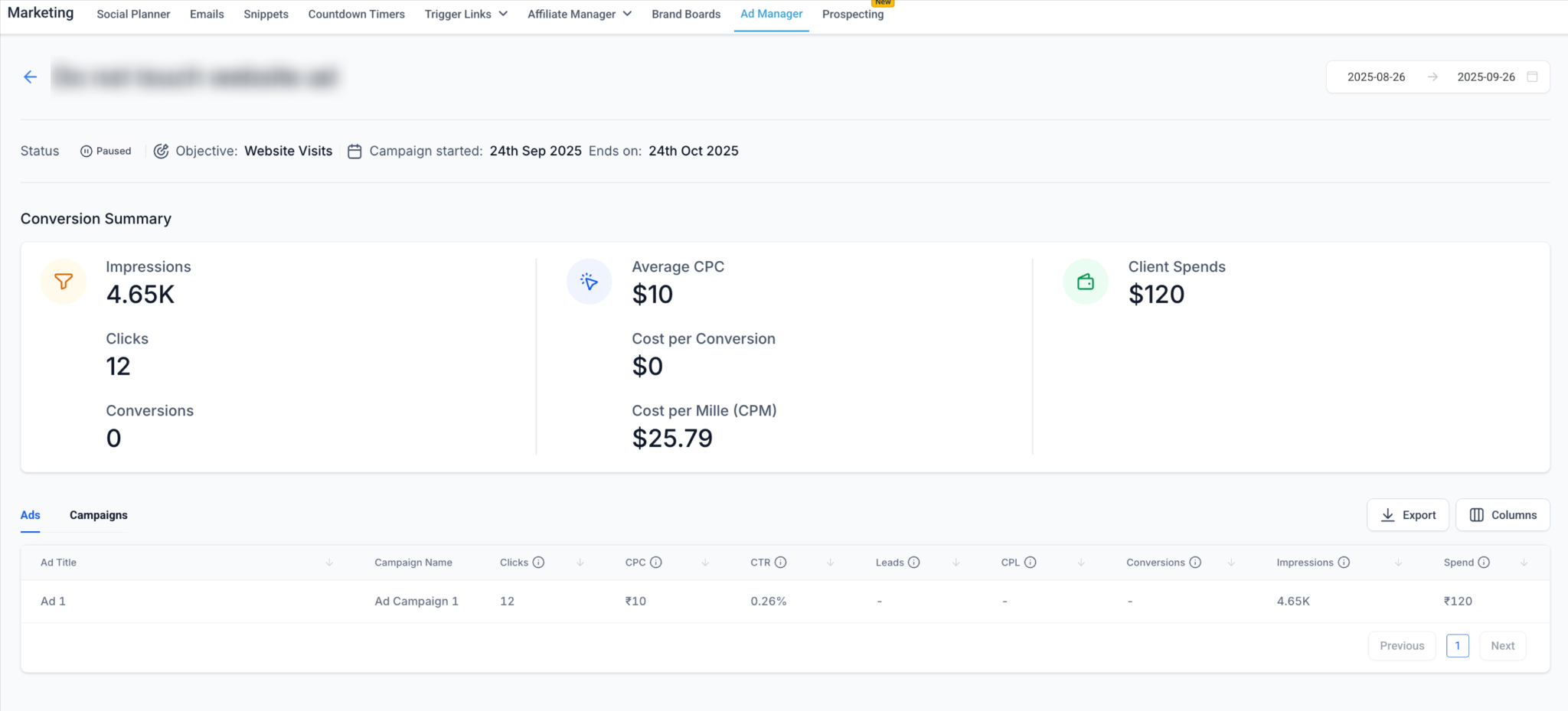
Performance Dashboard
- New LinkedIn tab in Ad Manager statistics.
-
Metrics
: Impressions, Clicks, CTR, CPC, CPM, CPL, Leads, Spend, Conversions.
- Go to
Ad Manager > Settings > LinkedIn > Connect Ad Account
.
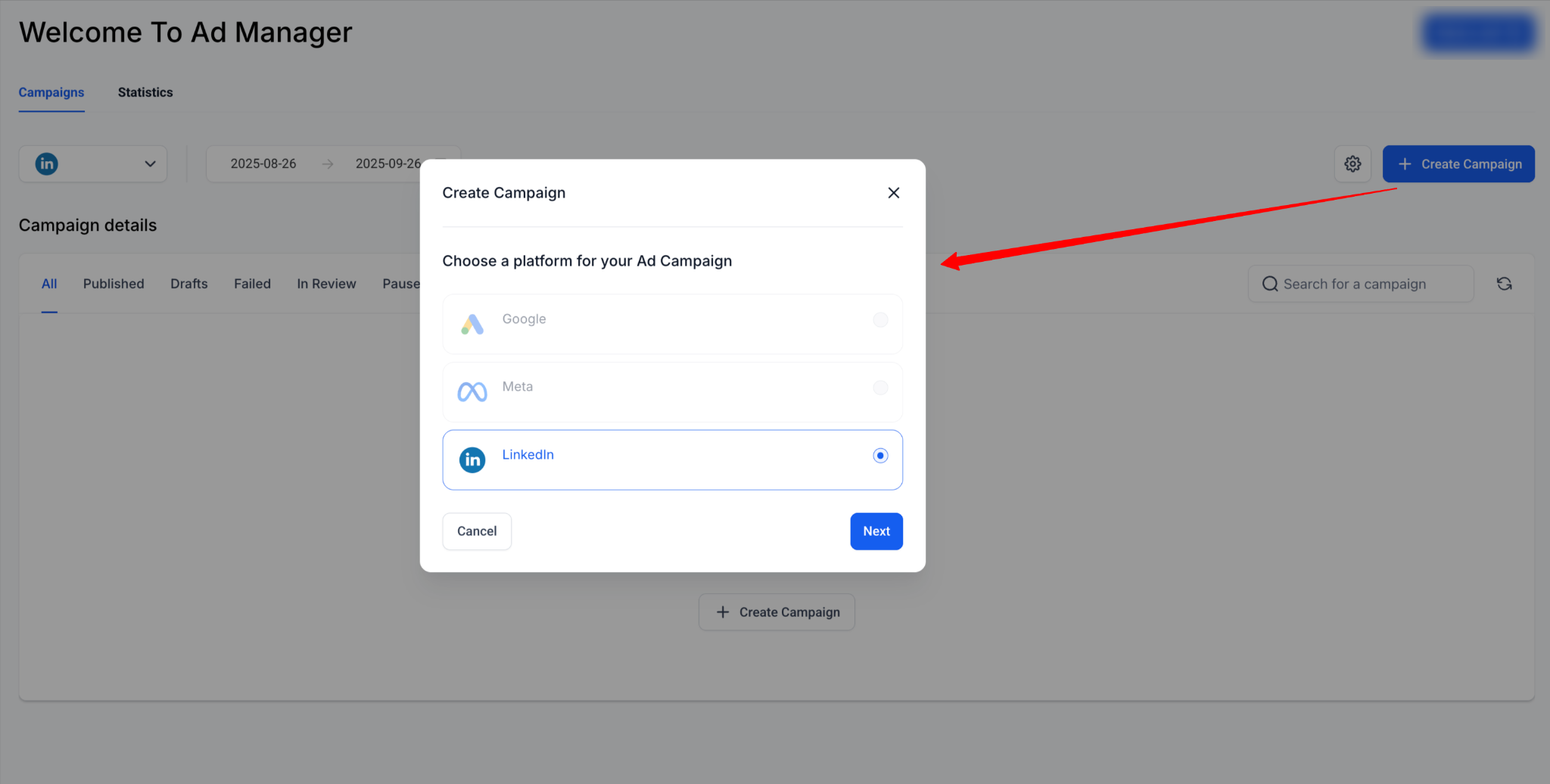
- Create a
campaign
>
Select LinkedIn > Choose objective
(Lead Generation or Website Traffic).
- Add ad creatives (image, video, or carousel) + headline + CTA + destination URL.
- Configure audience targeting with up to 3 layered criteria.
- Set budget and schedule.
- Review & Publish.
- Monitor performance in the Statistics dashboard with campaign group, campaign, and ad-level drill-downs.
the world’s largest professional network
With this integration, you can:
- Ensure your LinkedIn Company Page is connected to your Ad Account before linking in Clixio.
