
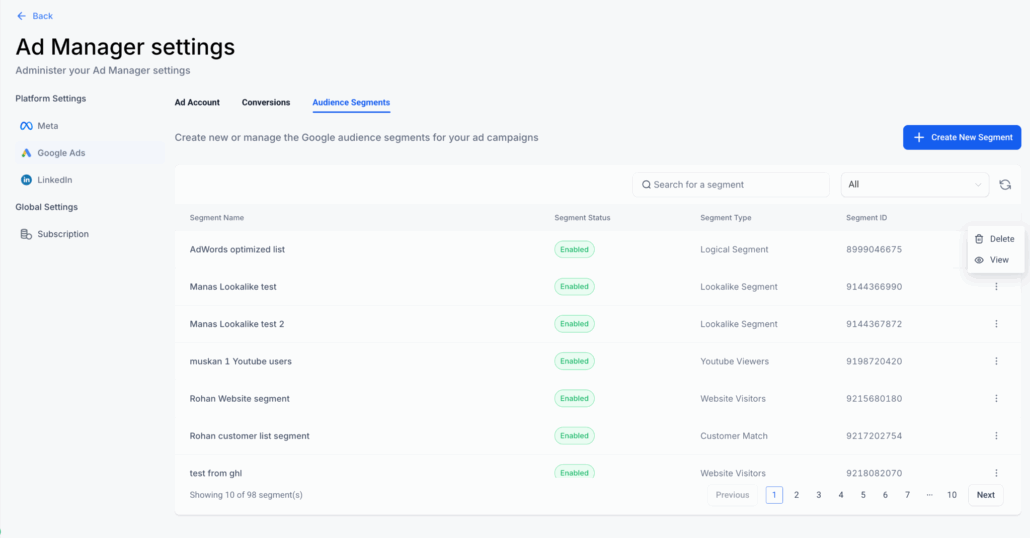
Ad Manager – Audience Segments for Google Ads
Google Audience Segments
. This feature allows users to create, manage, and target audiences directly within the platform. The release offers complete audience management—from
segment creation within Ad Manager settings
to
seamless integration into the campaign builder
—ensuring enhanced reach, personalisation, and campaign performance.
-
“Audience Segments” tab under
Ad Manager Settings > Google Ads
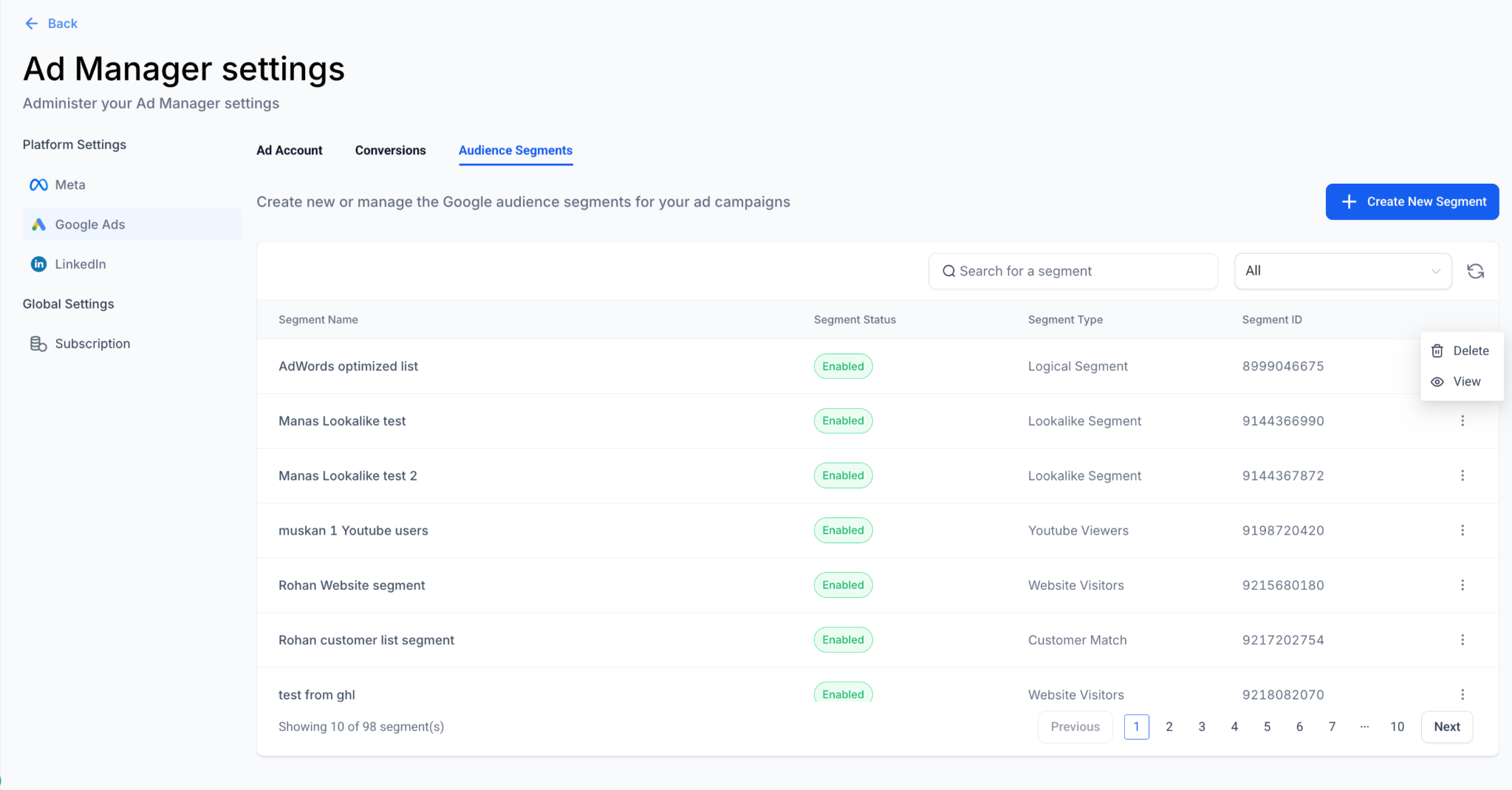
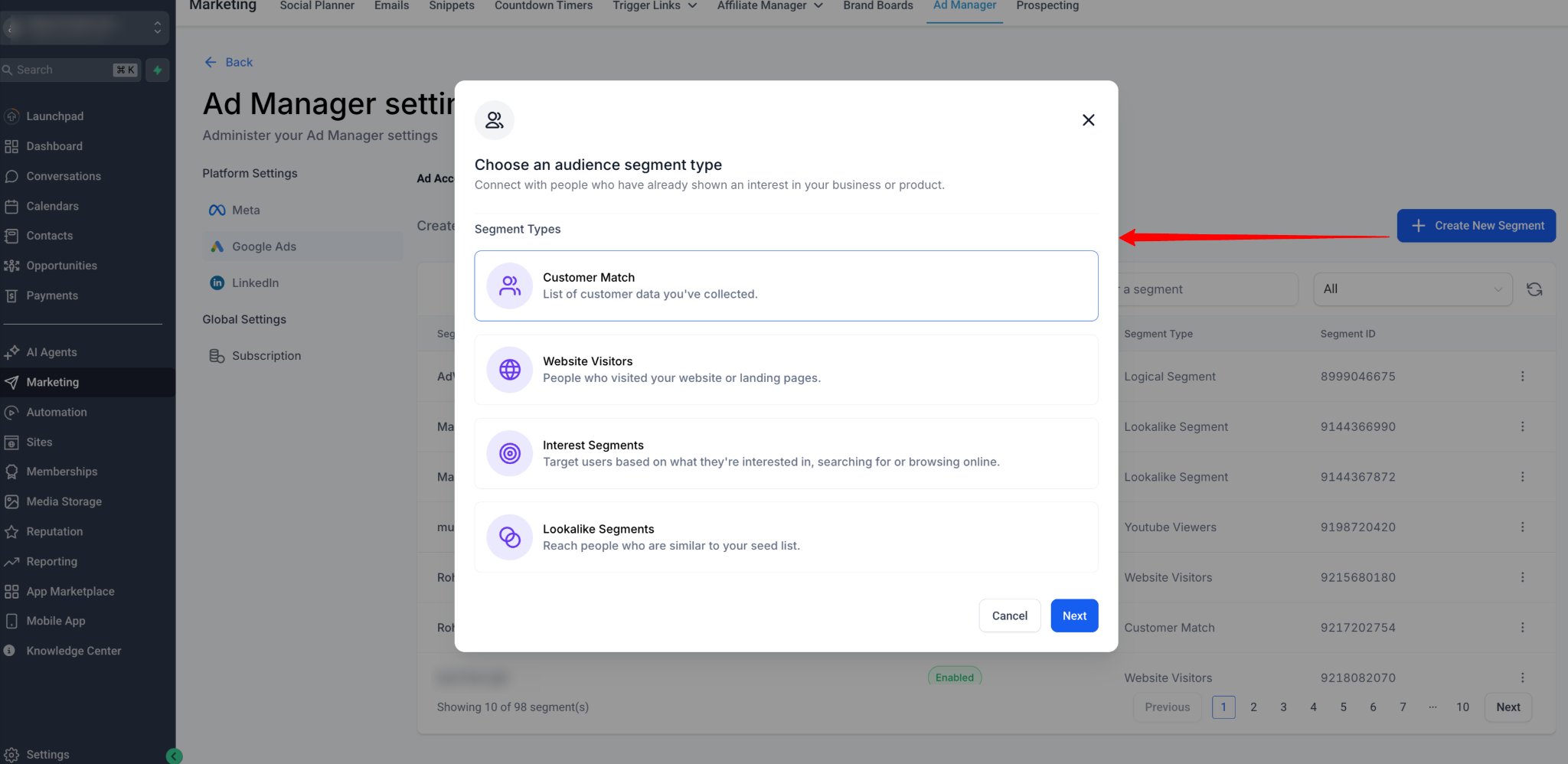
Supports multiple segment types:
-
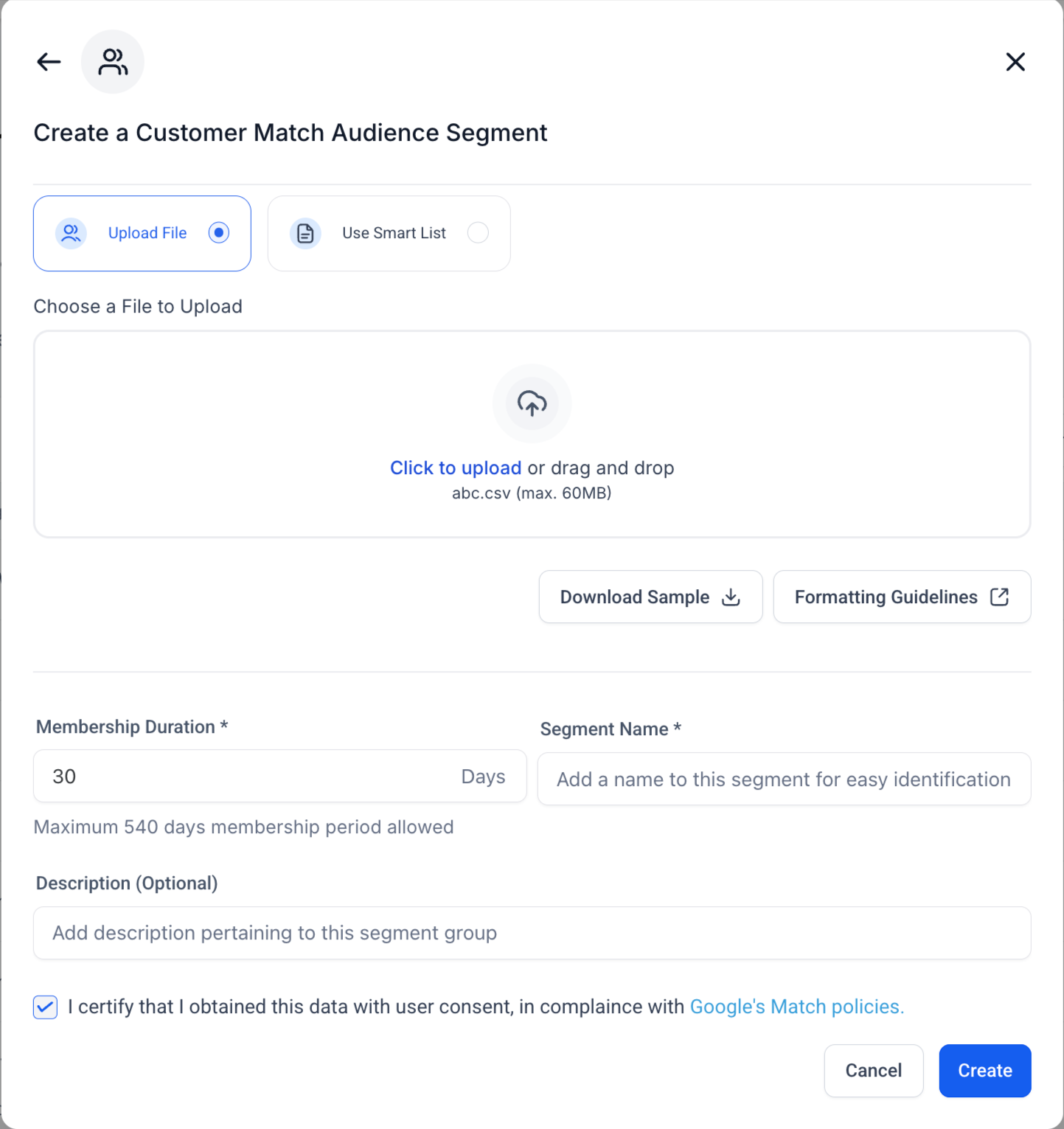
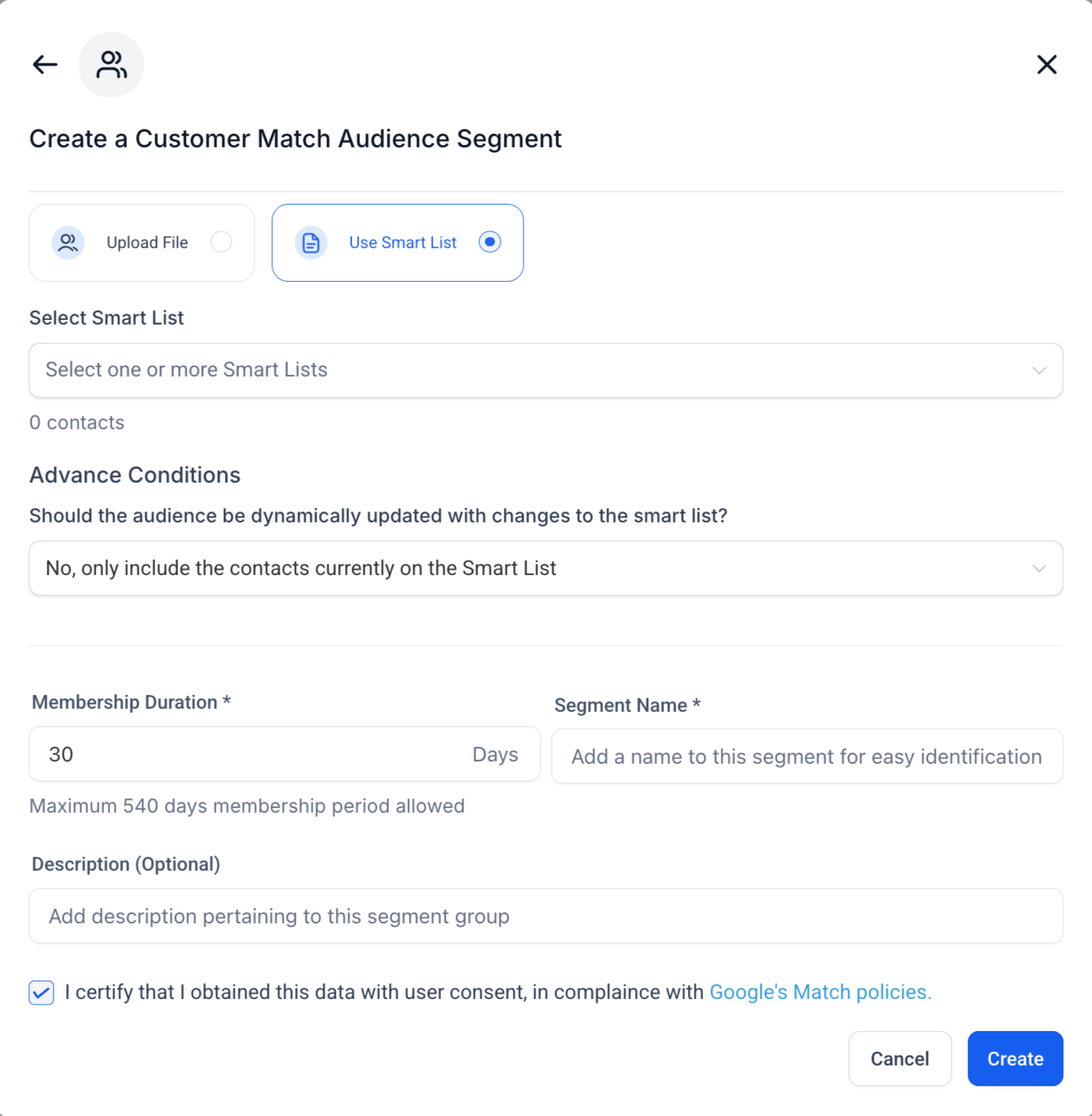
Customer Match: Upload or synchronise customer data lists.
-
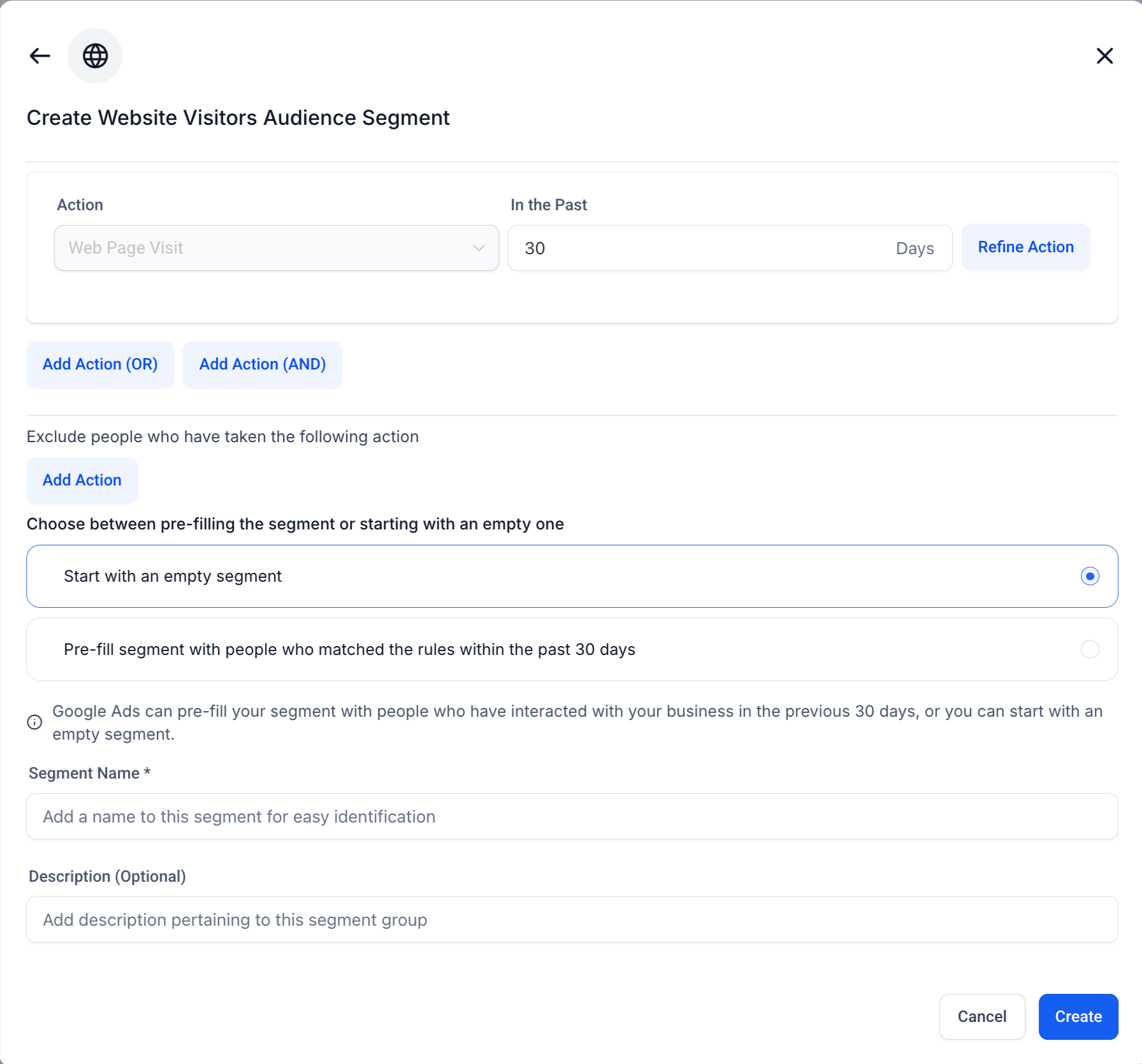
Website Visitors: Retarget visitors of your site or landing pages.
-
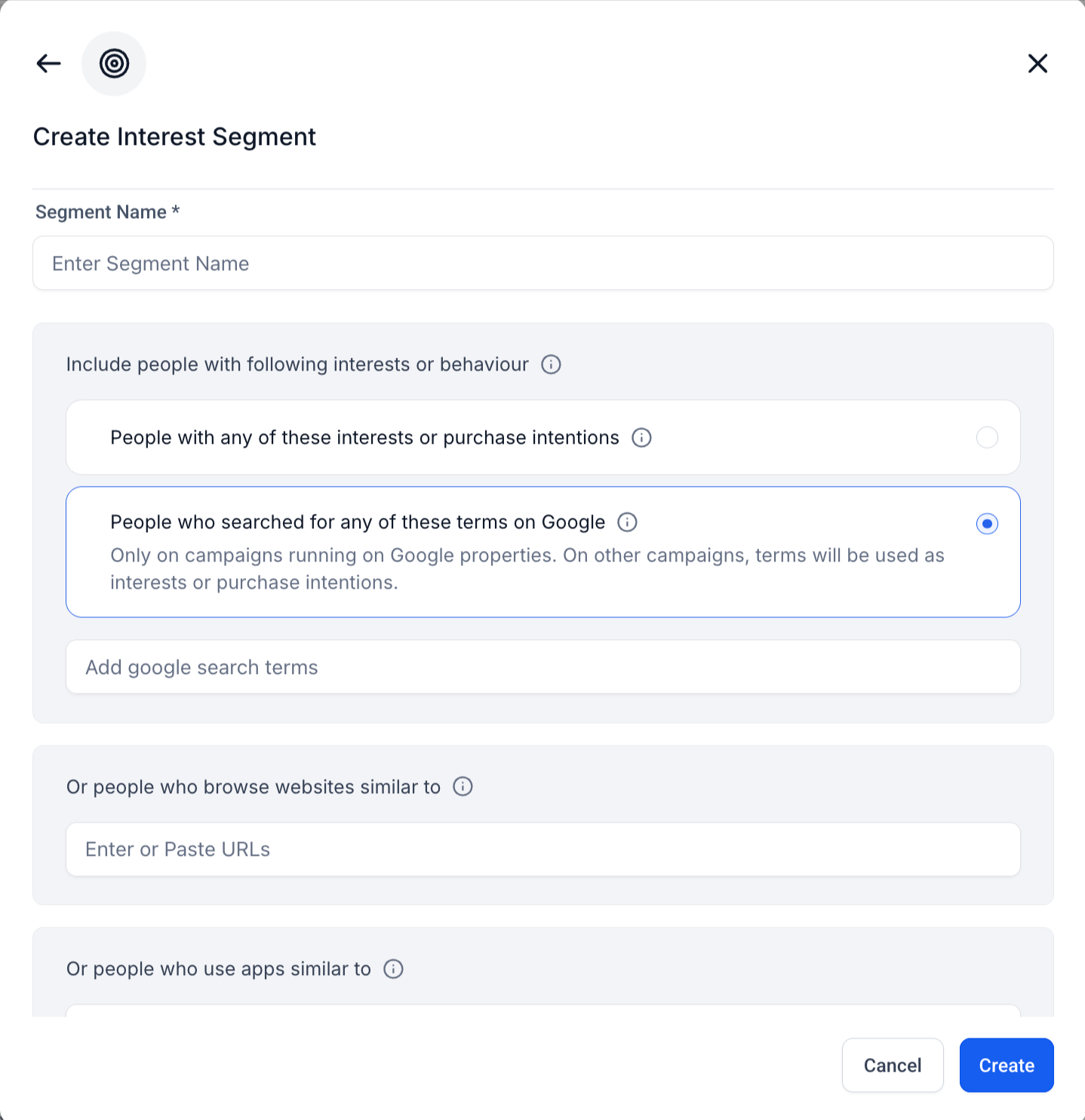
Interest Segments: Target users based on their interests or search intent.
-
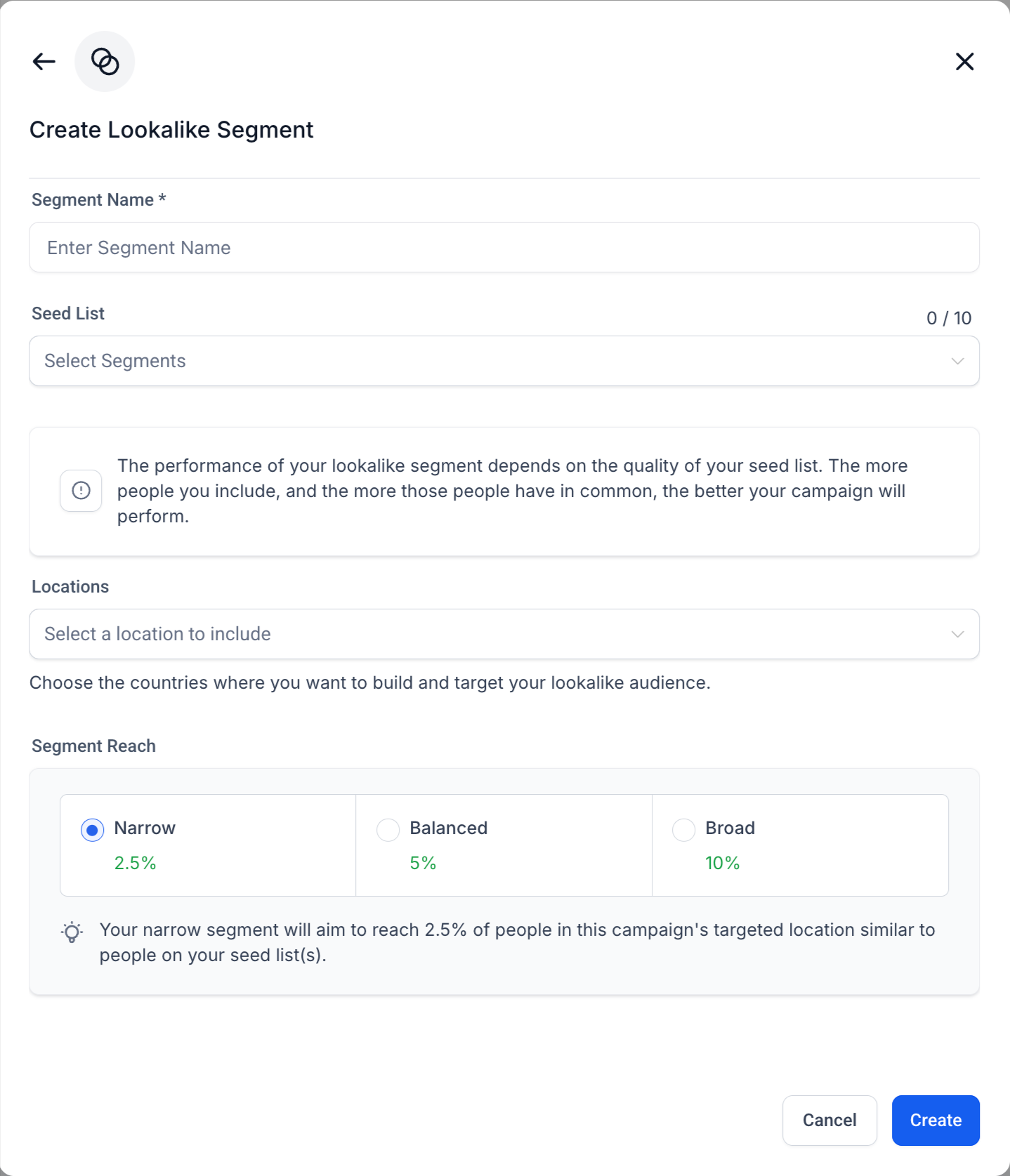
Lookalike Segments: Expand your reach to users similar to your existing audience.
-
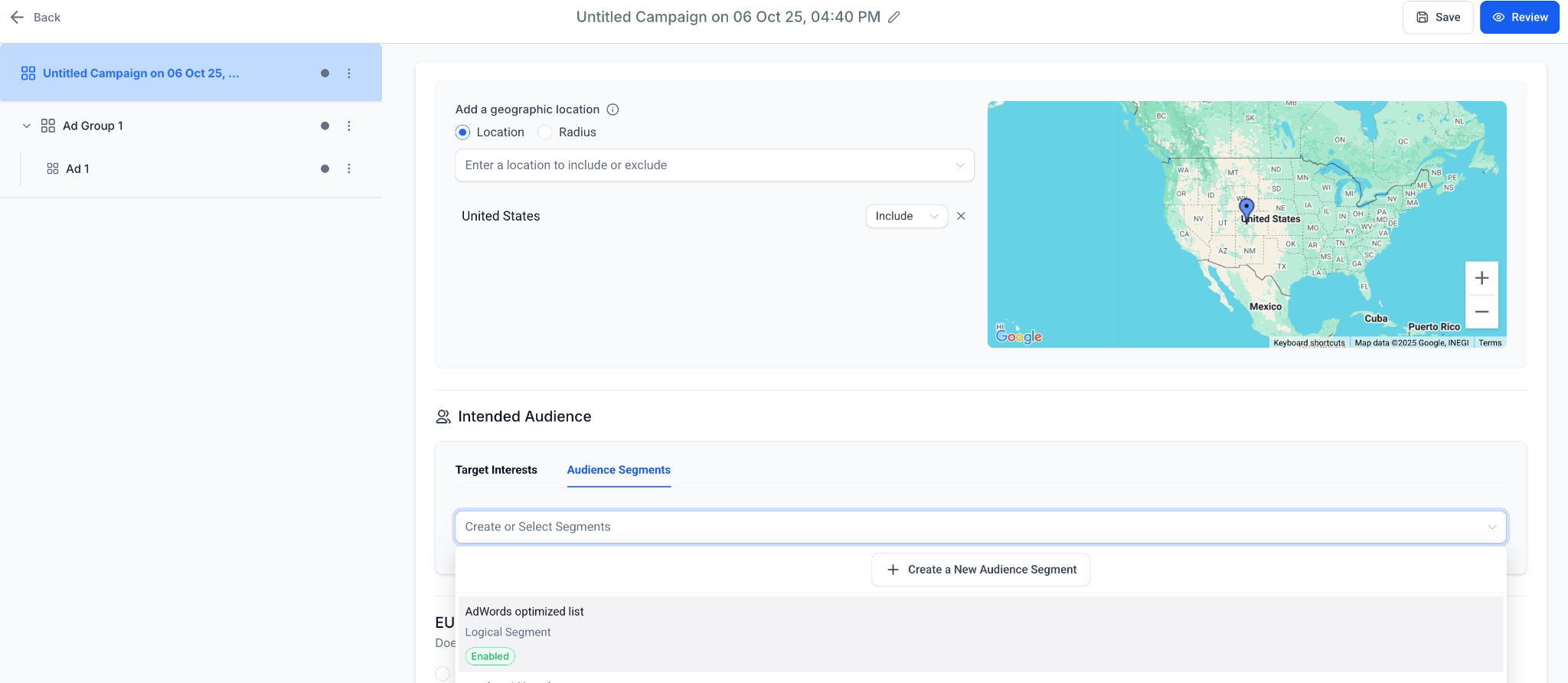
Inline audience creation in campaign builder
Intended Audience
section of the Google Ads campaign flow, users can now:
-
Enhanced targeting experience
-
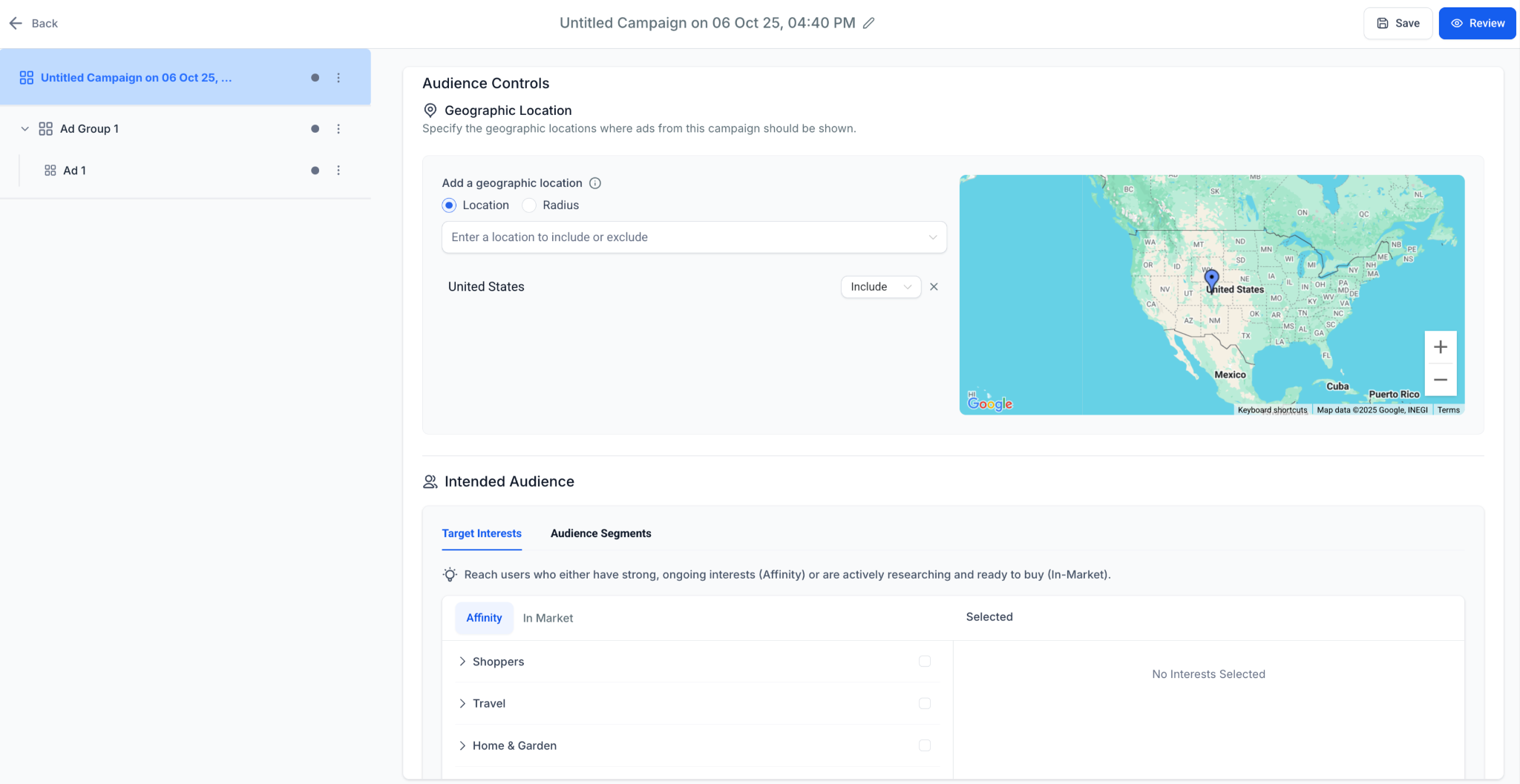
Improved
Intended Audience UI
with dual tabs:
Target Interests
(Affinity/In-Market) and
Audience Segments
.
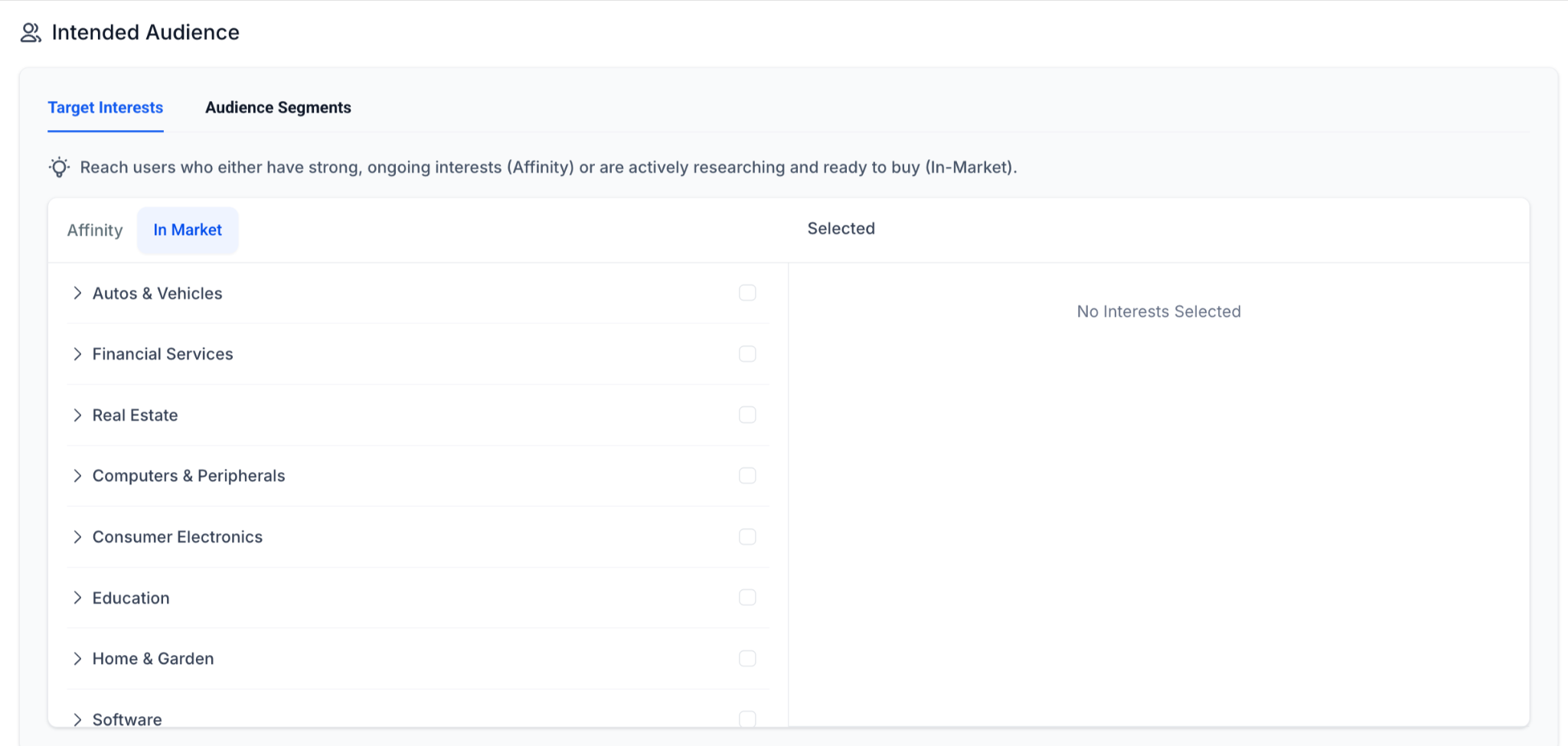
- Affinity and In-Market categories support additional subcategories (e.g., Real Estate, Financial Services, Education).
- Go to
Ad Manager Settings > Platform: Google Ads > Audience Segments
.
- Click
Create New Segment
and select from segment types (Customer Match, Website Visitors, Interest, or Lookalike).
- Configure the details (file upload, rules, membership duration, description, etc.) and save.
- During campaign creation, navigate to
Intended Audience > Audience Segments
, select from existing segments, or click
Create New Audience Segment
to add one inline.
- Save and review your campaign to activate enhanced audience targeting.
- Provides a good level of
parity
with the
Google Ads’ audience ecosystem
inside Ad Manager.
- Eliminates friction between audience setup and campaign creation.
-
Boosts ad relevance, CTR, and conversion rates
through smart segmentation and high-intent targeting.
